
Valentina Studio: one window for many databases, release 18.2.2
Summary
A cross platform tool for managing and developing databases, aimed at architects, developers and administrators as well as teaching. It speaks both SQL and NoSQL across a wide list of engines, exports results to CSV, JSON and Excel, and can generate tables from a visual diagram.
Recommend- Name
- Valentina Studio
- Version
- 18.2.2
- Pricing
- Free
- Open source
- Proprietary
- Operating system
- WindowsmacOSLinux
- Website
- https://www.valentina-db.com/en/
- Updated
- 2026-10-12 11:26
Put several databases behind one set of habits and the cost of switching never has to be paid twice.
One window, many data sources
Valentina Studio is a cross platform tool for database administration and development. The official description aims it at data architects, developers, database administrators and teaching, and states support for both SQL and NoSQL workflows. In practice the most immediate benefit is how varied the list of engines is: DuckDB, MySQL and MariaDB, MongoDB, SQL Server, PostgreSQL and SQLite all appear. When one part of a team works with a relational store and another with a document store, nobody needs a separate client per kind.
What that arrangement buys is consistency. Where the table structure is read, how a query is written and how results come out all stay the same across sources, so changing project does not mean relearning an interface. That sounds like a small thing until a week involves three engines.
The same logic applies to teaching and to handover. A single interface means one set of instructions for a class, and a colleague taking over a project does not have to be told which client they are supposed to open. Consistency of that kind is dull, and dull is what a daily tool should be.
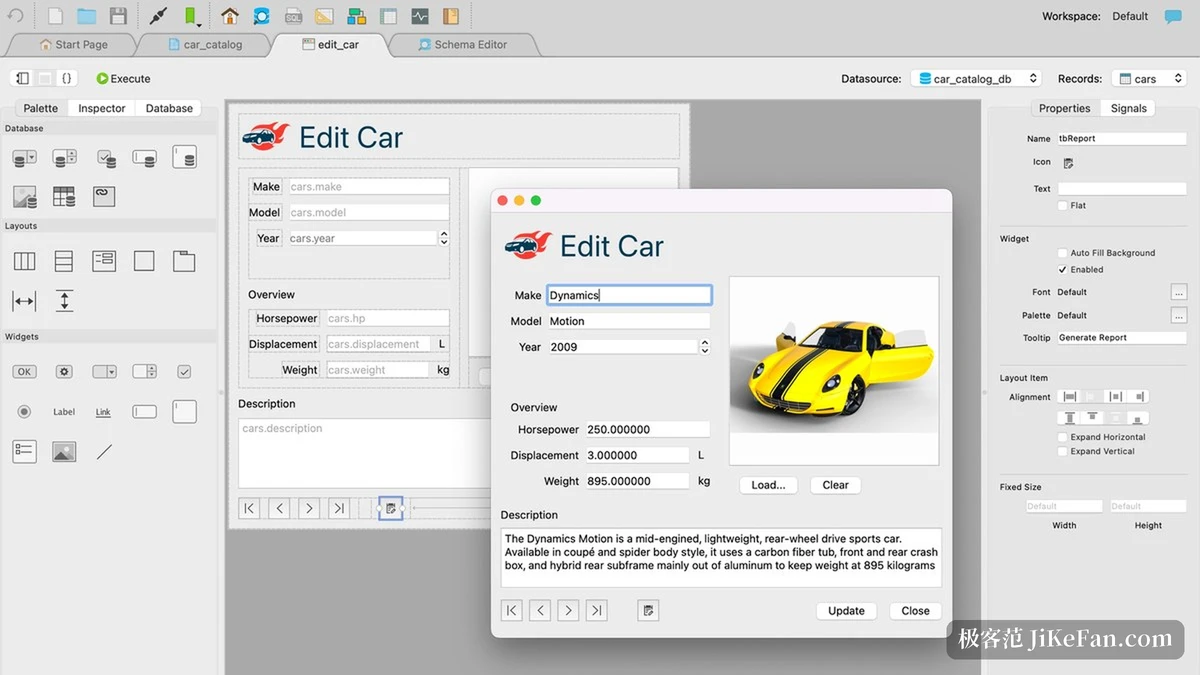
Writing queries and drawing structure
The most frequently used part is the query editor. The official list covers syntax highlighting, autocompletion, reusable queries and templates, plus detailed error and warning messages. Each of those is real help while writing: colour separates structure, completion reduces typing, templates and saved queries remove repetition. Results are handled too, since the project says they can be exported to CSV, JSON and Excel, so handing data to somebody else does not require copying and pasting.
Structure design goes to a diagram editor. The project states that a database can be designed visually and that tables and other objects can be generated directly from the diagram. Drawing the shape first and then producing a real database matches how a discussion actually goes, and is particularly useful while requirements are still settling.
There is a limit worth knowing about that pair. A diagram is a design document, and a schema that has been altered by hand for two years will not match the picture any more. Teams that keep the diagram as the source of truth and generate from it stay consistent; teams that generate once and then edit tables directly end up with a document that is merely decorative.
Item | Official notes |
|---|---|
Coverage | DuckDB, MySQL and MariaDB, MongoDB, SQL Server, PostgreSQL, SQLite |
Workflows | both SQL and NoSQL |
Query editor | syntax highlighting, autocompletion, reusable queries and templates |
Results | export to CSV, JSON and Excel |
Design | diagram editor builds a database and generates tables |
Professional | advanced modelling, report and form design, 199.99 US dollars |
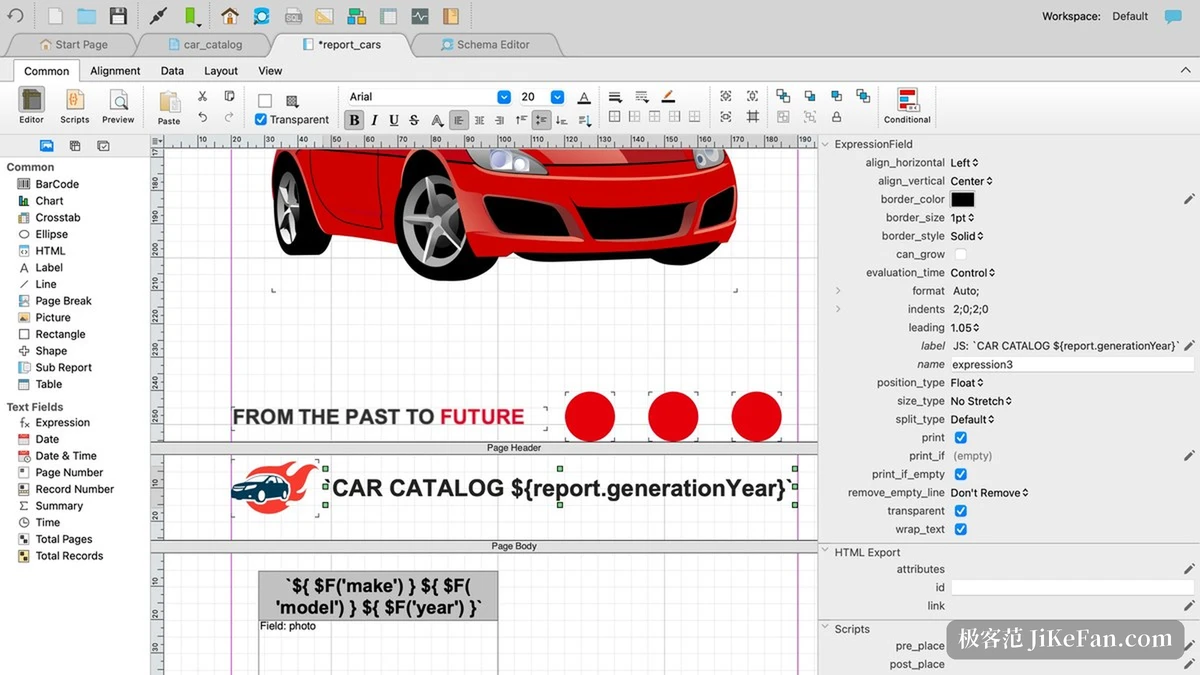
Where free ends and professional begins
Licensing runs as free and paid side by side. The project confirms a free edition does exist and can be obtained for Linux, macOS and Windows; the professional edition unlocks advanced data modelling, report design and form design on top, across all supported databases. The shop lists the professional edition at 199.99 US dollars per copy. Connection, querying and structure browsing are enough in the free edition, and reports or forms meant for delivery are the point where upgrading starts to make sense.
On versions, the download page marks the current stable release as 18.2.2, dated 9 October 2026. One caution: the product overview page still carries older marketing text, so the download page is the more reliable place to check a version number.
The distinction matters when a purchase is being justified. A report that goes to a client, or a form that other people fill in, is work the free edition cannot finish, and that is a clearer reason to pay than a longer feature list. Buying for the modelling features alone, when the daily work is queries and exports, usually turns out to be an unnecessary line in the budget.
A tool is worth what the operations you repeat every day feel like, not what the feature list counts.
A few suggestions. Connect the two or three data sources you actually use on the free edition first, and judge the feel of querying and exporting before considering a licence. Separate read only and write accounts when connecting to production, and keep the risky operations for when you need them. And save the queries you run most as templates; over a year the time saved is larger than it looks.