
Adminer: one PHP file for database administration, free and open source
Summary
Adminer is a database administration tool delivered as a single PHP file, covering MySQL, MariaDB, PostgreSQL, SQLite, MS SQL and Oracle, able to export structure and data, and published under a choice of two open source licences.
Recommend- Name
- Adminer
- Version
- 6.1.1
- Pricing
- Free
- Open source
- Open source
- Operating system
- Web
- Website
- https://www.adminer.org/
- Updated
- 2026-10-11 11:11
Tools for managing a database are often harder to deploy than the database itself: the panel has to reach the server, read the structure, change data, and still be something an operator is willing to leave on a machine.
The whole program is a file
Adminer describes itself in one line: database management in a single PHP file. That is not marketing language but the actual shape of the thing. The official download page lists files ending in .php, the full build at 550 kB and an English-only build at 402 kB, with source offered separately as a zip. For anyone who needs an administrative entrance on a machine for a while, this shape removes the discussion about dependencies and directory layout: given a PHP runtime, dropping the file in place connects to the database.
The range of databases is wide. The official text names MySQL, MariaDB, PostgreSQL, SQLite, MS SQL and Oracle, and adds that plugins can extend the list further. A separate build aimed only at MySQL is also offered, smaller in size, for situations where one kind of database is all that needs managing.
The things actually done every day
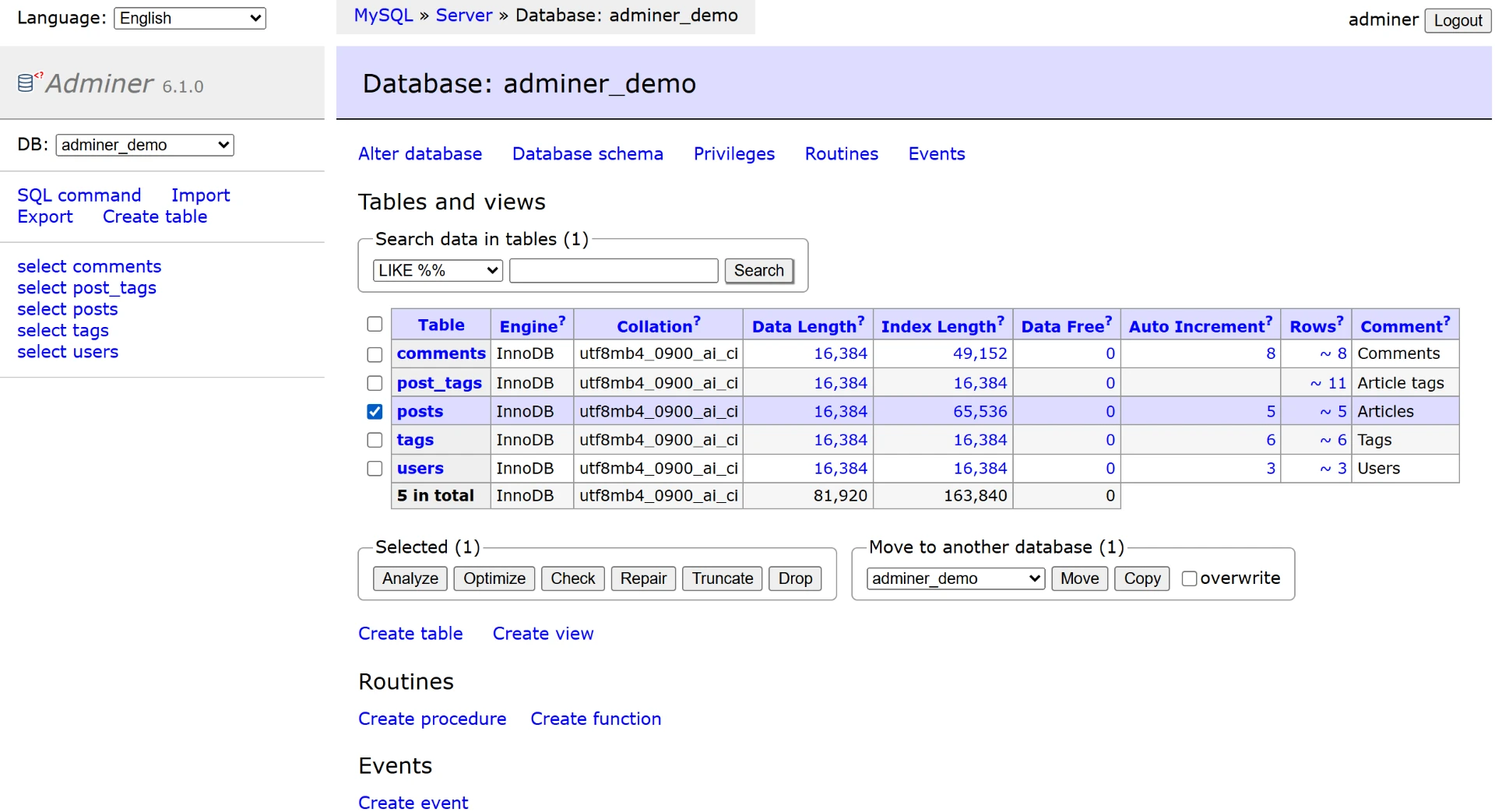
Read through the official feature list and it becomes clear that the coverage is the ordinary routine of database work. Sign in with an account, pick an existing database or create one, inspect and alter table names along with engines and collations, add or drop tables and columns, build and search indexes including full text, connect tables with foreign keys, and manage views, stored routines, functions and triggers, all inside one interface.
The data side is more concrete: browsing a table allows searching, aggregating, sorting and limiting; records can be inserted, updated and deleted; every data type is supported, and large objects move through file transfer. Executing SQL is the crucial one, since arbitrary statements run from a text box or from a file, which means operations the interface never modelled are not blocked.
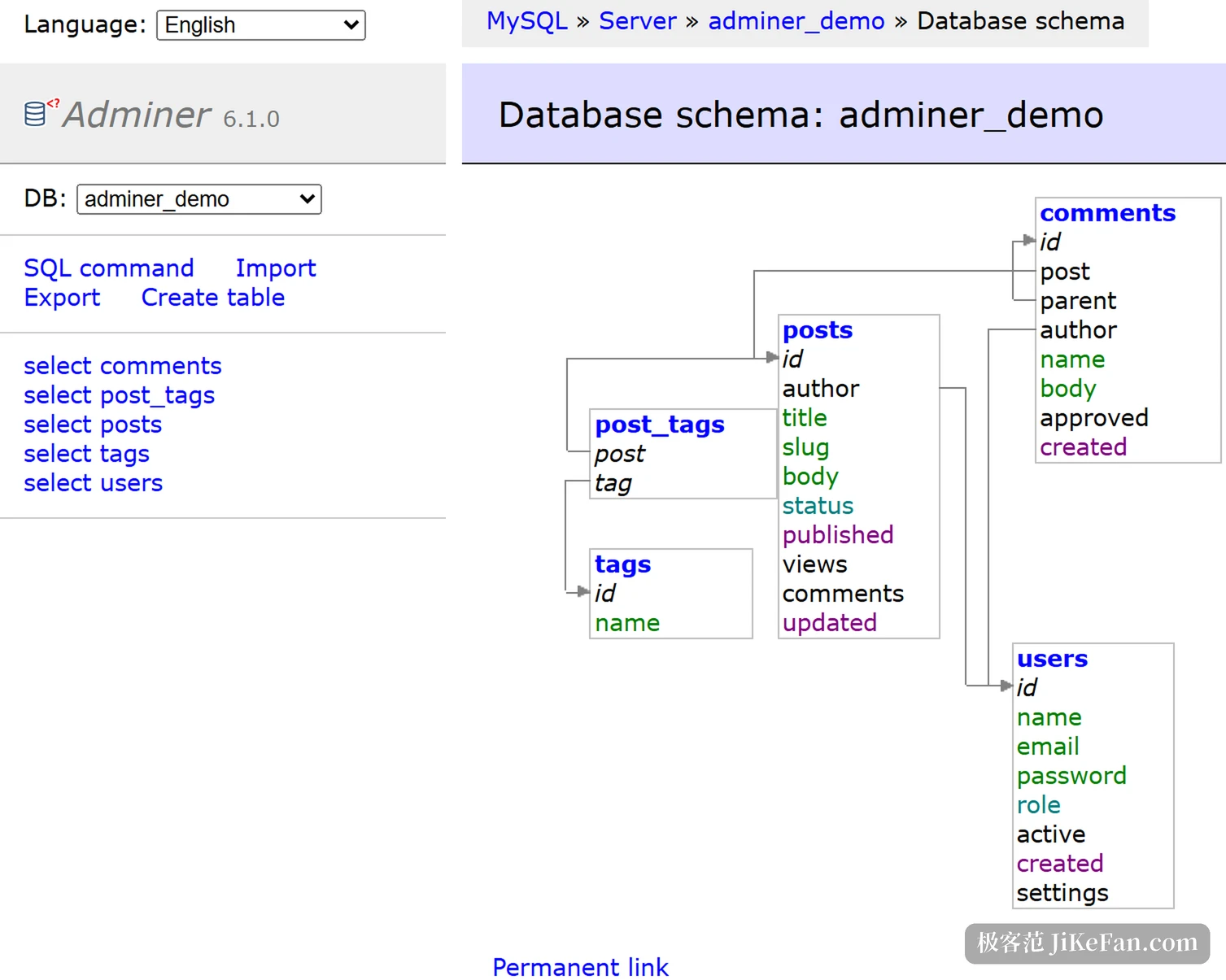
Export is the other well-worn path. Structure, data, views, routines and whole databases can leave as SQL or CSV, and the structure view prints a diagram of tables joined by foreign keys. Operations concerns are not skipped either: processes can be listed and killed, users and privileges viewed and changed, variables read with links pointing at the documentation. Newer database features keep arriving in range, generated columns, check constraints, events and table partitioning among them.
Licence, and a replaceable skin
Licensing is dual. The LICENSE file at the root of the official repository contains a single line, Apache License 2.0 or GPL 2.0, and users may pick either. One point invites misreading: the code hosting platform reports the licence field for this repository as NOASSERTION, which only means the interface cannot classify a dual licence automatically. It does not mean the project is unlicensed; the file in the repository is the authority.
Appearance is a replaceable layer. Skins sit in the official navigation beside features, requirements and references, with several interface schemes provided, while a plugin directory extends functionality and an editor branch exists as a separate entrance. Within the category of open source database administration, this shape of a very small core with swappable surroundings explains why it lasts: the people who need it usually want an entrance that connects immediately, not a system to maintain.
A tool that compresses itself into a single file has clearly thought through its own problem: not to be a database platform, but to make the next connection cheap enough to bother with.
How to use it well: deploy it inside a controlled network and give the administrative account the least privilege it needs on the database side; choose the slim build when only one kind of database is involved; and check the target disk before exporting a large database, preferring to export table by table.