
QOwnNotes Keeps Every Note as a Plain File and Stays Under Fifty Megabytes
Summary
A free and open source note application written in C++ and compiled natively rather than wrapped in a web shell. Notes are plain Markdown files with no database, memory use stays in the tens of megabytes, and scripting, AI integration and an MCP server extend what the editor can do.
Recommend- Name
- QOwnNotes
- Version
- 26.9.9
- Pricing
- Free
- Open source
- Open source
- Operating system
- WindowsmacOSLinux
- Website
- https://www.qownnotes.org/
- Updated
- 2026-10-19 22:00
Notes that are just files
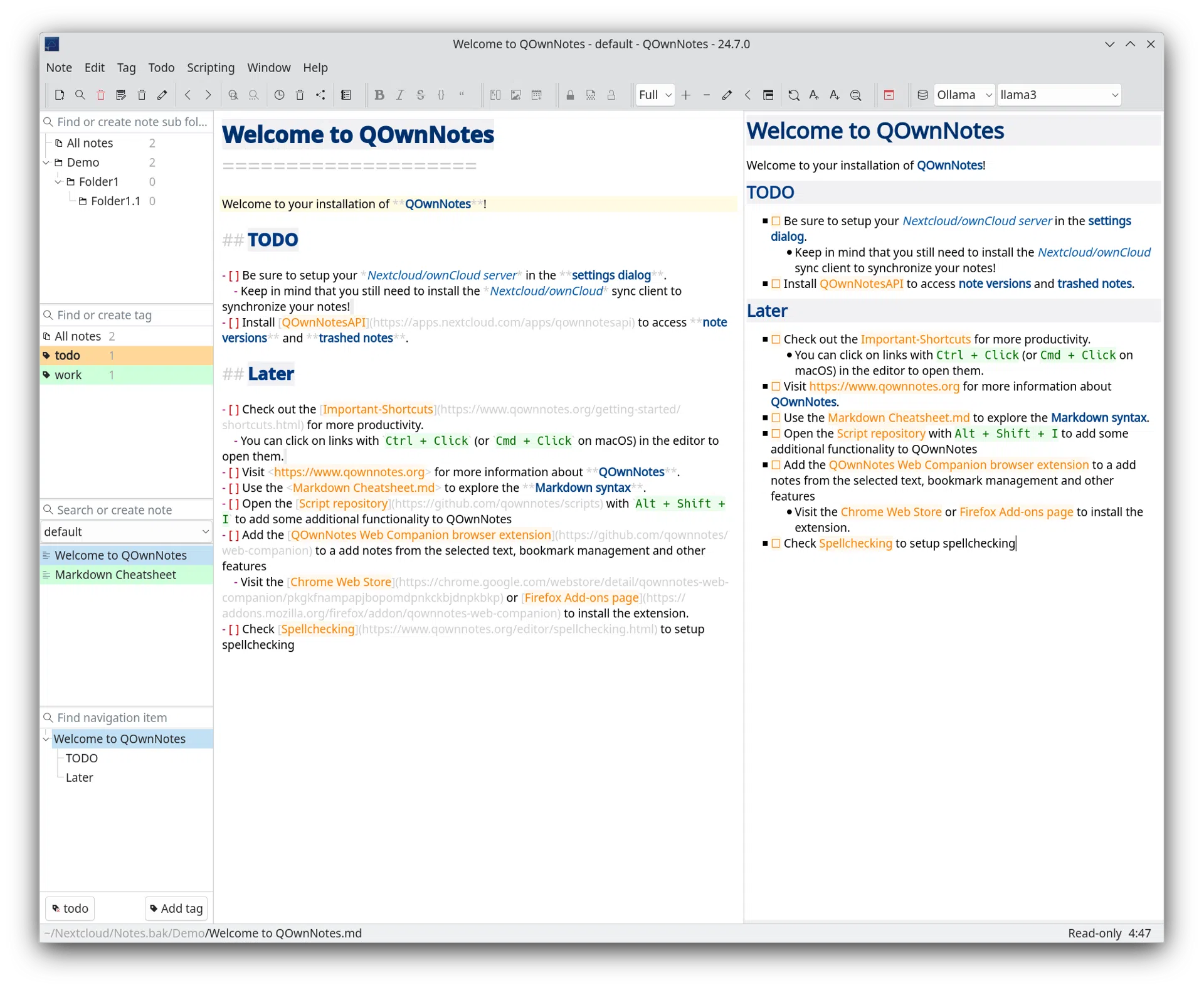
More and more note applications are built by wrapping a web page in an application shell, and the result is a program that takes several hundred megabytes to open a shopping list. QOwnNotes goes the other way. It is written in C++ and compiled into a native binary, and it holds memory use in the tens of megabytes while you work. That number is not a boast in itself; what it buys is an application that opens instantly on a modest laptop and never makes you wait for it.
Plain text, so nobody else owns your notes
Every note is a Markdown file on your own disk. There is no database and no proprietary container, which in practice means you can open the folder in a file manager and read everything, or edit a note in any other editor without exporting it first. That is the central design decision of the program: the notes belong to you, and there is nothing to be locked into.
Syncing is a choice rather than a subscription. Self-hosted cloud storage is integrated directly, and a general file sync tool works just as well, since at the end of the day these are ordinary files moving between two folders. Not syncing at all is equally valid; the application works entirely offline against a local directory.
How light it actually is
The comparison that matters is not a benchmark chart but a long afternoon. On an older laptop with eight gigabytes of memory, with QOwnNotes open all day, the memory figure stays somewhere between thirty and fifty megabytes. Very few desktop note applications manage that now, because the web shell approach makes it structurally hard: the rendering engine alone costs more than the entire budget here.
Writing and to-dos in one window
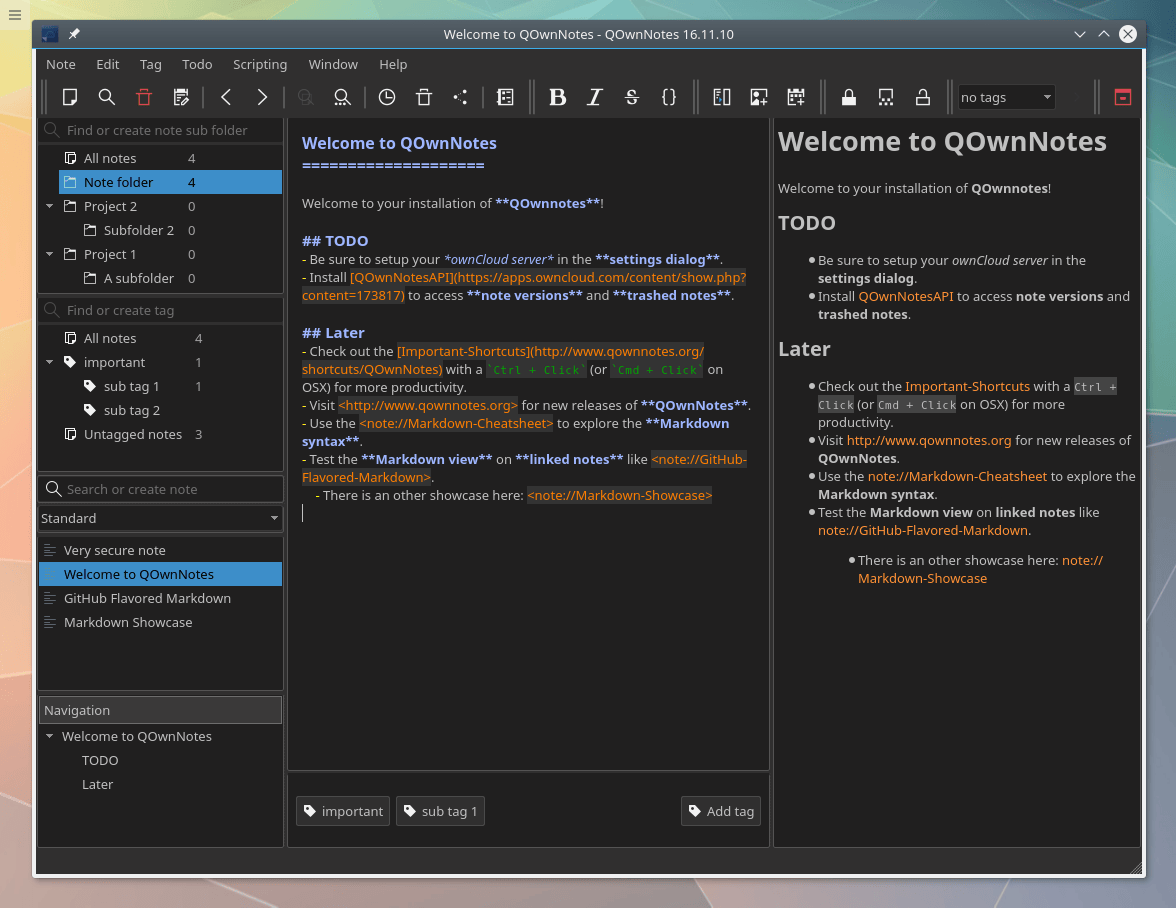
The editor highlights Markdown syntax and renders a live preview beside it, with inline image preview, collapsible headings and the option to hide the markup entirely. Long technical documents stay readable while you are still writing them.
To-dos are built in rather than bolted on: a list with priorities, reminders and completion state, where an item can point back at the note it came from and can be published to an outside calendar through CalDAV. That last part is what makes the list usable, because a task nobody else can see is a task that gets forgotten.
Organisation happens two ways at once. Hierarchical tags sit alongside subfolders, so a note can belong to a project and carry three labels without being duplicated. Wiki-style double brackets link notes to each other, with autocompletion, backlinks and refactoring when a note gets renamed. Full-text search is substring based and highlights the match inside the note, which matters once a collection passes a few thousand files.
Scripts and AI, if you want them
An online script repository holds dozens of community scripts, each installable in one step. Beyond that, the application can be extended with your own scripts, so a workflow specific to one person is not out of reach.
On the AI side there is integration with cloud model providers, callable from a script. The more unusual part is a built-in MCP server: an external AI agent can search and read your notes through a defined interface instead of being handed a copy of the folder. Among note applications that is rare, and it changes the shape of what an assistant can do, because the assistant queries the library rather than swallowing it.
The rest of the list
Encryption is available in the form of AES 256, and external key services can be used instead if you already have one. Browser extensions let you turn selected text on a web page into a note without leaving the page. A portable mode runs from a removable drive with nothing installed. Spell checking is built in, with an optional external grammar checker attached. There is a keyboard-driven editing mode for people who never touch the mouse, translations cover more than sixty languages, and an import path exists for the two or three note tools most people are coming from.
A native binary, plain files and a memory footprint in the tens of megabytes: QOwnNotes declines the web shell route and keeps the guarantee simple. Scripts, AI integration and an MCP server show that light does not have to mean limited.