
Mp3tag Fixes Several Hundred Tags in One Pass and Renames the Files to Match
Summary
A tag editor for audio files that writes artist, album, year and genre across hundreds of tracks at once, pulls metadata and cover art from large online music databases, and converts between tags and filenames in either direction. The Windows build is free, the Mac build is paid.
Recommend- Name
- Mp3tag
- Version
- 3.36.1
- Pricing
- Paid
- Open source
- Proprietary
- Operating system
- WindowsmacOS
- Website
- https://www.mp3tag.de/en/
- Updated
- 2026-10-19 22:00
A music folder goes wrong quietly
Nothing announces it. You download an album, then another, then a compilation someone sent you, and over a couple of years the folder turns into a pile where one artist name is misspelled, half the albums have no cover, and a few carry the wrong year. Fixing that by hand is the worst kind of work: several hundred tracks, each needing four or five fields corrected, none of it difficult and all of it slow. Mp3tag exists for precisely this job, and it does three things: write tags in bulk, fetch covers and metadata automatically, and rename files from the tags afterwards.
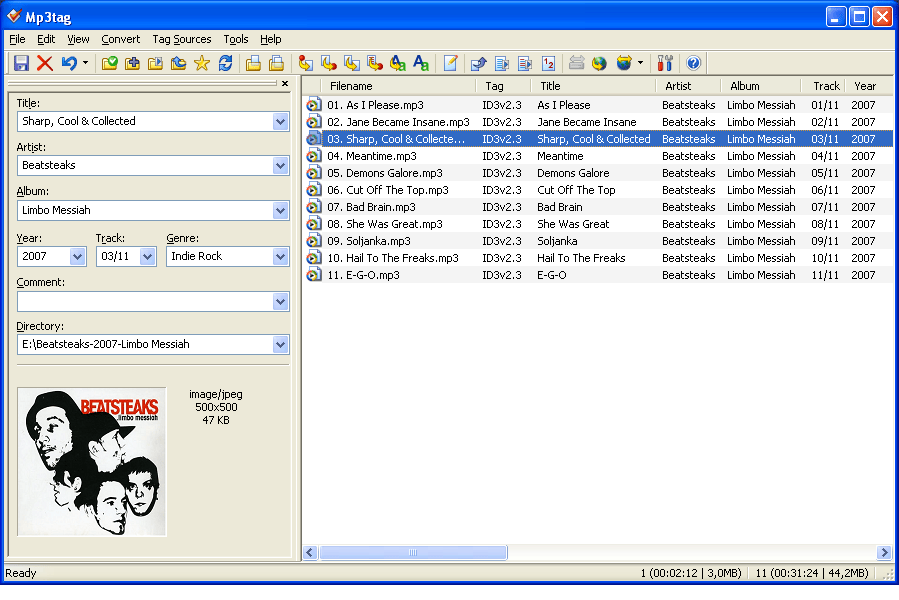
Editing hundreds of files in one pass
Select several hundred files at once and the fields you type apply to all of them. The editor reads and writes the tag formats that actually show up in a music collection: ID3v1, ID3v2, MP4, WMA, APEv2 and Vorbis Comments. Behind those sit more than twenty audio formats, among them MP3, FLAC, AAC, M4A, OGG, WMA, WAV, APE and OPUS. In practice this means a mixed folder does not need to be sorted by container first; the same edit lands on all of it.
When a tag is not empty but wrong, search and replace runs across the whole selection, with regular expressions available when a plain string will not do. Every track credited to an unhelpful placeholder name can be corrected in one action rather than a hundred, and the same mechanism cleans up inconsistent punctuation or a label prefix that got baked into the title field.
Pulling tags and artwork from online databases
Typing metadata by hand is the part that makes people give up. Mp3tag queries several large online music databases instead: select the files, start a search, and it matches the release and fills in artist, track listing, year and cover art together. The interesting part is the depth of the catalogue. Recent pop albums are easy; the test is a record from thirty years ago on a small label, and high-resolution artwork for those is often there when a general search engine only offers a thumbnail.
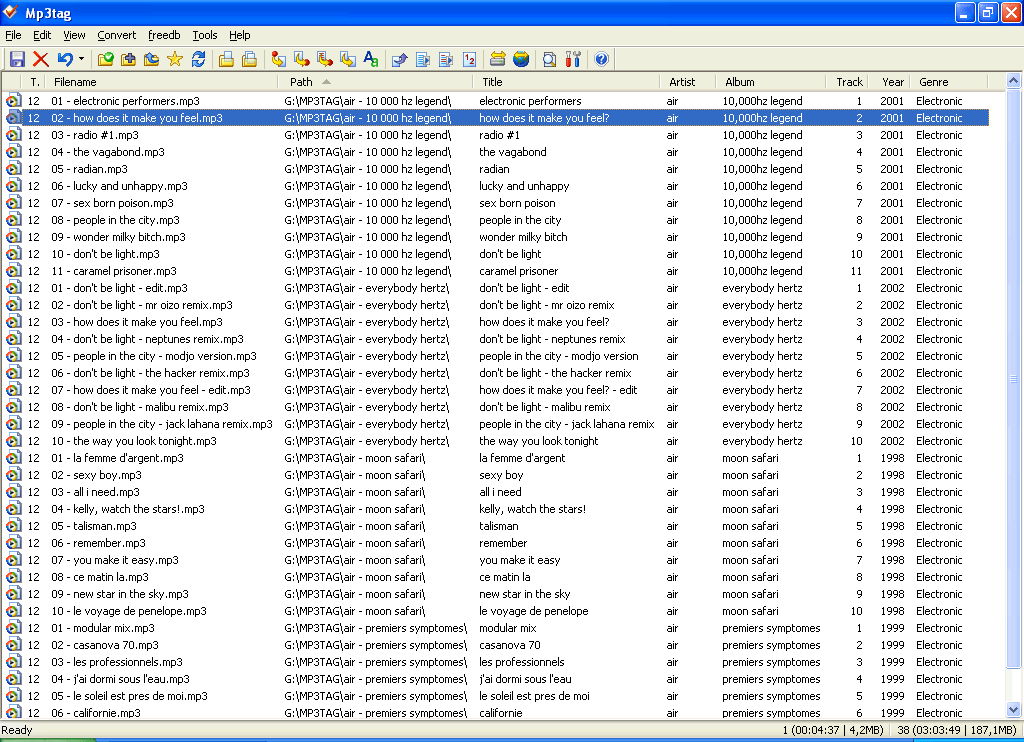
Tags and filenames, both directions
The conversion runs both ways, and both directions get used. Rename files from their tags when the folder names are the mess; parse filenames back into tags when the files are already sensibly named but the metadata is empty. A folder of files named artist and title can be split into the corresponding fields automatically, and the reverse assembles a filename out of tag values. Naming patterns are configurable, so the scheme can be whatever convention you already follow instead of the one the program prefers.
The smaller tools that save the most time
Cover handling goes past simple lookup: embedded artwork can be exported in bulk, scaled and cropped to a square so a grid of albums looks uniform, or stripped of one tag type while the others stay intact. On MP3 files that last point matters, since a file can easily carry three generations of tags at once and only one of them is the one your player reads.
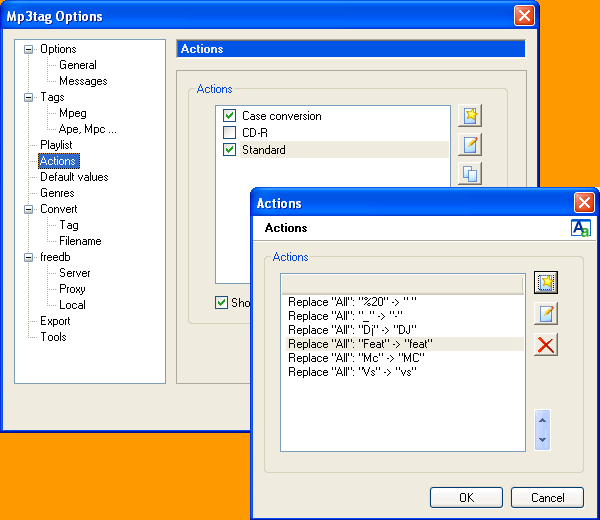
Action groups are the feature that pays off on a second library. Several operations, replace text, fill a field, rename, are recorded as one group and applied in a single click; the repetitive cleanup gets written once instead of repeated track by track.
Export writes a listing of the library to HTML, RTF or CSV from a template, which is what you want when cataloguing a collection or handing someone an inventory. Playlists, meanwhile, are created while you edit rather than in a separate step afterwards.
Windows free, Mac paid
The two builds are licensed differently, and it is worth knowing before planning around it. The Windows version has been free for more than twenty years and still receives updates; the Mac version is a paid product. That split is unusual enough to mention plainly, because most tools this mature have moved behind a subscription by now.
Bulk tag editing, automatic artwork and two-way conversion between tags and filenames: Mp3tag treats library cleanup as a single job rather than three. If a music folder has reached the point where you avoid opening it, this is the shortest route back.