
ONLYOFFICE Desktop Editors 10.0: four document types, AI as a separate module
Summary
ONLYOFFICE Desktop Editors 10.0 gathers AI into a module you install or leave out. DOCX, XLSX, PPTX and PDF open in one window, and the source is published under AGPLv3.
Recommend- Name
- ONLYOFFICE Desktop Editors
- Version
- 10
- Pricing
- Free
- Open source
- Open source
- Operating system
- WindowsmacOSLinux
- Website
- https://www.onlyoffice.com/
- Updated
- 2026-10-19 20:59
ONLYOFFICE Desktop Editors brings documents, spreadsheets, presentations and PDF into one window. Version 10.0 arrived in October 2026, and the change it concentrates on is folding the AI features that used to sit scattered between an agent and a plugin into one separate module, installed or not at the user s choice.
Four kinds of file, one interface
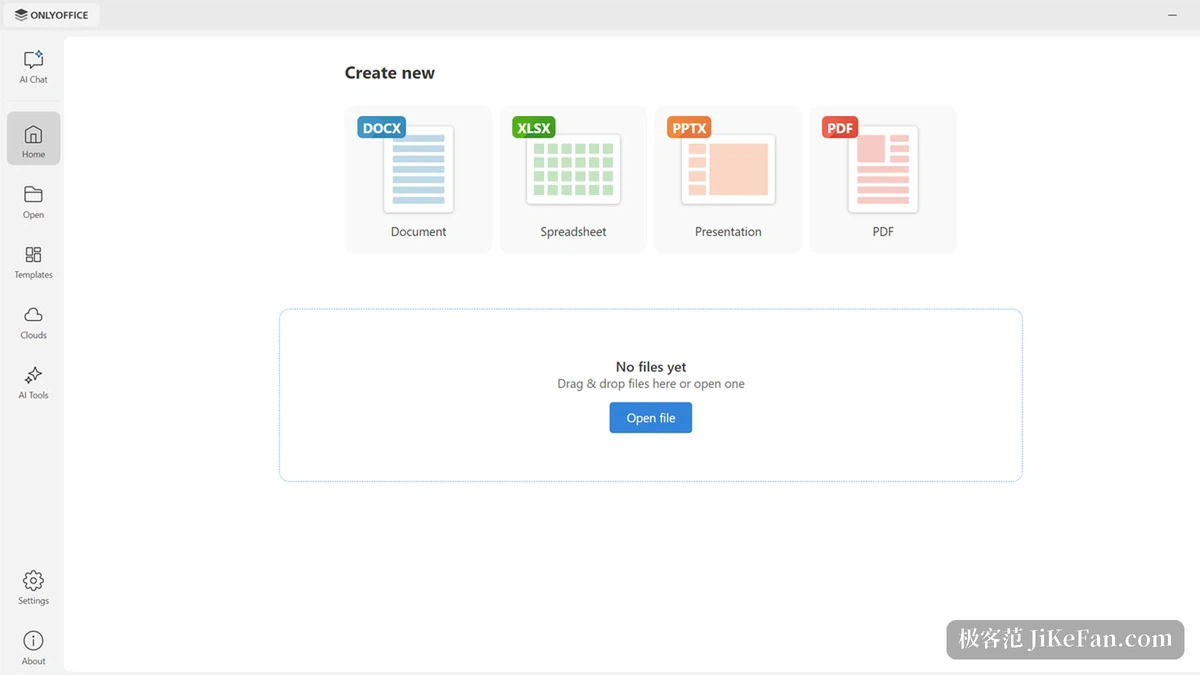
The first thing after installing is the start window. A new document, spreadsheet, presentation or PDF all begin from the same place, and the left column groups things by purpose into home, open, templates, cloud services and AI tools. The desktop edition covers Windows, macOS and Linux, version 10.0.0 was released on 13 October 2026, and the source is published under AGPLv3 on GitHub. File formats follow the DOCX, XLSX and PPTX set, so opening and saving need no conversion first.
AI no longer arrives by default
Before 10.0 the AI work was split between an agent and a plugin, each handling a part. This release merges them into one module and makes it a manual download: without installing it, nothing takes part in startup, and with it installed the entry points sit under AI Chat or AI Tools in the start window, with an uninstall option in the settings so a return to plain local editing is always available. The company still marks this area as beta.
Ask about a file without opening it
AI Chat lives in the start window rather than inside an editor, which suits files you only want to pass through quickly. Drag a local document into the conversation, write a prompt, or click one of the prepared actions such as summarise, polish, rewrite a letter, extract key information, explain the main points, generate an outline, proofread, brainstorm or adjust the tone, and the assistant reads the file before answering. It also answers questions about a PDF, makes summaries and marks sensitive passages. Backends can be a cloud assistant or a model running locally, reached through Ollama, LM Studio or GPT4ALL.
AI Tools lines up the common actions
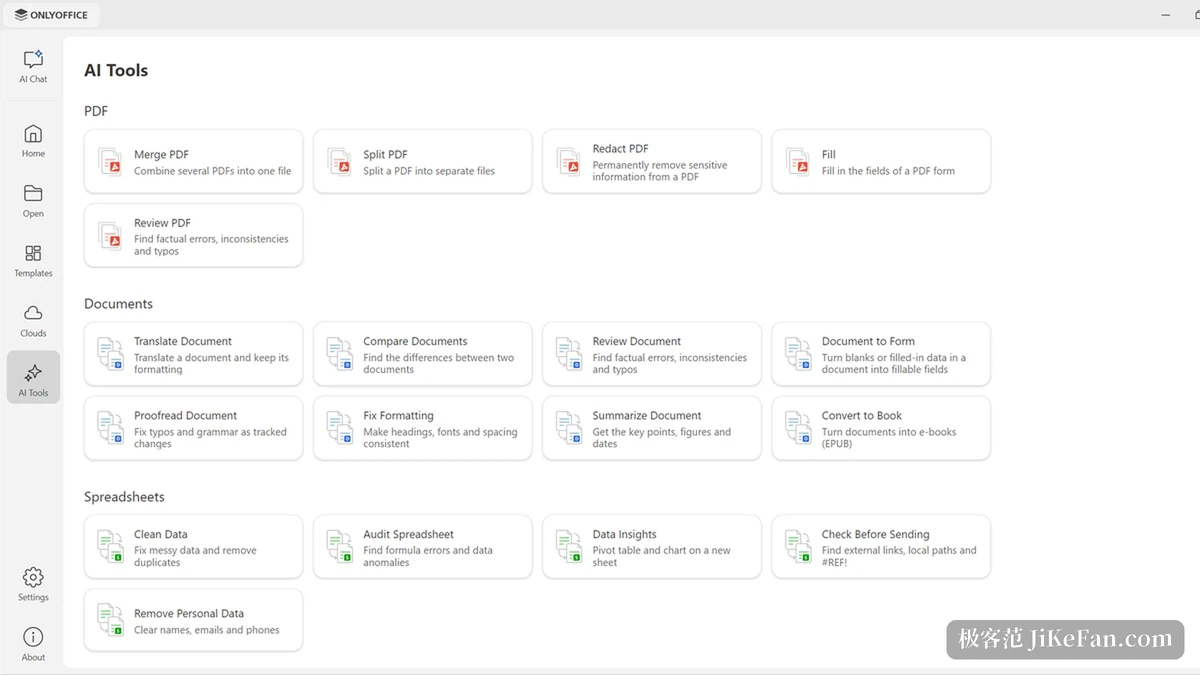
The other entry point, AI Tools, groups operations by file type and turns the frequent ones into buttons. The document group holds review, compare, translate, proofread, summarise, convert format, and turning a DOCX into a fillable form. The spreadsheet group holds clearing personal data, cleaning data, finding formula errors, generating pivot tables and charts, and locating local paths and external links inside the sheet. The presentation group holds building slides from nothing, turning a document into slides, rewriting text and preparing speaker notes. The PDF group holds merging, splitting, redaction, review and form filling. Choosing one jumps into the conversation with the file attached, and the returned content only needs a human check.
The start window has a new look
Version 10.0 rebuilds the start window on a minimal layout: a narrower left column, fewer buttons, a reworked template area with sales contacts, invoices, marketing plans, business plan decks and fillable reference letters filed by occasion. Cloud services now appear as a list, and connecting an account takes one press. This release also adds support for Odoo accounts, and once connected the local fonts, printing service and spell check can be used on cloud files.
Details only the desktop build has
The Linux build thins the window border and adds a shadow, so several documents opened side by side read more clearly. The macOS build gives file tabs a context menu where closing, moving, pinning and creating all happen on the tab. The rest of the changes are spread through the editors: the PDF redaction tool now clears the metadata as well, forms support a reusable signature, paragraph separators get their own settings window, cells can switch autocomplete on or off, sheets accept a background image, presentations gain a display mode and finer print settings, and slides can be exported as GIF or video.
Version and licence
Desktop 10.0.0 uses the AGPLv3, free to use and free to deploy yourself. Docs 10.0, released at the same time, brings more than 50 new features and around 1000 fixes and deals with a batch of security issues. The mobile line is a separate product, with the Android and iOS versions sitting in the 9.4 series and licensed differently from the desktop edition.
Making AI a module that can be taken off is the step worth noting in 10.0. Install it if wanted, remove it if not, and the editor keeps doing its own job of opening a file, changing the content and saving it back. For a team that wants its office suite on its own server, that boundary is more substantial than a longer feature list.