
Smallpdf puts thirty odd PDF tools in a browser, and the free tier caps downloads
Summary
Smallpdf is an online set of PDF tools, with thirty entries covering compression, conversion, organising, signing and asking questions of a document. The free tier runs every tool but caps how many results you take away, while Pro lifts the cap and adds OCR and stronger compression.
Recommend- Name
- Smallpdf
- Version
- 20261021
- Pricing
- Free
- Open source
- Proprietary
- Operating system
- WindowsmacOSLinuxWeb
- Website
- https://smallpdf.com/
- Updated
- 2026-10-23 21:23
The awkward part of a PDF is not opening it but changing it: merging, splitting, compressing, turning it into Word, adding a signature. Smallpdf takes the position that all of this belongs in a browser, finished without installing anything.
Open the page and the tools sit in seven groups
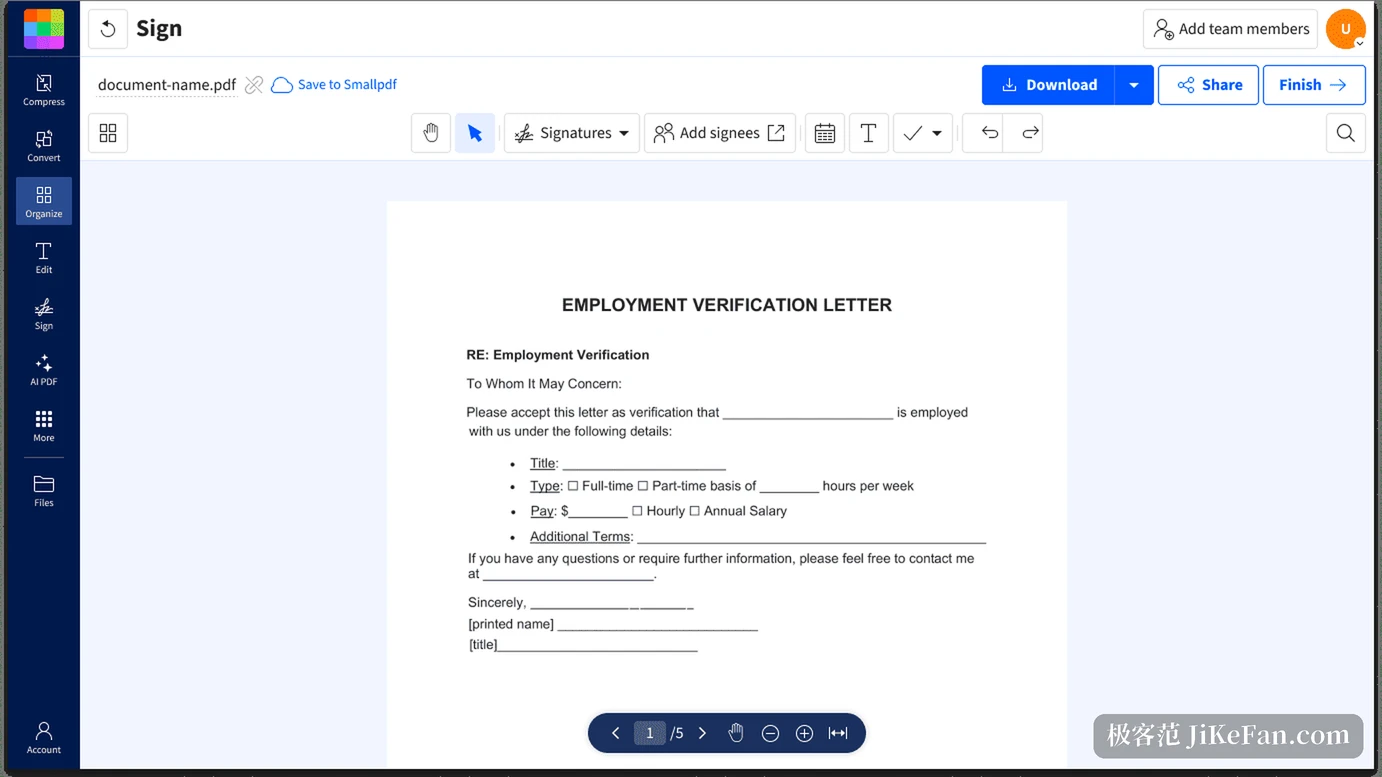
The slogan on the homepage is short: we make PDF easy. The front page says 30 tools for converting, compressing and editing PDF files, while the list in the footer sorts them by purpose into seven groups, compression, conversion, organising, editing, protection, AI and scanning.
Conversion holds the densest set of entrances. PDF goes both ways with Word, Excel, PowerPoint and images; the Office formats, meaning Word, Excel, PPT, OpenOffice, ODT, ODS and ODP, turn into PDF, and plain text, RTF, HWP, HTML, EPUB, ZIP, CSV and even Apple iWork Pages convert too. Organising covers merging, splitting, rotating, deleting pages, extracting pages and rearranging. Editing gathers annotation, page numbers, cropping, redaction, watermarks and form filling. Protection covers encrypting and removing restrictions, plus an option that flattens forms and layers.
Where the free tier stops
A free account reaches every tool, but the number of downloads after processing is capped, and permissions on mobile are limited. That is the one point worth stating early: the tools do not stop you, the step of taking the result away is what stops you.
Pro removes exactly those limits, with unrestricted use of every tool, unlimited document downloads, batch compression, editing body text, OCR, a stronger compression mode, the AI tools, full permissions on mobile, and a full subscription to the project's separate signing service thrown in. Team plans are priced per seat from 2 to 19 people, and beyond 20 the business plan is quoted to order. New users get a seven day trial, Pro and team both bill monthly or yearly, and the exact amount changes with region and currency rather than being printed on the page.
How conversion and compression actually feel
Compression offers three strengths: basic, moderate and strong. After choosing, an estimate of the result appears, and in the official example a document of about 6 MB drops to roughly 5 MB at the basic setting, a cut of about a fifth. Strong compression belongs to Pro and cuts harder at the cost of image quality. Batch compression is likewise reserved for paid accounts.
On the conversion side the item to watch is OCR. A scanned document turned into a PDF is essentially a pile of pictures, and without that layer of recognition, converting to Word yields picture boxes. Listing OCR as a Pro feature amounts to selling can be converted and can be edited as separate things.
Signing: sign, send, follow
The signing module is more than drawing a signature. Forms can be filled, contracts signed inside the page, documents sent to others with a request to sign, and the state of each step followed. The common pattern in a team, signing internally first and then sending it out to wait for the other side, runs inside one interface without exporting and importing along the way.
Signature requests go through the project's other signing service, where a free account is limited to two documents a month and a paid plan lifts the count. For someone signing a document or two now and then the free allowance is enough; for a role that sends and receives constantly, this is where the upgrade happens.
What the AI side does
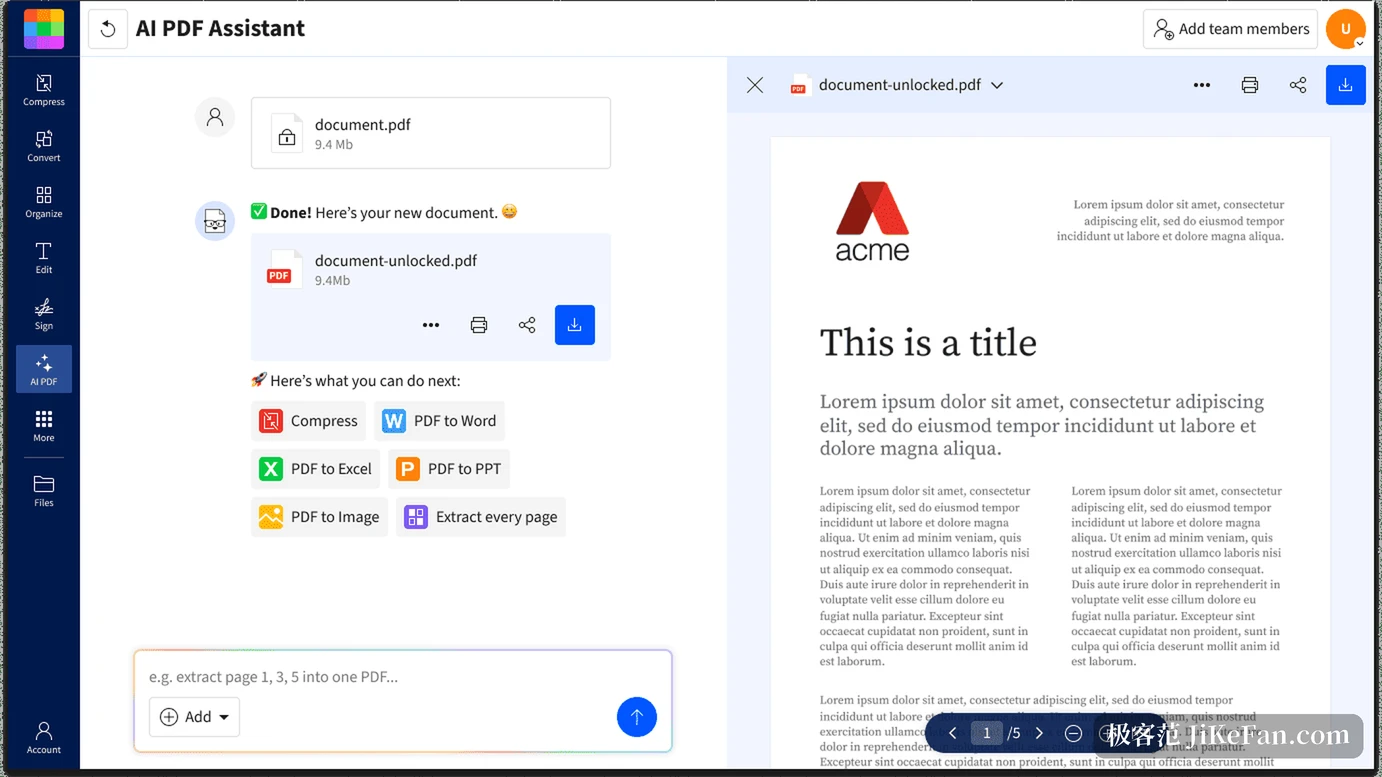
AI PDF is a branch added in the last two years, with five entrances: talk to a PDF, produce a summary, translate a whole document, generate questions from a document, and a general assistant. The usage is to drop a file in and ask in ordinary language, for instance to pull certain pages out as a separate document, or to reduce a long report to bullet points.
The useful boundary of this kind of feature is fairly clear. Documents with tidy structure and a text layer do well, while scans and complicated tables tend to draw wrong answers. The project places it in the Pro tier, with unlimited use of the AI tools.
Where files live and how collaboration works
The web version carries its own storage area, so processed files, scans and uploaded originals stay in the account and pick up on another device after signing in. On mobile a camera turns into a PDF scanner for quick filing and sharing. There is no separate desktop client, and that road runs through the browser.
Three integrations are ready made: a browser extension, a Google Workspace add-on and a Dropbox app. The project says the extra functions unlocked there are free. Team plans add central billing, member permissions and priority support.
What the security and compliance page says
The items listed are 256-bit TLS for transfer, ISO/IEC 27001 certification, conformity with GDPR, CCPA and the Swiss nFADP, and support staffed around the clock. The site also carries the line built in Switzerland, tying the place of registration to regulatory compliance, which counts as a plus where contracts and identity documents are handled.
Who it suits
For someone who deals with a PDF now and then and has no professional software installed, this is the least trouble: open a page, drag the file in, pick a tool, and the result arrives in a few steps without installing a several hundred megabyte suite for one merge. People working across devices will also find it easy, with a scan made on a phone carried on at the computer.
Turn it around, and anyone processing hundreds or thousands of files a day, or needing scripts and an interface to call, will find a web tool wrong, since the free download cap stops them first and the Pro batch abilities still run only through the interface. Whoever needs the process embedded in their own system has to look for a different answer with an interface.
Smallpdf gathers more than thirty PDF tools into one page, the free tier works but caps downloads, and Pro lifts the caps while adding OCR, strong compression and AI. Whether to pay comes down to one question: how many results you need to take away in a month.