
MuPDF 1.28.5: an open source document engine with nineteen subcommands for rendering, conversion and signing
Summary
MuPDF 1.28.5 is an AGPL document engine that reads PDF, XPS, EPUB and comic archives, ships a light viewer called mupdf-gl, and bundles nineteen command line tools for rendering, conversion and signing. The tag was cut on 25 September 2026.
Recommend- Name
- MuPDF
- Version
- 1.28.5
- Pricing
- Free
- Open source
- Open source
- Operating system
- WindowsLinuxmacOSAndroid
- Website
- https://mupdf.com
- Updated
- 2026-10-20 01:26
Most tools that touch PDF files want to be an application. MuPDF behaves like an engine: a C library, a set of command line programs, and one light viewer. That choice explains both what it does well and why the first hour with it feels unlike opening a commercial reader.
An engine more than an application
The official documentation opens with a definition: MuPDF is an open source software framework for viewing, converting and manipulating PDF, XPS and ebook documents. Three layers sit around it, namely viewer programs for each platform, a group of command line tools, and a library that other people build tools and applications on.
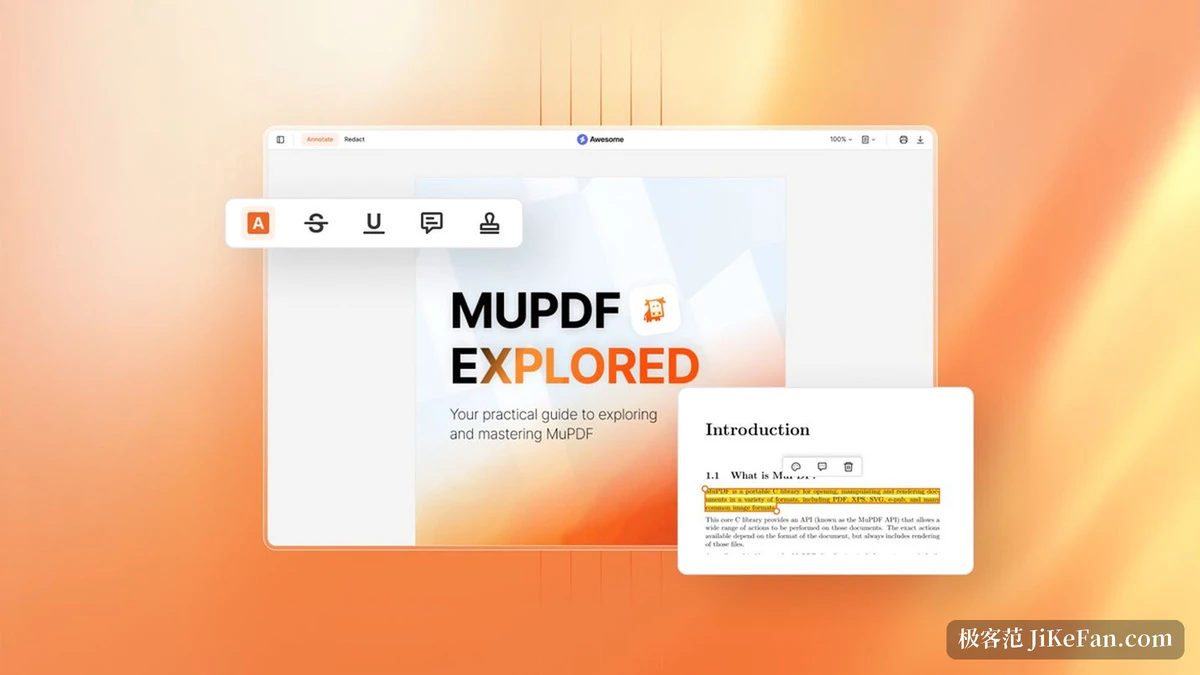
That shape decides how it gets used. Installing it does not produce a finished interface like a commercial reader; the everyday pattern is typing a command in a terminal, or calling the interface from inside your own program. The desktop viewer mupdf-gl does exist, but its aims are reading, annotating and redacting, not making the page look handsome.
What 1.28.5 brought
The current version is 1.28.5, tagged on 25 September 2026 and belonging to the 1.28 line.
Markdown gained support as a document format. The command line gained mutool audit, which analyses the structure of a PDF and produces a report, useful when working out why a file refuses to open. Text extraction changed in a batch of details, among them the distinction between soft and hard hyphens, the breaking up of ligatures, recognition of paragraph indentation and detection of fake bold. EPUB and HTML rendering picked up vertical-align, underline, strikethrough and highlight, along with the :before and :after pseudo elements. fz_check_document arrived as well: it scans a document first and repairs likely structural faults, so that a file is not silently repaired halfway through an edit and the changes lost with it.
The option interface changed too, and decrypt among the PDF writing options is now marked deprecated in favour of encrypt=none.
mutool, nineteen subcommands
The command line tools gather behind a single entry that the documentation calls a Swiss army knife. There are nineteen subcommands: draw renders a document to an image, convert changes format, clean rewrites and tidies, extract pulls out images and fonts, merge combines files, pages adds and removes pages, poster slices a page into tiles, recolor maps colours, sign applies a digital signature, barcode generates barcodes, trim cuts margins, info reports on the file, show prints low level objects, run executes a JavaScript script, grep searches text with a regular expression, trace follows drawing instructions, create builds a fresh PDF, bake flattens annotations and forms, and audit performs the structural analysis.
In daily work draw and convert carry the load. The first handles rendering and writes bitmaps; the second handles format change, turning an EPUB into a PDF or breaking a PDF into HTML plus its images.
Subcommand | What it does |
|---|---|
draw | Renders a document into an image |
convert | Changes the format, EPUB to PDF or PDF to HTML |
clean | Rewrites and tidies the file |
extract | Pulls images and fonts out |
merge | Joins several documents into one |
pages | Adds, removes or reorders pages |
poster | Slices a page into printable tiles |
recolor | Maps colours onto another palette |
sign | Applies or verifies a digital signature |
barcode | Generates a barcode |
trim | Cuts the margins down |
info | Reports what the file contains |
show | Prints the low level objects |
run | Executes a JavaScript script |
grep | Searches text with a regular expression |
trace | Follows the drawing instructions |
create | Builds a fresh PDF |
bake | Flattens annotations and forms |
audit | Analyses the structure and reports |
The mupdf-gl viewer
The main desktop viewer is called mupdf-gl, and it opens PDF, XPS, CBZ, EPUB and FB2, along with the common bitmap formats and SVG. The feature list is not thin: a sidebar outline, full Unicode search, annotation editing and redaction all sit inside.
Several command line arguments are worth knowing: an inverted colour mode, an ICC profile, a scale factor for the interface, page width and height plus font size for EPUB layout, and a switch that overlays an external style sheet on the publisher's. Anyone reading for long stretches tends to leave the inverted mode on.
Windows carries an older win32 viewer and X11 environments carry mupdf-x11, both a step behind mupdf-gl in features. For macOS the documentation says it compiles the same way as on Linux but no standard viewer is provided, so on a Mac it is mostly a library and a set of command line tools.
Formats it knows
The official input list names nine groups: PDF, XPS and OpenXPS, EPUB (2.0 without DRM, with only limited support for 3.0), Mobipocket MOBI, FictionBook 2 FB2, comic archives CBZ and CBT, common bitmaps such as TIFF, JPEG and PNG, a limited subset of SVG, and the Markdown added in 1.28.
Output covers PDF, plain text, HTML, PostScript, PCL5 and PCLM, PWG and CUPS, PNG and SVG. Both directions are reasonably complete.
Redaction and signing
Redaction here is not a black bar laid over the page. It removes the content of the selected area from the file itself, handling pixels and text together, so a word that was removed cannot be copied out afterwards. In publishing to outsiders and in archiving with sensitive material, that difference is a hard requirement.
Digital signatures go through mutool sign, which both applies and verifies one, confirming whether a document was touched after signing.
The developer side
The core is a C library and every binding grows on top of it. Python gets PyMuPDF, aimed at data extraction and analysis; JavaScript and TypeScript get MuPDF.js, which runs inside Node; C# has a corresponding wrapper. For embedding a viewer in a web page, the vendor sells a separate product line under a commercial licence.
On 19 October 2026 PyMuPDF shipped 2.0, mostly a batch of fixes: hyphen handling in excerpts, the position of header annotations after a page rotation, and several memory and rendering regressions. Complete platform packages appeared in the package index the same day.
The licence, and two roads
The open source side is GNU AGPL. The documentation states it clearly: the licence allows free use in a project, but it attaches a number of conditions, one of which is publishing the complete source of any system built on it. A closed source product that will not publish its source has to take the other road, a commercial licence, and buying that lifts the AGPL constraints entirely.
One more sentence is worth copying out: the software is provided as is, without warranty of any kind and without support. Anyone putting it into production should count that into the cost beforehand.
Where it fits, and where it does not
For batch work over a pile of PDFs, pulling text, splitting and merging pages, rendering to images, running a structural check, the command line is far more efficient than a graphical interface, one command against one directory. For rendering or parsing inside your own program, it is a ready engine at the bottom layer, and the bindings are broad enough.
Turn it around and ask for a reader that opens on a double click with a pleasant interface, and it is the wrong tool: the desktop viewer leans towards complete features rather than refined interaction and typography, and on a Mac there is not even a default viewer.
MuPDF's value sits at the engine layer: nine input groups, nineteen subcommands, a viewer that can redact and sign, plus the double licence of AGPL and commercial terms. It is not reading software for ordinary users; it is a set of low level parts for people who need to process documents in bulk or build their own tools.