
PureRef gathers a scattered reference folder onto one canvas that stays on top
Summary
A bare canvas for arranging reference images, with unlimited zoom, alignment, notes and arrows, an always on top borderless window, and local storage with no account.
Recommend- Name
- PureRef
- Version
- 2.1.3
- Open source
- Proprietary
- Operating system
- WindowsmacOSLinux
- Website
- https://www.pureref.com/
- Updated
- 2026-10-06 17:39
A canvas that exists only to hold reference images
Designing, drawing or building a model usually means keeping reference images in dozens of folders and a row of browser tabs, and every switch between them costs a little of the thread you were following. This program takes the direct route: one full screen canvas with nothing else on it, reference images dragged in and laid out flat, with position, size and stacking left entirely to the person doing the work. Zoom is unlimited and panning is free, images can overlap, align or be grouped, and a column mode arranges them automatically when a large pile of material arrives at once. Each image carries its own opacity, so a photograph can be pushed back while a sketch sits over it, and anything that needs closer reading can be enlarged into the middle of the screen. Removing an image does not disturb the arrangement around it, and the whole session saves to a scene file that reopens with positions and notes exactly as they were left.
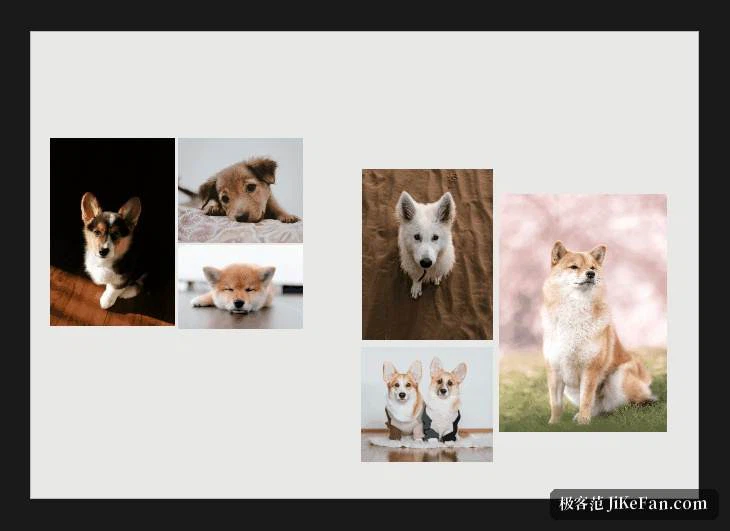
Pinned on top, so nothing has to be switched
The window can stay above everything else and can lose its frame entirely. Parked along one edge of the screen it sits beside the drawing, modelling or editing software and a glance is enough to check a detail, with no cycling between programs; on a wide display that amounts to an extra zone reserved for reference. Frames and toolbars retract when they are not wanted, so what remains on screen is mostly the artwork, and both background colour and transparency adjust, which matters when comparing line work on a dark field against colour studies on a light one. With two monitors the canvas can move to the second one and become a reference wall beside the work. Zooming with the wheel and panning with the space bar stay inside the canvas, so returning to the other program never means hunting for the focus again.
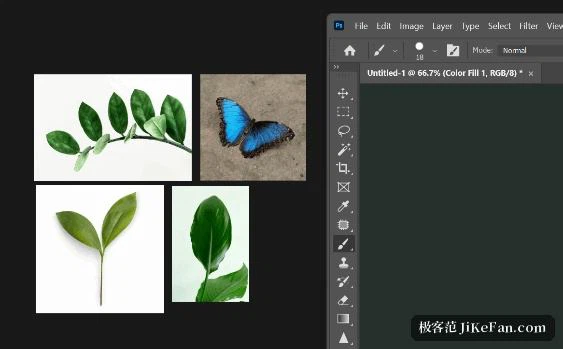
Import without dialogs, annotate without leaving
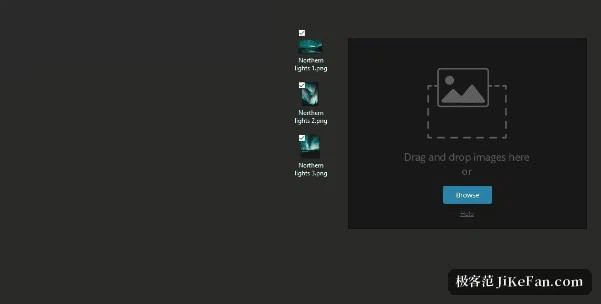
Importing needs no dialog at all: drop images from a folder, paste one copied to the clipboard, or press the browse button on an empty canvas. The format list is broad and images do not turn soft when scaled up. Once the layout is roughly right, alignment and distribution tools square rows and columns, sticky notes record a colour, a dimension or a remark, and rectangles with arrows circle the part that needs attention. Version 2.1.3 added a background grid and a translated interface, so proportions and spacing are easier to judge and the menus can be read in another language; every common action has a shortcut, and the manual lists the complete set for anyone who wants to work without the mouse.
Who spends their day in front of references
The people who get the most from this are those whose work is a long conversation with reference material: illustration and concept design, product and interface design, modelling and material studies, or the selection stage of photo editing where twenty candidates have to be compared. Personal use carries no charge and is funded by donations, while commercial work needs a licence that a small studio pays once. The installer is small, builds exist for Windows, macOS and Linux, and there is no account to create: imported images stay on the machine, which is reassuring when the design in progress has not been announced yet. The limits are just as clear. This is a canvas and nothing else, with no retouching and no painting, so the editing still happens in another program, and anyone who only needs to glance at three pictures will find the viewer already on the system sufficient; the value of a dedicated canvas appears once the pile of references has grown.