
Process Lasso 18.3 steers the CPU in real time so background work stops freezing the front
Version 18.3
Summary
A Windows tool for taming processes rather than killing them: under heavy load its ProBalance mechanism lowers the priority of whatever is hogging the processor and hands the time back to whatever you are actually using. The core features are free for personal use.
Recommend- Name
- Process Lasso
- Version
- 18.3
- Open source
- Proprietary
- Operating system
- Windows
- Website
- https://bitsum.com
- Updated
- 2026-10-06 04:15
What Process Lasso is
Process Lasso is a tool for Windows that tunes and automates the handling of processes, and it is often described as a task manager that works on its own. The idea is not to kill things. The idea is that when the machine is under heavy load, priorities and processor affinity are rearranged so that whatever is in front of you keeps answering. As of September 2026 the current stable line is 18.3, and it covers desktop systems from Windows 7 through Windows 11 as well as server releases from Server 2012 to 2025. That spread is worth noting, because the machines that suffer most from background interference are rarely the newest ones: they are the older desktops still doing real work and the servers that were bought several generations ago.
The ProBalance mechanism
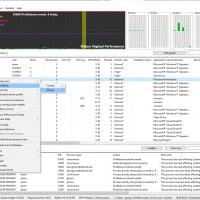
The best known capability is ProBalance. When one or several background processes suddenly fill the processor and the machine all but stops responding, ProBalance lowers the priority of those heavy processes and gives the computing time back to the program someone is actually interacting with. The vendor ships a demonstration tool so the difference can be felt rather than argued about, which is a refreshingly direct way of making the case. It works out of the box: on most machines the default settings are enough, and no deep tuning is required for an ordinary user to benefit.
Fine grained control
Automatic behaviour aside, a large set of persistent rules lets a more advanced user shape how a process behaves. Processor affinity and processor sets can be pinned, so a given program starts on the cores you expect every time, which is particularly useful on processors that mix two kinds of core. Priority can be set permanently, giving a critical program a stable share of scheduling. Efficiency mode can be switched on or off automatically, steering a process towards or away from the energy saving cores. The number of instances and their balance can be limited, so a program does not quietly open a dozen copies and eat the machine. And a CPU limiter can cap a process that goes past a threshold for a while, which is a gentler answer than terminating it.
Automation and power
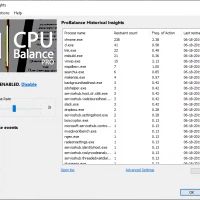
Watchdog rules run a preset action once a process reaches some level of resource use. Power plans can be switched automatically when a chosen program starts, and idle saving together with a guard against sleeping round out the balance between performance and consumption. The program runs as a background service with a graphical front end, offering live figures, rule management and profiles, and it fits a desktop and a server equally well.
Watching and auditing
A responsiveness measure of its own is displayed graphically in real time, so the smoothness of the system can be seen rather than guessed at. Activity such as process starts is recorded too, which helps when something has to be traced or audited. For an administrator those logs and rule profiles keep a consistent policy across many machines, and the tool suits computers that stutter now and then, machines that compile or render in the background, and gaming systems where background tasks are simply in the way.
Editions and licensing
The model is free plus paid: personal users get the core features at no cost, while the professional edition unlocks more advanced abilities and lifts some limits. Development has continued for a long time, and recent years have added a priority for graphics work, a consolidated view of all rules, a dark theme, and finer control over the choice between two kinds of core. The vendor's site lays out the differences in detail and explains how to obtain each edition.