
AxCrypt 3.1 encrypts the axx file in place and opens it on a double click
Summary
A long running tool for encrypting single files rather than whole disks, wired into the right click menu of the desktop. AES with a key derived from your passphrase, editing by double click with automatic re-encryption, and secure folders. The basic protection costs nothing for personal use.
Recommend- Name
- AxCrypt
- Version
- 3.1.15
- Open source
- Proprietary
- Operating system
- WindowsmacOSLinux
- Website
- https://axcrypt.net
- Updated
- 2026-10-05 11:20
A long running tool that lets a double click open an encrypted document
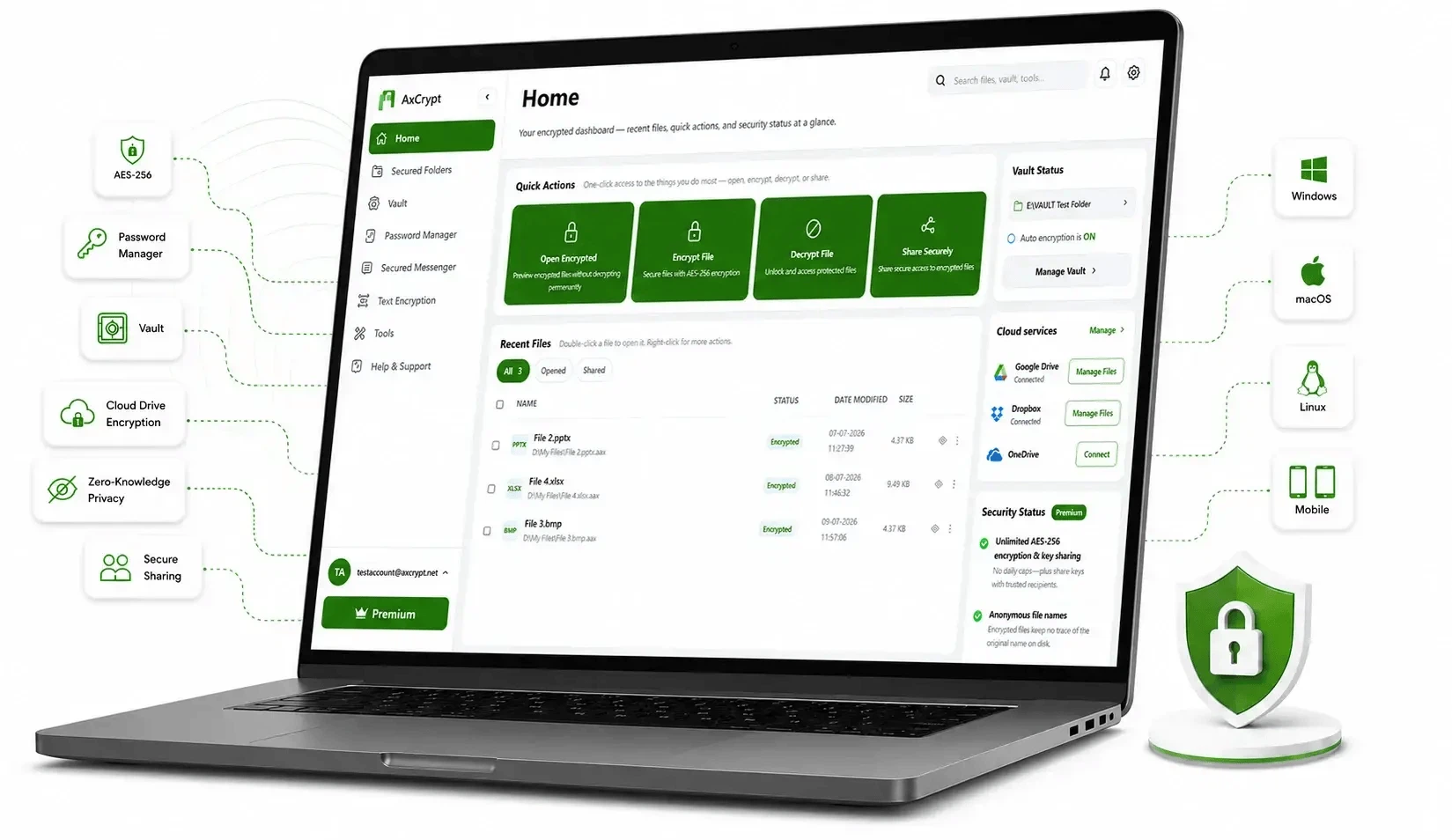
AxCrypt has been around since 2001, which in the short history of desktop encryption makes it one of the fixtures. What it encrypts is a single file or a single folder, never a whole disk, and the work is done through the right click menu of the system file manager: select a file, choose to encrypt, set a passphrase, and that is the whole procedure, with nothing to configure beforehand. Since that first release the program has grown into the 3.1 line, and it is still being updated for Windows, macOS and Linux, the current release being 3.1.15. The three of them matter more than they look, because a file encrypted on one of them can be passed to a colleague on another without the sender having to think about which system the recipient runs.
Why encrypt single files instead of the whole disk
Full disk encryption protects a machine and everything on it, and it protects nothing the moment a file leaves that machine. File level encryption answers a different question: what happens to this document after it has been copied onto a memory stick, attached to a mail, or dropped into a shared folder. Contracts, financial statements, scanned identity papers — the sort of thing that is small in volume and expensive if it escapes — can be locked one at a time. An encrypted file carries the axx extension, and even someone who copies it away cannot open it without the passphrase. For personal use the basic protection is free, so the core of the product can be tried without buying anything.
The context menu is the interface
Once installed, AxCrypt adds entries to the right click menu of the file manager. Right click the target, choose to encrypt, set a passphrase, and the file is sealed; decryption goes the same way. Compression happens in the same pass as encryption, which saves a little storage on top of the protection and means there is no second step to remember. Because nothing has to be configured and no separate window has to be learned, the tool suits people at very different levels of comfort with computers — which is the practical argument for putting the whole thing in a menu that already exists.
What it actually does
Encryption uses AES with 128 bit or 256 bit keys, and the key is derived from the passphrase you chose rather than stored somewhere on the machine. Double click editing is the feature people notice first: an encrypted file opens in whatever application is associated with it, and when the document is saved the program re-encrypts it automatically, so there is no moment where a decrypted copy is left lying on the disk for the user to forget about. A security key belonging to an encrypted file can be shared with other users, which is what makes collaboration on protected material possible without passing the passphrase around. Secure folders work the other way round: point the program at a folder once, and new files that land in it are encrypted automatically.
Working with other people, and getting files back
AxCrypt also offers passphrase management and a master key. The master key lets an administrator in an organisation recover the files of a member, which covers the two cases that otherwise end in permanent loss: somebody leaves and nobody else knows the passphrase, or somebody simply forgets it. A free edition and a paid edition exist side by side; the paid one adds abilities such as awareness of cloud storage and shredding of files, and the choice between them depends on how much of the work is personal and how much sits inside a company.
Where it fits
For somebody who needs to keep a modest number of sensitive documents safely archived, or who works on a computer where full disk encryption is inconvenient or impossible, AxCrypt is one of the light options that a personal user can run without paying. The vendor's site lays out how the editions differ and how to obtain each of them. The honest summary is that this is not a tool for protecting a whole machine; it is a tool for making sure that one particular document is useless in the wrong hands, and it does that with fewer steps than most of the alternatives.