
LXQt 2.4.0: a panel and a file manager folded into one light desktop
Summary
A lightweight desktop environment for Linux built on the Qt toolkit, shipping its own panel and file manager as separate components. Version 2.4.0 arrived in April 2026, the Wayland session is no longer experimental, and the code is out under GPL and LGPL.
Recommend- Name
- LXQt
- Version
- 2.4
- Pricing
- Free
- Open source
- Open source
- Operating system
- Linux
- Website
- https://lxqt-project.org/
- Updated
- 2026-10-14 23:27
A desktop decides everything you see after boot, and how much memory is left once it has finished deciding.
What exactly is light about a light desktop
A desktop environment is not one program. It is a panel, an application menu, a window manager, a file manager and a pile of small utilities that agree to look and behave alike. Together they decide the first screen after login, and together they decide how many processes sit resident afterwards. More features generally means more components awake, and on older hardware that translates straight into usable memory.
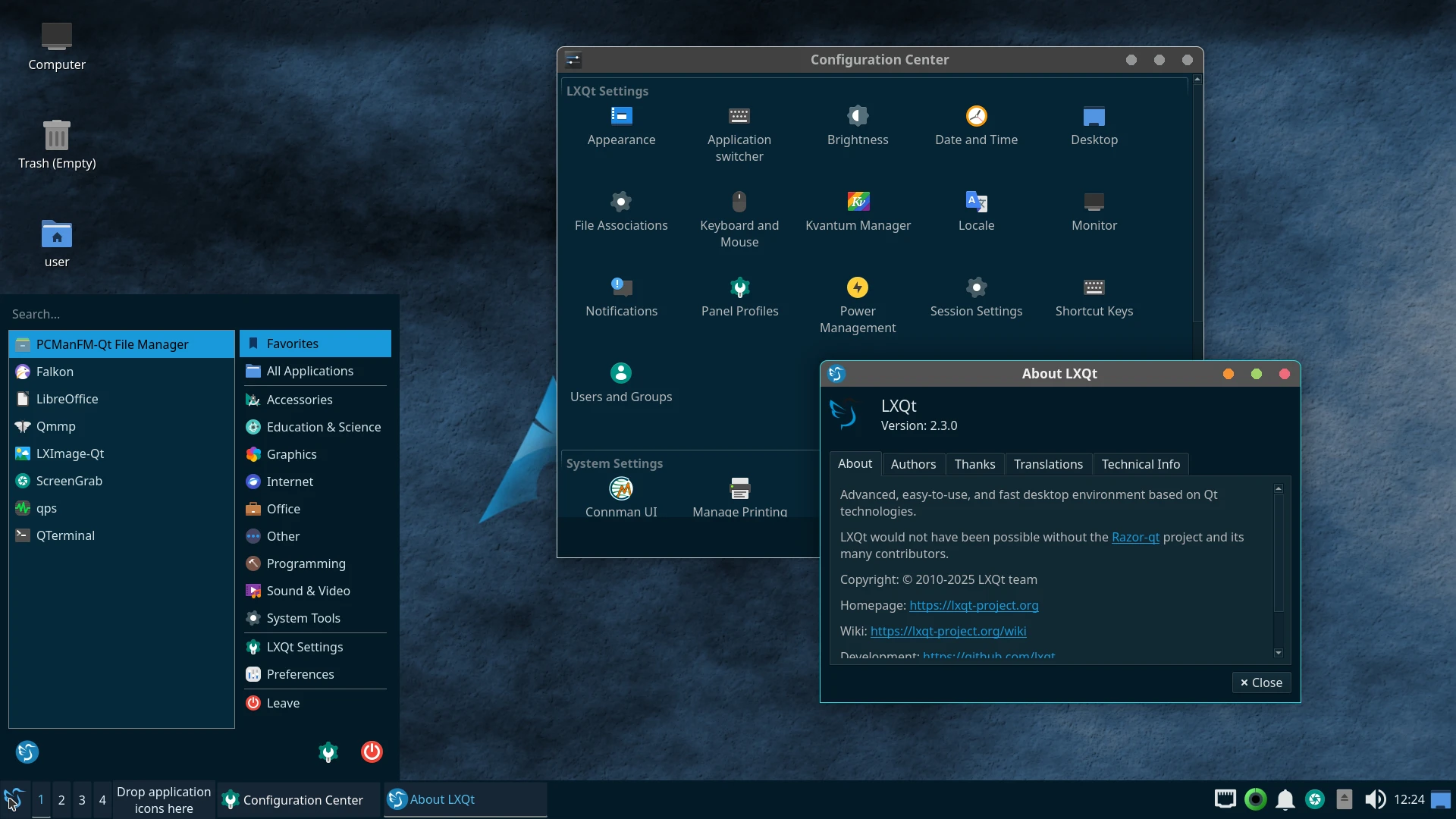
LXQt takes the lighter road. The project calls itself a lightweight and modular Qt desktop environment, and both words carry weight. Lightweight refers to resource use. Modular refers to the fact that the parts come apart. Sharing one widget toolkit also means the pieces look and behave consistently, so replacing the panel or running the file manager on its own does not produce a jarring seam.
Modularity has a practical side too: these components are maintained and released separately. The project site carries announcements for the desktop as a whole, and separate notes for single components. A fix in the file manager does not have to wait for the next coordinated release, which is better for anyone tracking one specific change.
Release rhythm and what is officially supported
The rhythm is steady. The download page states that new versions usually appear in April and November each year. Predictability helps: knowing the two windows in which releases land is enough to plan upgrades and testing. The current version is 2.4.0, published in April 2026.
One change is worth flagging on the display side. The project states that the new session mechanism is no longer labelled experimental and is now officially supported. The old and new display servers behave quite differently around input methods, display scaling and multiple monitors, so promoting the new session means those everyday problems have workable answers. For anyone on recent graphics hardware or a high density panel, that matters more than a visible feature.
On acquisition, a desktop environment normally arrives as part of a distribution. The download page notes that the vast majority of Linux distributions and FreeBSD carry prebuilt packages, which is far less trouble than compiling. Distributions do not all carry the same version, so comparing against the official page is the quickest way to know which release is actually installed.
Licence and where it fits
Two licences apply, split by layer: GPL 2.0+ for applications and LGPL 2.1+ for libraries. For anyone planning to link a component into their own program, that split decides which obligations apply; the library layer is the more permissive of the two and constrains less.
The good fit is easy to describe. A spare older laptop, a mini PC with integrated graphics only, or a machine where memory should be left for real work: a light desktop is often a better deal than reinstalling the whole system. The reverse also holds. On hardware with headroom to spare, where certain features of a specific desktop are part of the workflow, switching buys little.
Item | Official information |
|---|---|
Current version | 2.4.0 (April 2026) |
Release cadence | Usually April and November |
Technical basis | Qt toolkit, modular components |
Display server | Wayland session supported |
Acquisition | Prebuilt packages in most distributions and FreeBSD |
Licence | GPL 2.0+ and LGPL 2.1+ |
Leaving the limited resources to the programs that actually run is the most concrete benefit a light desktop offers.
Practical notes: check which version the distribution repository carries before switching, so the result is not far behind upstream; if input methods or scaling misbehave under the new session, log into the old one once to see which layer the problem lives in; and treat the panel and file manager as replaceable parts rather than accepting every default.