
PDFsam Basic: split and merge PDFs without sending them anywhere
Summary
Combining dozens of scans into one file, or breaking a thick volume into chapters, is the most ordinary request in the world and the one most often mishandled. PDFsam Basic does both locally, with no limit, no watermark and nothing uploaded.
Recommend- Name
- PDFsam Basic
- Version
- 6.0.5
- Pricing
- Free
- Open source
- Open source
- Operating system
- WindowsmacOSLinux
- Website
- https://pdfsam.org/
- Updated
- 2026-10-07 17:50
The most ordinary request, and the one most often mishandled
Sooner or later everyone needs one of two things: dozens of scanned pages joined into a single document that can be sent as one attachment, or a thick volume cut apart into chapters so each part can go to a different reader. Neither is complicated. Both are routinely done badly, because the tools that offer them either upload the file to a server, stamp a watermark on the result, cap the page count, or ask for an account before the first operation completes.
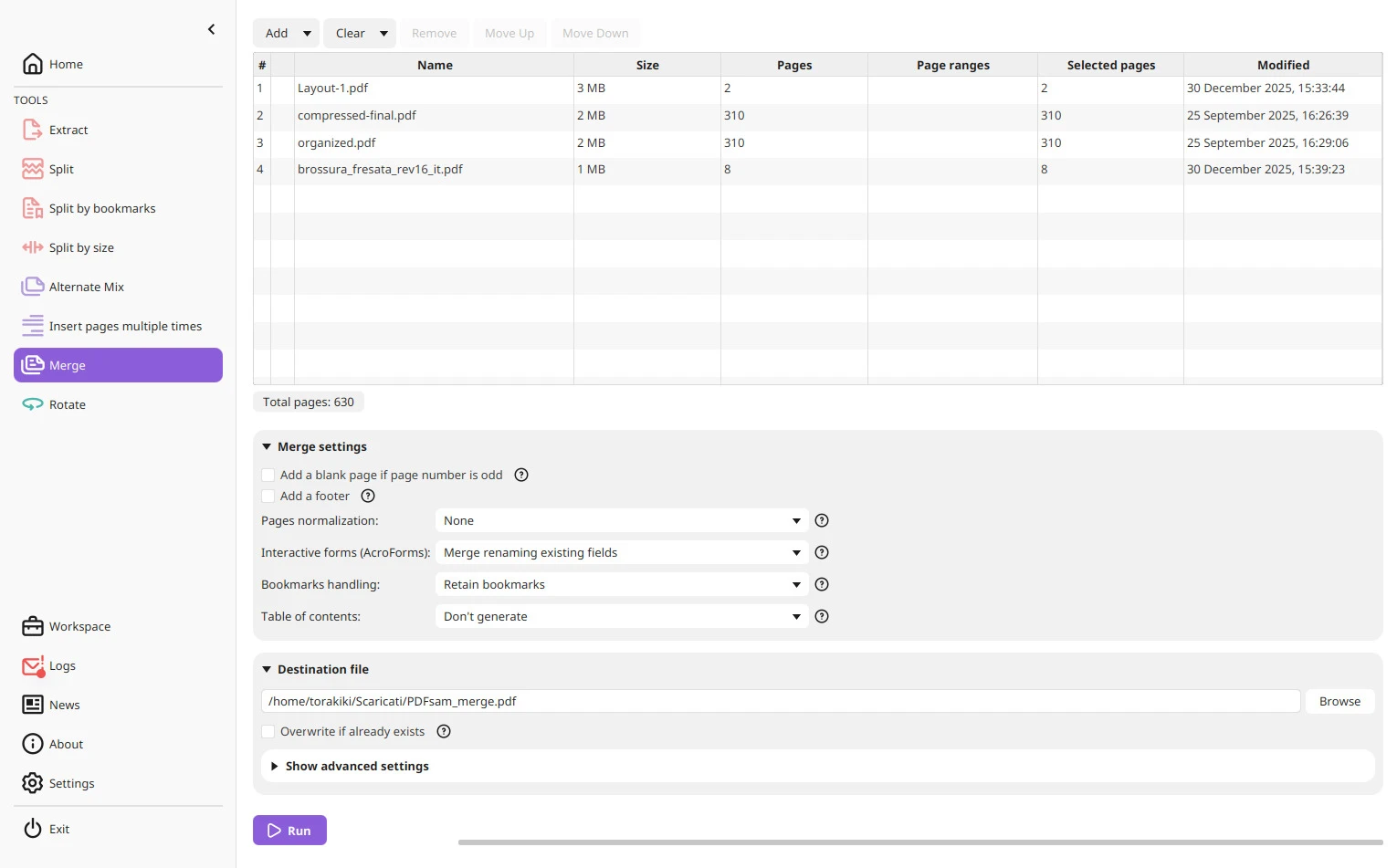
PDFsam Basic separates the work into clear modules instead of hiding it behind one vague button. The merge module concatenates files in the order of a list you arrange, and it can insert blank pages and carry chapter bookmarks into the result, which is what makes a merged archive navigable rather than a two-hundred-page scroll. The split module offers several cuts: by page range, by bookmark level, and by file size, the last one being exactly what you need when a portal rejects anything above a limit you did not choose. Extracting a single page and rotating it are equally direct.
Working locally is the feature that matters
Everything runs on your own machine. For a signed contract, a passport scan or a medical report, that single property decides whether the tool is usable at all: the file never leaves the computer, so there is no third party to trust with it and no retention policy to read. The privacy question is not answered, it is removed.
What makes the program reassuring is what it does not do. There is no page limit, no watermark, no forced registration, and the output is handed back as it came in, only reorganised. The project has been open source for nearly twenty years, which is long enough that the release rhythm has settled and the compatibility complaints have mostly been answered; the handling of encrypted files in recent versions is mature rather than experimental. Installers exist for the three desktop platforms. The interface is a plain form: pick the files, set the parameters, press the button. Three steps, and someone who has never used a PDF utility can follow them without a manual.
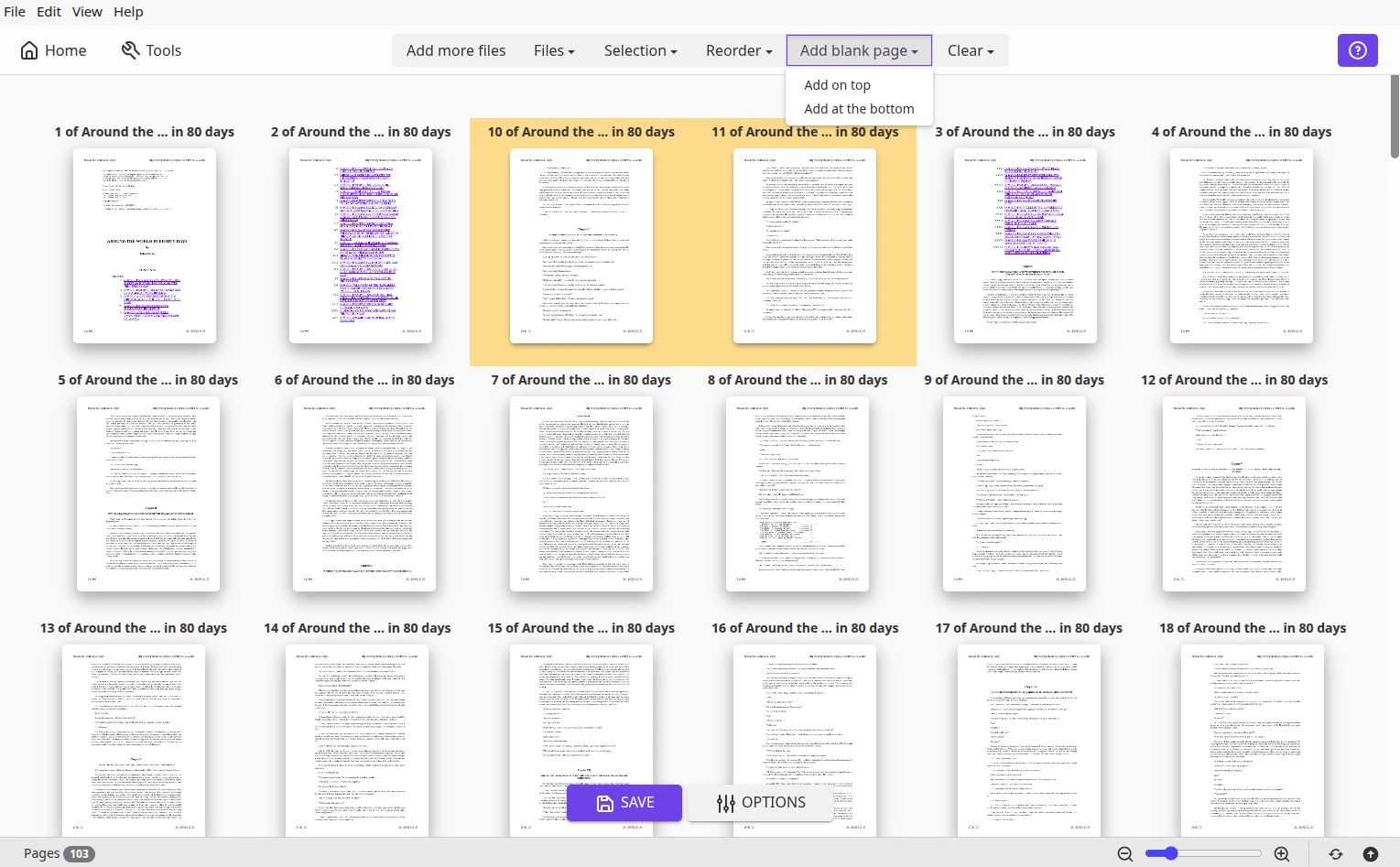
One more habit worth forming: keep the source files. A merged archive is a convenience, not an original, and the moment someone asks for a chapter on its own you will want the untouched inputs rather than a re-split from an assembled copy. The same applies to page rotation, which is a view setting as much as a saved change. Names matter too. Put the date at the front of the output name and the batch becomes sortable; leave the default and a folder of thirty results is a puzzle you will solve twice.
The existence of this program is a reminder that a tool does not have to do everything. Doing split and merge without limits and without worry is enough to earn a permanent place.
Habits that make the output cleaner
Before a batch split, open the bookmark view first and confirm the chapter hierarchy. Splitting by bookmark produces the most orderly file names, because the names come from the document rather than from you. When merging scans, unify the page size first, otherwise the result looks visibly patched together and every reader notices even if they cannot say why.
Editing the contents of a PDF, or running optical recognition over a scan, are different jobs that need different tools, and no amount of expectation will turn this one into them. But for the scissors work, taking apart and putting back together, it is the least troublesome pair of hands available. Keep the installer around; the moment you need it is usually the moment you cannot download anything.