
MemTest86 11.7: a memory diagnostic that boots on its own
Summary
MemTest86 starts from a USB stick without an operating system, writes test patterns into memory and reads them back, and reports which address and which module failed. A free edition covers everyday checks and a paid one adds reports and automation.
Recommend- Name
- MemTest86
- Version
- 11.7
- Pricing
- Free
- Open source
- Proprietary
- Operating system
- Windows
- Website
- https://www.memtest86.com/
- Updated
- 2026-10-06 20:47
Why the test has to happen outside the system
A failing memory module rarely announces itself as broken hardware. It shows up as a blue screen at an inconvenient moment, a program that crashes at random, a file that downloads and then fails its checksum, an archive that will not unpack. All of those can come from a handful of cells that read or write the wrong value under the wrong conditions, and all of them look like software problems until someone decides to check the memory.
Testing from inside the operating system is the obvious first idea and a compromised one. By the time the system is up, a good part of memory is already occupied by the kernel, by services and by whatever the user has opened, and a test cannot cover what it is not allowed to touch. The test also competes with those occupants for bandwidth, which changes the very timings it is trying to stress.
What the run looks like
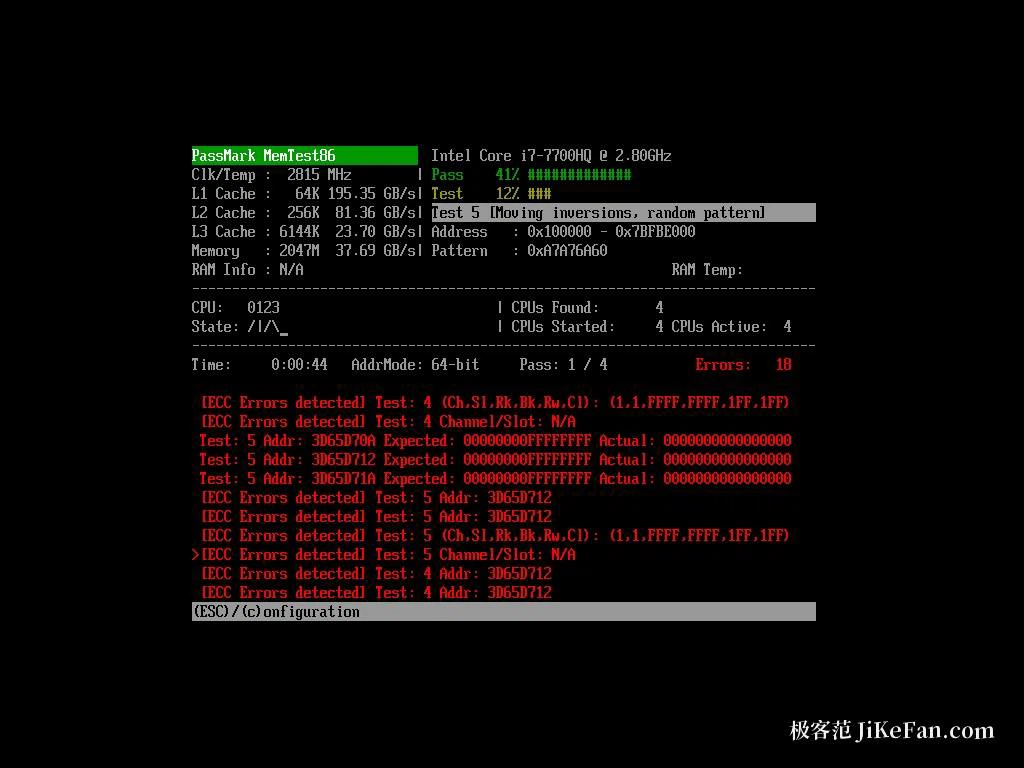
MemTest86 sidesteps both problems by not using the operating system at all. It starts from a USB stick on its own, with almost nothing else running, and then writes patterns into memory and reads them back in a loop. The image needs a stick of at least 1GB, and the machine has to offer UEFI; there are builds for x86, x86-64 and ARM64 hardware, while an old machine with only a legacy BIOS needs an older build instead.
Once it is up, the test starts with the default configuration and needs no decisions. The default is four passes. The published reference figures are about 15 minutes for a single pass and about 2 hours for the four, with the real duration depending on how much memory is installed, how fast it runs and which tests were selected. Treat those numbers as an order of magnitude for planning an evening, not as a schedule.
Reading the report
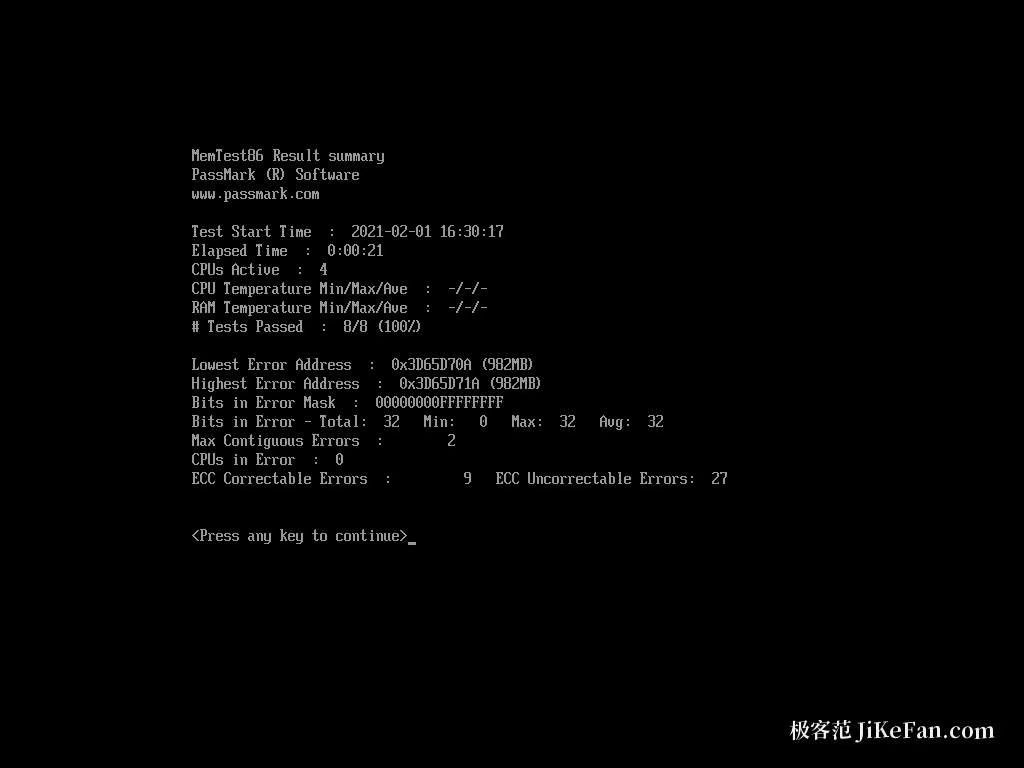
When something fails, the screen gives the number of errors, the address where the failure happened, which test item produced it, and which memory module and channel the address belongs to. Those last two are the decisive part: they turn a general suspicion into a specific action.
The address decides what to try first. If the failures cluster on one module, swapping that module is the cheap experiment; if they follow a slot rather than a module, the board is the suspect; if they appear only with the memory acceleration profile enabled, the profile is. The advice that saves the most time is not to declare anything dead on the first error. Turn the acceleration profile off, which means XMP or EXPO depending on the platform, return to the default frequency and voltage, and run the test again. Then test one module at a time. Elimination is slow and it is the only method that separates the module from the slot and from the memory controller.
Editions, price and the current release
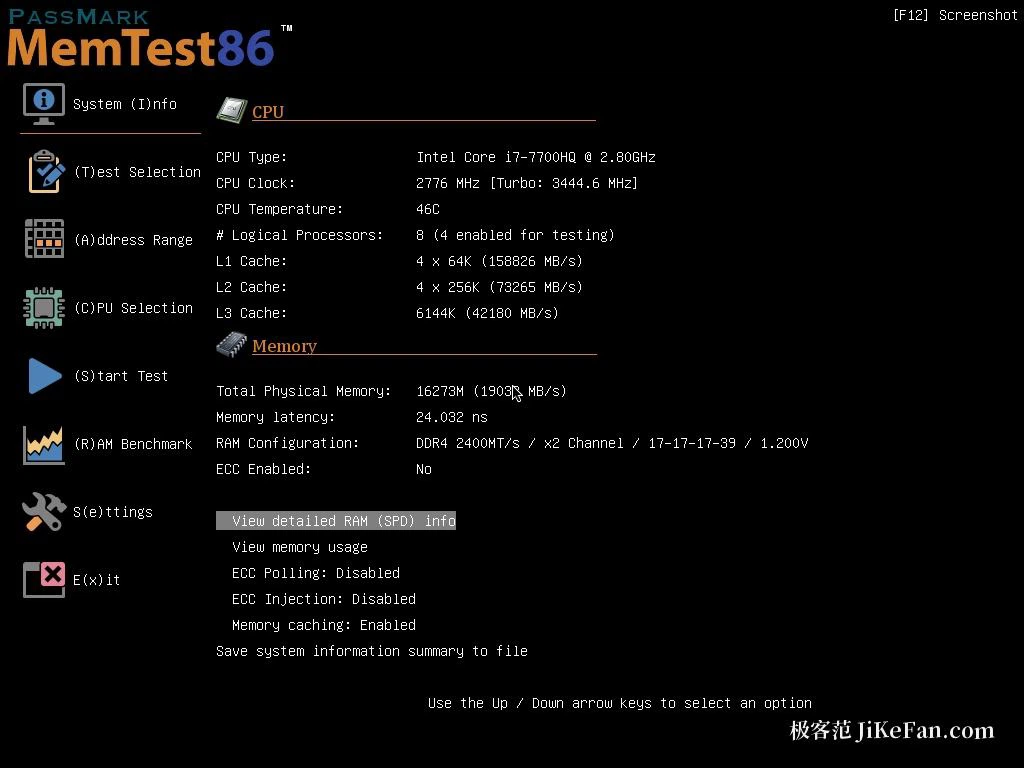
There is a free edition and a paid Pro edition. The free one is enough for the everyday case: a machine that misbehaves and a suspicion that memory is behind it. The paid one adds configurable reports, automation and batch deployment, which matters to whoever has to check a room full of machines rather than one. The published price is 116 US dollars.
The current line is 11.7, released in May 2026, which added support for a newer generation of memory modules and platforms. As with any diagnostic tool, the version matters less than the method: a newer build may recognise hardware that an older one does not, but the interpretation of the report is the same work either way.
What it cannot tell you
It finds repeatable errors at the memory level, and that is a narrower claim than it sounds. It cannot fully separate a failing module from the memory controller, from power delivery, or from a signal integrity problem on the board. A clean run therefore lowers suspicion rather than proving health, and a failing run points at a region rather than naming a culprit.
This is why the sensible use is as the first step and not the verdict. Pull the system out of the picture, let memory answer on its own, and then take the report to the next step: swap, reseat, relax the profile, or test the suspect module in another machine. The tool's value is that it produces evidence specific enough for those decisions, which is exactly what an unstable machine otherwise refuses to give.
MemTest86 is the first move when memory is suspected: take the system out of the equation and let the memory be examined alone. What it returns is not only whether something failed, but where and on which module, and every later decision starts from those few lines.