
Macrorit Disk Scanner: reading a drive's surface to find bad sectors
Summary
Macrorit Disk Scanner reads a drive block by block and times every read, colouring the healthy areas green and the failing ones red. It scans a whole disk, a partition, unallocated space or a hand-drawn range, and writes the result into a log.
Recommend- Name
- Macrorit Disk Scanner
- Version
- 4.3
- Pricing
- Free
- Open source
- Proprietary
- Operating system
- Windows
- Website
- https://macrorit.com/
- Updated
- 2026-10-06 07:56
What a bad sector actually is
A storage unit on a drive that can no longer be read or written reliably is called a bad sector. The symptoms are indirect and easy to blame elsewhere: certain files refuse to open, a copy or an extraction hangs at the same point and then reports an error, the system log fills with read and write failures, and in the worse cases the machine stutters or drops to a blue screen.
The causes are ordinary. A manufacturing defect, wear from years of use, an unexpected power loss in the middle of a write. What matters for planning is the direction: once they appear, bad sectors tend to multiply, and they do not heal on their own. That single property is what turns a scan from curiosity into a decision about a drive's future.
How the scan works and what to look at
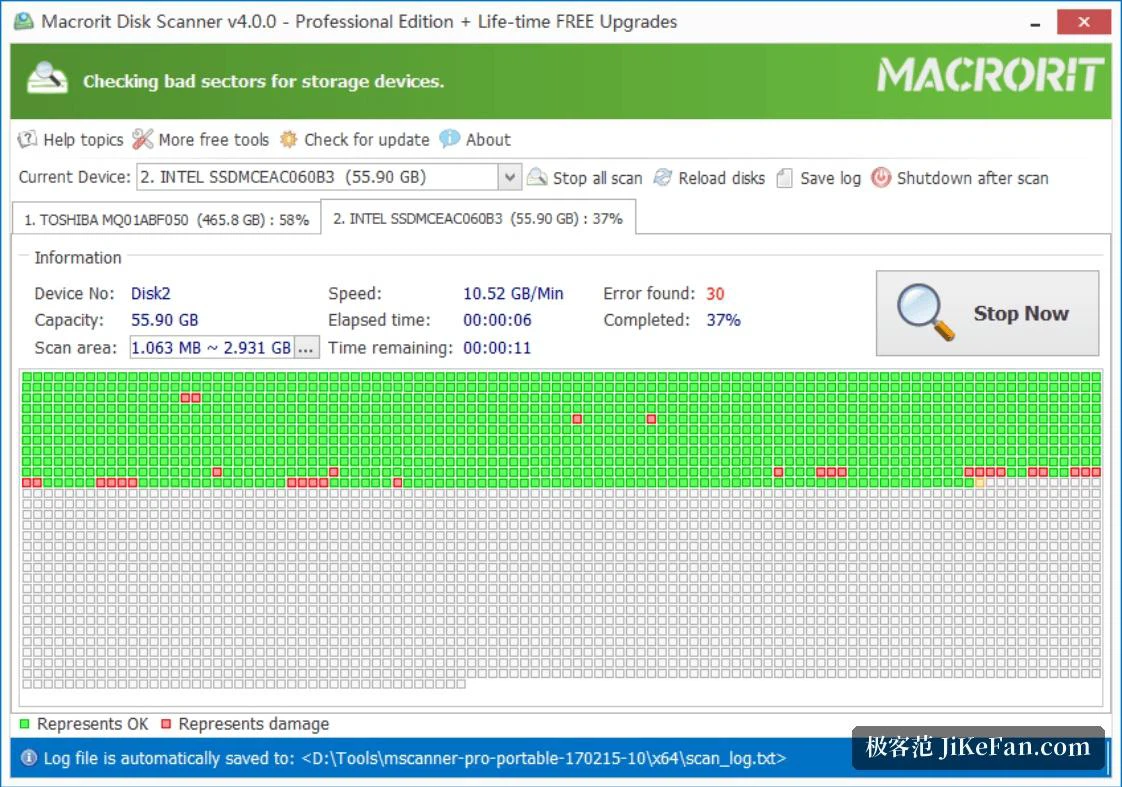
The tool reads the surface block by block and times each read. Areas that answer normally are shown in green; positions where a read goes wrong are marked in red, and progress and speed are visible while it runs. The timing is the actual measurement, and the colour is only its summary.
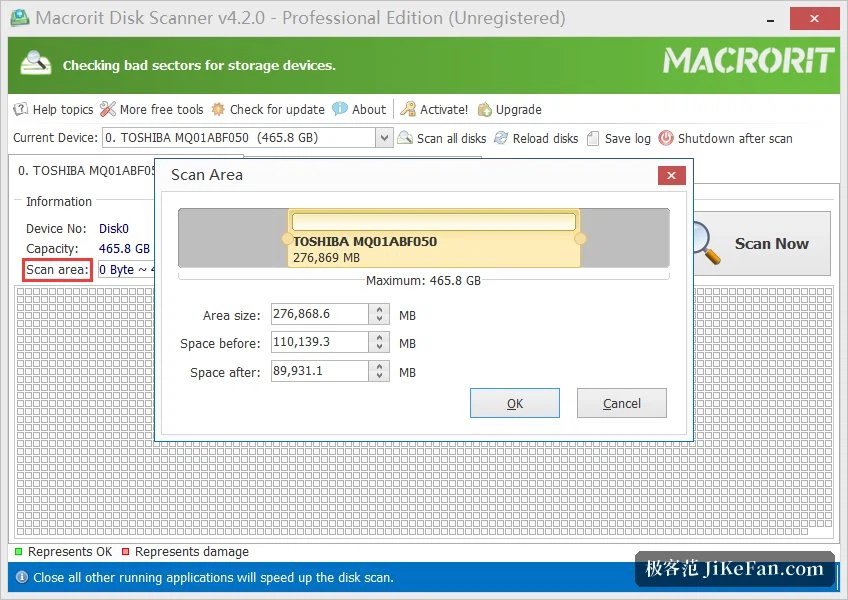
The scope can be the whole drive, a single partition, unallocated space, or a range drawn by hand. The last one is worth remembering: when the complaint is that something fails only in one part of the disk, scanning that part answers the question in minutes instead of hours. The list of supported devices is broad rather than narrow — mechanical drives, solid-state drives, portable drives, USB sticks, memory cards and hardware RAID arrays can all be put under the same scan.
The conveniences around the scan
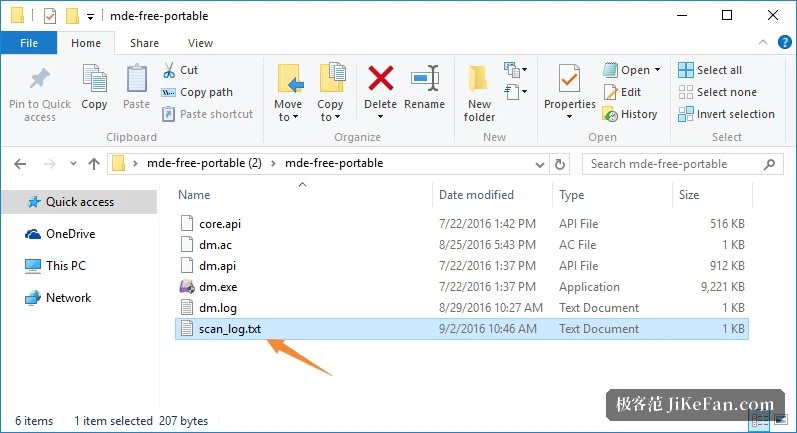
When the run finishes, the result is written into a log file automatically. That detail matters more than it sounds: two logs of the same drive, taken months apart, turn a single verdict into a trend, and a trend is what tells you whether the drive is stable or on its way out.
There is also an option to shut the machine down when the scan ends, which is what makes a long run practical at the end of a working day or just before sleep. The program itself is small and a portable edition exists, so it can live on a USB stick and be used on someone else's machine without installing anything there.
Getting the expectation right
This class of tool checks and does not repair. It tells you where the bad sectors are and how many, and it will not mask them or write around them. That is not a shortcoming; it is the honest division of labour, because masking a failing region on a drive that is already degrading buys time and hides the trend.
What matters is what happens after the result. A scan that finds a contiguous spread of bad sectors is not a warning to keep using the drive carefully; it is a statement that reliability has already fallen, and the next action is to get the data off it. Backing up is the point of the exercise, and continuing to work on the drive while the copy is being made is the opposite of what the report advises.
There is a free edition and a Pro edition, and the free one is enough for the routine check of a single drive. One caveat belongs at the end, about solid-state drives: their failing blocks are handled inside the controller, which remaps them before the surface ever reports a problem. A surface scan on such a drive is therefore a partial view, and its colours should be read together with the health information the manufacturer's own tool reports rather than on their own.
Treat Macrorit Disk Scanner as an examination, not a repair kit: let the colours locate the troubled region, then decide whether to back up, replace the drive or send it away. When bad sectors appear in a spread, saving the data always matters more than continuing to use the disk.