
MarkText 0.19.1: A Free Markdown Editor With Three Ways to Write
Summary
MarkText is a free, open-source Markdown editor with live preview, maths, code highlighting, image paste, export to HTML and PDF, and three editing modes: source, typewriter and focus.
Recommend- Name
- MarkText
- Version
- 0.19.1
- Pricing
- Free
- Open source
- Open source
- Updated
- 2026-10-06 22:52
Writing in a format that survives
MarkText is a free, open-source editor for Markdown, the plain-text notation in which bold is written with two asterisks and a heading with a hash. The version described here is 0.19.1. The argument for the format is the same as it has always been: the file stays readable if the program disappears, and it can be turned into something else later without anything being lost in the conversion.
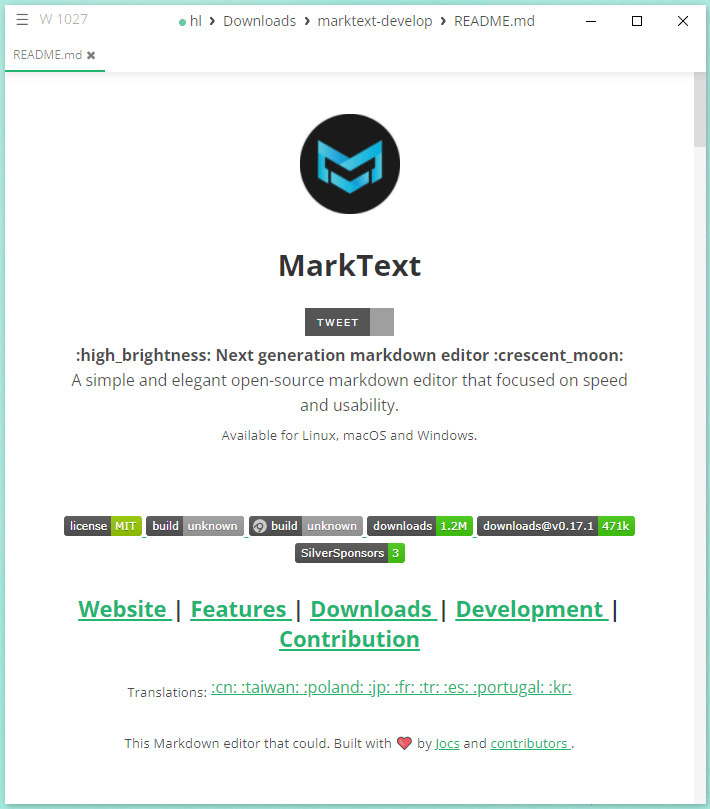
What an editor adds to that is the part that decides whether anyone keeps using it. Here the preview is live: the formatted result appears as the text is typed, in the same window, so the notation never has to be imagined.
Three modes, and why they are not a gimmick
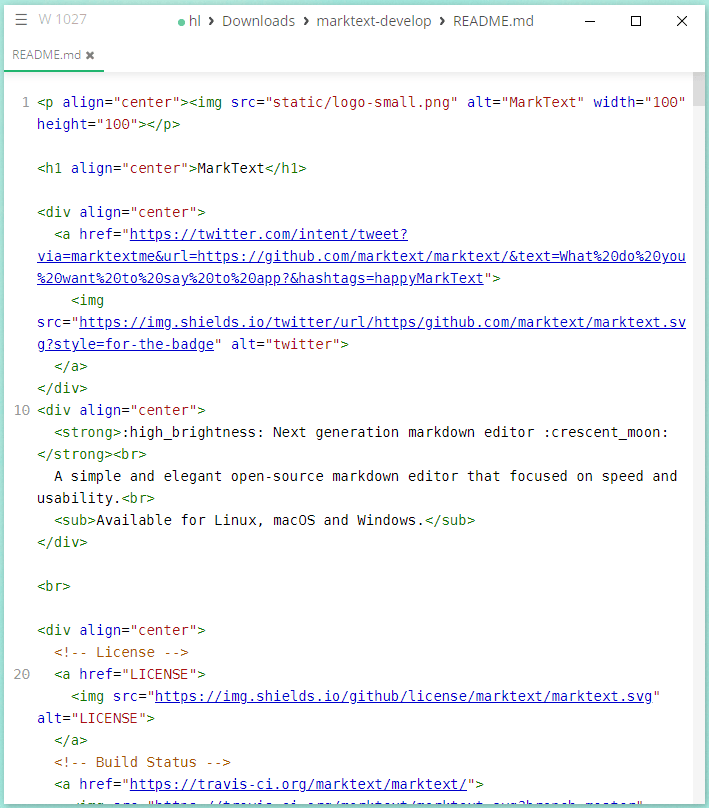
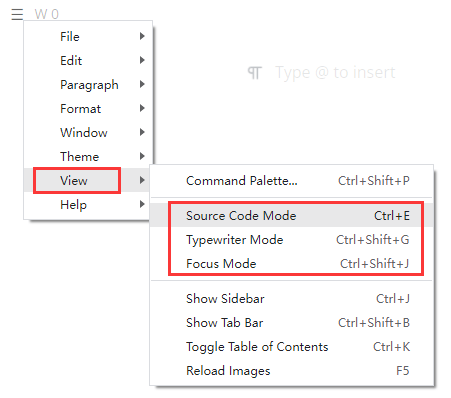
Source mode is the plain one, and it is on a keyboard shortcut of its own: the file as text, with nothing rendered. It is the mode for fixing a table, comparing two versions, or working on something where the notation itself is the subject.
Typewriter mode answers a smaller problem than it sounds. On a long document the line being written drifts down the screen as the page fills, and the eye has to keep moving to follow it. Keeping the active line near the middle of the window means the text stays in the same place and the page moves instead — the arrangement a typewriter imposed for reasons of mechanism turns out to be comfortable for reasons of attention.
Focus mode goes further and dims everything except the paragraph being written. It is the one that sounds like decoration and behaves like a tool: when the surrounding text is grey, the temptation to reread the previous three paragraphs instead of finishing the current one goes away with it.
The things a technical document needs
Maths is supported as expressions rather than as images, so a formula can still be edited as text after it has been written. Code is highlighted inside fenced blocks, which for a document that explains software is not a luxury. Images can be pasted from the clipboard directly into the text, where they are saved and referenced — the alternative, which is to write a document in one place and collect the pictures in another, is where most notes quietly fall apart.
Output is available as HTML and as PDF. HTML is what a publishing pipeline wants; PDF is what a person who is going to print the thing wants. Neither requires the reader to have the editor, which is the reason both exist.
Where it fits
MarkText is for people who write documents that are mostly text and occasionally technical: notes, documentation, drafts, anything that will later be pasted somewhere else. It is not a word processor and does not try to be one — there is no page layout to fuss over, no ribbon of formatting buttons, and no fight with a numbered list that has decided to renumber itself. What is left is a window, a live preview and three ways of looking at the same text, which for this kind of writing is close to the whole requirement.
The cost of plain text
Plain text is not free either. A file that is only text carries no styling of its own: how it looks depends on whatever program is rendering it, so a document that looks tidy in this editor can look plain in a browser and odd in a terminal. For writing that is meant to be read as a finished page, that is a real loss.
What comes back is a file that can be compared, searched and stored without special tools. Two versions can be diffed line by line; a change is a line in a diff rather than a binary lump; a folder of documents can sit in version control next to the code it describes. For documentation that exchange is usually worth making, and it is why this format survives among people who write about software.