
Mailbird 3.0: every mailbox in one window, with a workbench bolted to the side
Summary
A desktop mail client for Windows and Mac that pulls several accounts into one inbox and connects to the mainstream mailbox services in a step. A sidebar holds chat, cloud drives and task tools, and the client covers send later, templates, read receipts and a speed-reading mode. A free tier starts it, a one-off licence finishes it.
Recommend- Name
- Mailbird
- Version
- 3.0.63
- Open source
- Proprietary
- Operating system
- WindowsmacOS
- Website
- https://www.getmailbird.com
- Updated
- 2026-10-06 13:02
Every mailbox inside one window
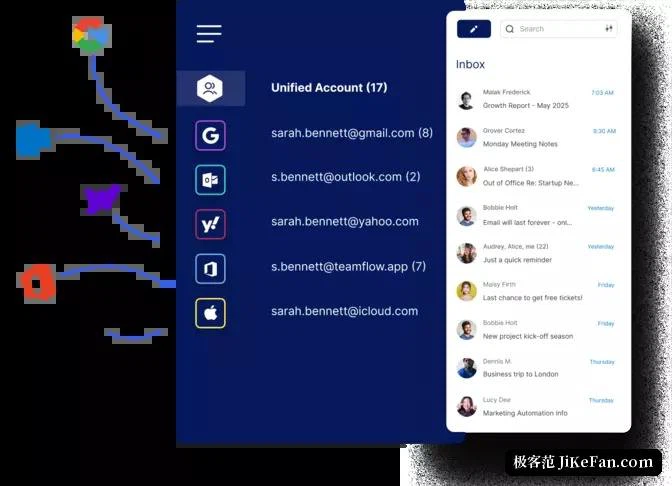
The daily ritual of switching between a work address, a personal address and the one used for household matters can be given up. Mailbird is a desktop mail client for Windows and Mac that gathers several accounts into a single inbox, connects to the mainstream mailbox services in a step, fills in the server settings by itself, and starts fetching the moment the account is signed in. The client first appeared in 2013 and had reached version 3.0.63 by September 2026. Its interface is available in more than twenty languages, and the theme and colour scheme can be changed to taste, which matters more than it sounds for something that stays open all day.
Not only mail: a workbench as well
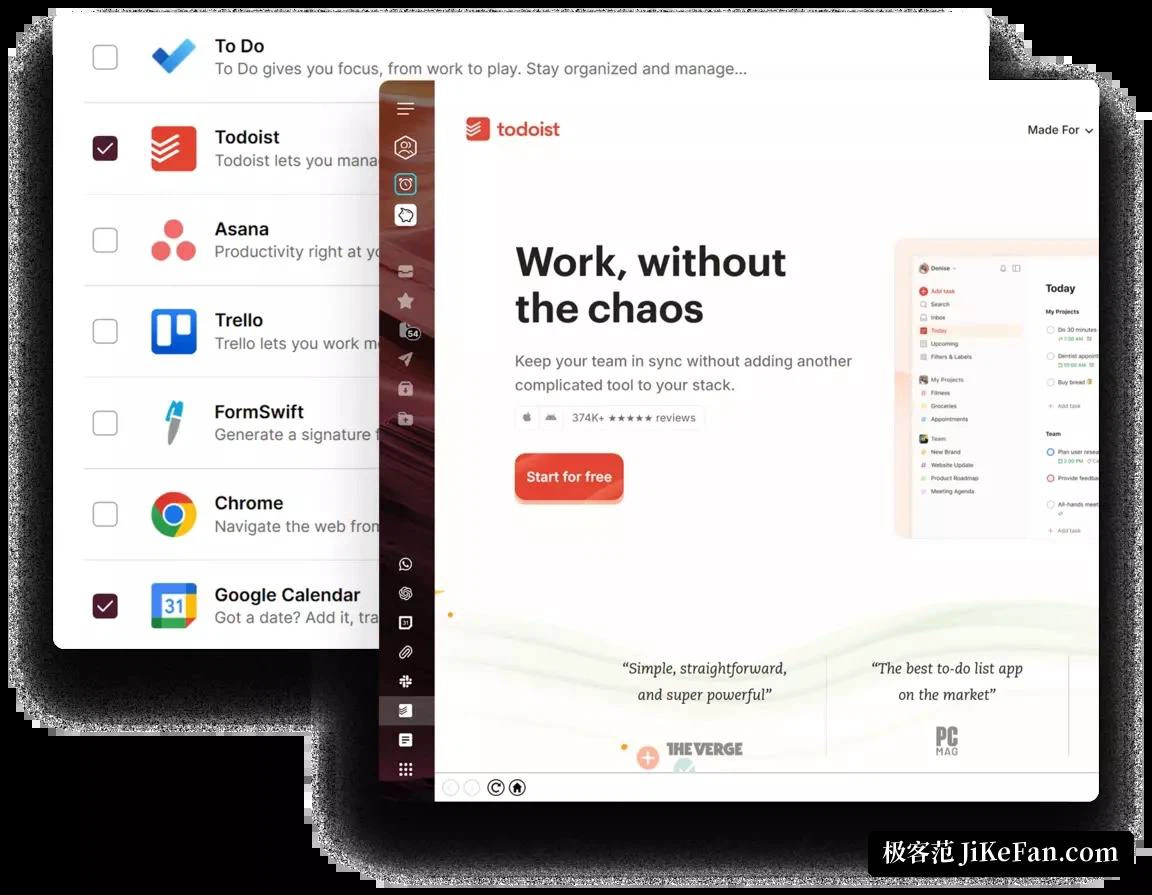
The feature that distinguishes it is the sidebar. Chat tools, task boards, cloud drives and social applications can all be embedded inside the client, so the small pieces of business that accumulate between two messages get handled in the same window instead of across a dozen others. For anyone who already treats the inbox as the centre of a working day, this shape, a mailbox with an application panel attached, removes a surprising amount of switching. The cost is that the window becomes busier; the benefit is that the context does not have to be rebuilt every time attention moves.
Keeping correspondence in order
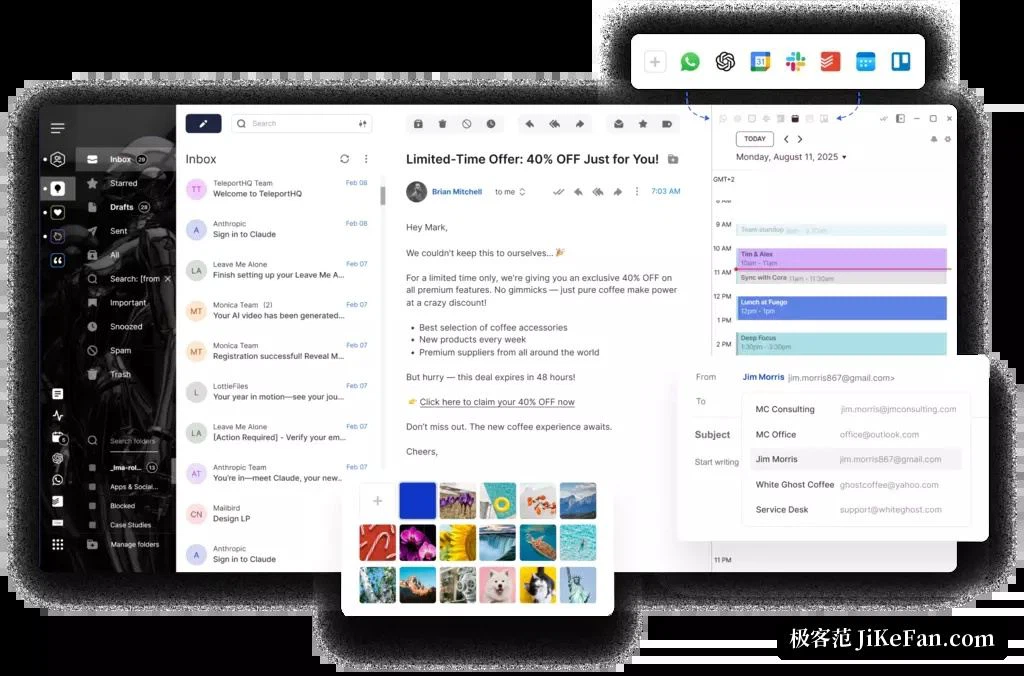
The functional layer covers what a desktop client is expected to provide: scheduling a message to go out later, snoozing a thread until it is relevant again, quick templates for the replies written ten times a week, an undo for the send that happened a second too early, filter rules and keyboard shortcuts. There is also a speed reading mode in the rapid serial presentation style, which shows a long message word group by word group in a fixed place so the eye stops travelling across the line, and a long thread becomes noticeably less tiring. The sending side gets feedback as well: tracking reports whether the recipient opened the message and when, which is exactly the information wanted before a follow-up call. Used with a little discipline, that turns following up from guesswork into a rhythm, because a message that was opened and left unanswered is a different situation from one that was never opened at all, and the second note should not read the same in both cases.
Drafting help on demand, not on its own initiative
The writing assistant follows an on-demand line. When a message needs polishing or a first draft, the integrated model service can be called to propose wording or shift the tone; ordinary sending stays entirely in the hands of the person doing it, and nothing is answered on its own. A contact manager gathers the contacts from every account into a single list, so the same person is not three entries with three spellings. The calendar puts meetings, tasks and birthday reminders into one view rather than three, which is the same argument as the unified inbox applied to the rest of the day.
A client kept in daily use since 2013
Thirteen years of continuous development is a long time in a category where plenty of programs appear and then fall silent. The number reached in September 2026, 3.0.63, suggests a rhythm of frequent small corrections rather than rare large rebuilds, which is roughly what a mail client needs: the protocol underneath barely changes, the services around it change constantly, and a program that is still being patched is a program that still connects. The same length of life shows in the language list, more than twenty interfaces, and in the theme and colour settings, which exist for a simple reason. A window that stays open from morning to night eventually has to look like something the person chose rather than something they were handed.
Start free, pay to go further
The free tier supplies the core mail functions and is a reasonable way to live with the client for a while before deciding. The paid subscription unlocks multiple accounts, the full set of integrations and the advanced features, and a one-off licence is offered as an alternative for people who dislike recurring charges. A fourteen day refund window backs the purchase. Which of the two fits depends on how long the client is expected to stay: a subscription suits someone who wants the integrations to keep growing along with the services they point at, while a one-off licence suits someone who has settled on a fixed set of tools and does not want to be asked again every year. For anyone running several mailboxes at once and wanting correspondence and workflow to touch each other, either way it is a good deal more flexible than the mail application that came with the system.