
LM Studio: local models handled like a hosted assistant
Summary
No terminal, no parameters to mistype: a browser window lists models by size and by whether they fit your card, one click downloads, and the chat box behaves like the hosted assistants while the conversation never leaves the machine.
Recommend- Name
- LM Studio
- Version
- 0.4.22
- Pricing
- Free
- Open source
- Proprietary
- Operating system
- WindowsmacOSLinux
- Website
- https://lmstudio.ai
- Updated
- 2026-10-28 22:00
For plenty of people the first obstacle to running a model locally is not the hardware, it is the terminal. Open a tutorial and the screen fills with white letters on black; mistype one argument and the whole thing stalls halfway. Hosted services are easier, right up to the moment the data has to be uploaded, the bill is metered by the token, and the connection drops. Wanting to use a local model through a normal window, the way one browses a social feed, has long lacked a tool that felt right.
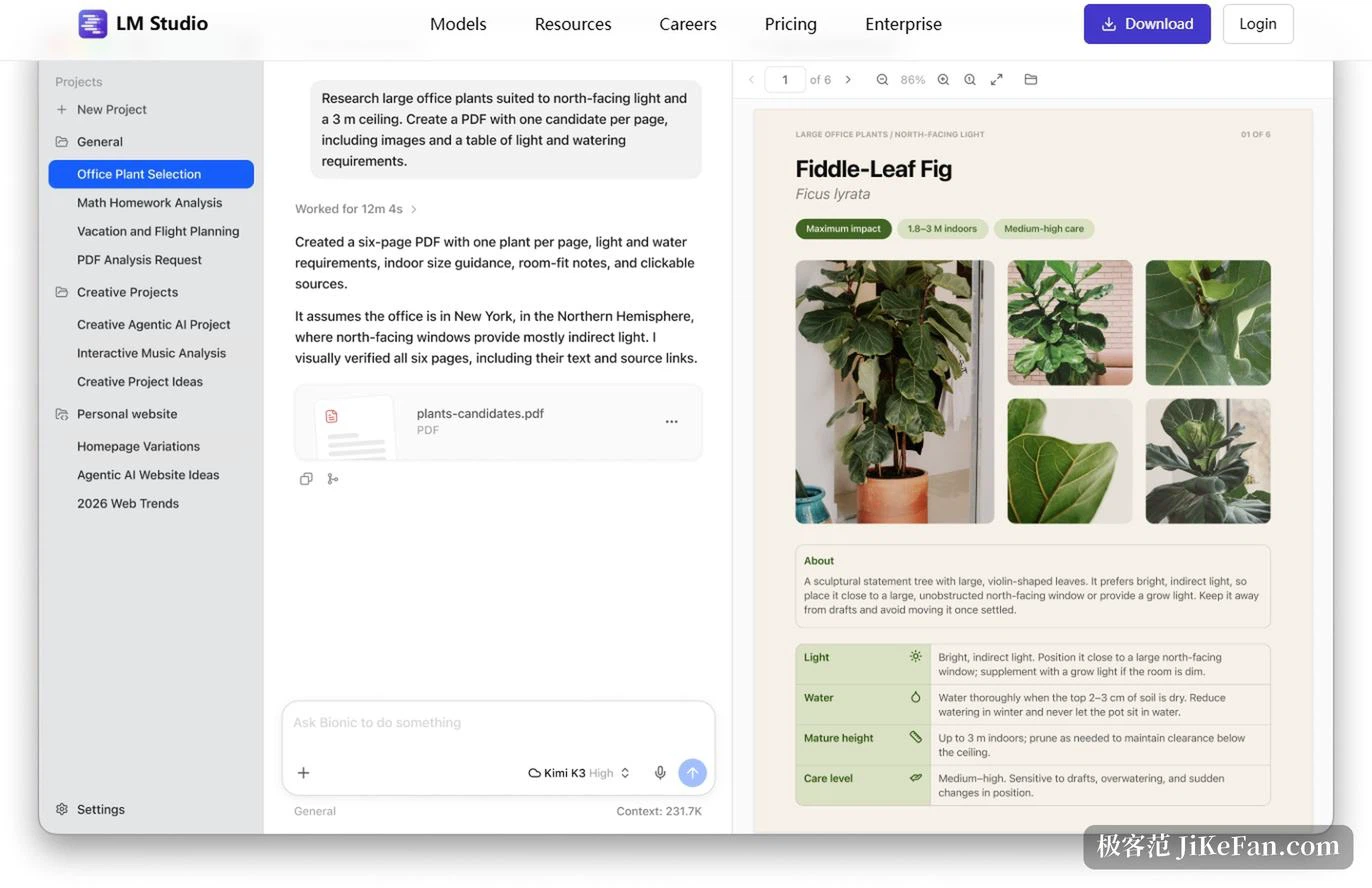
This desktop application was built for exactly that situation. Released in 2023 by a small team, it folds discovery, download, loading, conversation and serving into one graphical window. The built-in browser talks to a public model repository and filters by parameter count, by task, by whether tool calling is supported and by whether the thing will fit in your video memory. Pick one, click once, and the download runs. A downloaded model is ready in the chat window immediately, and the layout is close enough to the hosted products that the only real difference is where the computation happens and the fact that the conversation never leaves the machine.
The small considerations are what people like
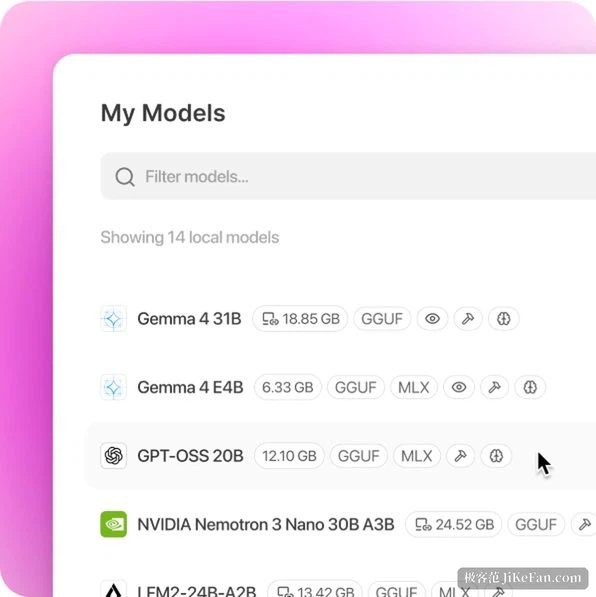
Hover any model and the application shows its memory footprint, so whether it fits is not a guess. The part that does not fit can be dragged onto system memory with a slider; the model still runs, only more slowly. All three desktop systems are covered, and on the recent self-designed chips there is a native engine that takes full advantage of the shared memory architecture, fast enough to hold a conversation with a model of seventy or eighty billion parameters at thirty to fifty tokens a second.

It is not merely a chat shell. A local server can be switched on inside the application, exposing an endpoint compatible with the common request format and listening on port 1234 by default, so any existing code written for a hosted model works offline once the address changes. Newer versions add an endpoint in another widely used format as well. Questions about documents work out of the box too: drop a PDF or a set of notes into the conversation, and both retrieval and generation happen locally, with no third party seeing the material.
Anyone who likes to tinker can attach MCP servers so the local model calls outside tools, though that configuration is still fairly manual and not exactly smooth.
Offline as a hard boundary
Offline operation is the hard line separating it from a web service. Once a model has been downloaded, chatting, document questions and running the local server all work without a network, and the documentation states plainly that these core functions keep working with the connection cut.
The pricing is generous as well: personal use and work use are both free, with no subscription and no feature wall, and commercial use was opened up in the middle of 2025. The release pace throughout 2026 has been brisk too. Multi-card tensor parallelism, speculative decoding, a link feature for reaching instances on other machines, and even a mobile companion for phone and tablet all landed within half a year.
Borders worth stating
The application itself is closed source, which is a real obstacle for anyone who wants to audit the code. It is heavier than a pure command line tool, a large model starts at several gigabytes of download, and both disk and memory feel that. Linux users get no graphical build and must use the headless daemon instead. And it can only run models with open weights, so the ceiling set by the strongest closed models is a reality local inference cannot escape.
The threshold for local models has really been about gathering scattered model files, an inference framework and a pile of parameters into a window an ordinary person is willing to open. That is what this application does: one graphical surface holding everything from choosing a model to holding a conversation, with data staying on the machine and work continuing when the network goes away. Anyone who has wanted to try local AI and been sent back by a terminal will find this the smoothest entrance currently available.
Making advanced technology approachable is not a matter of reducing its depth but of putting away the edges it does not need. This application leaves the terminal to the people who enjoy fiddling and the window to everyone else.