
EA App review: what the official launcher rebuilt
Summary
EA App replaced Origin as the only official entry point on Windows: rewritten install pipeline, visibly faster downloads, a modern interface, subscription access to a large library and cloud saves, free on both desktop platforms.
Recommend- Name
- EA App
- Version
- 20260922
- Pricing
- Free
- Open source
- Proprietary
- Operating system
- WindowsmacOS
- Website
- https://www.ea.com/ea-app
- Updated
- 2026-10-06 18:14
From one launcher to another, and a full rewrite underneath
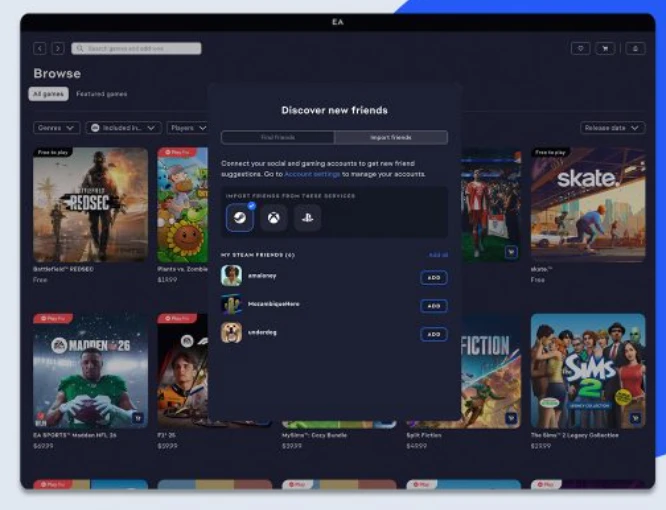
Long time players had accumulated complaints about the previous client for years: slow start up, slow downloads, an interface that had grown bulky without growing useful. From 2022 onward the new application took over gradually, and today it is the only official entry point on Windows. This was not a change of icon. The installation and update pipeline underneath was rewritten, and the improvement in download speed is the first thing returning users notice. The interface moved to a contemporary design language as well, with the library, the store and the friends list each in their own place instead of fighting for the same panel.
Everything expected, with the subscription at the centre
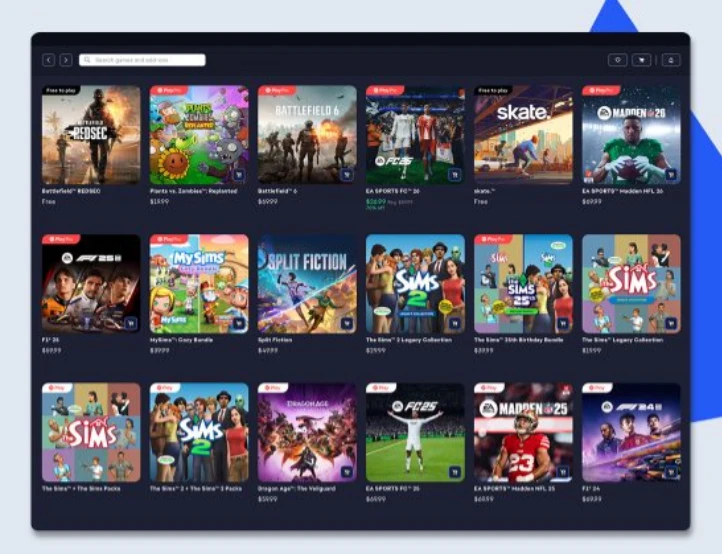
As the official platform it covers the full path from purchase to play. The library manages every series the publisher owns in one place, and updates complete in the background without a prompt. A subscription gives direct access to a large catalogue, and the arrangement where new releases join the catalogue close to launch is genuinely good value for people who play a lot. The friends system shows online status across platforms, so invitations do not require knowing which machine someone is on. Cloud saves carry progress between devices without a manual step.
Existing users of the old client do not start from zero. On first sign in the library and the friends data migrate automatically, which removes the usual anxiety attached to a platform handover.
The download pipeline deserves a word of its own, because it is the part nobody sees and everybody feels. The client now pulls from a wider set of sources, resumes interrupted transfers instead of starting over, and keeps the queue in the background while you do something else. On a large title the difference between the two generations is not a matter of seconds. It is the difference between planning an evening around an update and not thinking about it at all.
Library management follows the same logic. Every owned title sits in one list regardless of when or where it was bought, installed state is visible at a glance, and the update happens before the play button becomes relevant. For someone with a dozen titles spread across several years of purchases, that single list is most of the value of having an official client at all.
The lesson from this handover is that platform experience has no ceiling. If a company is willing to rewrite the layer underneath, download speed and start up response, those old complaints, can be retired. When the official client is done properly, players stop complaining, and that is the whole review.
What to know before installing
Several points should be stated plainly. This is an account bound platform: buying and playing both go through the publisher account system, and there is no way around it. Games bought on third party stores still activate and install through this client, which means one extra step in the chain rather than a competing route. Functionally it concentrates on its own ecosystem and makes no attempt to aggregate other publishers, so it will never replace a multi store launcher for someone with a scattered library.
For players of these games it is effectively mandatory, and the experience is a clear step up from the old platform. For everyone else there is no reason to install it. The client updates frequently, and it costs nothing on either desktop system.
One last comparison worth making is with the browser. Everything here could in theory be done in a web page, and some of it is. What a native client adds is the background work: downloads that continue while the window is closed, updates that apply without a tab being open, and a library index that exists on disk rather than behind a login screen. That is not glamorous, and it is exactly the reason a desktop client still makes sense for games of this size.
One practical note on timing: because updates land often, the first launch after a long absence usually involves a sizeable patch before anything becomes playable. That is the price of a client that is actively maintained, and it is a much smaller price than the slow downloads that defined the previous generation.