
CapCut review: smart cutout, AI frame interpolation and voice cloning in one editor
Summary
The desktop build of CapCut puts one-tap AI next to manual tools: smart cutout, grading, quality repair, frame interpolation and beauty sit beside four kinds of mask, keyframes and multicam. New hardware support covers 4:2:2 encoding and RTX 50 series acceleration.
Recommend- Name
- CapCut
- Version
- 1.5
- Open source
- Proprietary
- Operating system
- Windows
- Website
- https://www.capcut.cn/
- Updated
- 2026-10-06 17:33
For a long time editing carried a threshold. You had to understand timelines, tracks and keyframes, then spend weeks with the software before a pile of footage turned into something watchable. For someone who only wants to stitch travel clips together, or send a client a short product walkthrough, that learning cost is out of proportion.
CapCut exists to shave that threshold down. One-tap AI handling for ordinary users and professional tools for advanced users live in the same application.
Two sets of abilities in one program
Open the official site and two groups of words stand out: AI generation and professional editing. The first turns a complicated process into a click, the second keeps tools available when you need fine control. The stated position is to make ideas into finished films without effort.
What is worth noticing is that the AI side does not only serve cutting. Video generation, marketing films and AI music sit on the same level: generation produces clips straight from material or a description, marketing films target batch output for shops and campaigns, and AI music supplies a background track without rights worries. For creators short of footage, these fill the gap where there is nothing to cut.
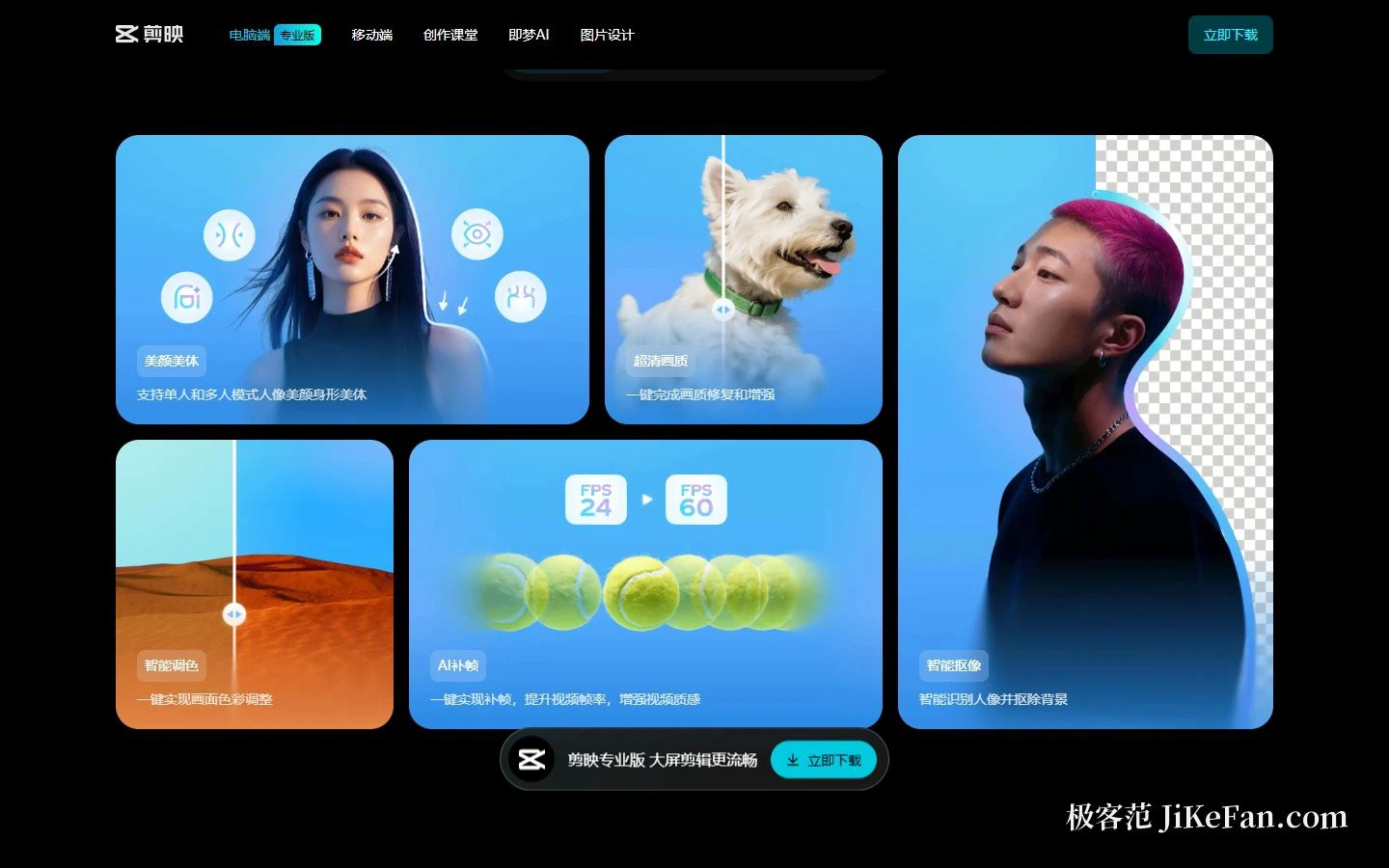
Concretely, the one-tap abilities look like this. Smart cutout recognises people and lifts them off the background, which is what a talking head needs to change scenery or show a product. Smart grading brings mismatched footage into one look with a single click. A clarity mode repairs and enhances old or low-resolution material. AI frame interpolation raises the frame rate so motion reads smoother. Beauty and body tools adjust faces and shapes, for one person or several, on camera and in group shoots.
What they share is that you never need to understand the mechanism behind them. One click, one result. For the great majority of everyday needs that is already enough.
Tools sorted by situation, not by feature list
A quietly interesting choice on the official site is that it sorts by creative situation instead of listing functions. That also matches how people actually work: you know which film you want to make before you ask which filter you need.
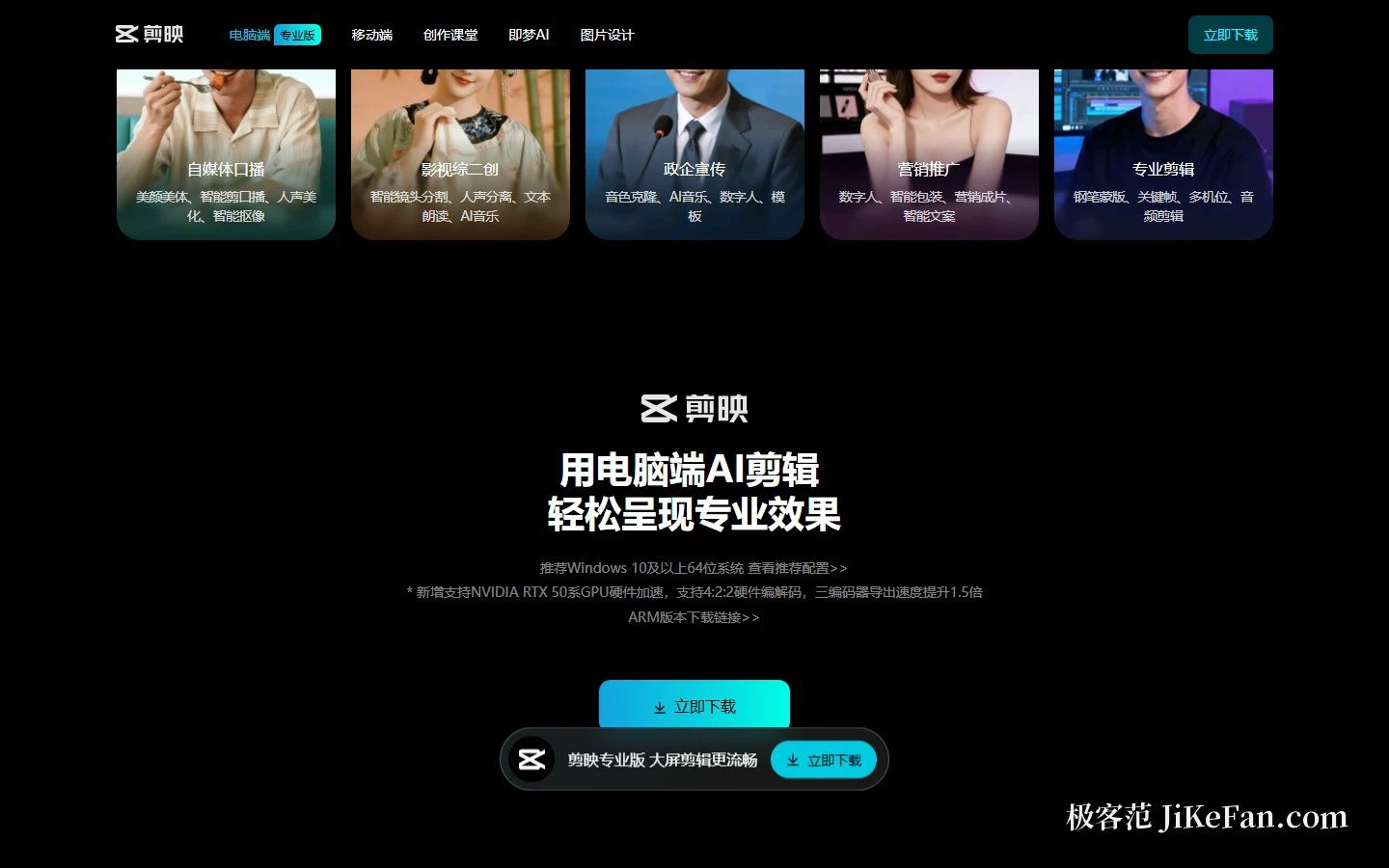
Self-media talking head gathers smart talking-head cutting, voice enhancement, beauty and body, and smart cutout. The smart cut detects pauses, breaths and repeated takes and presses a long recording into a tight cut — the single biggest time saver in this kind of production.
Remixes from film and variety gather smart shot detection, voice separation, text-to-speech and AI music. Shot detection chops a long video into shot units automatically, and voice separation lifts dialogue away from the background so a new dub or a commentary can go in.
Public-sector and corporate communication gathers voice cloning, AI music, digital humans and templates. Cloning keeps one vocal identity across a series, and a digital presenter removes repeated days in front of a camera.
Marketing gathers digital humans, smart packaging, marketing films and smart copy, aimed at batch production.
When precision is needed, the tools are still there
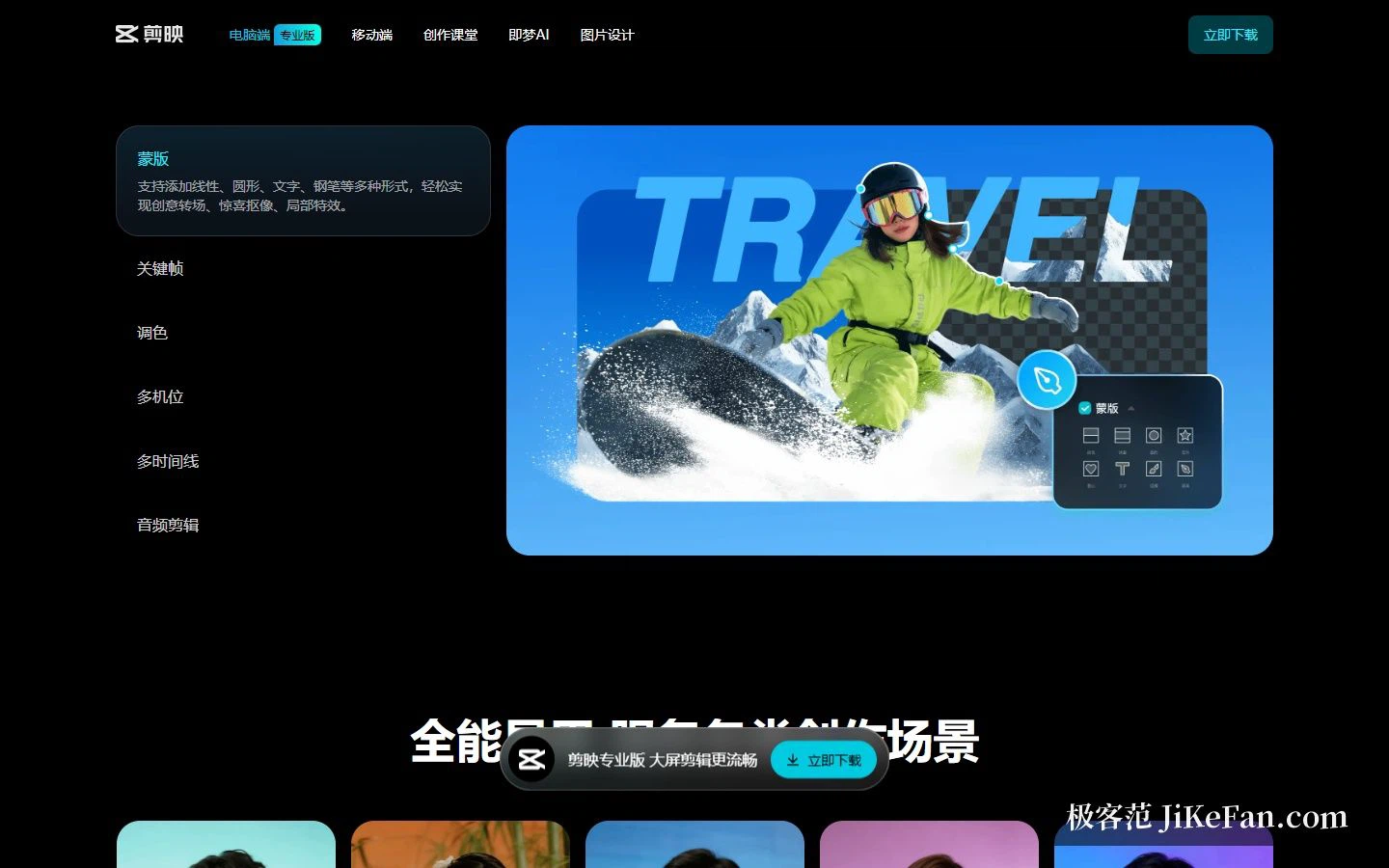
One-tap answers good enough. Precise expression still takes hands, and this is the part where the program does not cut corners. Masks come in four forms — linear, circular, text and pen — and the pen mask means any shape can be traced, for creative transitions, local effects and fine cutouts. Keyframes, multicam, multiple timelines and audio editing are all present, and multiple timelines make a complex project manageable.
Put another way: a click where a click will do, hands where hands are needed. Beginners are not driven off, and experienced users are not handed something shallow.
Performance and what it runs on
The professional build targets desktop. The official recommendation is a 64-bit Windows 10 or later, alongside notes on recommended specifications and an ARM build. That is worth checking before a purchase or a rollout, especially on older machines.

On hardware, export was optimised for new cards: hardware acceleration for NVIDIA RTX 50 series GPUs, hardware encoding and decoding for 4:2:2, and with three encoders the export speed rises 1.5 times. For anyone exporting long videos, export speed is the difference you feel most, and a current-generation card shortens the wait noticeably.
Desktop or mobile
Both exist and they are not the same product. The professional build is pitched as smoother editing on a big screen, aimed at long, multi-track projects; mobile leans toward shooting and cutting on the spot, with templates for quick output.
If your workflow is film on the phone, cut on the phone, publish from the phone, mobile is enough. The moment multi-track audio, fine masks, long projects or high-bitrate exports appear, move to the desktop. Projects do not carry across fully, so settle the main platform before starting rather than migrating halfway through.
The official pages also name the developer and the operating entity, including the business licence, the ICP filing and a broadcast programme production permit, plus a support line and a business contact. For corporate buyers that material is required in supplier compliance review, so keep a copy.
Who it suits, and who it does not
If the output is short video, talking head, course screen capture, product demonstration or an event record, this is close to the most efficient choice available: the frequent operations are one-tap, the template and asset ecosystem is mature, and the typography, voice and platform fit for Chinese-language work is closer than most.
It has edges. Projects that need fine grading, complex compositing, strict audio post or multi-person review still belong in a professional pipeline. The goal is to drive the cost of everyday editing down for most people, not to cover the whole film-industry chain.
One more caution. The smoother the AI features get, the easier content converges: the same grading, the same templates, the same voice, and everything ends up looking alike. The tool is responsible for efficiency; style is still your own call.
The question when choosing an editor is not which one carries the most features. It is where 80 percent of your time goes. The tool that makes that one step shortest is the fastest one for you.