
IrfanView: a small viewer that opens well over a hundred formats
Summary
A Windows image viewer that installs in under eight megabytes yet opens more than a hundred and thirty image, audio and video formats, with batch conversion, slideshow export and a broad plugin pack. In development since 1996, free for personal and educational use.
Recommend- Name
- IrfanView
- Version
- 4.76
- Pricing
- Free
- Open source
- Proprietary
- Operating system
- Windows
- Website
- https://www.irfanview.com
- Updated
- 2026-10-25 22:00
Five seconds of spinning circle to open one raw file
Anyone who handles a lot of images knows the pattern. The viewer that comes with Windows takes its time with a raw file, knows only a fraction of the formats that arrive in a working day, and offers almost nothing in the way of batch work. So a second program gets installed, then a converter, then a renamer, and the desktop slowly fills with tools that each solve a sliver.
IrfanView has been the answer to this since 1996, and it has now been in continuous development for thirty years. The installer is under eight megabytes, which is smaller than most single photographs these days, yet it opens more than a hundred and thirty formats across images, audio and video. It is the work of one developer, written and maintained alone over three decades, which is a rare thing in software of any kind.
The licence is worth stating precisely: personal and educational use is free, commercial use requires a purchased licence. That distinction is spelled out clearly rather than buried, and for an individual it means the program costs nothing.
Well over a hundred formats, before any plugin is installed
Native support is already wide. The everyday set – JPEG, PNG, GIF, TIFF, BMP, WebP, ICO – is the baseline rather than the limit. Layered PSD documents open, raw files from every major camera maker open, HEIC opens, SVG and PDF open. With the official plugin pack installed, the range extends into territory most viewers never reach: DJVU documents, CAD drawings, medical DICOM imagery and JPEG 2000.
More useful than the list itself is batch conversion and renaming. Point the program at a folder, set a target format, a compression quality, a size and a colour depth, and the whole set is processed in one pass. For a designer or an online seller who needs several hundred photographs brought to a consistent size, this is the difference between an afternoon and a coffee break.
Batch work, slideshows and screenshots in one place
The batch mode goes beyond format conversion into image processing. Rotation, cropping, watermarking, brightness and contrast adjustment, adding text over a whole series – all of it can be applied across a folder, and the work is threaded so that a multi-core processor is actually used. The slideshow function can export a sequence of images directly to an MP4 video, or to a self-running executable that opens on a machine with nothing installed.
The built-in capture tool covers four modes – full screen, a single window, a selected region, and a timed capture – and hands the result straight to the editor, where it can be annotated or cropped immediately. Alongside those sit scanner support through TWAIN, lossless JPEG rotation that turns an image without recompressing it, EXIF inspection, IPTC metadata editing and per-channel colour adjustment.
The plugin pack, and the efficiency of an older interface
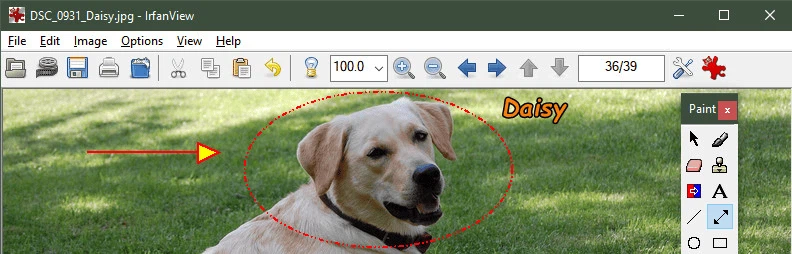
The official plugin pack pushes the boundaries considerably further: video and audio playback, additional professional formats, support for 8BF filter files, and optical character recognition. The interface itself keeps the classic Windows look, with dense menus and a plain toolbar, and that is deliberate rather than neglected. Nothing is hidden behind an animation, every common command is one click away, and the program never makes you wait to watch it draw itself.
Thirty years, from 1996 to the present, and still receiving updates. Eight megabytes, more than a hundred and thirty formats, serious batch processing and a plugin ecosystem that keeps growing – this is the kind of tool that gets installed once and then simply stays. If the built-in Windows viewer has become too slow to bear, this is the most direct answer available.