
Haimian Music: describe a feeling, get a sung track, and never touch an arrangement
Summary
A browser-only music maker that opens with a single text box. Say what you want to hear and the model returns a vocal track, or paste your own lyrics and choose genre, mood and timbre. There is also a button for people who cannot write lyrics at all.
Recommend- Name
- Haimian Music
- Version
- 20260917
- Pricing
- Free
- Open source
- Proprietary
- Operating system
- Web
- Website
- https://haimian.com/
- Updated
- 2026-10-06 16:37
Making a song used to be a chain: words, melody, arrangement, a singer, a room, a mixing desk. A few products now try to collapse that chain into one input field. Haimian Music is one of them, and the homepage makes the point bluntly — no carousel, no gallery of other people's work, just a box in the middle. Describe the feeling you are after and the model takes over the rest. The site calls itself a free AI music creation product, built to close the distance between ordinary people and music making as far as it can.
Ownership is stated without ambiguity. A badge in the top right corner identifies it as an AI music platform belonging to a Chinese short-video group, and the footer of the about page names the operating company, registered in Beijing.
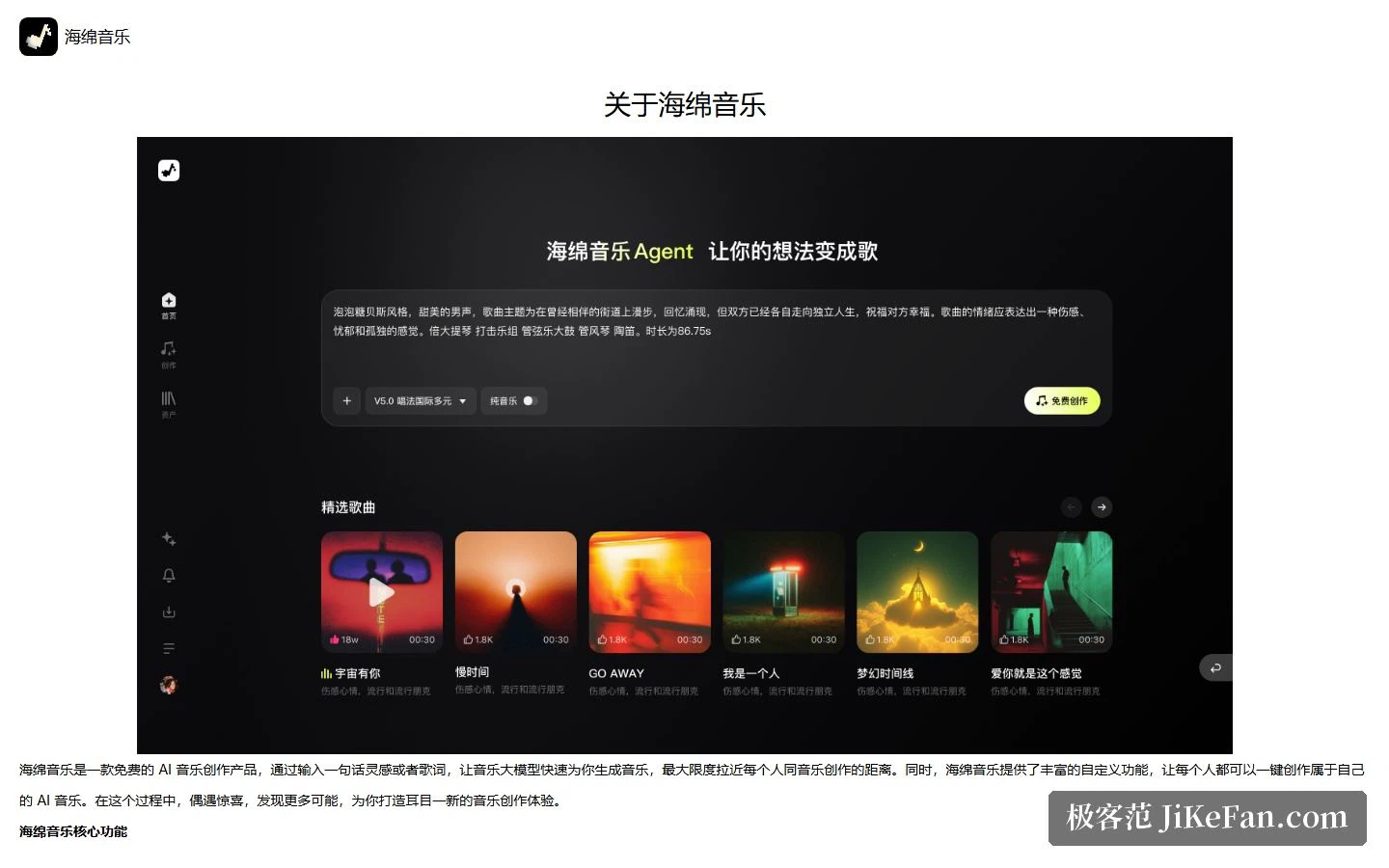
Three doors, three kinds of user
The feature set is split into three parts, and the way it is split already tells you who each part is meant for.
The first door is idea to song. You write one sentence about what you want to hear; the model reads style and subject out of that sentence and hands back a complete vocal track. This is the route for someone with no material at all and only a vague appetite for a finished file.
The second door is do it yourself. You supply the lyrics, then pick a genre, a mood and a timbre, and the model builds arrangement and performance around your words. Anyone who already has a verse and lacks only a band takes this one.
The third door is having the words written for you. If the blank page is the real obstacle, the model drafts the lyrics too. The site gives this its own entry point instead of hiding it inside the editor, and that choice says something: more people quit because they cannot write the words than because they cannot arrange them.
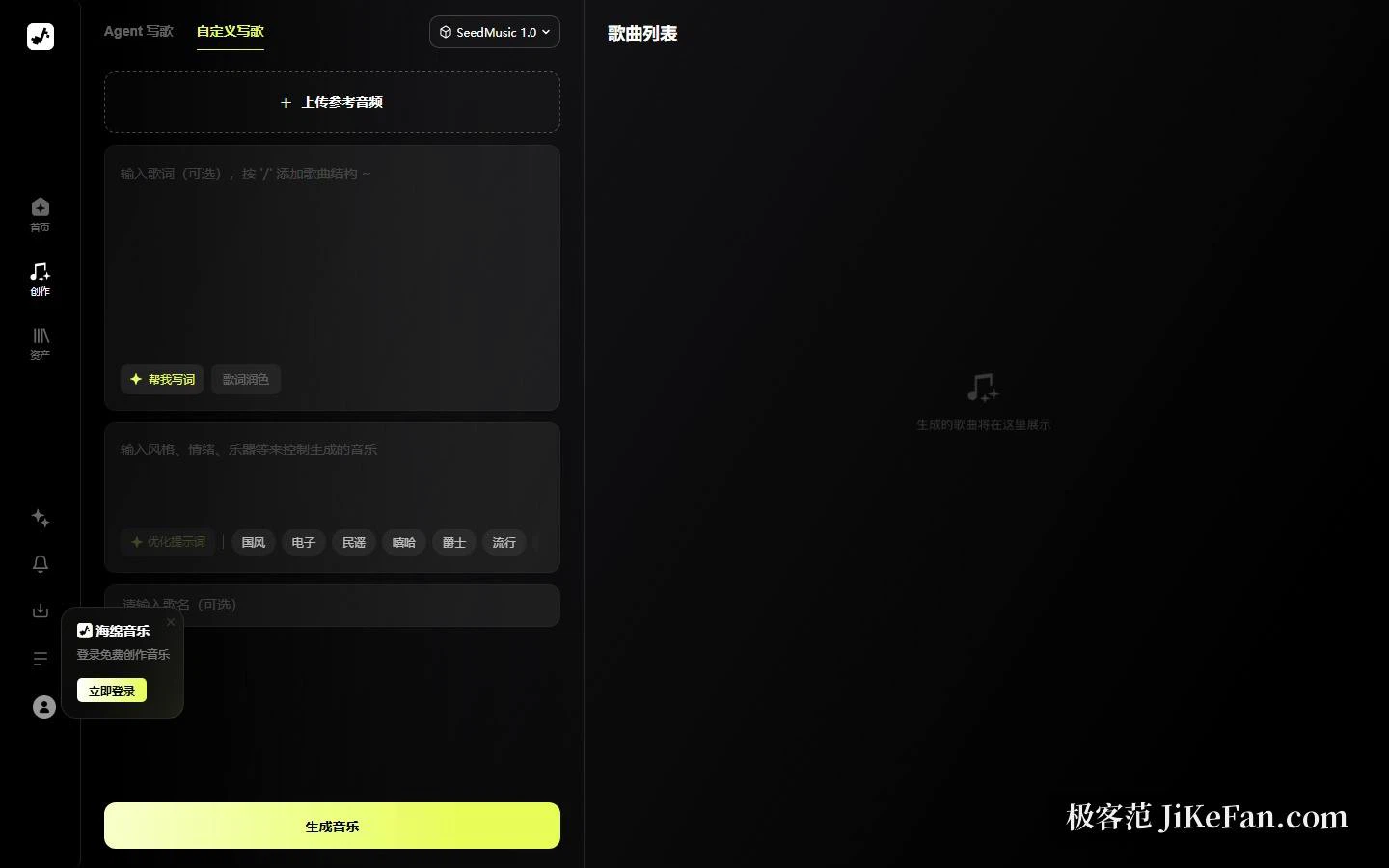
What the composition page actually puts in front of you
The composer opens with two entries side by side. One behaves like a conversation, the other like a form. Two working habits, two separate doors.
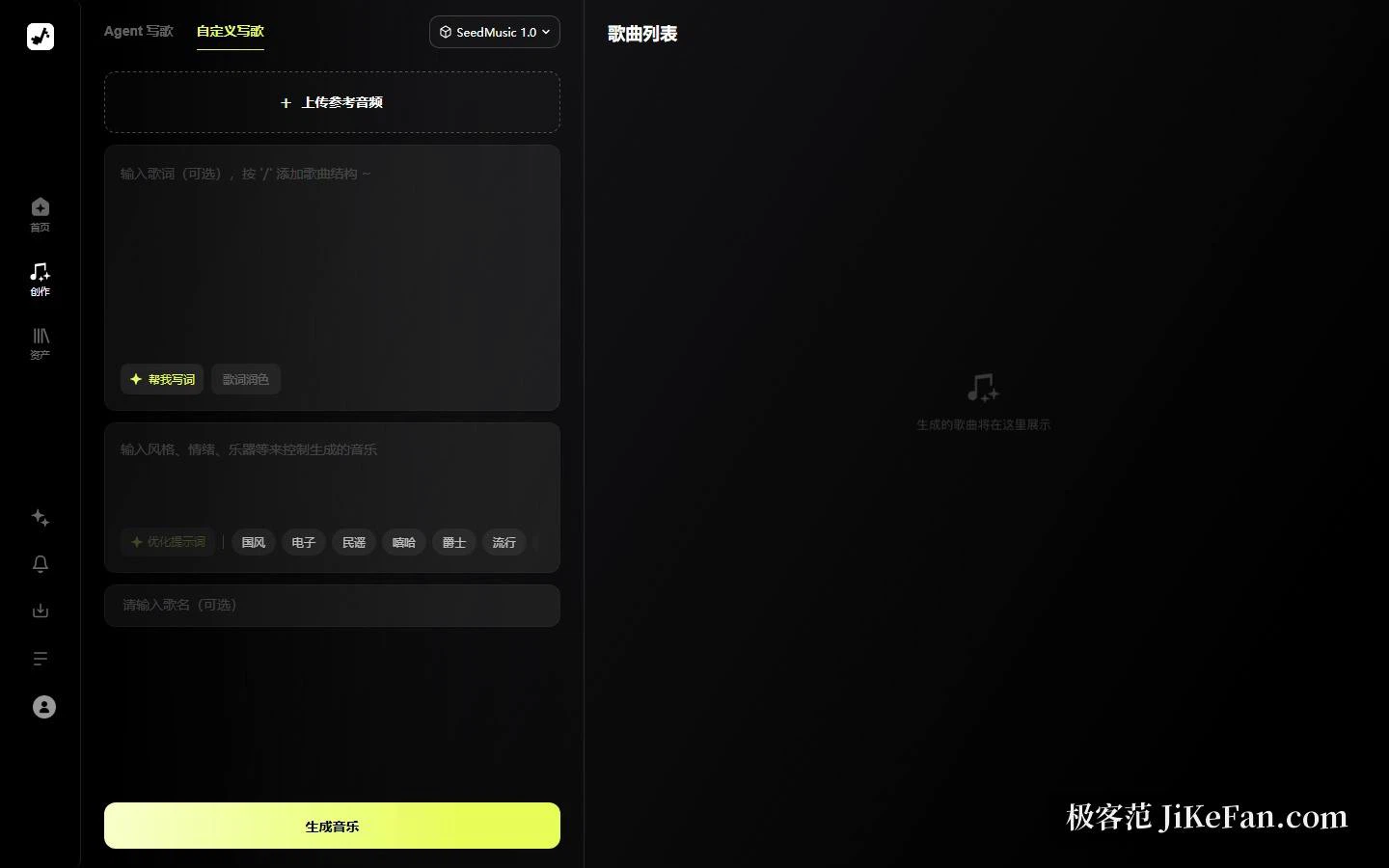
The form reads top to bottom: a reference audio upload, a lyrics box that also accepts song-structure tags, a style and mood description field, a title field, and the generate button. Three small links sit in the margins — write the lyrics for me, polish the lyrics, and improve the prompt next to the style field. All three do the same job in different places: they turn a half-formed instruction into something the model can act on.
The model badge reads SeedMusic 1.0. If you would rather hear results before committing, the homepage carries a shelf of templates; the site states that every track in it was generated by the Haimian music model, and each one can be cloned as a starting point.
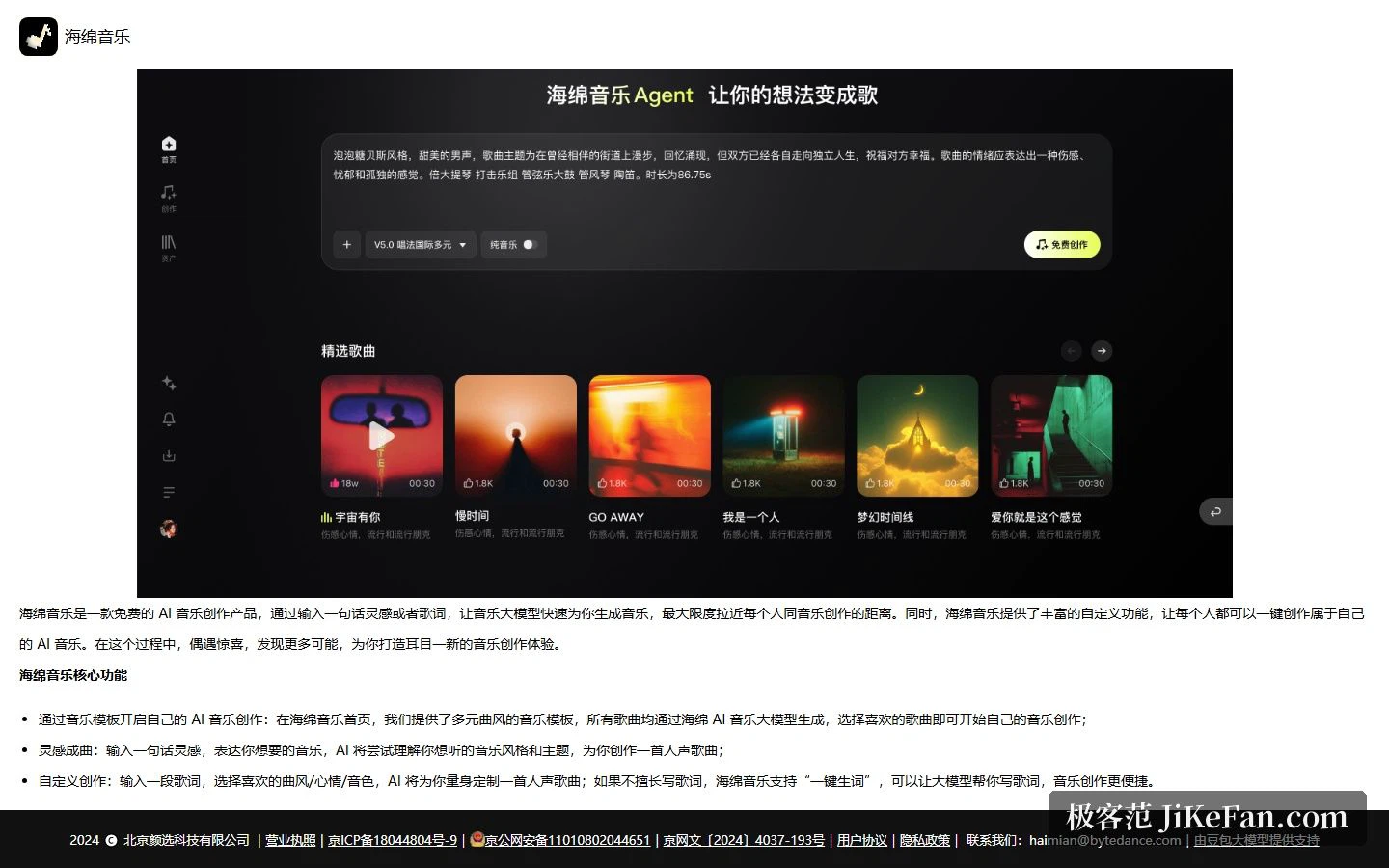
The genre list is where it stands apart
Open the style picker and the top level is broad — Chinese style, electronic, folk, rap, jazz, pop. Drill in and the branches turn specific: traditional Chinese instrumentation, Chinese-style electronic, Mandarin pop, Chinese-style hip-hop, Chinese-style rock, rap house, bossa nova, city pop, hard rock, power metal. The depth leans deliberately toward Chinese-language idioms, which matters a great deal if you work in styles that Western models handle loosely at best.
Free, and the two edges of that word
Free is in the headline rather than the small print. The homepage button is labelled as free creation, the about page repeats it, and the underlying model is described as a domestic large-model stack. For anyone who simply wants to find out what AI music can currently do, the cost of walking in is zero.
Two warnings are worth spelling out. The first concerns originality: how close a generated melody or lyric sits to existing work remains a contested question, so if the result is headed for publication or sale, read the platform's terms on ownership and permitted use before you commit. The second concerns the public gallery. Most of it is user-generated with wildly uneven quality, and some of it is not something you would want to pass along. Treat the tool as a tool and the gallery as background noise.
Who should bother
If you need to test a musical idea quickly — can this sentence become a song, can this genre hold up this lyric — the cost of trying here is close to nothing. Open a tab, type a line, press generate. No installation, no environment to configure, no account gymnastics.
If what you need is a releasable master, treat the product as a first-draft engine instead. Use it to find the direction, then decide whether to keep polishing inside the same platform or move the stems into a proper production chain. Set the expectation at fast validation rather than finished product and the result will not disappoint you.
A tool earns its place by shortening the distance from zero to one. The stretch from one to ten still needs a person in the room — the machine will gladly hand you ten tracks, but deciding which one deserves to survive is a listening job.