
WhisperX puts word timestamps and speaker labels on top of Whisper
Summary
A pipeline that repairs two gaps in Whisper: timestamps stop at sentence level and there is no batch mode. WhisperX force aligns for word level timing, then labels speakers, and reports 70 times real time on the large-v2 model.
Recommend- Name
- WhisperX
- Version
- 3.8.7
- Pricing
- Free
- Open source
- Open source
- Operating system
- WindowsLinuxmacOS
- Updated
- 2026-10-06 19:53
The two things Whisper leaves out
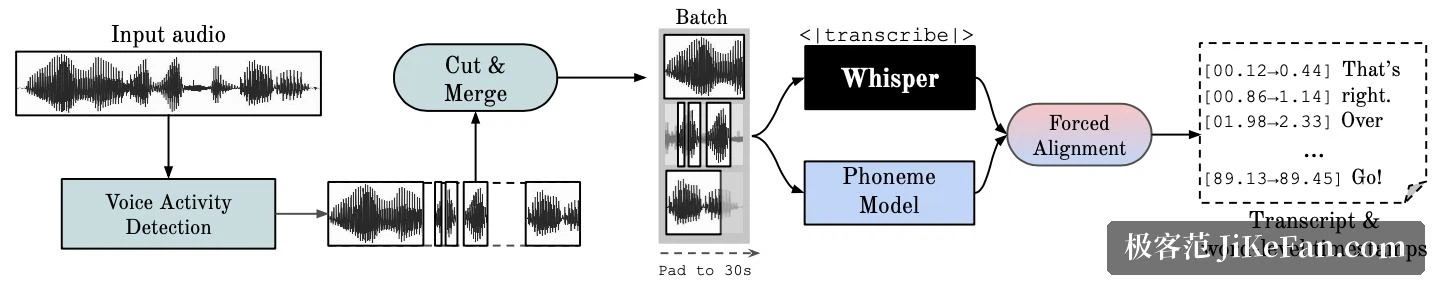
WhisperX exists for a specific complaint. Whisper transcribes accurately, but its timestamps stop at the sentence level, so anyone building subtitles discovers that text and picture drift apart, with a few seconds of offset being routine. Whisper also has no batch mode of its own.
The fix is two extra stages bolted onto Whisper. First the transcript is force aligned against the audio, which pushes timestamps down to individual words. Then the audio is split by speaker, and every line gets a label saying who said it. The project wraps this into one pipeline and exposes it through both a command line and a Python interface.
A pipeline of four stages
The diagram in the repository breaks the run into four steps. Voice activity detection goes first and filters out the silent stretches. The transcription model then produces text in batches. A phoneme level recognition model performs forced alignment and yields word timestamps. Finally a speaker separation model tells the voices apart.
The headline numbers sit in the project description. Batch inference on the large-v2 model reaches 70 times real time. The transcription backend is faster-whisper, and large-v2 at a beam size of 5 needs less than 8 GB of video memory. Word timestamps come from wav2vec2 forced alignment. Speaker separation comes from pyannote-audio and outputs speaker ID labels. The paper behind the pipeline appeared at INTERSPEECH 2023 under the title about time accurate speech transcription of long form audio.
The voice activity stage has a side effect worth mentioning. The project says it reduces hallucination without losing recognition accuracy, and that it makes batching easier, which is one of the preconditions for the speed it reaches.
Installing: one pip line
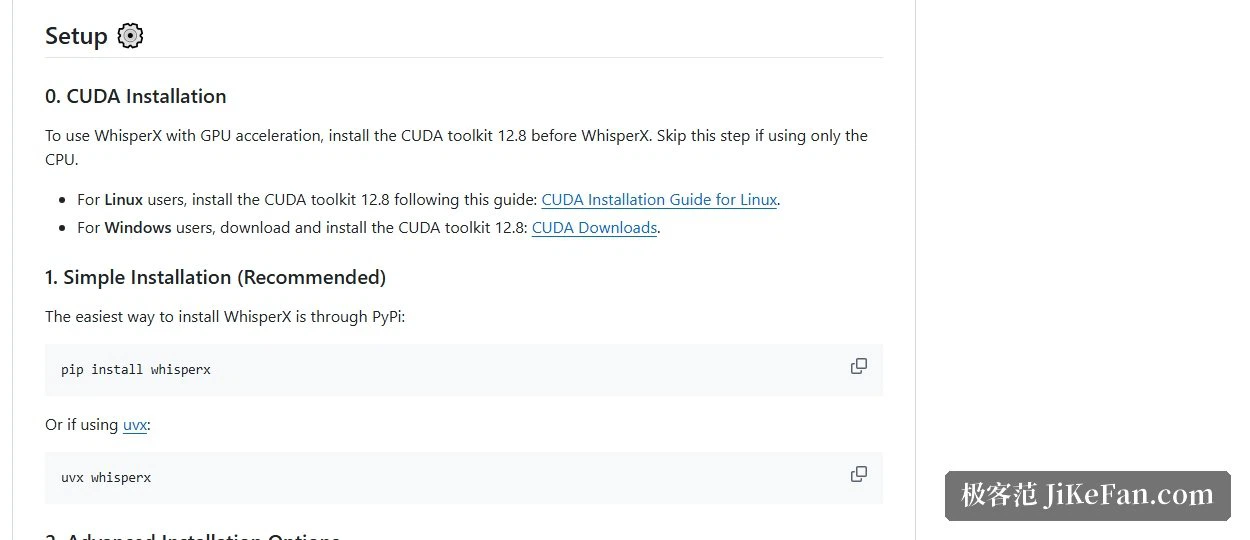
The recommended install is short: a single pip command. On a machine that already has uv, uvx can run the tool without installing it into an environment first. GPU acceleration needs CUDA 12.8 in place beforehand. On CPU only, that step is skipped.
Speaker separation asks for more. A Hugging Face access token has to be passed on the command line, and the terms of use accepted on the model page first. Transcription and alignment run without a network; the separation stage is where model download and authorisation enter.
Using the command line
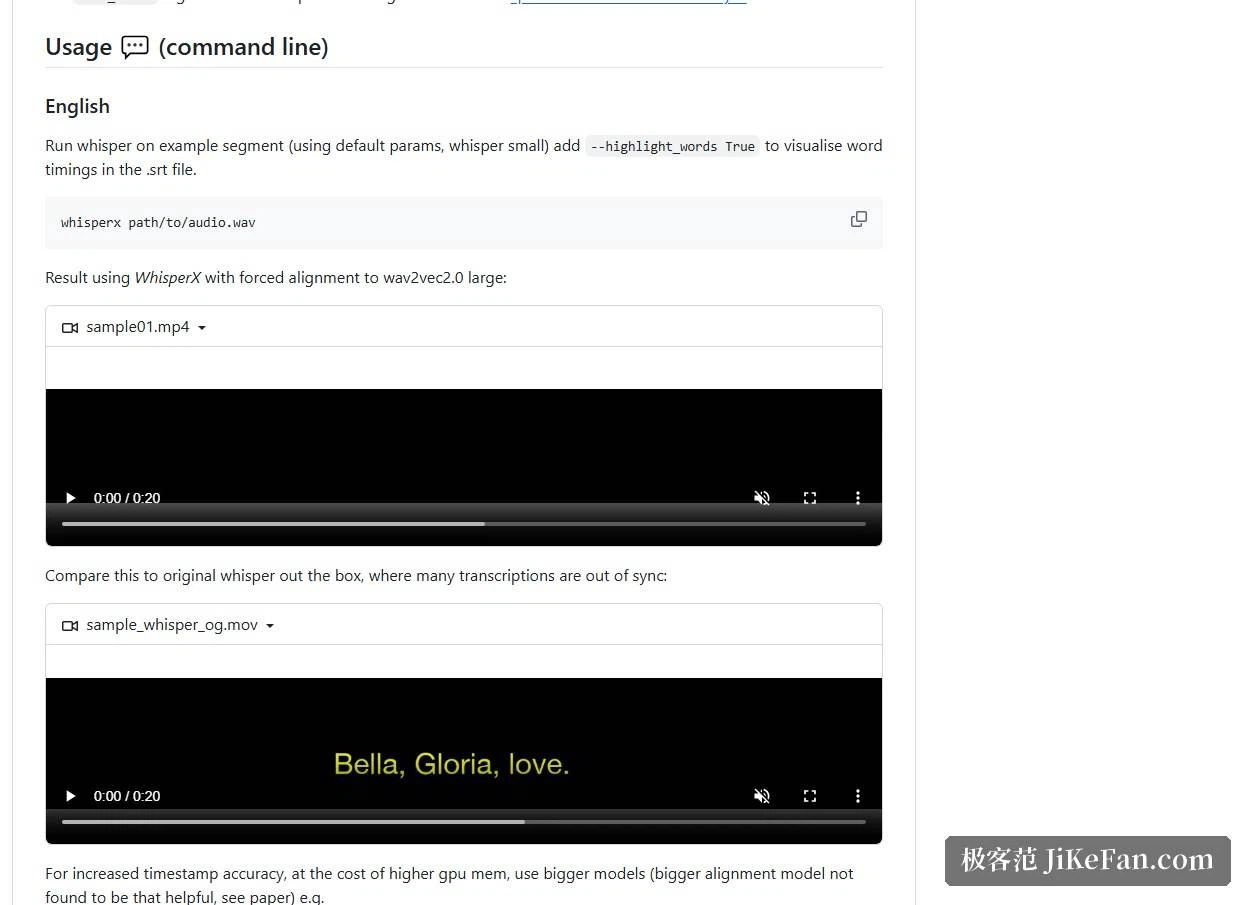
The basic call takes an audio path and runs with a smaller model and default settings. Tighter timestamps mean a larger model plus an explicit alignment model, paid for in video memory. Multi-speaker audio takes the separation flag, and word level highlighting can be switched on so each word's timing is checked one by one.
No graphics card is required. Two flags move the work to CPU computation, which the project says also covers running on a Mac. One caveat: the phoneme model used for word alignment is prepared per language. English, French, German, Spanish and Italian have ready defaults; other languages need a suitable model found and tested.
faster-whisper on its own
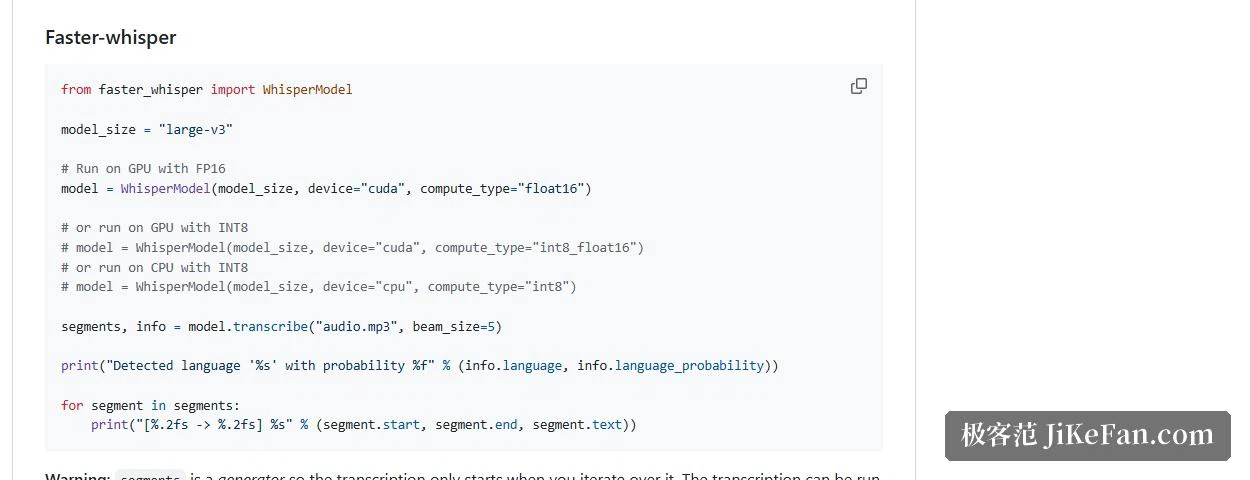
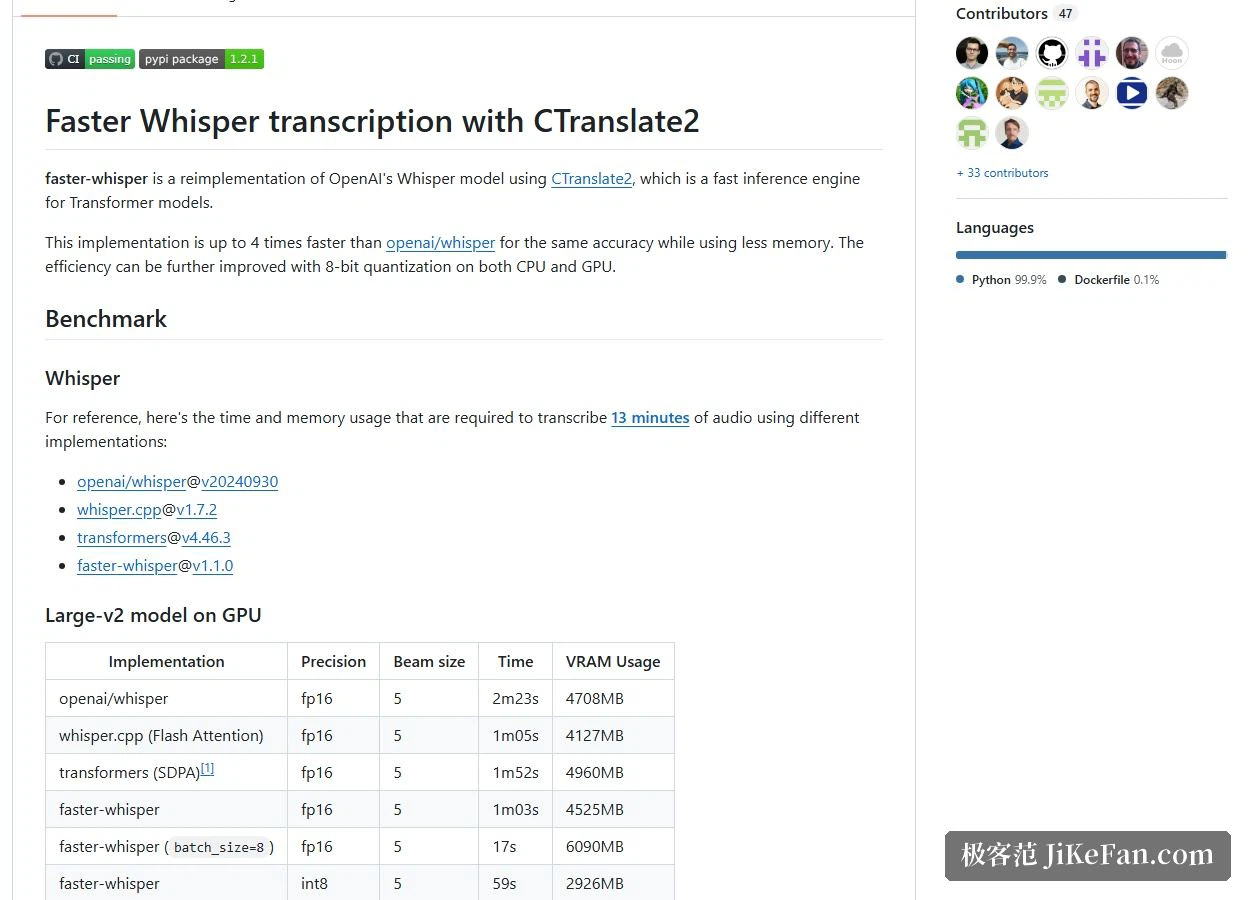
The transcription stage belongs to faster-whisper, a separate open source implementation that rewrites Whisper on the CTranslate2 inference engine. The project describes it as up to 4 times faster than the original at equal accuracy, with lower memory use, and 8 bit quantisation on both CPU and GPU takes efficiency another step further.
If transcription is all you need, without word alignment or speaker separation, using it alone is lighter. Installation is again one pip command, and it is kinder about system dependencies: unlike the original it does not require FFmpeg installed on the system, because audio decoding goes through PyAV, which bundles the FFmpeg libraries inside its own package. Python 3.9 or newer is required.
The published benchmark
A reproducible comparison is provided: 13 minutes of audio, an RTX 3070 Ti with 8 GB, the large-v2 model, fp16 precision, beam size 5.
The original implementation took 2 minutes 23 seconds at 4708 MB. whisper.cpp with Flash Attention took 1:05 at 4127 MB. Plain faster-whisper took 1:03 at 4525 MB. Batch size 8 brought faster-whisper to 17 seconds at 6090 MB. In int8 it took 59 seconds at 2926 MB, and int8 with batch size 8 finished in 16 seconds at 4500 MB.
The row worth staring at is the batching one. At the same fp16 precision, one file at a time takes 1:03 and batch mode takes 17 seconds. If memory is tight, int8 pulls the footprint down to 2926 MB. CPU numbers exist too: a small model on an eight-thread desktop processor needs 6 minutes 58 seconds in the original, against 51 seconds for faster-whisper with int8 batching.
The project also warns that comparisons need matching parameters: the same beam size, comparable accuracy, the same thread count on CPU. Otherwise the numbers do not compare. The original defaults to beam size 1, for instance, while faster-whisper defaults to 5.
Calling it from Python
Inside your own script, the faster-whisper interface is a few lines: name the model size, the device and the compute precision, then call transcribe. One detail to remember is that the result is a generator. The real computation happens when you start iterating, so convert it to a list or loop over it, or it looks like nothing ran. Batching is a separate interface: wrap the model and give a batch size. Word timestamps come from a flag, after which start and end times arrive word by word. To filter long silences, turn on the VAD filter; the default drops anything over 2 seconds, and that threshold can be changed.
Limits to know in advance
Word alignment is not universal. The project lists the cases plainly. Abbreviated years and amounts carrying currency symbols cannot be given a time point, so they end up with no timestamp. Overlapping speech is handled poorly by both Whisper and WhisperX. The speaker separation itself is far from perfect. And alignment models are per language, so a language change means a model change.
BSD and MIT
WhisperX is open source under BSD, faster-whisper under MIT, and both ship a licence file at the repository root. Permissive terms mean wiring this into a subtitle workflow, or building further on it, does not hit permission obstacles.
Who it suits
If the goal is turning long audio into subtitle files that can be used directly, the value sits in that pipeline: timestamps down to the word, speakers separated on multi-person material, and both a command line and a Python interface to fit an existing process. At 70 times real time on large-v2, material measured in hours sees a difference that matters.
It is not trying to be a desktop application you install and forget. The environment is yours to set up, models and languages are yours to choose, and for most people the real barrier is not the command but the trade-off between the card and the model size. If the job is only to get words out of a recording, with no word timestamps needed, faster-whisper on its own is less trouble.