
Chatterfly: hold Fn, speak, and get a finished draft
Summary
A Tencent voice input tool in beta since September 2026: hold Fn, say it the way you would say it out loud, and get a cleaned up written version that already matches the audience you are writing for.
Recommend- Name
- Chatterfly
- Version
- 1
- Pricing
- Free
- Open source
- Proprietary
- Operating system
- WindowsmacOS
- Website
- https://chatterfly.tencent.com/
- Updated
- 2026-10-09 21:16
Chatterfly is not really trying to answer whether speech recognition is accurate. It is trying to remove the step nobody wants to do: turning a scattered spoken paragraph into written text you can actually send.
Writing rarely gets stuck at the fingers. The thought in your head arrives scattered, spoken, out of order, and the keyboard immediately demands a complete sentence with decent wording. The tidying up in between is work you do yourself, every time. Voice input looks like a way around that, but it only removes half the problem: the typing goes away, and what lands on screen is raw speech, filler words, repetitions, half sentences and all, waiting to be cleaned line by line.
Chatterfly is a voice input and writing assistant from Tencent that opened a limited beta in September 2026. The official line is simple enough: no need to have it figured out, just start talking. The positioning is not better transcription. It is closing the distance between dictating and finishing.
The moment you hold Fn, more than audio is being handled
The default trigger is the Fn key. Hold it or tap it to start, press once more to stop. What matters is the path it did not take: it does not take over the system input method. It sits on the desktop as its own client and can be called from a document, a chat window or a browser field without switching input modes first. That choice defines its reach. Anywhere on screen where you can type, it can take over behind the cursor.
Speak and the draft appears, because the middle step is gone
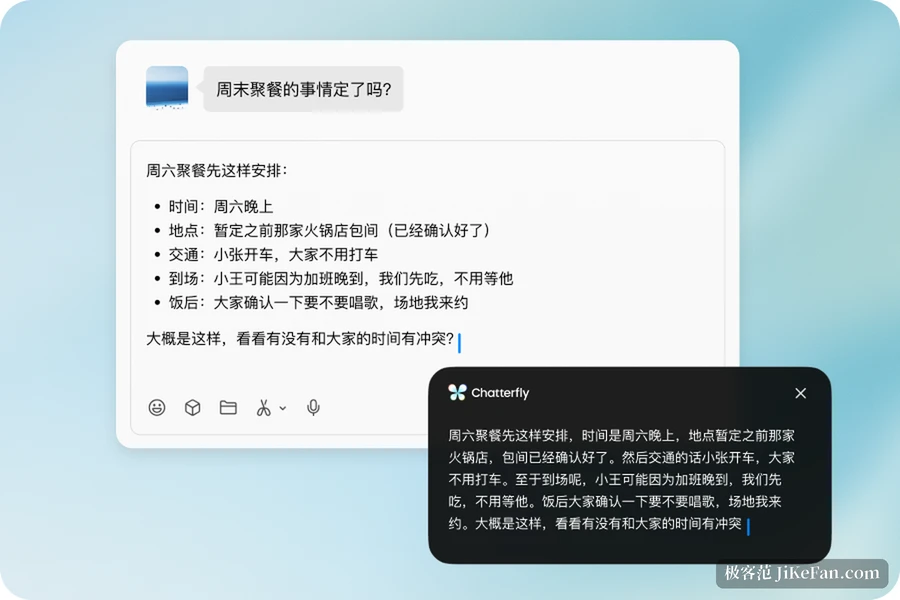
Hold Fn in a chat window, dictate a paragraph, release, and what appears is not a transcript. It is text that has been through something. Redundancy gets filtered, jumbled word order gets straightened, the places that deserve a list become a list, and the form of address and tone shift with the recipient. The site describes this as understanding context and recognising intent and setting. The same news that you cannot make dinner tonight comes out differently when it goes to a friend and when it goes to a colleague.
Underneath sits a full chain: speak, polish, deliver. The stated aim is to keep the speaker's own tone and position rather than washing everyone into one template voice, which is exactly the hard part in a beta. Third party reviews say the speech and command side leans on Tencent's Hunyuan model family, though the official material does not break the technology down item by item.
Six skills that tell the polish what you are writing
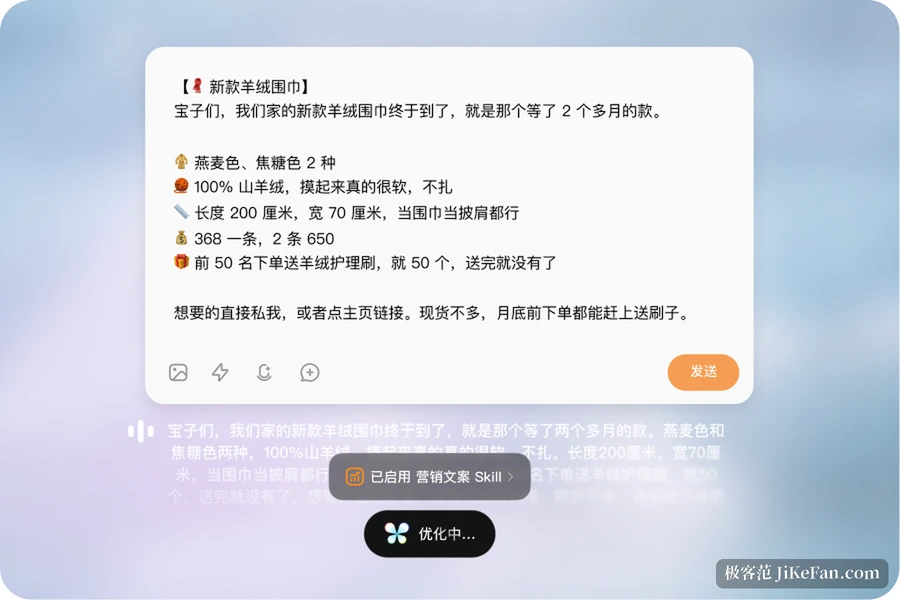
The skills are the most distinctive part of the design. Six ship with the beta: meeting minutes, work reports, project updates, marketing copy, email polish, and prompt tuning for developers who write code with AI assistance. Each one toggles on its own, and once it is on the model pushes the output in that direction instead of settling for generic fluency and correct spelling.
The difference shows up in concrete cases. Dictate a product introduction with the marketing skill on and what comes back is publishable copy with a hierarchy of selling points. Say that the proposal is not finished and you will send it tomorrow with email polish on, and you get a formal reply with a clear deadline in it. Same sentence, different skill, a completely different artefact, and that is what separates it from ordinary dictation.
Voice is not only input, it is also a command line
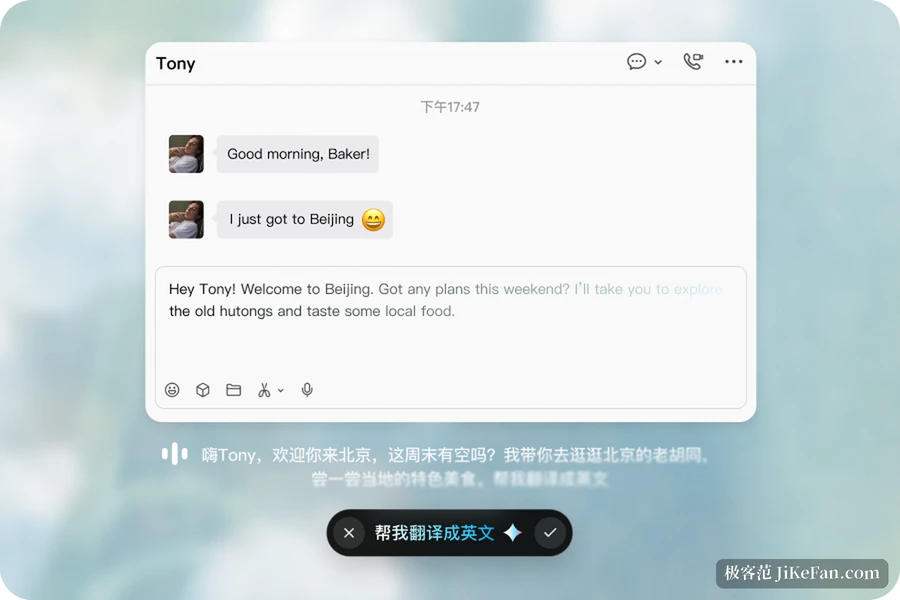
Double tapping Fn switches to command mode. What you say is no longer content to be typed, it is a job handed to the model: write a paragraph of copy, translate what is on screen into English, condense a long text into bullet points. The result comes back in place, with no hopping to another window to copy and paste. Putting conversation inside the input step moves the input method from a recording tool toward an execution entry point.
Typing was not sacrificed
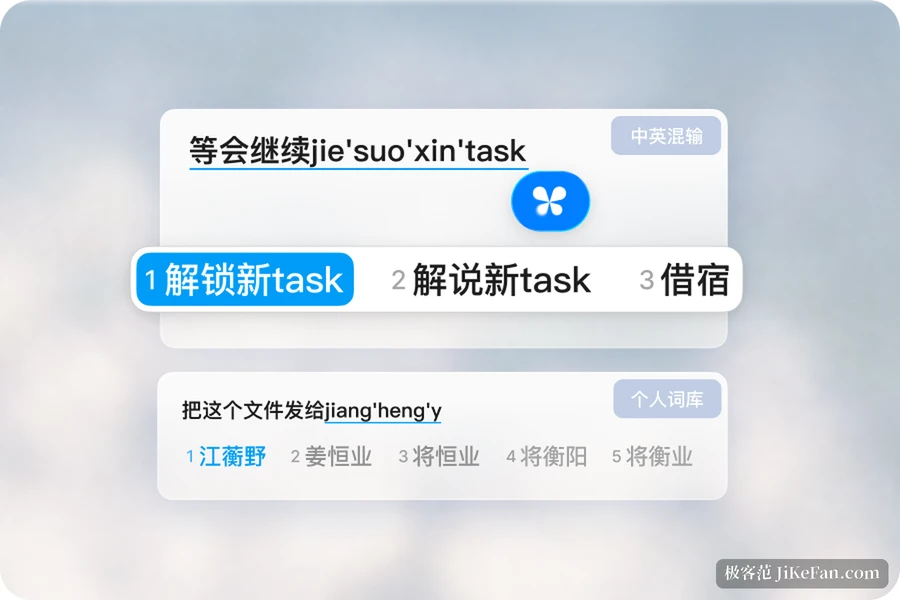
However convenient voice is, not every room is a room where you can talk out loud. Chatterfly keeps full keyboard input, with pinyin, abbreviated pinyin, mixed Chinese and English, and long unbroken sentences, and its dictionary covers trending terms and technical vocabulary. The personal dictionary quietly remembers the words you corrected by hand after a transcription, accepts proper nouns you add yourself, and can import an existing dictionary in one go, which lowers the cost of changing tools.
The home screen carries a usage panel: total characters entered, the split between typing and speech, speaking speed, and time saved. None of that improves the writing itself, but it turns how much voice actually saves from a feeling into something you can check.
What you can actually do with it today
Chatterfly is still in a time limited beta and needs an invitation code to sign in. The client covers Windows and macOS, iOS and Android are marked as coming soon, and pricing for the release version has not been announced. Transcripts and recordings are stored locally by default, but transcription and polishing still depend on cloud AI, so anything sensitive should be checked against the official privacy policy.
The limits visible in beta are worth stating plainly. Words that mix digits and symbols can be suggested inaccurately in pinyin mode, the meeting minutes skill is still being tuned, and quiet speech or a weak connection still suffers from real recording conditions despite the targeted work on both. The one to remember is simpler: what the AI hands back is a first draft. Anything containing a commitment, a price or a date should still be read by a person before it leaves.
The real gain is not the recognition rate. It is that the tool took over the stretch between having a thought and stating it clearly. You talk, and the rest is handled.