
Buzz keeps transcription on your own machine, with Whisper underneath
Summary
A desktop tool that transcribes and translates audio on your own computer with Whisper underneath. It takes media files or links, records from a microphone in real time, labels speakers, and exports plain text alongside SRT and VTT subtitles.
Recommend- Name
- Buzz
- Version
- 1.4.5
- Pricing
- Free
- Open source
- Open source
- Operating system
- WindowsLinuxmacOS
- Updated
- 2026-10-06 23:18
The pitch is simple: move transcription off the web
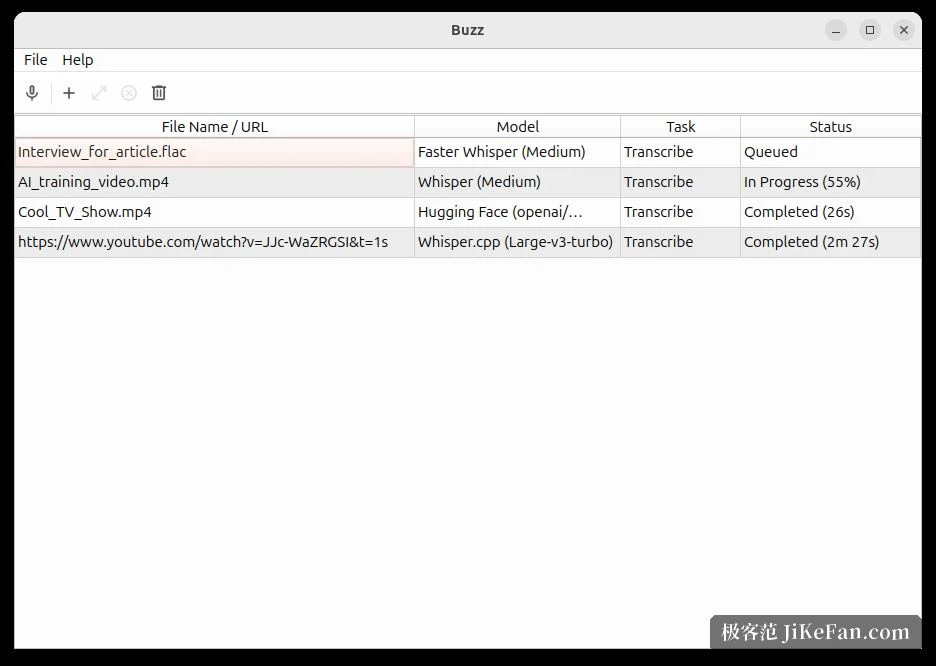
Buzz states its position without much ceremony. It takes transcription out of the browser and puts it on the machine in front of you. Whisper from OpenAI does the work underneath, and the app handles transcription and translation entirely offline on a personal computer. Ready-made installers exist for the main desktop platforms, so downloading is the whole setup.
Compared with calling an online endpoint, running locally buys three things directly. The recording never leaves the machine. Long files do not wait in an upload queue. And no per-call quota sits over the work. What it costs is a dependency on the hardware you own.
Files, links, microphone
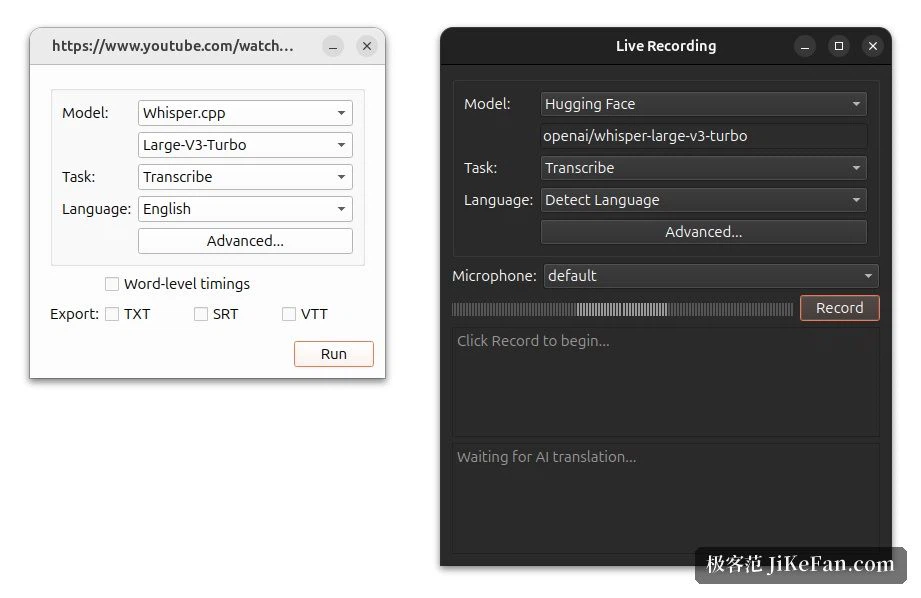
Importing a file is the everyday route. The project supports audio and video files, and online video links as well; the interface shows a link dropped straight into the task list. Beyond import there is real time transcription from a microphone, with a presentation window that puts captions on a big screen during a meeting or a talk.
When the recording is rough, separation can run before transcription, which the project says buys better accuracy on noisy audio. After the transcript exists, speakers can be identified inside it, so a multi-person interview or a meeting record can be split by voice.
Exports and the work afterwards
Results leave in three formats: plain text, SRT and VTT. The last two are common subtitle interchange formats, which means the output drops into an editing application without hand-building a timeline. A word level timestamp option can be ticked in the interface, which helps when alignment has to be precise.
The bundled transcript viewer searches, controls playback, changes playback speed, and carries a set of keyboard shortcuts for jumping around. When there is a pile of files, folder watching starts transcription as soon as something new lands. For scripts and pipelines there is a command line interface. A plugin system leaves room to extend the app, with automatic summaries and bulk adjustment of transcript length as the examples the project gives.
Backends and acceleration, chosen by your card
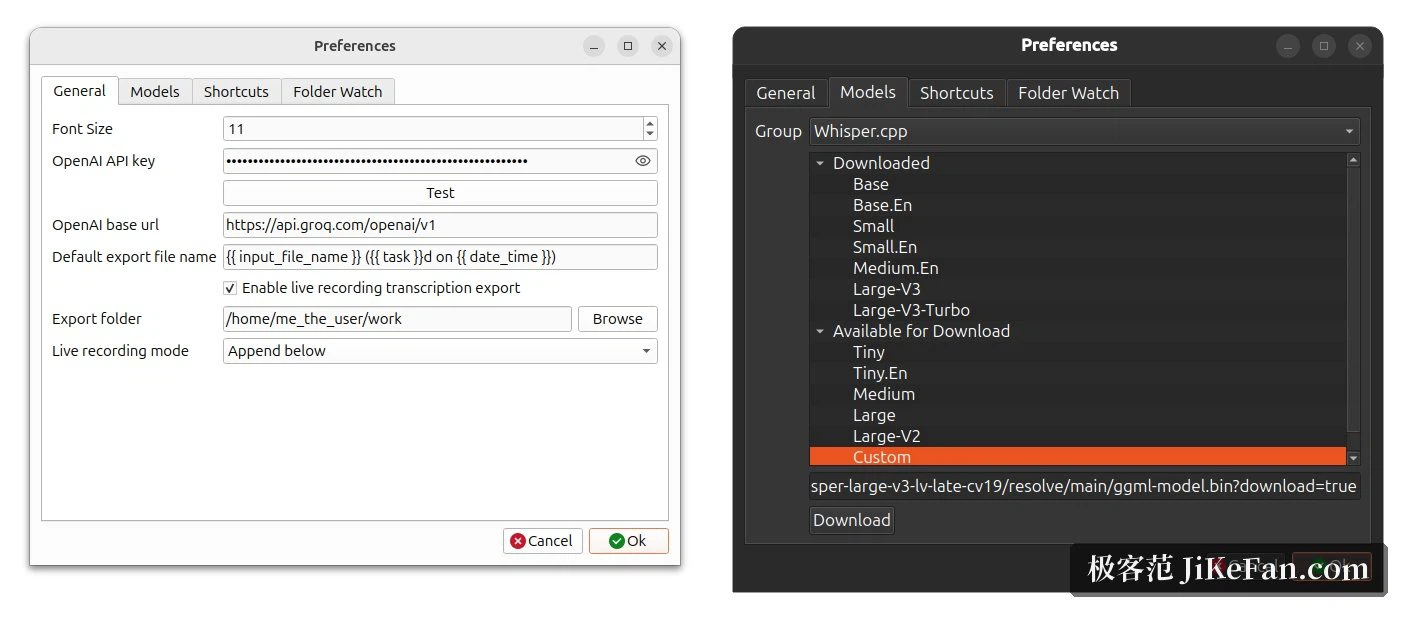
Multiple Whisper backends are supported, and that is where Buzz is more flexible than most tools in the category. The acceleration routes listed are CUDA for Nvidia cards, native support on newer machines, and Vulkan through Whisper.cpp, which works on most cards including integrated graphics. Other Transformer model families of the same kind are supported through Hugging Face. Models switch inside the preferences, grouped by backend, and a custom model address can be entered.
On version 1.4.6 or newer with an Nvidia card, the CUDA acceleration component installs from the about panel inside the app, with no environment setup of your own.
Installing: a package per platform
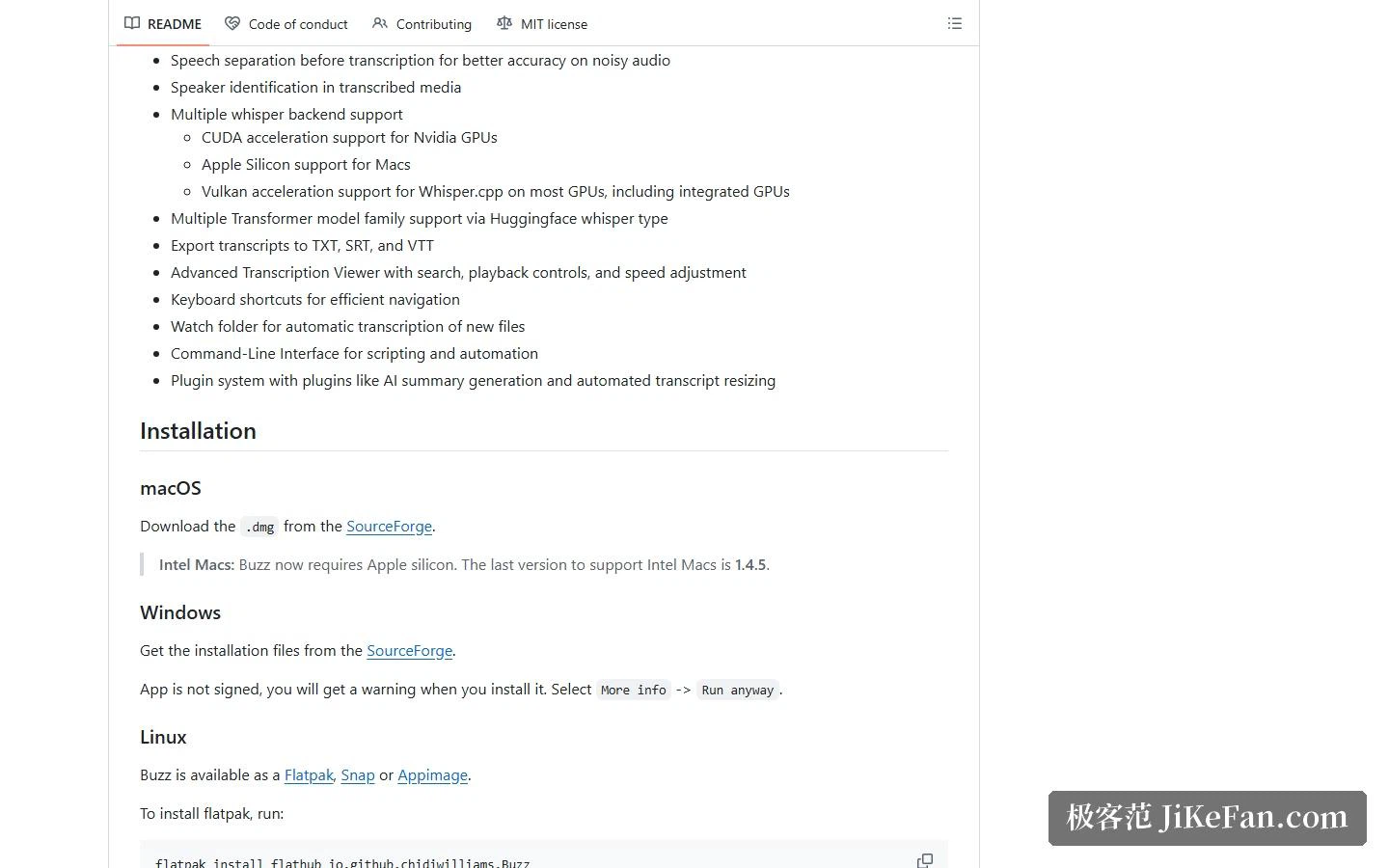
Every major platform has a route. macOS gets a disk image, Windows an installer, and Linux three distribution formats: Flatpak, Snap and AppImage. Pick whichever fits your habits.
One thing to know in advance: the packages are not code signed, so the system raises a prompt during installation, and continuing past it finishes the job. The project also notes that the current release has a hardware floor, with 1.4.5 being the last version that older machines can run.
For a command line environment, a package manager install works, and the app then starts as a module. That route needs ffmpeg present and Python 3.12; with an Nvidia card and GPU acceleration wanted, an inference framework build with CUDA support has to be installed as well.
MIT, and a lot of downloads
Buzz is open source under MIT. The code is public and the repository has passed 1.5 million downloads. A permissive licence means wiring it into your own workflow, or building on top of it, does not run into much in the way of permission trouble.
Who it suits
If the requirement is to turn a batch of recordings or videos into text and keep them off someone else's server, the value sits exactly there: no account to create, no charge per call, offline work once installed, and the real time mode plus folder watching covering both meeting notes and bulk processing.
It does ask something of the hardware. Bigger models eat memory and time. Platform compatibility involves trade-offs, and the project documents which case each platform fits. Accuracy still tracks audio quality, so noisy material is worth a human pass even with a good model.
Turning an AI capability into a desktop application keeps data local and takes the network out of the equation. The price is that performance becomes your responsibility, which is the honest shape of every offline tool.