
Ultimate Vocal Remover splits a track into voice and backing, with nothing to set up
Summary
An open source tool that pulls a song apart into vocals and accompaniment using source separation models. The official installer bundles the interface, Python, PyTorch and the dependencies, so nothing has to be prepared beforehand.
Recommend- Name
- Ultimate Vocal Remover
- Version
- 5.6
- Pricing
- Free
- Open source
- Open source
- Operating system
- WindowsLinuxmacOS
- Updated
- 2026-10-06 19:04
What it actually does
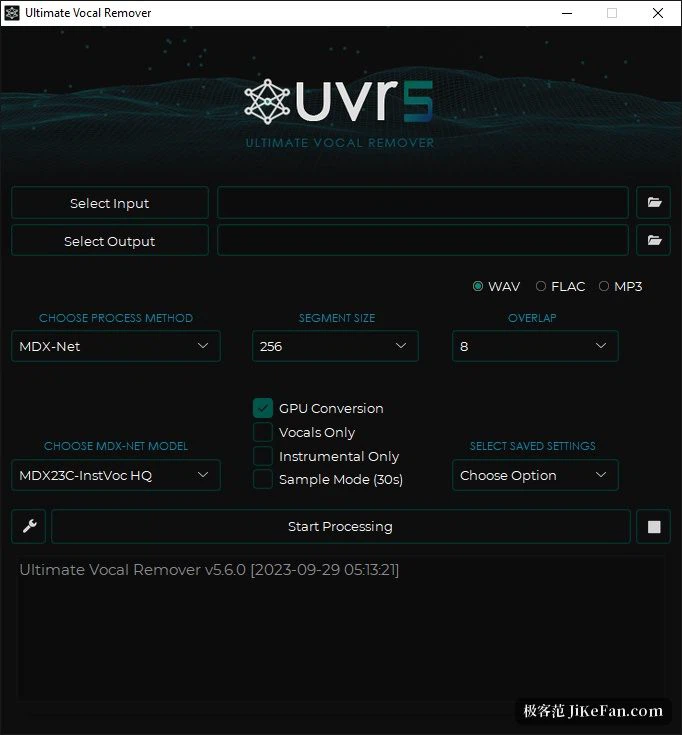
Behind the long name sits a straightforward job. Ultimate Vocal Remover is an open source tool for source separation: it takes a song apart into vocals and accompaniment, or strips the vocals and leaves the backing track. For anyone doing covers, remixes or derivative work, that is the usual first preprocessing step.
Its most distinctive property is that it arrives ready to run. The official installer bundles the interface, Python, PyTorch and the other dependencies together, and the documentation states plainly that no additional prerequisites are needed. Download it, install it, use it.
The official description says it removes vocals from audio files using advanced source separation models. The word matters: this is separation, not filtering. Nothing is cut out by frequency band. The model decides which components belong to the voice and which belong to the backing, then reconstructs them as separate tracks.
Almost all the models in the package are the project's own work. Apart from the four-stem models from Demucs v3 and v4, the documentation states that every model shipped was trained by the core developers of the project. So the origin of what you can pick in the interface is clear.
Side tools that come along
Beyond standard separation there are companion utilities. Time stretching and pitch shifting are there, and both depend on the Rubber Band library. Handling audio in formats other than wav depends on FFmpeg. The project also documents a portable route: drop the executable straight into the application directory, which suits anyone who would rather not touch environment variables.
Installing on three platforms
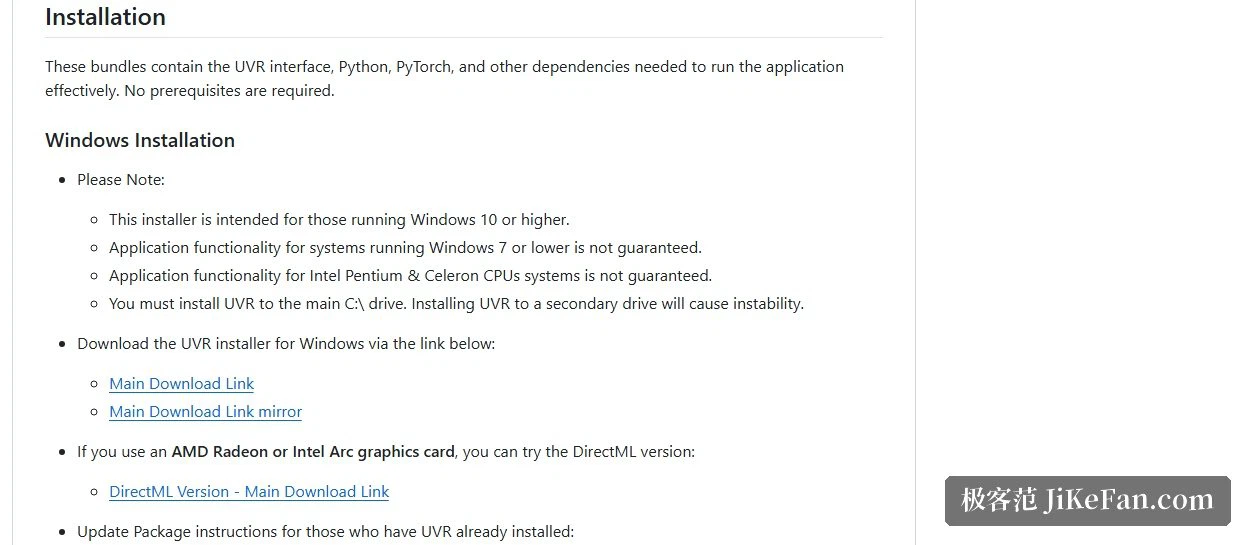
On Windows, download the installer. It requires Windows 10 or newer and has to go on the C drive; the project warns specifically that installing to a secondary drive causes instability. With an AMD Radeon or Intel Arc card there is a DirectML build instead, though the project is candid that AMD support remains limited for now.
On macOS, Big Sur or newer is required, and the download differs between M1 and Intel machines. The project notes that MPS acceleration on M1 now extends to Demucs v4 and to the whole MDX-Net model family, and that the first launch can take 5 to 10 minutes.
Linux gets a manual route: for Debian and Arch based distributions, install FFmpeg, the Python package manager and the tk component first, then create a virtual environment and install the dependencies, and finally start it as a script.
Hardware floor and dependencies
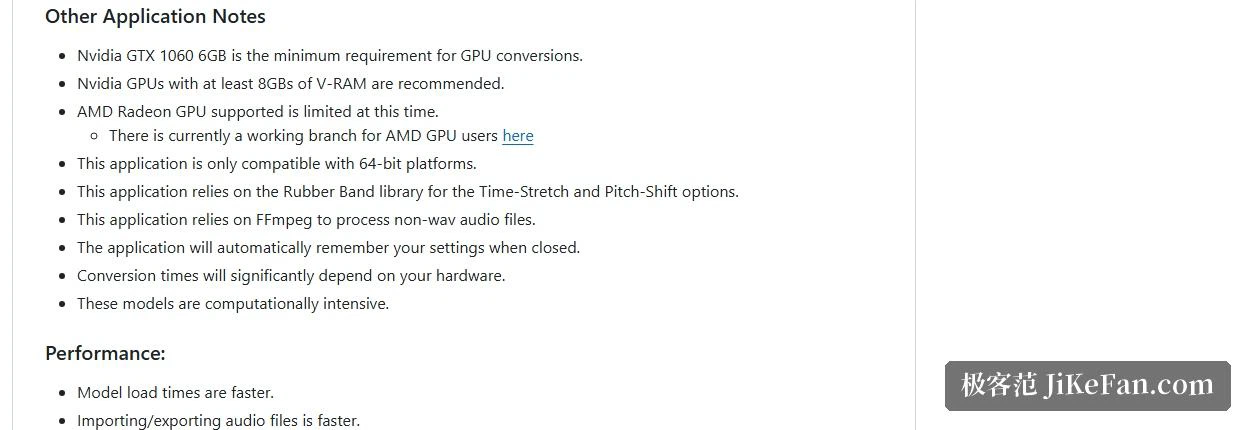
A graphics card is the topic these tools cannot avoid. The stated minimum is an Nvidia GTX 1060 with 6GB, with 8GB or more recommended, and only 64-bit systems are supported. The project also points out that conversion time depends heavily on the hardware, because separation models are a compute intensive load by nature.
Running without a dedicated card is possible, with a caveat worth accepting in advance: on CPU the separation takes noticeably longer than the audio itself. The sensible approach is to walk a short clip through the whole flow first, confirm the settings, and only then process a full album.
The licence is MIT

The code is open source under MIT. The project adds one line aimed at third-party developers: if these models are used inside another application, credit the project and its developers in the manner the MIT licence asks. A permissive licence plus a known model lineage makes it easier to place in a long-term workflow than closed tools of the same kind.
One small comfort: the application remembers your settings when it closes, so nothing has to be reconfigured on every launch.
Who it suits
If the need is a backing track for one song now and then, a browser tool is enough. But if there is a batch of files to work through, models to swap and compare, or a reason not to upload audio to someone else's server, the value of a local tool shows up: install once, and every separation after that happens on your own machine.
A warning belongs here. Separation quality depends heavily on the model and the material, and the project is honest that these models are heavy to compute. Treat it as the first step of preprocessing rather than a perfect one-press result: the stems usually need a pass in an audio editor afterwards.