
Adobe Podcast Enhance cleans up a recording in the browser, an hour a day on the free tier
Summary
A browser tool from Adobe that takes a recording, strips the background noise, evens out the volume and lifts the clarity. It needs no install and no parameter tuning, and the free tier covers an hour of audio per day.
- Name
- Adobe Podcast Enhance
- Version
- 20260917
- Open source
- Proprietary
- Operating system
- Web
- Updated
- 2026-10-06 20:52
How it repairs a voice
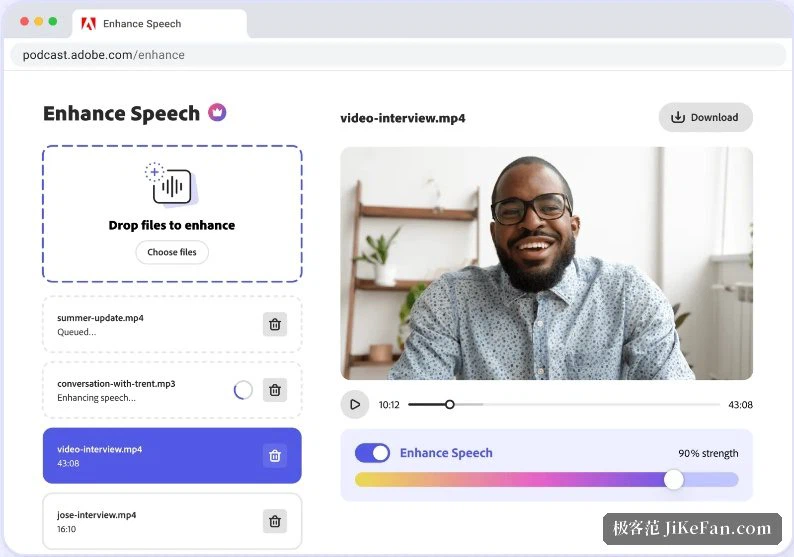
Adobe Podcast Enhance is a web tool from Adobe, and the pitch is blunt: drop a recording in and it removes background noise, evens out the volume and raises the clarity. The official description says the result sounds like it was recorded in a professional podcast studio.
The ease is the headline feature. Nothing gets installed, no chain of parameters has to be dialled in, and the whole job happens in a browser tab.
The documentation breaks the processing into three steps: filter noise and clutter, adjust the tone and the volume level, then normalise the audio. So it is more than noise reduction, because uneven volume is pulled back toward a consistent level along the way.
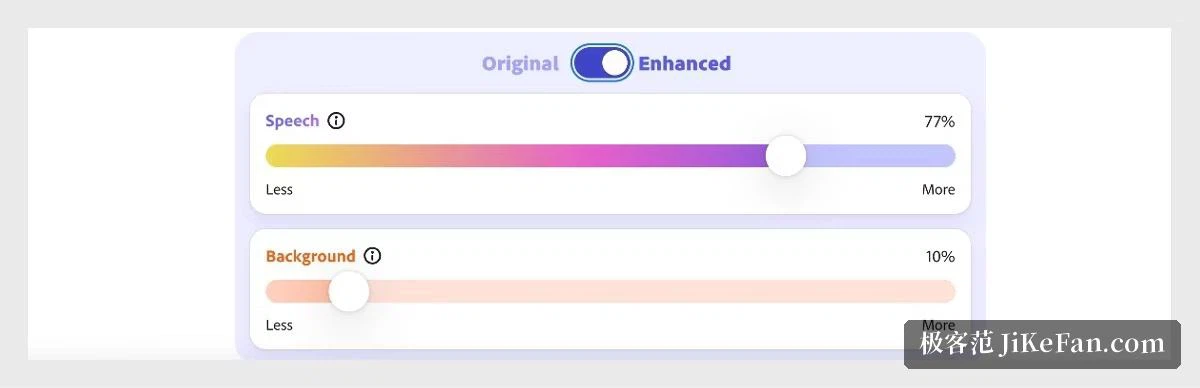
The result can be judged by ear. The interface toggles between the original and the enhanced version. Two sliders sit under the preview, one for speech and one for background, controlling how much enhancement is applied and how loud the background noise remains. They are the way to find the balance between clarity and a natural sound.
One thing separates it from speech recognition tools: enhancement is language independent. It does not generate or translate language, it only makes an existing voice cleaner. How much it can do depends on how clearly the person spoke and how loud the background is, and the documentation notes that material with clear pronunciation and little noise comes out better.
What the free tier covers
The free allowance is genuinely usable, though the edges are firm. On the free plan a single audio file can run up to 30 minutes and 500MB, and the daily allowance is 1 hour. Video upload is not available, and neither is batch upload.
The paid plan raises a single file to 2 hours and 1GB, lifts the daily allowance to 4 hours, allows video up to 2 hours, 1GB and 4K per day, and turns on batch upload. Those last two, video and batching, are marked as paid only in the documentation.
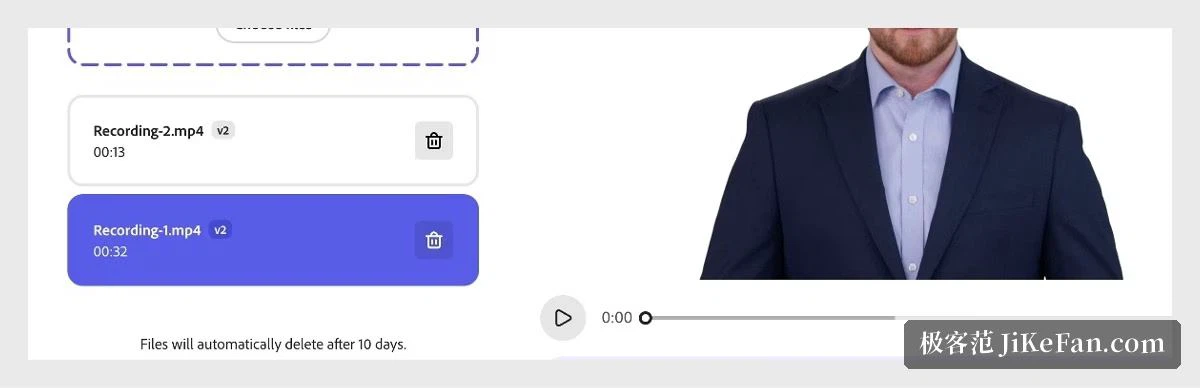
One detail from the file list deserves attention: uploaded files are kept for a limited time, and the interface marks them for automatic deletion after 10 days. Anything worth keeping should be downloaded promptly.
Formats and output
Audio accepts mp3, wav, m4a, flac, ogg and aac. Video accepts mp4, mov and m4v, up to 4K. Output has a rule that is easy to miss and quite useful: the format is not converted on download, so whatever went in comes back out. For anyone with an established post-production chain, that beats being handed everything as wav.
Where to find it and what it needs
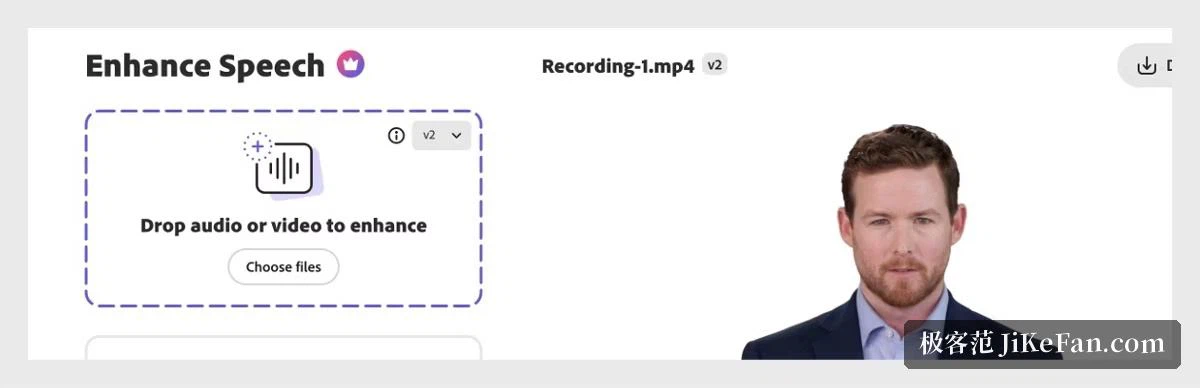
The entry point now lives on the Firefly home page: pick audio in the left panel, then Enhance Speech. An Adobe account is required, and the site suggests that registering a free account is enough to start. The supported browsers are the latest Chrome, Safari, Edge and Firefox, on desktop and on mobile, and upload and download speed depends on the network and on the memory of the device.
Before anything else, one line from the documentation matters: mainland China is not in the list of supported regions. That decides whether the tool can be used at all, so it is worth confirming first.
More than repair
Adobe Podcast is a suite. Alongside enhancement it offers captioning, music removal, transcription of audio and video that can be exported as text, PDF or docx, podcast recording and audio and video editing. The studio side records each participant on a separate track as 16-bit 48kHz WAV, and transcription runs on the same engine as Adobe Premiere Pro.
One closing note: if the recording belongs to someone else, confirm that permission exists before publishing the result.
Put plainly, this is a tool for a job that once needed a quiet room and a decent microphone. An interview recorded in a kitchen, a voice memo with a fan running in the background, a call captured on a laptop: all of them become usable once the noise is gone. What it cannot do is invent clarity that was never there, and the daily hour sets the ceiling for anyone working through a backlog.