
GoldWave Review: Three Decades of Audio Editing That Still Works
Summary
GoldWave has been doing the same job for over thirty years and still does it well: record, cut, clean up, restore old recordings, then process a hundred files in one go. A one time purchase, not a subscription.
Recommend- Name
- GoldWave
- Version
- 7.08
- Pricing
- Paid
- Open source
- Proprietary
- Operating system
- Windows
- Website
- https://www.goldwave.com/
- Updated
- 2026-10-07 21:56
Seniority as a quality argument
Audio editors come and go with the platforms they run on, and most of them disappear quietly. GoldWave has been in the same trade for more than thirty years, and that longevity is itself a form of evidence: a program that survived that many changes of operating system has been maintained by people who cared. What it offers is a complete chain rather than one clever feature. Recording is controllable, cutting is precise, and the tools that matter most in practice, noise reduction and restoration, are the ones it does best. Transfers from old tapes, cleanup of a noisy location recording, repair of a worn record: these rescue jobs are where the depth of the effect library shows.
The batch queue is the quiet ace
The feature that saves the most hours is not glamorous at all. Batch processing takes a set of rules, format, level, noise profile, and applies them to a hundred files unattended, which is exactly the shape of the work that podcasters and audiobook producers face every week. Setting it up once and running it overnight is the difference between a chore and a background task.
The licensing model is worth pointing out in an era when everything is rented: a single payment for a permanent licence, with a browser based version included for working away from the main machine. The interface has kept its traditional layout across the decades, which means the older tutorials still apply and the learning curve is gentle rather than a puzzle. Existing users upgrade without a relearning phase, and new users can find instruction that matches what they see on screen.
Where it fits and where it does not
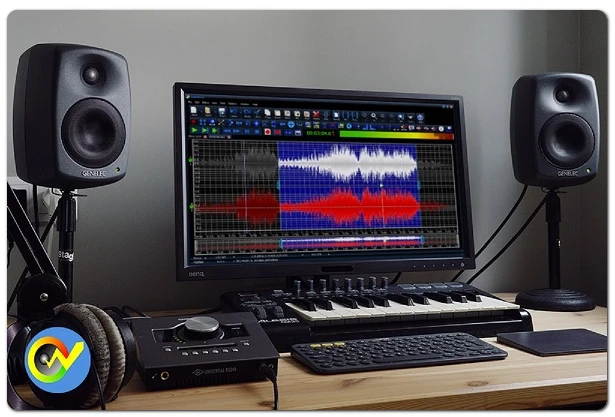
GoldWave is not trying to be a digital audio workstation and does not pretend otherwise. It offers a small number of tracks and none of the plugin ecosystem a modern studio expects, so anyone arranging a full production with virtual instruments will be happier elsewhere. What it does offer is a single path: open one file, cut it, clean it, save it, with the whole screen given to the waveform instead of a mixer. Interview cleanup, field recordings, lecture capture, digitising a shelf of cassettes: for that work this is exactly the right amount of tool, and the extra weight of a full studio would only get in the way. Knowing what a program refuses to do is often the fastest way to judge whether it suits you.
The small things that add up
Several details show the program was written by people who use it. Zooming into a waveform is smooth enough to find a single click, and selections snap to zero crossings so a cut does not produce a thud. A cue list lets you drop markers while listening and come back to them later, which turns a long recording into a set of tasks. Undo depth is generous, and an effect can be previewed on a short region before it is applied to the whole file, so a wrong setting costs seconds rather than an afternoon.
GoldWave longevity proves something simple: in audio tools the final measure is not spectacle but whether every recording is captured reliably and every cleanup is precise. Thirty years is long enough for reliability to become a belief.
Habits that improve results
Before recording, choose the sample rate and channel count deliberately in the control properties rather than accepting whatever the system suggests, because a mismatch discovered afterwards cannot be undone by processing. When restoring old material, combine noise reduction with careful filtering and keep the parameters conservative; an aggressive setting removes the hiss and takes the music with it, and the damage is much harder to fix than the noise. For batch rules, save the configuration as a preset, since the same transformation tends to be needed again next month.
One more: keep an untouched copy of every original. Restoration is destructive by nature, and the working file is a sequence of decisions, some of which will look wrong a week later. Having the raw recording to go back to is what makes bold choices safe, and it costs nothing but a folder and a naming habit.