
FigJam turns brainstorming into a shared canvas where everyone draws at once
Summary
A browser based whiteboard for teams, built on an endless canvas: sticky notes, shapes, connectors and stamps, timers and polls to pace a meeting, and text, voice or video notes for people in other time zones. The core is free for personal use.
- Name
- FigJam
- Version
- 20260920
- Open source
- Proprietary
- Operating system
- WindowsmacOSLinux
- Website
- https://www.figma.com/figjam
- Updated
- 2026-10-06 16:03
What FigJam is
FigJam is an online whiteboard from the makers of Figma, positioned as a live canvas for a team rather than a document for one person. Brainstorming, flowcharts, sticky notes and workshops all move onto the same endless surface, so that members scattered across places can draw, annotate and argue as though they were in one meeting room. As of September 2026 it keeps being developed as part of that product family, and the core features are free for personal use. What makes a shared canvas different from a shared document is worth spelling out: a document is written one hand after another, while a canvas is genuinely simultaneous, and simultaneity changes the kind of conversation a group can have.
Collaboration at the centre
Many people work on the same board at once, and every cursor, every selection and every change appears for everyone else immediately. Sticky notes, shapes, connectors, a pen and stamps give people enough different ways to say something that a quiet member is not forced into prose. A timer, polls and an audio call give a meeting a rhythm instead of letting it drift. Text, voice and video notes carry the asynchronous half of the work, so a team spread across time zones can leave an idea and a reaction without anybody having to stay up for a call.
Templates and shapes
Several hundred templates made by people who run these sessions are built in, covering the usual shapes of work: kicking a project off, drawing a flow, mapping a customer journey, a daily stand up, a retrospective, a review of a roadmap. Starting from one of those instead of an empty surface is the difference between a meeting that produces something and a meeting that spends twenty minutes deciding where to begin. Drag and drop shapes together with connectors turn a complicated system into something that can be looked at, the pen is there for wireframes and rough sketches, and on a tablet a stylus makes the drawing finer than a finger allows.
Joining the rest of the toolchain
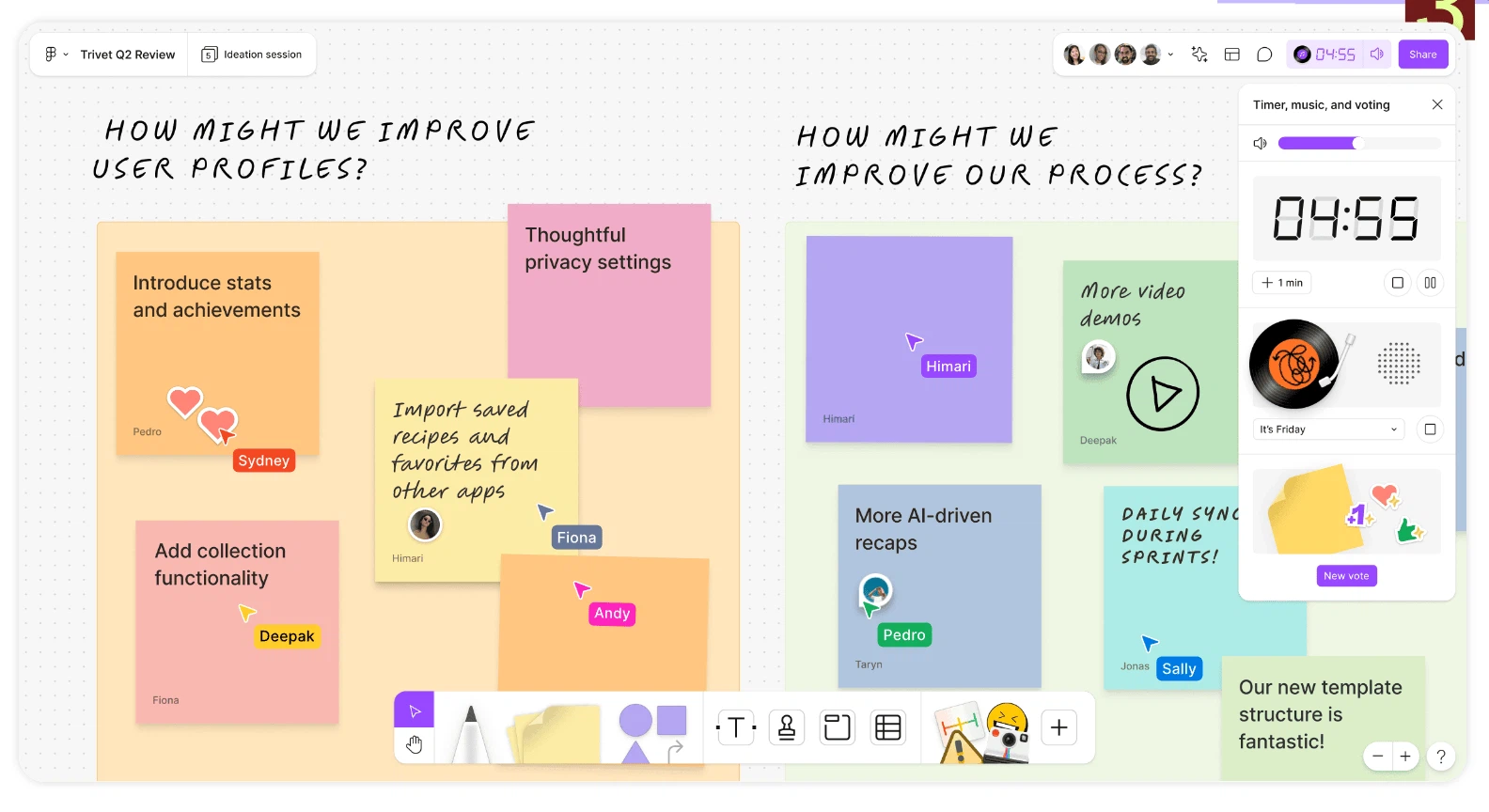
The board is meant to sit inside a workflow rather than beside it. Task boards and panels of figures can be dropped onto the canvas as widgets, which removes some of the switching between applications that eats a working day. The connection to the design tool of the same family is native, so designers, product people and engineers can carry an idea from a scribble to a plan inside one shared environment, and the conclusions of a discussion stay close to what is built afterwards.
Where it fits
Teams that create together often get the most from it: brainstorming while a product is still being explored, retrospectives in an agile team, remote workshops, and the process of narrowing scattered ideas into a plan somebody can act on. Schools and other teaching institutions use it for classroom discussion and group work as well. For a team already inside that design ecosystem it is close to a free move: a light whiteboard that needs no separate tool to be introduced, no new account structure and no argument about where the file lives.
Editions and licensing
The model is free plus paid. The free tier lets a person create any number of personal boards and gives a small team a certain number of editable team files for daily work; the paid plans add more file allowance, more advanced templates and administrative control. Being a browser based tool, it opens on the usual desktop and mobile systems. The vendor's site lays out the details, and the free tier is enough to judge whether the canvas suits the way a particular team thinks.