
Expensify: photograph the receipt and most of the expense report writes itself
Summary
Expensify turns a phone photo of a receipt into a report that can be submitted at once. The personal tier is free with no cap on scanning, and the team tier adds approvals, reconciliation and accounting sync.
Recommend- Name
- Expensify
- Version
- 2026.9
- Open source
- Proprietary
- Operating system
- WindowsmacOSLinuxAndroidiOS
- Website
- https://www.expensify.com/
- Updated
- 2026-10-05 09:28
One photograph finishes most of the report
Anyone who travels for work and pays out of their own pocket knows the end-of-month ritual: a shoebox of paper slips, a spreadsheet, an afternoon. Expensify compresses the ritual into a photograph. Point the phone at the till receipt, and the built-in scanner reads the amount, the date and the merchant, then files the result under a category of its own. Within a few minutes a heap of paper has become a report ready to submit. The product comes from a long-running expense management platform that serves a large number of companies and teams; individuals get the core of it for nothing, with no ceiling on how many receipts they scan, and the work has carried on through September 2026.
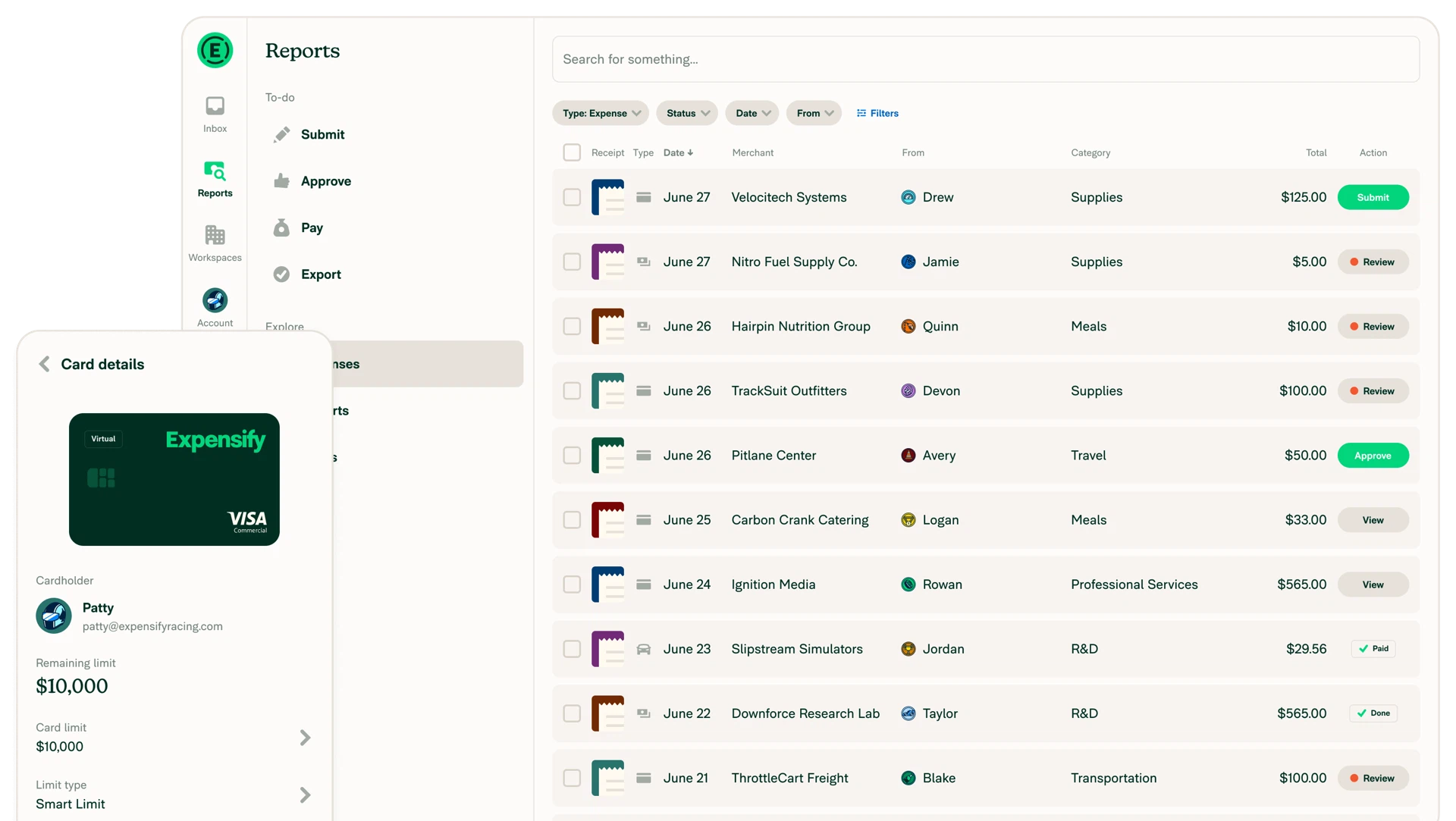
What the free tier actually covers
The personal account gives away more than the word free usually promises. Scanning has no quantity limit. Forward a receipt to the address the account is issued, and the attachment is read into an expense entry on its own. Mileage tracking records a trip in kilometres or miles and works out the deductible amount for you. A purchase that came with no receipt at all can still be entered by hand. Everything collected can be exported to a spreadsheet in one action, ready to hand to an accountant or to keep as a tax record. For a freelancer, a sole trader, or simply somebody who wants their own spending in order, that is a complete bookkeeping habit at no cost.
The team tier is where the system lives
Upgrading turns a notebook into a pipeline. A claim filed by an employee enters an approval flow, and a manager can annotate it and release it in a single action. Company card spending posts itself and is matched against the receipts that belong to it. Travel booking, bill payment and invoicing all happen on the same platform, and the ledger connects to the mainstream accounting packages so that nothing has to be typed a second time. Pricing follows the number of members, and for a company with heavy expense traffic the hours of manual reconciliation removed usually outweigh the subscription.
Checking rules built into the flow
The other strength is that the checks live inside the process rather than in a policy document nobody opens. Duplicate receipts are flagged as they arrive. Exchange rates are corrected against the date of the transaction. A company can set its travel and expense rules, and a claim above the limit is stopped at the moment of submission with a question, instead of being discovered in an audit months later. Conversation-style interaction keeps approvals, follow-up questions and missing receipts in one message thread, which is exactly where the email chains used to go.
Signing up and the daily rhythm
Registration takes a minute with an email address or a phone number, and no payment method has to be attached. Daily use is light. Photograph the slip when the money is spent and let the system do the rest; add the taxi and the fuel of a trip through the mileage record; when the cycle closes, tick the batch and submit. If photographing is impossible, forward the electronic invoice to the address and the attachment is scanned the same way. Every record sits in one running view, so a month-by-month reading of where the money went is available even to somebody who uses it purely for personal budgeting.
Who gets value from it
The audience is wider than the job title suggests. The frequent traveller uses it to stop hoarding paper until the last week of the month. The freelancer who bills by project records the costs they fronted and attaches an itemised list to the invoice, which saves an argument. A small business owner keeps day-to-day spending there and hands the exported sheet to the bookkeeper. Category tags, automatic payouts and the accounting integration belong to the paid tier, while the personal side concentrates on getting the record and the submission right: free, cancellable at any time, and worth a try.