
Everything 1.4.1: instant file name search, free of charge
Version 1.4.1.1032
Summary
Everything 1.4.1.1032 searches file names on Windows through a local NTFS index, so results appear as you type. The installer is small, resource use is light and it runs fully offline.
Recommend- Name
- Everything
- Version
- 1.4.1.1032
- Pricing
- Free
- Open source
- Proprietary
- Operating system
- Windows
- Website
- https://www.voidtools.com/
- Updated
- 2026-10-06 15:32
Searching for a file on Windows usually means waiting for the system index to grind. Everything takes another road: it is a file search engine for Windows, built by a small independent developer, and the tagline is a single sentence, locate files and folders instantly by name. Once it is installed, a few letters typed into the box already put the result in the list.
Version and availability
The current stable version is 1.4.1.1032, with a release date of 2026-01-23 according to the official changelog; the same page also offers a beta test build that can be downloaded separately for early adopters. Downloads come in three forms: a regular installer, a portable ZIP and a lite build, covering four architectures (32-bit, 64-bit, ARM and ARM64), and the installer carries multilingual support. None of them is large: the installers in the official file list sit around 2 MB.
Why it is fast
The answer lies in the way it indexes. On first run the program builds a file name index for every local NTFS volume by itself; that index lives on disk and stays small. Building it usually takes only a few seconds, and once it is done every file and folder shows up in the list. From then on each change is reflected into the index in real time, so a partial file name typed into the box matches immediately.
Because it reads a local index, it needs no network and no background service, and the site states this plainly: no user data collected, fully offline operation, no telemetry. The program starts quickly and keeps memory and resource use very low, so it sits there almost unnoticed.
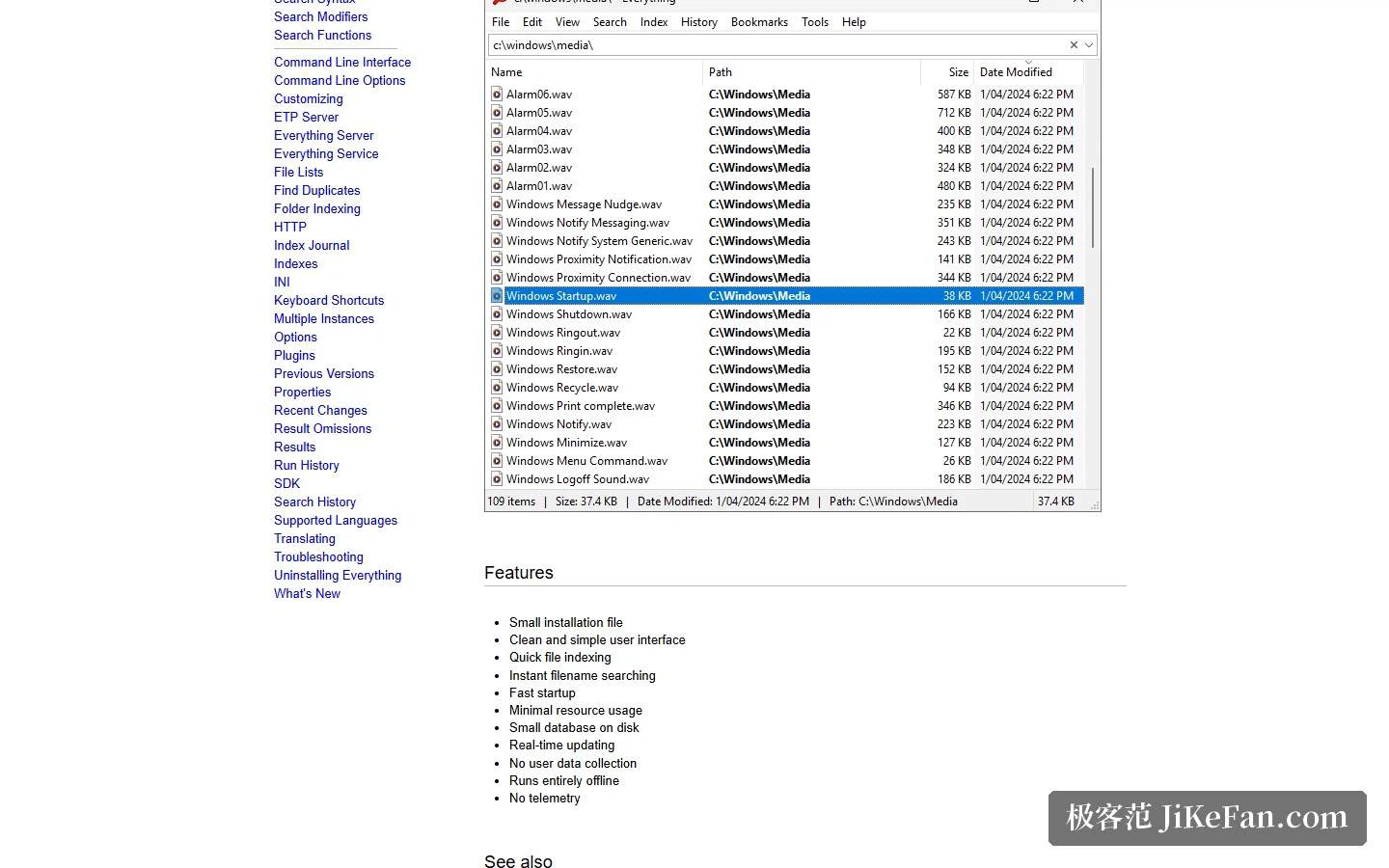
Interface and use
The interface takes the simple road: one search box, one result list, and a status bar showing which search options are currently in effect, each of which can be switched off by double-clicking it. Columns in the list can be shown or hidden freely, and clicking a header sorts. Double-clicking or pressing enter opens a file, a right-click on a selection reveals further actions, and items can be dragged straight into another program. Double-clicking the tray icon brings the window up, and a custom hotkey is supported as well. The documentation splits search syntax, search modifiers and search functions across three pages: syntax handles boolean combinations and wildcards, modifiers narrow the scope, such as folders only or a given extension, and functions compose more complex filters. Day to day you may not need them, but they pay off the moment a whole batch has to be filtered.
Components around it
Beyond the main program the site also offers a set of companion components: an ETP server for sharing search capability, an HTTP server that lets you query the local index from a browser, plus a command line interface, language packs, an SDK and offline help. The command line entry is left complete, so with the right parameters a script can start a search and take the results back, which slots easily into batch files or automation. Language packs are downloaded separately, and the languages the interface supports have their own list on the site; offline help comes in both compiled and HTML packaging. On licensing, the published licence text uses MIT-style terms, with copyright held by the author and use, copying, modification and redistribution all permitted.
The value of Everything is that it does one thing purely: it turns searching for local file names into a type-and-see experience. A small installer, low resource use, fully offline operation, and Windows as its only boundary. If your disks hold hundreds of thousands of files, this is the sort of small tool worth leaving running after boot.