
Everything: A Free File Search Tool That Finds Names Instantly
Version 1.4.1.1018
Summary
Everything is a free, open-source file search tool for Windows that keeps a live index of the disk, so a search by name returns results in under a second.
Recommend- Name
- Everything
- Version
- 1.4.1.1018
- Pricing
- Free
- Open source
- Open source
- Website
- https://www.voidtools.com/
- Updated
- 2026-10-06 23:06
A search tool that works on file names
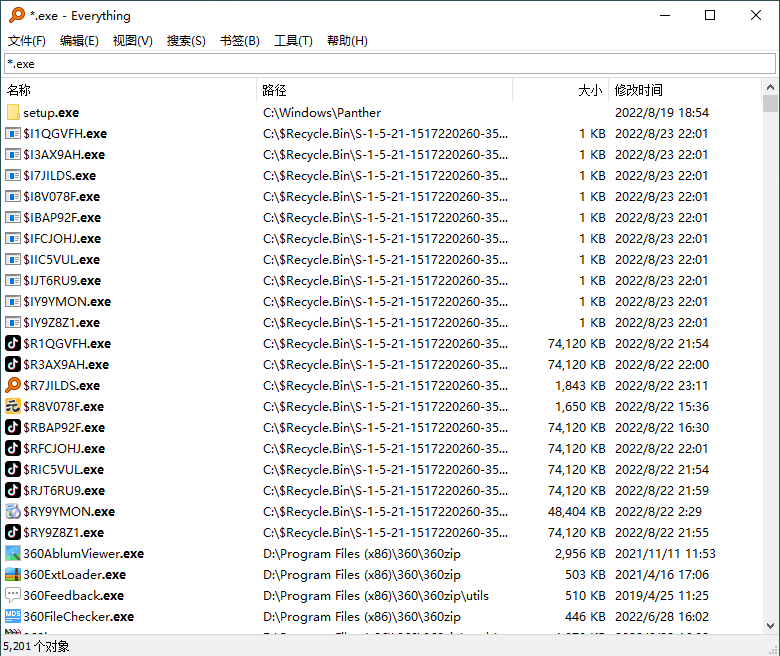
Everything is a free, open-source file search tool for Windows. It locates files and folders by name, and it does so at a speed that changes how a computer gets used: instead of weighing whether a search is worth the wait, you type the term and look at the result. The program was written by David Carpenter, a developer from Australia, and its footprint is small enough that it has become a standard item on office machines.
The comparison that matters is with the search box built into Windows. A search there can run for tens of seconds before anything appears, and on a large disk the first results are often partial. Everything fills the result list while the term is still being typed. Once that habit forms, the built-in search stops being the first choice for anything that has a name.
Why the results arrive so quickly
The speed does not come from a cleverer scan of the disk. Everything builds a database of the file index once, and every search is a query against that database rather than a walk through the file system. Looking a name up in an index is a different operation from reading directory entries one after another, which is why the two tools feel as if they come from different decades.
The index is kept current while the program runs. When a file is added, renamed or deleted, the database is adjusted as the change happens, so a search never shows the disk as it looked last week. After the initial index has been built, a search normally completes in less than a second. Tested on a local machine, Everything came out many times faster than the search that ships with Windows.
What it does well
The installer is small, and the program stays small after installation. The window is plain: a search field, a list of results, a few columns of information, and nothing that has to be configured before the first search. That restraint is the reason the tool can be handed to someone who has never used it and be understood in a minute.
Indexing a disk takes little time, and searching is close to instant. Resource use stays low on both counts, so the program can be left running all day on a machine that already has work to do. Entries in the result list can be opened, copied or handed on, which makes it easy to pass a file and its location to a colleague. Because the index updates in real time, what you pass on is what is actually on the disk.
The search syntax is worth ten minutes
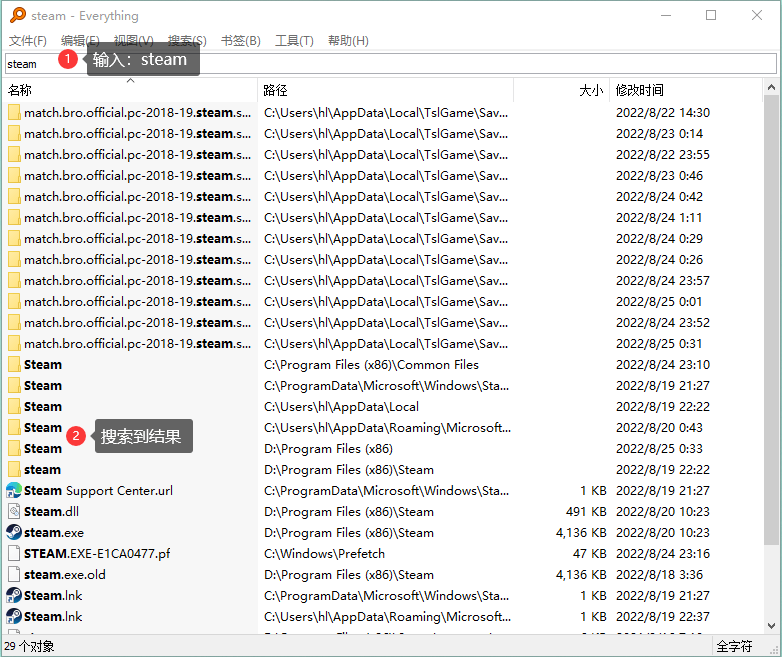
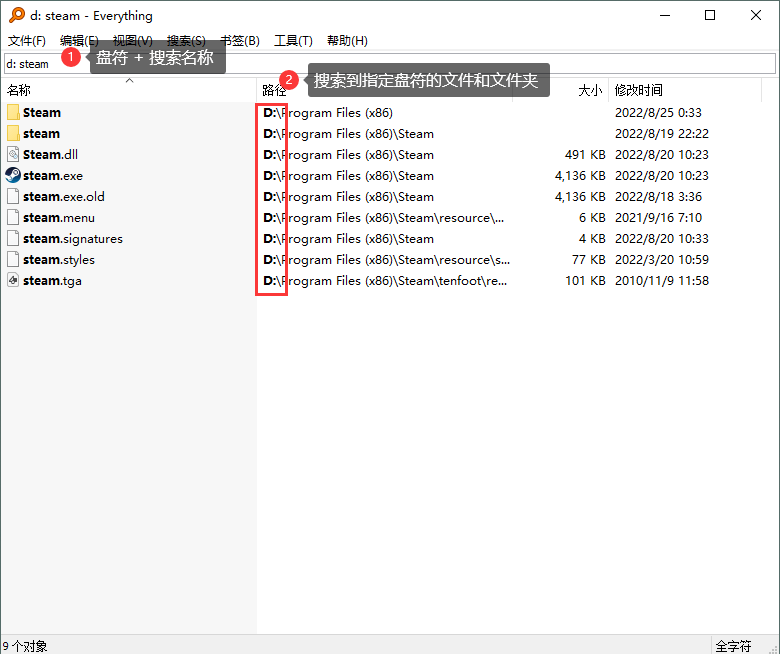
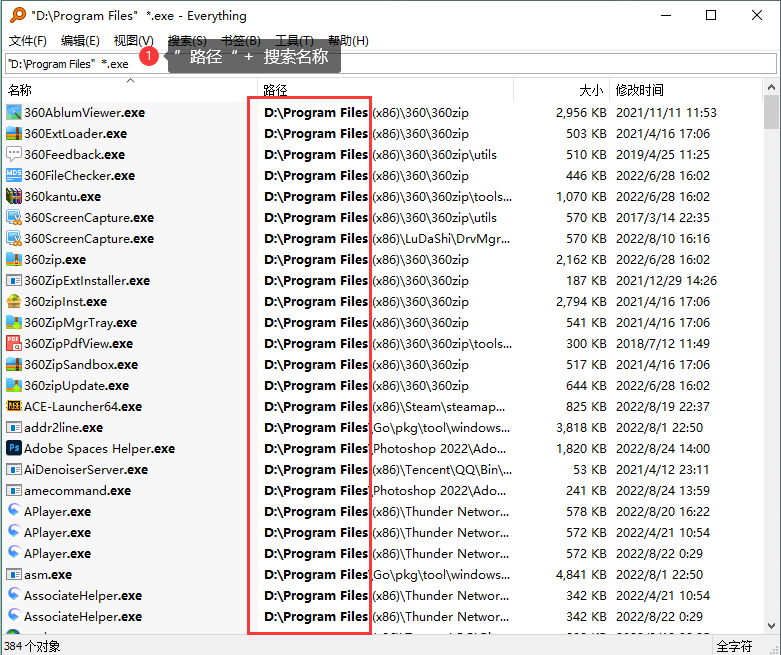
The program comes with an official help document in Chinese, and the three forms most people need are short. To search the whole disk for a name, type the name: entering steam returns every file and folder whose name contains it. To keep the search on one drive, put the drive letter in front, as in d: steam, which looks only at the D drive. To narrow it to a folder and a file type, give the path in double quotes and add a wildcard: "D:\Program Files" *.exe returns the executables in that folder. The quotes are needed for paths that contain a space, and the asterisk stands for any file name.
Who it suits
Anyone who keeps more than a few hundred files ends up searching for them, and this is the tool that makes that search stop being an interruption. Office workers who need a document while a call is running, developers who jump between build folders, and people who maintain several drives all get the same benefit: the name is enough to find the file.
Everything does one thing and does it without a licence fee or a subscription, which is why it has stayed on office machines for years. It is not a replacement for a full desktop search that reads inside documents; it answers the far more common question of where a file with a given name has gone.