
Listary 6.3: find files and launch programs from one box
Version 6.3.5.94
Summary
Listary 6.3.5.94 is a file search and launch tool for Windows, free for personal use. One keystroke searches the whole disk, results are ranked by habit, and commercial use needs the 19.95 dollar Pro licence.
Recommend- Name
- Listary
- Version
- 6.3.5.94
- Open source
- Proprietary
- Operating system
- Windows
- Website
- https://www.listary.com/
- Updated
- 2026-10-05 21:28
Finding a file in Windows usually means opening the file manager first and then clicking down through folder after folder, even when the name is on the tip of your tongue. Listary takes another route: it folds finding files and launching programs into a single entry point, is built by a small independent developer, and exists to make both faster. The site sums it up plainly as a file search tool for Windows.
Version and availability
The current stable release is 6.3.5.94, with a last update date of 2025-08-19, and Windows 10 and 11 are supported. The download page separates the versions clearly: besides the stable build there are two test branches, a V7 beta updated on 2026-08-05 and a Listary 6 beta; for older systems there is a build aimed at Windows 7 and XP, plus a portable variant that needs no installation but runs without administrator rights, so folders have to be added by hand and indexed separately.
Search and switching
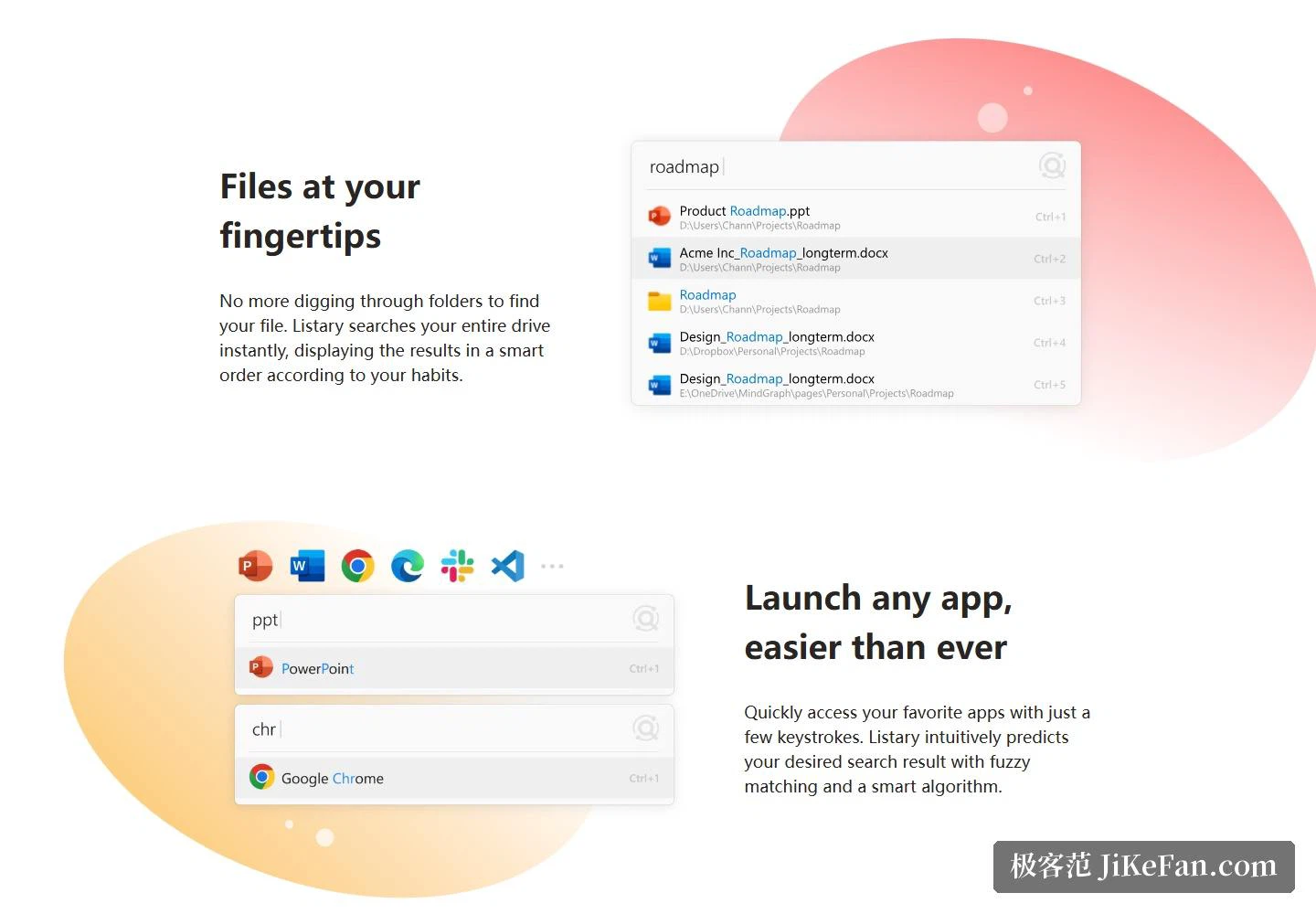
Once installed, a keystroke brings up the search box, a few characters search the entire disk, and results are ordered by your own habits. It is forgiving about input: abbreviations work if you like them, and fuzzy matching covers the cases where the full name has slipped away. The site puts search time in the millisecond range, giving a figure of 0.01 seconds on the page.
The more practical part is Quick Switch. When saving or opening a file there is no more clicking down through directories: search for the target folder and press Ctrl+G to jump there. Results also get a window of their own, where they can be filtered by condition and sorted by column, which with filters in place brings the experience closer to a small file manager.
Used as a launcher, Listary has a group of extensions worth digging into: filters narrow the search scope, commands turn the search box into an instruction prompt, and actions and menus hang custom operations onto results, such as opening something with a chosen program or copying a path straight out. The site keeps a separate heading for search across cloud and network locations, so retrieving things there is on the roadmap as well.
Licensing and Pro
The free side is stated plainly: personal use is free forever. What needs attention is the scope, since commercial use requires an upgrade to Pro. Pro costs 19.95 dollars, a one-time purchase that includes lifetime free updates; one licence covers up to three machines under your own name, and within 30 days of buying you can ask for a full refund without giving a reason. What Pro adds over the free tier includes a commercial licence, a dark theme, custom filters, indexing of shared network drives, advanced search syntax and custom actions, and it is Windows only.

The free tier's own list is reasonably solid: basic file search, basic application launching, basic filters and commands, plus a basic interface theme, which is enough for everyday personal work. The site adds three entries for a help centre, a changelog and the licence agreement, and anyone planning to go deep should start with the help centre. The home page also quotes a remark from a developer on a large platform team, describing the program as sitting between a launcher and a file manager: a bit of both, fully neither.
Listary sits between a launcher and a file manager: it does not take over your files, it just puts the file or the program in front of you when you need it. Personal use costs nothing, and for anyone who spends the day stepping through directories the difference in speed is very plain.