
FreeCommander XE: a dual panel file manager that is free for personal use
Summary
FreeCommander XE 2026 Build 941 is a dual panel file manager for Windows. The 32-bit edition is free for personal use, and tabs, folder sync and batch renaming all come with it.
- Name
- FreeCommander XE
- Version
- 2026-build-941
- Open source
- Proprietary
- Operating system
- Windows
- Updated
- 2026-10-06 20:33
Use the Windows file manager long enough and something always feels missing: no side-by-side comparison of two windows, no tabs, and archives that force you to open another tool. FreeCommander XE was built against exactly those gaps. A single developer has kept it going since 2004, and the site positions it as an easy-to-use replacement for the built-in manager. Its most relaxing property is portability: copy the whole installation directory onto a USB stick or an optical disc, and work carries on from another machine.
Version and licensing
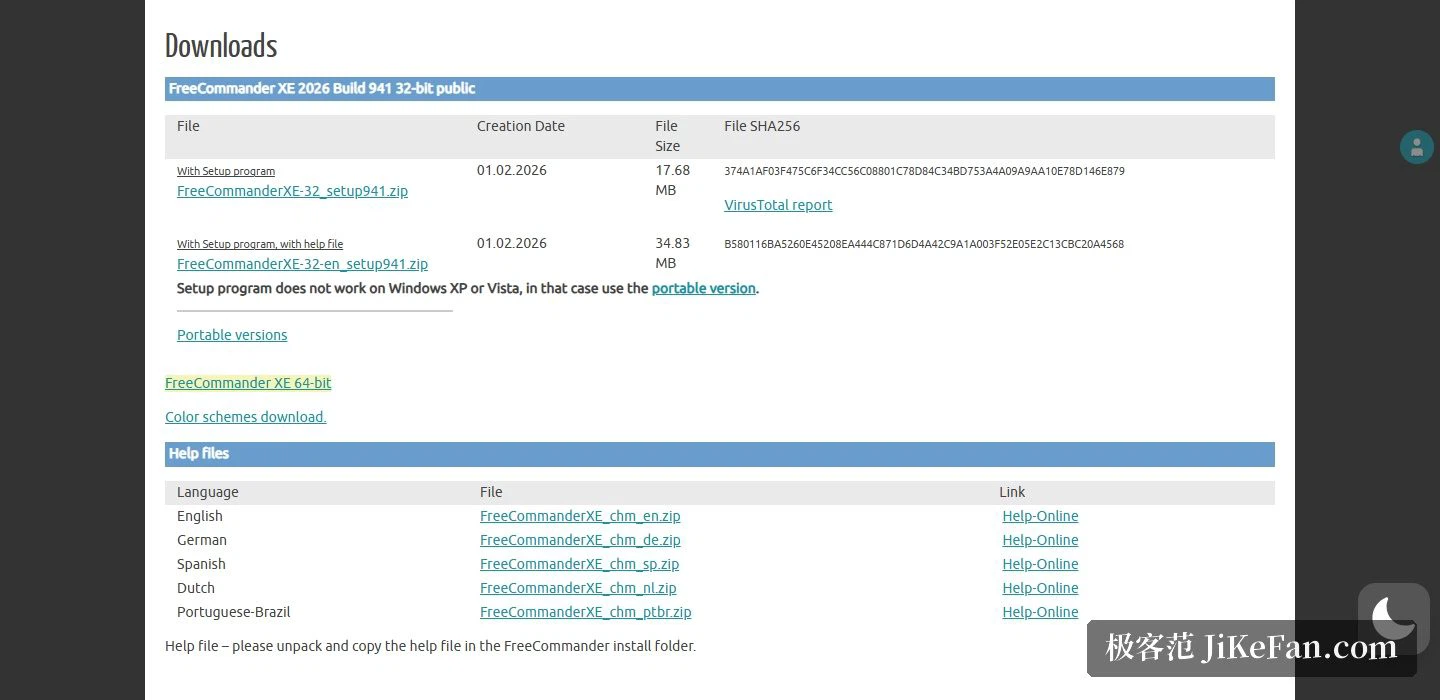
The current public release is 2026 Build 941, and the 32-bit installer carries a creation date of 2026-02-01; the download table lists file sizes and full SHA256 checksum strings alongside. Licensing needs spelling out: the 32-bit edition is free for personal use with no time limit, while commercial users may only take the 32-bit edition on a 30-day test, after which commercial use requires a valid 64-bit licence. The 64-bit edition is the paid one; a licence covers one user and up to two machines.
Two panels and tabs
The interface follows the classic two-panel idea but stays flexible: the panels can sit side by side or stacked vertically, and a single panel works just as well. Each panel can pull out its own tree view, and tabs hang several directories inside one window. The file list supports several views and custom columns, and colour schemes, keyboard shortcuts and nearly every behaviour can be bent to taste; the interface is multilingual too.
File operations
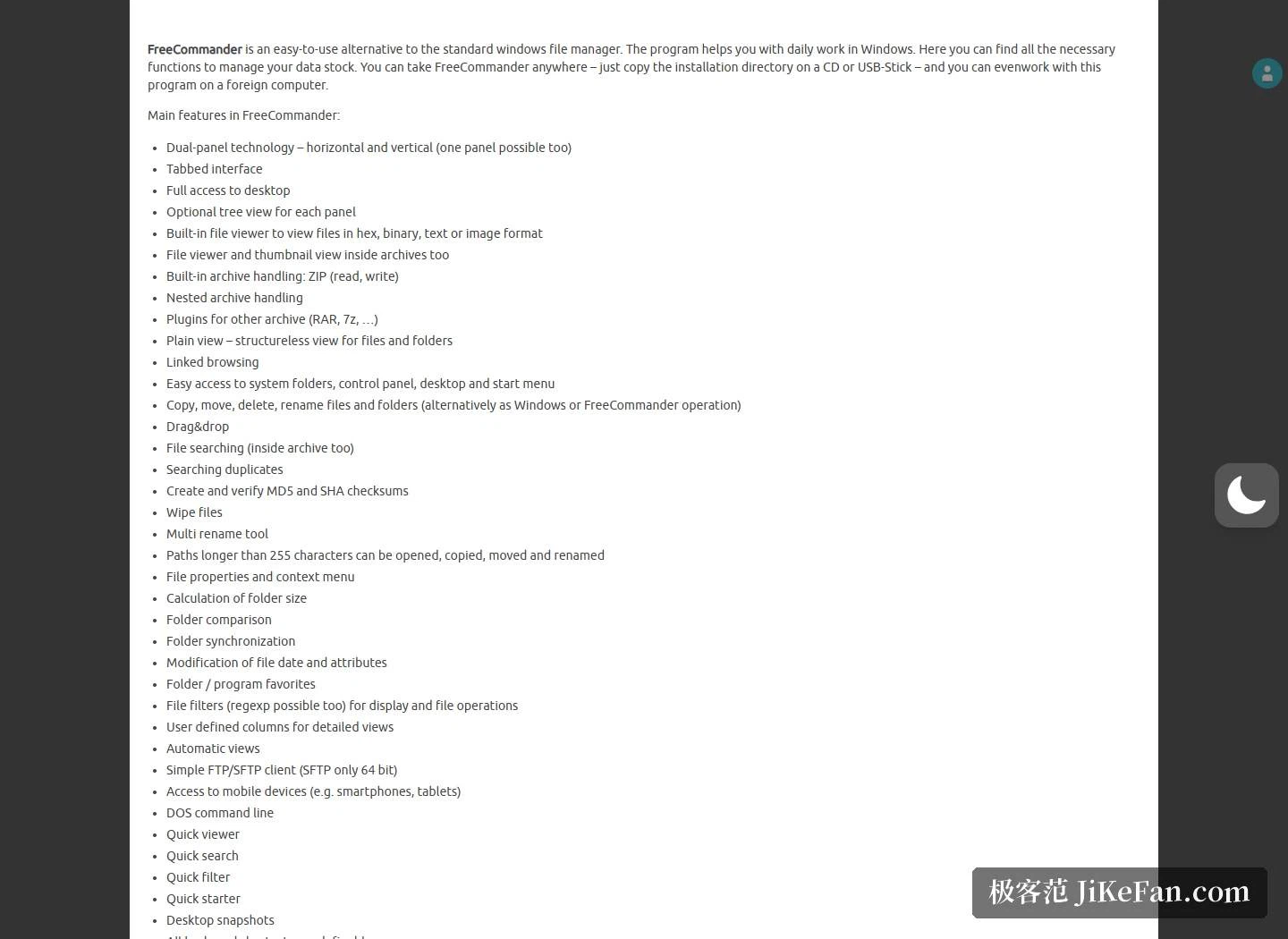
The built-in viewer reads hex, binary, text and images directly, and archives can be browsed without unpacking them. Native ZIP reading and writing is included, nested archives can be opened, and RAR, 7z and others are handled by plug-ins; search goes just as deep, looking for files inside an archive and finding both duplicates and text content. For verification there is generation and checking of MD5 and SHA checksums, and a batch renamer and a file shredder are on board as well.
A few everyday touches are especially useful: paths longer than 255 characters can still be opened, copied, moved and renamed; folder comparison and folder synchronisation are two separate functions, which pays off when tidying backups; file filters use expressions to narrow what is shown and what operations apply to; copying and moving work by drag and drop, and names as well as paths can be pushed into the clipboard; there is also a simple FTP and SFTP client, with SFTP only in the 64-bit edition.
Choosing between 32 and 64 bit
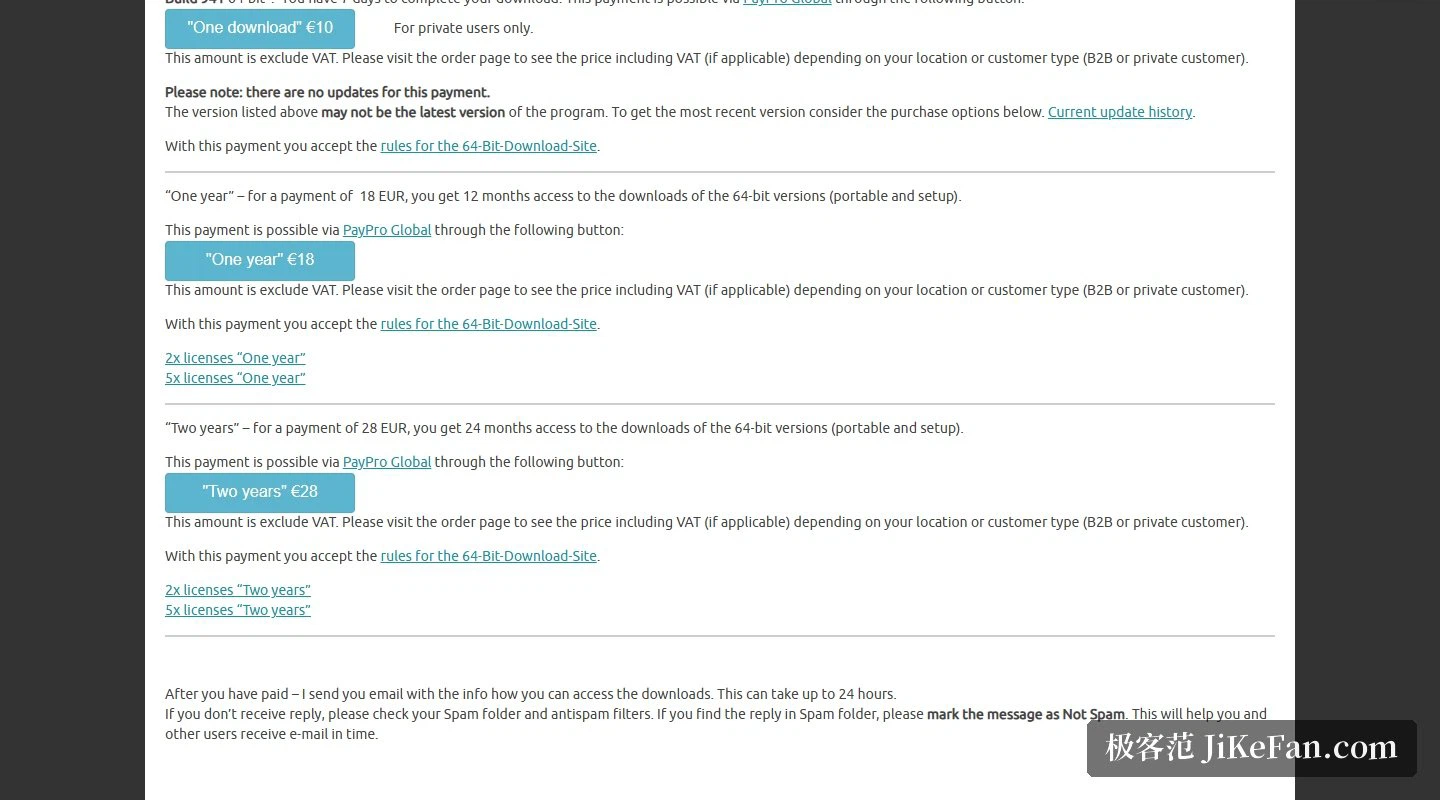
Only the 32-bit edition is free, and the price is the usual set of limits a 32-bit program meets on a 64-bit system: the 64-bit entries in the context menu, for instance, are not all visible, which is why the project ships a separate helper program as a bridge. The 64-bit edition removes those limits and adds a built-in PDF reader, full-text search inside documents and its own colour schemes. The paid plans come in three tiers: a one-off download licence at 10 euros, one year of downloads at 18 euros, two years at 28 euros, all before tax, with updates provided only while the licence is valid.
The trade-off in FreeCommander XE is plain: high feature density, portability and free personal use, at the cost of an interface that leans towards the classic two-panel tradition and a 64-bit edition that costs money. If you want a file manager that fits on a USB stick and is immediately usable on someone else's machine, this belongs among the ones worth keeping at hand.