
Easy Code 1.1.97: thinking text can be translated, approvals stop being missed
Summary
Two releases in two days, and both go after the same word: waiting. Easy Code 1.1.96 and 1.1.97 add system notifications and unread badges, let a question auto continue after 4 minutes, keep approval strictly blocking, and translate the reasoning text you cannot read.
Recommend- Name
- Easy Code
- Version
- 1.1.97
- Open source
- Open source
- Operating system
- WindowsmacOSLinux
- Website
- https://dvcode.deepvlab.ai/
- Updated
- 2026-11-05 23:00
The moment an AI coding assistant really wastes is rarely the line it gets wrong. It is the moment it waits for you to click approve while you are in a meeting.
Two releases in two days, both aimed at the word waiting
On 11/3/2026 Easy Code shipped two versions back to back, 1.1.96 and 1.1.97. Reading the changelog, nothing in this round needs to be learned again: what moved were details of interaction, where a notification lands, how a timeout is handled, whether a status is accurate, what to do when the reasoning text is unreadable.
Each of those looks minor alone. Together they point one way: the tool assumes the user is not staring at it while it works. Easy Code today is one engine driving three surfaces, a command line, a desktop workbench and an editor extension, sharing the same abilities and the same memory, with credits and quota synced across all three. The desktop build covers Windows and macOS, the terminal build runs everywhere. The documentation says the client is fully open source, ships with several model providers built in, is compatible with both the OpenAI and Anthropic protocol standards, and can point at your own API endpoint. It used to be called DeepV Code, and kept the original domain after the rename.
A switched window should not hide a pending action
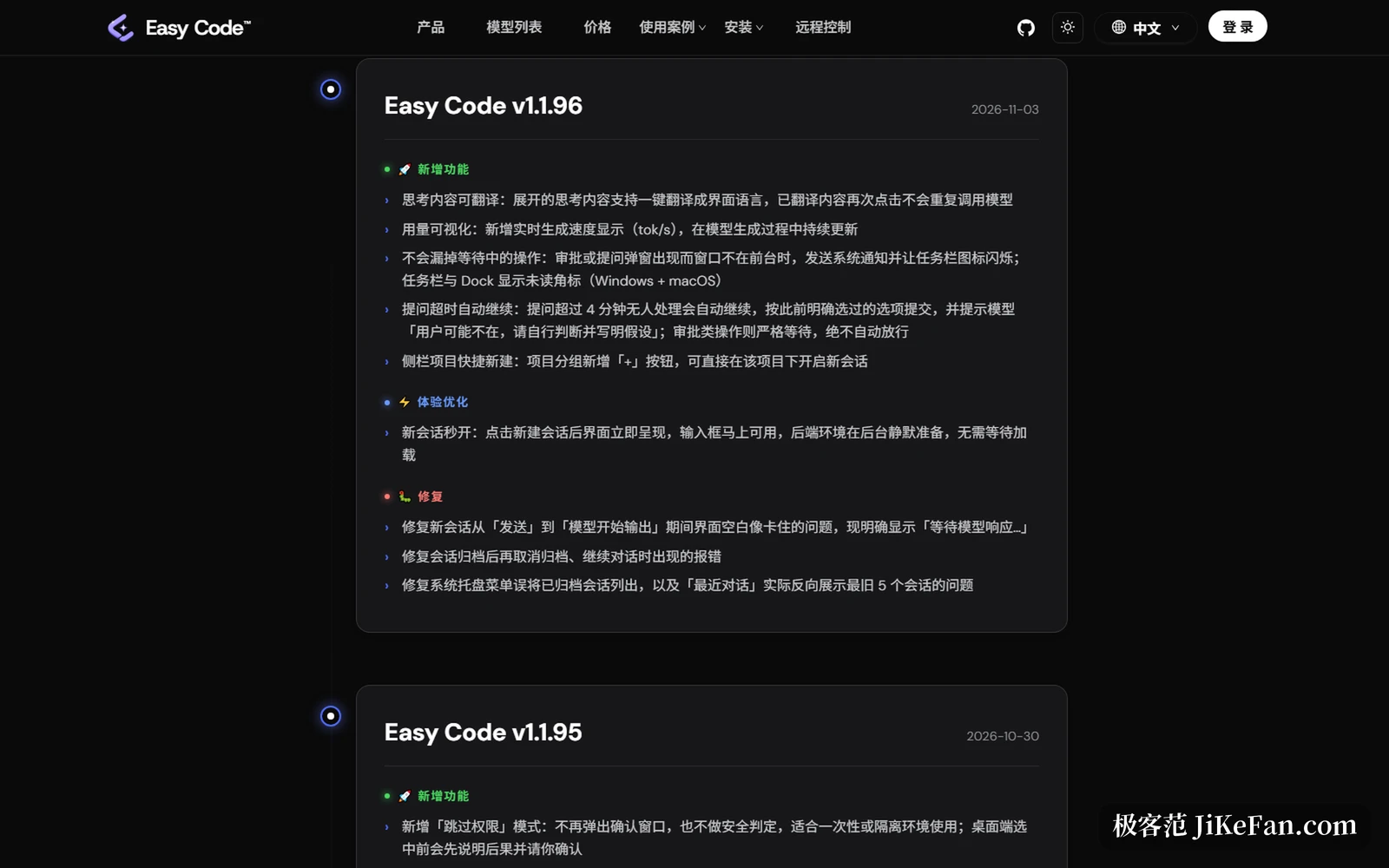
The most useful item in 1.1.96 is the notification work. Before it, when an approval dialog or a question dialog appeared and the window was not in front, the user might simply never learn that something was waiting. Now both dialogs raise a system notification and flash the taskbar icon, and unread badges appear on the taskbar and in the Dock, covering both desktop systems.
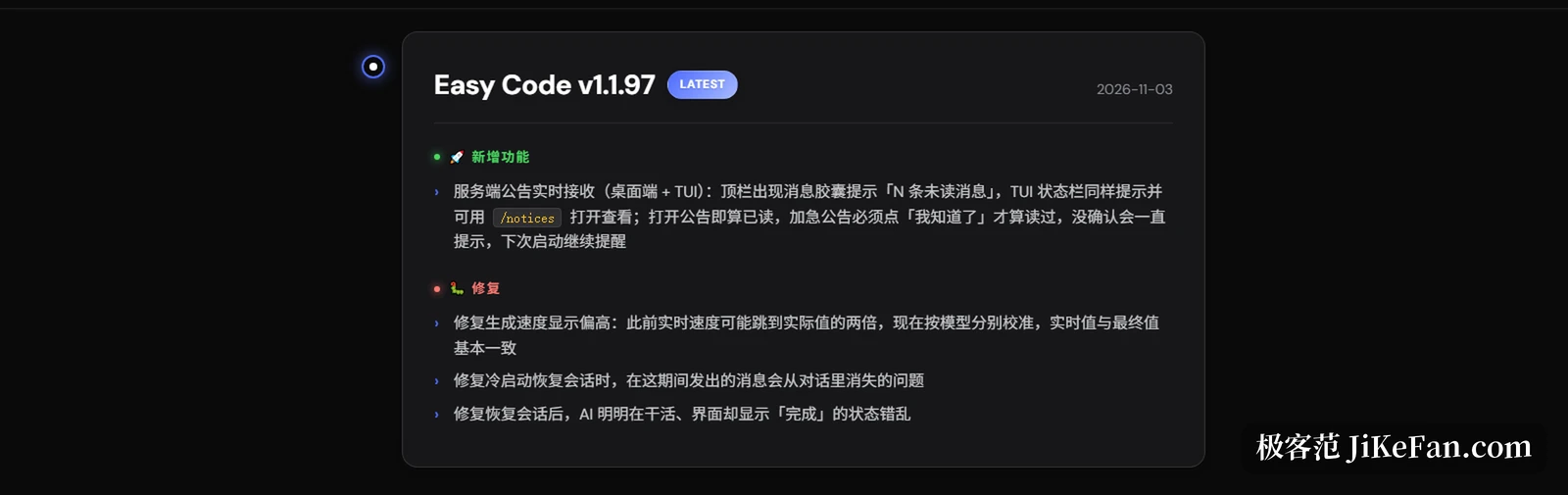
Version 1.1.97 applies the same idea to server announcements. On desktop a message pill appears in the top bar saying there are unread messages; the terminal status bar says the same, and typing /notices opens them. Opening an announcement counts as read, while an urgent one only counts after clicking the acknowledgement, and until then the prompt stays and returns on the next launch. For a tool that runs several long jobs a day, the value of this design is that it decouples something happening from which window I happen to be looking at.
A question left alone for four minutes continues; an approval does not
The same release carries a subtler rule. A question that goes 4 minutes without an answer continues on its own, submits the option that was explicitly chosen earlier, and tells the model that the user may be away, to judge for itself and state its assumptions. What this solves is the overnight run that jams on a multiple choice question: previously it could only sit there, now it moves on and writes into the result that this was a call made on your behalf.
The boundary is drawn sharply though. Approval actions wait strictly and are never waved through automatically. Anything that touches files or runs commands still needs a human to nod. That distinction matters more than the feature: auto continue happens at the layer of answering a question, never at the layer of authorising execution. Together with the skip permission mode added in 1.1.95, which states the consequences and asks for confirmation before it is selected, the logic is conservative by default, with exceptions opened explicitly by a person.
When the reasoning cannot be read, translate it
The reasoning a long thinking model unfolds is often written in mixed languages and reads badly. Version 1.1.96 adds one click translation for expanded thinking, into the interface language; text already translated does not call the model again, so nobody burns credits rereading the same passage. The detail looks small, but it runs on the same track as the live generation speed readout: both drag something out of the black box and put it in front of the person paying for it.
The speed readout even comes with a textbook patch story. Version 1.1.96 introduced a live tokens per second figure, and 1.1.97 fixed it reading too high: the live number could jump to twice the real value, and now it is calibrated per model so the live figure and the final figure roughly agree. Admitting the flaw and fixing it in the next release is more honest than never showing a number at all.
A confused status is worse than a missing feature
The remaining three fixes in 1.1.97 all point at one class of problem: the interface saying something different from what actually happened. When a session is restored after a cold start, messages sent during that gap disappear from the conversation; after restoring a session where the AI is plainly working, the interface reports it as finished. In long jobs both are fatal, because you think it stopped when it is running, and you think it finished when the message was lost.
Version 1.1.96 also fixed the blank stretch between pressing send and the model starting to output, which looked like a freeze; it now says plainly that it is waiting for the model. New sessions were made to open instantly, with the input box usable immediately while the backend environment is prepared silently. Put together, these answer a very plain question: on what grounds should a user believe the state shown on screen.

Who should take these two versions
People who hand a long job to the AI and go do something else gain the most directly. Notifications, badges and the four minute auto continue add up to not having to guard the window. People who live in a terminal get their own changes: the status bar reports unread announcements and a single /notices command opens them. Anyone working with models in a second language saves a good deal of guessing, because the reasoning can be translated with one click.
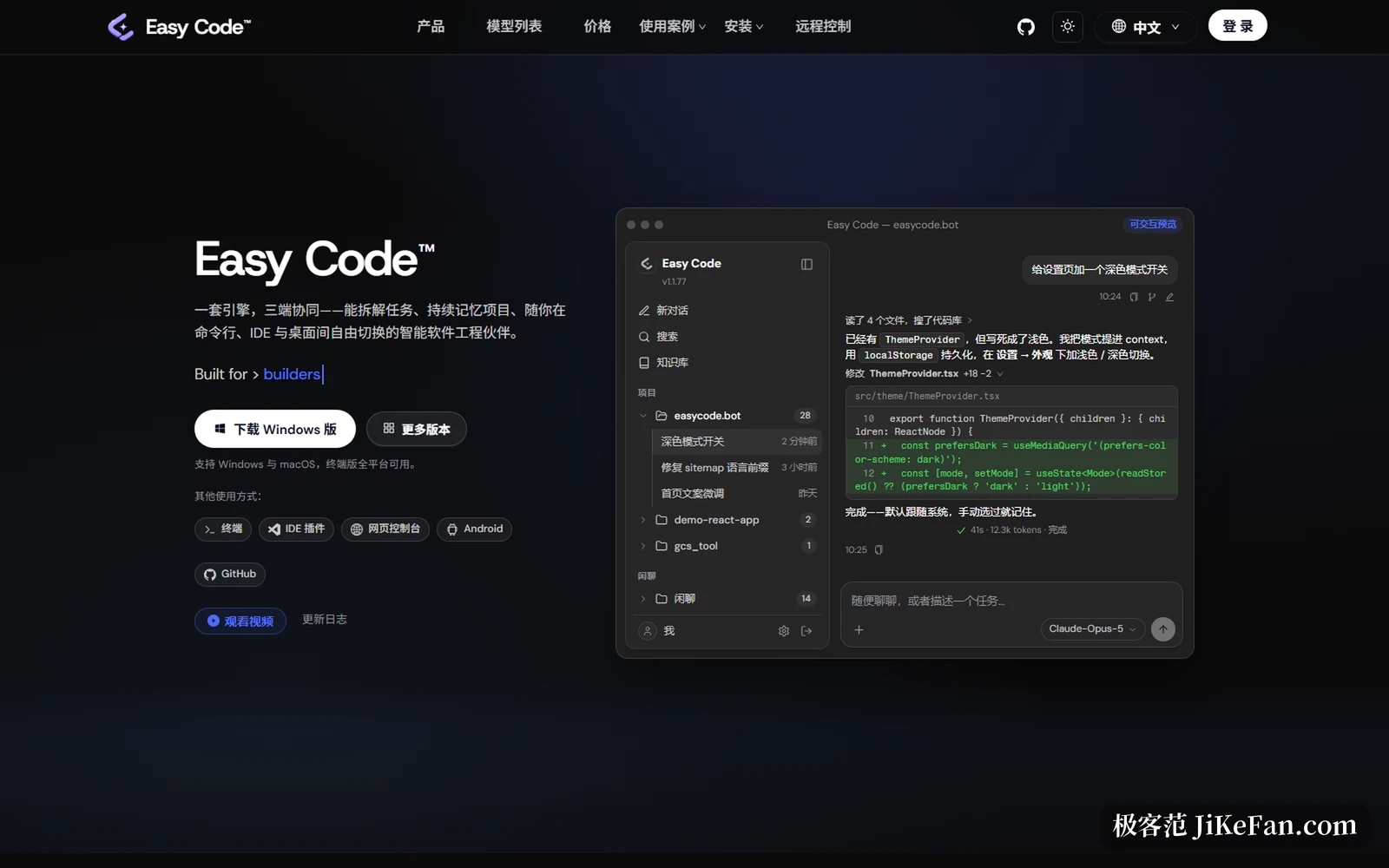
As for the tool itself, its stated direction has always leaned toward being an engineering partner: multi agent orchestration splits a large job across sub agents running in their own Git worktrees, skill and plugin packages from the marketplace are verified by SHA-256, a project level knowledge base turns architectural understanding and decision records into searchable entries, and a /debate command sets several models against the same block of code. All of that is present, and what 1.1.96 and 1.1.97 do is make it less abrasive in use. On price, the base tier is 9.9 dollars for 30 days with 2000 credits, with 99 dollar and 599 dollar tiers above it.
Two small versions added little that is new, but they answer one question clearly: does a person need to stand guard while the AI works. The answer is no, except at the one step where you still have to press the button yourself, and that is authorisation.