
Sogou Input 16.10 removes the login from cross-device copy and paste
Summary
Cross-device paste used to mean scanning a code and binding an account first. Sogou Input 16.10 drops the login for the Windows and Android pair, adds whole-word professional terms, and keeps sanding the friction off typing.
Recommend- Name
- Sogou Input
- Version
- 16.10
- Pricing
- Free
- Open source
- Proprietary
- Operating system
- WindowsmacOSLinuxAndroidiOS
- Website
- https://shurufa.sogou.com
- Updated
- 2026-11-05 23:00
With a typing tool, whether an update feels right often comes down to one or two details. Sogou Input 16.10 removes the login step that stood in front of cross-device copy and paste.
Paste on another machine without scanning a code first
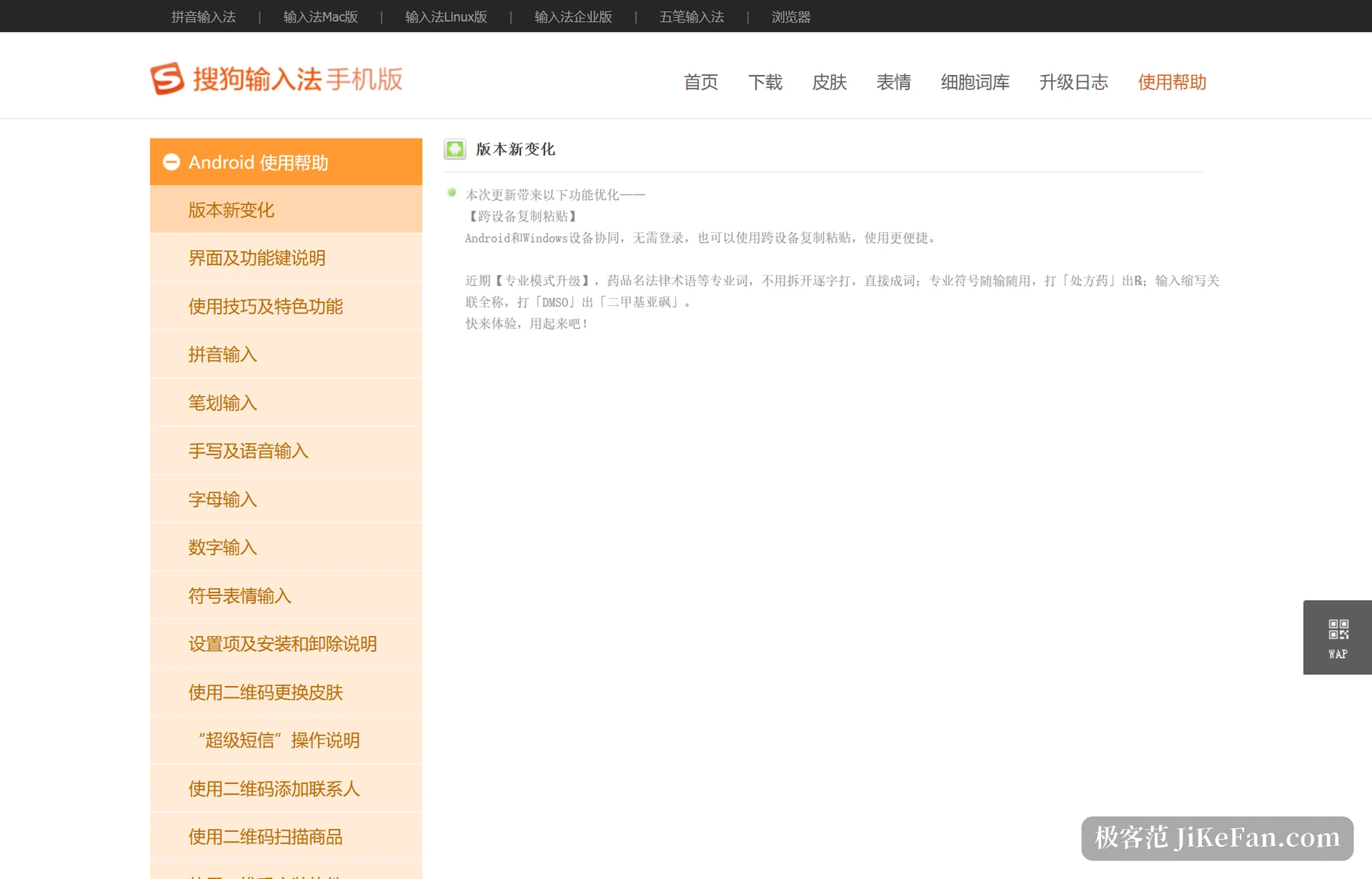
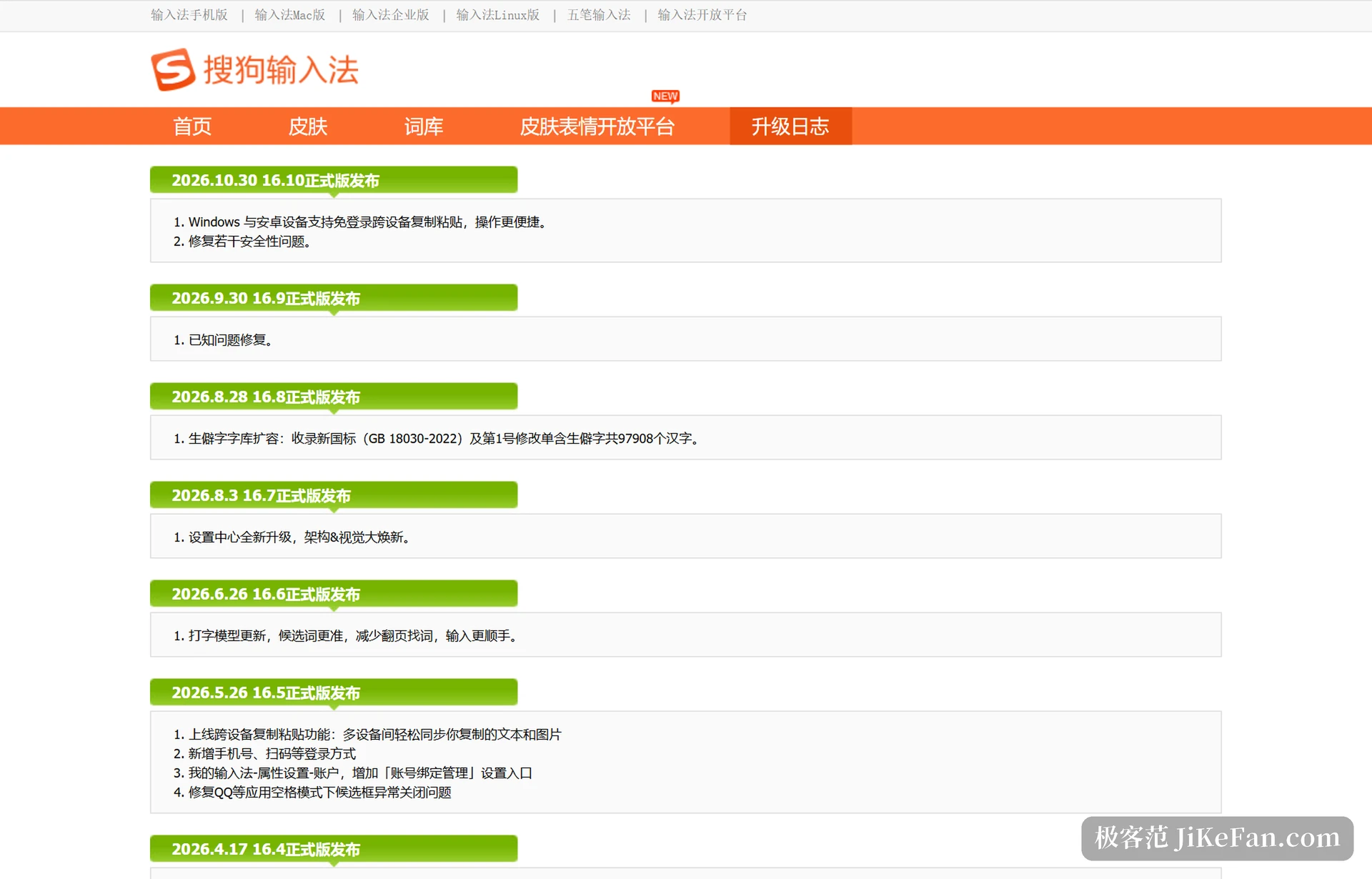
The stable 16.10 build went out on 10/30, and the first line of the changelog is blunt: Windows and Android can now copy and paste across devices without signing in. A shared clipboard is nothing new, and version 16.5 already synchronised text and images between devices, but that flow required signing in and binding the machines to one account. Borrowing somebody else computer, or sitting down at a machine that had never logged in, meant a scan first.
16.10 takes that step out. The official description is Android and Windows working together, with cross-device copy and paste available without logging in. In practice, copy an address, a verification code or a short document on the phone, sit down at the computer and paste straight away, with no second scan in between; sending text the other way saves the same step. The boundary is stated too, and for now it covers the Windows and Android pair.
Professional terms arrive as whole words
The same note covers an upgrade to professional mode: long terms such as drug names and legal phrases no longer need to be typed character by character, and they come out as whole words while typing. Professional symbols are ready as you type, so entering the term for a prescription medicine offers the prescription mark; typing an abbreviation links to the full name, as DMSO brings up dimethyl sulfoxide. For anyone writing medical records, organising contracts or keeping lab notes, these words have always been expensive to enter, and adding them one by one as custom phrases is too slow, so hitting them in the dictionary saves real time.
The same line continues with the doctor and lawyer modes that arrived in 16.2, on the same idea: gather the words and symbols a profession uses often into one set of typing habits instead of asking the user to configure it.
Dictionaries, models and the quiet updates
Version 16.8 expanded rare characters, taking in those of the GB 18030-2022 standard and its first amendment, 97908 characters in all. Anyone whose name contains a rare character knows the feeling: previously it had to be written by hand or pasted, and now at least it appears among the candidates. Version 16.6 updated the typing model, officially with more accurate candidates and less paging to find a word; 16.7 rebuilt the structure and the look of the settings centre, and common items moved with it.
None of these look like much alone, and together they form one line: sanding the friction off typing. The dictionary goes after coverage, the model after the accuracy of the first candidate, the interface after the time spent hunting for a setting.
The keyboard is drifting toward a writing assistant
Version 16.1c shipped seven AI writing abilities, including polishing, proofreading, translation, structuring and continuation, and the AI cursor assistant can be called from the cursor inside Word and WPS to continue or rewrite. The official homepage still pushes AI search, where a question followed by the equals key returns an answer, and selected text can be looked up. None of this sits in the act of typing; it extends past it, to the moment after writing.
One more thing: 16.2 added a close button for commercial ads. Input methods that bring up advertising have been complained about for years, and an official switch hands the choice back to the user, a change more solid than many a new feature.

Platform coverage and skins, the parts maintained all year
The site navigation shows coverage of Windows, macOS, Linux and phones, plus an enterprise edition and a five-stroke input; skins, dictionaries and the emoji platform are sections updated continuously. For an input method these are what keep people: the skin decides whether it looks right in use, the dictionary decides whether typing is accurate, and both matter more to daily experience than a version number.
The changes in Sogou Input 16.10 are not large, but the direction is clear: lower the threshold on frequent actions such as crossing devices, and push professional terms and AI writing into the input box. People who type ordinary text may not notice; those who work across devices or write professional material will.