
doPDF: turn printing into a PDF, without the file leaving the machine
Summary
doPDF installs itself as a virtual printer, so any application that can print can produce a standard PDF: fonts are embedded, page size and resolution stay adjustable, hyperlinks and bookmarks survive, and the document never leaves the local machine.
Recommend- Name
- doPDF
- Version
- 11.9.523
- Pricing
- Free
- Open source
- Proprietary
- Operating system
- Windows
- Website
- https://www.dopdf.com/
- Updated
- 2026-10-06 22:54
The habit of uploading
Ask someone how to turn a document into a PDF and the reflex is to search for a website. Upload, wait, download. It works, and it costs nothing, and it also means handing the file to a company whose name you did not read, for a length of time you did not choose, under terms you did not open. For a restaurant menu that is fine. For a contract, a payslip or a medical letter it is a strange thing to do so casually, when the conversion could happen on the desk in front of you.
A printer rather than a converter
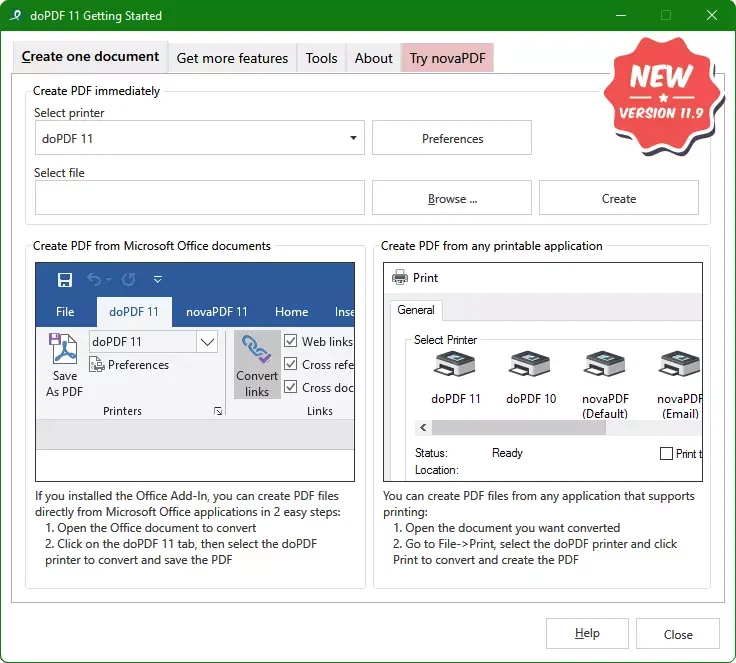
doPDF takes the other route. It installs itself as a printer inside the system. After that, any application with a print command can produce a PDF: choose this printer instead of the paper one, pick a location, and a standard file appears. Word documents, spreadsheets, slides, web pages, drawings, all of it, because printing is the one capability every program still shares. The file never leaves the machine, and nothing needs an account.
The details that decide whether the result is usable
Small installer, and the details are not skimped. Font subsets used by the document are embedded by default, so the layout does not fall apart on someone else machine. Page size, resolution and output quality are adjustable: push towards high fidelity for something that will be printed, compress harder for something that will be mailed. An add-in for the office suite turns the whole step into one click from inside the editor, and hyperlinks and bookmarks are carried across rather than flattened into text.
It also does not depend on a third-party runtime being present, which matters on locked-down office machines and on computers that are not maintained by anyone in particular. Once installed it simply sits there, and the resource cost in the background is close to nothing.
Nearly twenty years of maintenance
The project dates from 2006, which in this category is close to ancient, and it is still being updated: the current free build 11.9.523 arrived at the end of March and covers systems from old releases up to the newest Windows. A tool that survives that span has usually survived because it stopped growing: the job did not change, so the software did not need to.
Licensing, said plainly
The free build is for personal use. Commercial scenarios and print server deployments have paid editions, and anyone using it at work should check which side of that line they fall on. Being clear about it is better than discovering it later.
What it deliberately refuses
There is no editing, no merging, no annotation. If you need to combine three PDFs or sign one, this is the wrong tool and it says so by simply not offering the feature. Judged as a converter, that narrowness is the point: one step, done reliably, for years.
Where a virtual printer still wins
Batch work is the clearest case. Twenty invoices, forty pages of minutes, a folder of drawings: with a printer the loop is open, print, choose a name, and it repeats without a single upload. The same job through a website means forty uploads and forty downloads, each one a chance to lose track of which file is which. Offline is the second case. A machine without a network, or one kept off the network on purpose, can still convert, because printing never needed the internet in the first place.
Resolution in practice
The quality setting is a trade and worth understanding once. Text-only documents survive at modest resolution and the file stays small enough to mail. Anything with photographs or fine line work wants more, because compression shows up first in gradients and thin strokes. A drawing that will be printed at A3 needs more again. Setting it high for everything is safe and wasteful; setting it low for everything eventually produces a document somebody cannot read on paper.
The font question
Embedding subsets is what keeps a layout intact on a machine that has never had the typeface installed. Without it, the receiving side substitutes something similar and the careful spacing collapses: headings wrap, tables push out of the margin, page numbers drift. It is the least visible feature here and the one most likely to decide whether the document is usable at the other end.
A small thing that stays small
There is no account, no sync service, no dashboard. The program is a printer, and printers do not ask you to sign in. For a utility installed once and then ignored for years, that is the correct amount of presence.
The good of doPDF is that it is unfelt: it does not want to be your reader, your editor or your manager of documents, only to make the step of printing out a PDF require almost no thought. A tool that knows its job is rarer than it sounds.