
Heroic Games Launcher: one window for libraries that keep spreading
Summary
Heroic pulls the store libraries into a single window: sign in once per store, browse and install from one list, keep updates and cloud saves in one place, and set compatibility layers from a dropdown instead of a command line, on three desktop systems and on handhelds.
Recommend- Name
- Heroic Games Launcher
- Version
- 2.22.2
- Pricing
- Free
- Open source
- Open source
- Operating system
- WindowsmacOSLinux
- Website
- https://heroicgameslauncher.com/
- Updated
- 2026-10-06 20:45
A library that keeps dividing
Anyone who has bought PC games for a decade owns a library that no longer lives in one place. A few titles came from one storefront, a pile of older ones from another, a handful were claimed for free during a promotion and never launched. Each store wants its own login, its own updates, its own way of forgetting which drive the game was installed on. On a handheld the confusion gets worse, because every second or third game also needs a compatibility layer chosen for it, and the instructions for that live in a terminal.
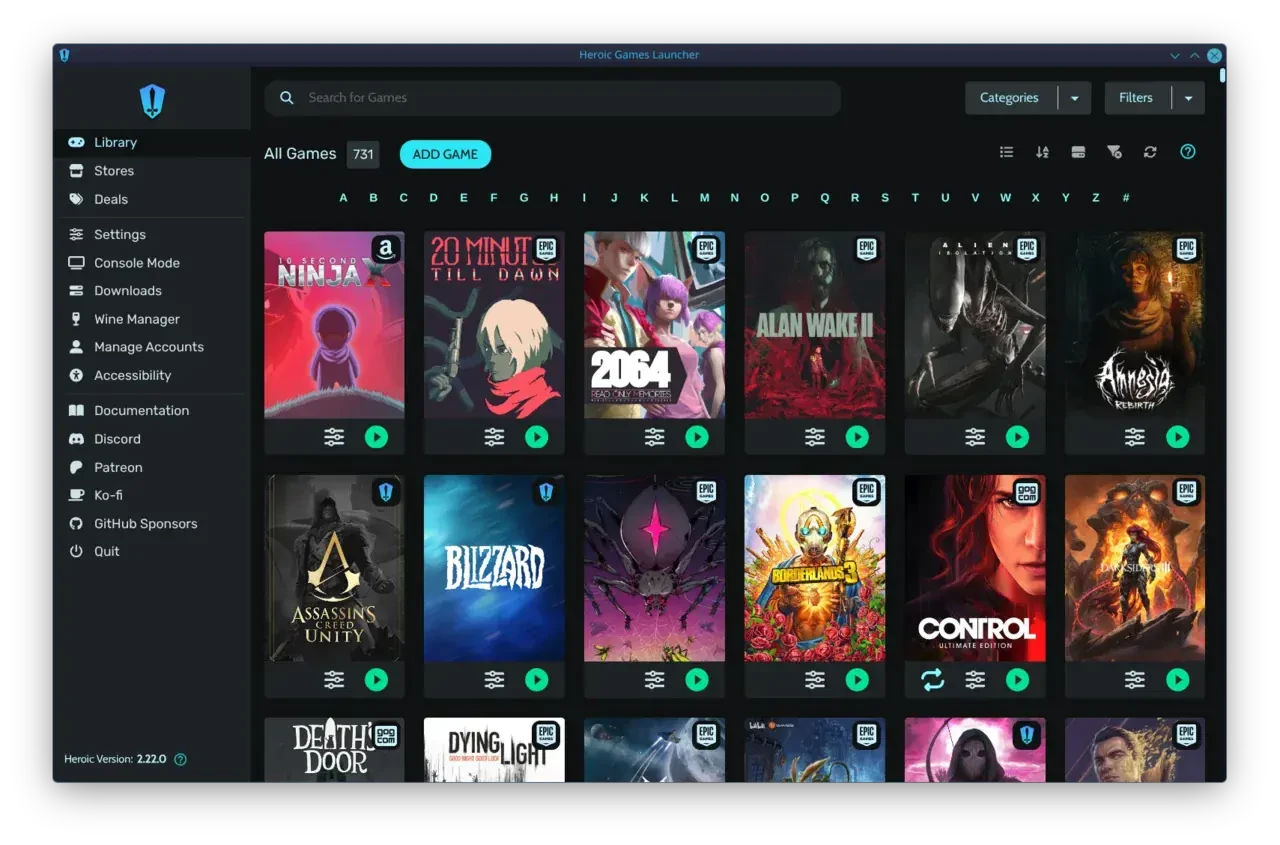
One window instead of four clients
Heroic collects them. Sign in to each store account once, and the game lists arrive by themselves. From then on the library is one list: install, update, launch, and cloud saves are handled in the same place, with the store each title came from reduced to a small label. The project is open source under GPLv3 and maintained by a community rather than a company, which shows in the translation coverage, more than forty languages, and in the size of the monthly audience, counted in millions, and in the fact that handheld owners treat it as standard equipment rather than an exotic choice.
Compatibility moved out of the terminal
For Linux and macOS the value is larger than for anyone else. Whether a Windows game runs on this layer or that one, which version of the runtime it needs, whether the graphics translation component should be switched on: all of it becomes a dropdown. Common tools can be installed from inside the interface, and a configuration panel opens per game, so a setting that applies to one title does not leak into the next. That last detail is the difference between a launcher people tolerate and one they recommend.
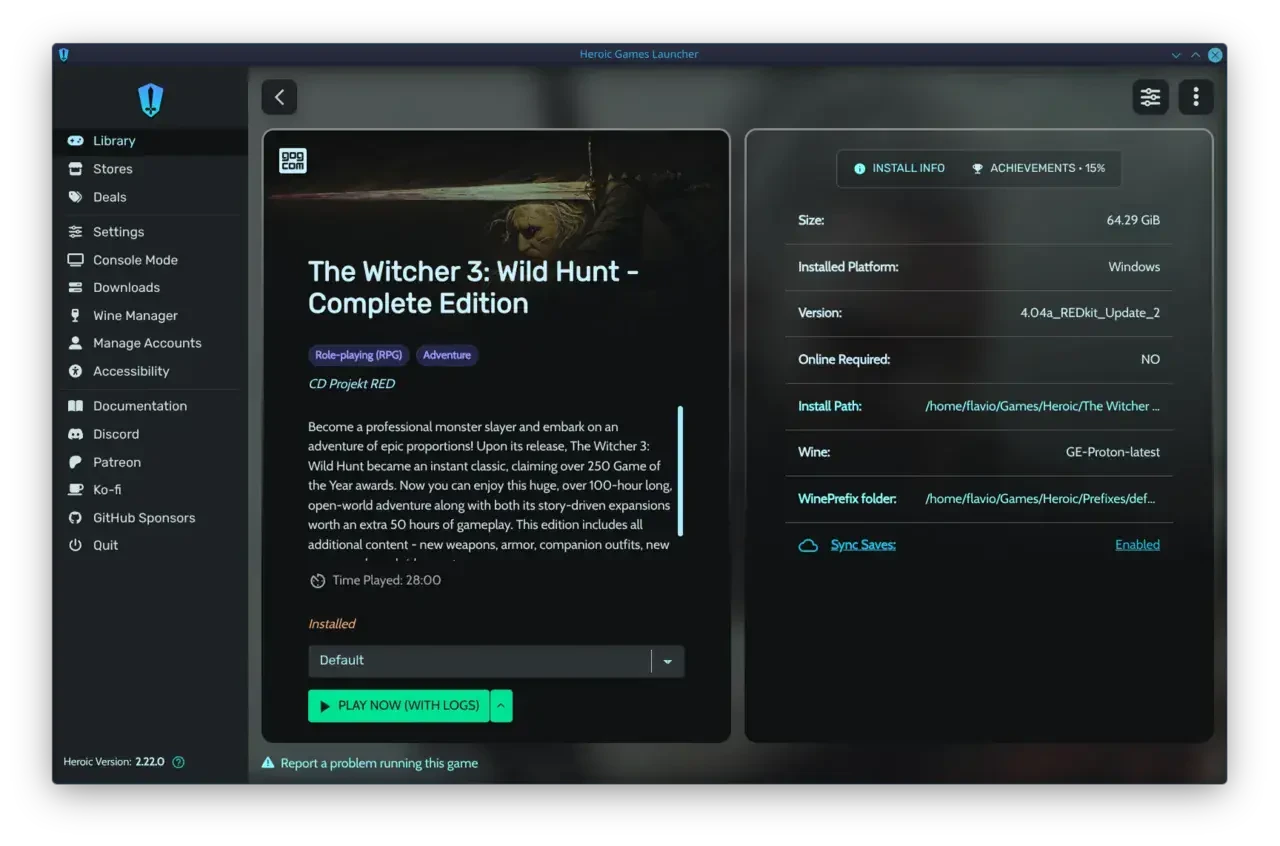
What the latest release touched
Version 2.22.2 is a hotfix rather than a feature release, and it dealt with launch failures affecting games from certain publishers, plus a new runtime option for titles that run natively. The game detail page carries statistics such as installed size and hours played, and the theme system can replace the whole palette of the interface, which is a small thing that makes a daily window feel like your own.
What it is not
It is a library manager and a launcher, not a way around anything. Games still have to be bought or claimed through the store that sells them, accounts are still required, and licences are still licences. Anyone hoping for a shortcut past that will be disappointed, and the disappointment is correct: the tool is doing exactly what it says.
The learning curve, honestly
Advanced compatibility options still cost something to understand. Choosing a layer, a runtime and a set of flags is not self-explanatory if you have never met the concepts. The saving grace is that the defaults work for most mainstream titles, so the learning can wait until a specific game refuses to start. That is the right order: solve the problem when it appears, not before.
Where it runs
Installers exist for the three desktop systems and for handheld environments, and the software is free to use. If the everyday annoyance in your setup is switching between clients, signing in again, and hunting for the folder where the game actually lives, this removes all three at once.
Why handhelds depend on it
On a small screen with a controller layout, a store client designed for a desktop is a nuisance: windows that scroll badly, buttons that need a mouse. A launcher that presents a list and a play button fits the device. Handheld owners also change compatibility settings far more often than desktop players, because the same game may need a different layer after a system update, and having those settings inside the interface rather than in a terminal is what makes the device usable away from a desk.
A download queue that keeps its place
Install and update jobs collect in one queue rather than in four, which matters most on the evening when three games all decide they need a large patch. Cloud saves follow the same logic: one place to check whether the save from the other machine has arrived, one place to notice that it has not. Small conveniences, and the sort that are only noticed when they are missing.
What community maintenance buys
An open project with a large translation base tends to handle the odd cases: a language that no company would fund, a storefront that changed its login flow on a Tuesday, a handheld whose screen expects a different scale. Fixes arrive from the people who hit the problem. That is a different kind of reliability from a vendor roadmap, and for a tool that sits between you and something you paid for, it is often the more dependable kind.
What Heroic does is gather: games scattered in four places, settings buried in a command line, store clients each going its own way, all pulled into one clean open window. The larger the library, the more that tidiness is worth.