
Nero Burning ROM 2026 keeps burning, copying and encryption in one flow
Summary
A long-standing name in disc authoring, with the 2026 edition covering data, audio and video discs for burning, copying and imaging, 256-bit encryption with adjustable data redundancy built in, and Windows 11 support, sold as paid commercial software.
Recommend- Name
- Nero Burning ROM
- Version
- 28.0.1010
- Pricing
- Paid
- Open source
- Proprietary
- Operating system
- Windows
- Updated
- 2026-10-13 11:35
Discs have been on the way out for years, yet where long storage and offline handover matter they still hold a place.
Why burning has not quite left
Since online storage spread, discs come up far less often. Two situations still suit them. One is long term archiving: a written disc can sit for a decade and be read without depending on any online service. The other is offline delivery, where handing someone a disc is simpler than handing over a download link and leaves an easier record behind.
Nero Burning ROM is an old name in this field, and the official description places it as the original tool for three jobs: burning, copying and backing up. Those three answer different needs. A new disc has to be written, an existing disc may have to be duplicated whole, and material on older media may have to be carried over to new media. Keeping all three inside one interface saves hunting for separate tools and learning each one from the start.
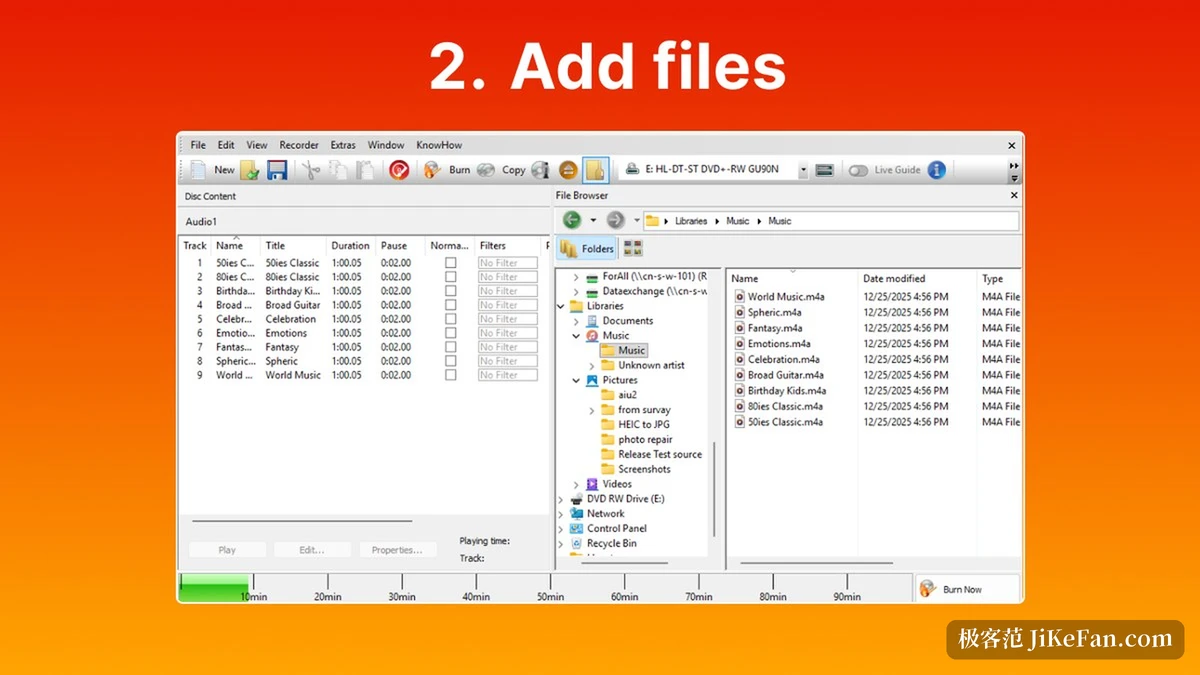
Media, images and protection
Media coverage runs across three families: CD, DVD and Blu-ray. Their capacities and uses differ, but handling them in one flow means the operations feel broadly the same, so changing media does not mean relearning the interface. Imaging is part of it too, with official support for creating ISO images and for writing existing images and video disc structures onto fresh media. The point of an image is to fix the content first and burn later, which works both as an intermediate form for long storage and as a way to avoid rebuilding the same batch from source files each time.
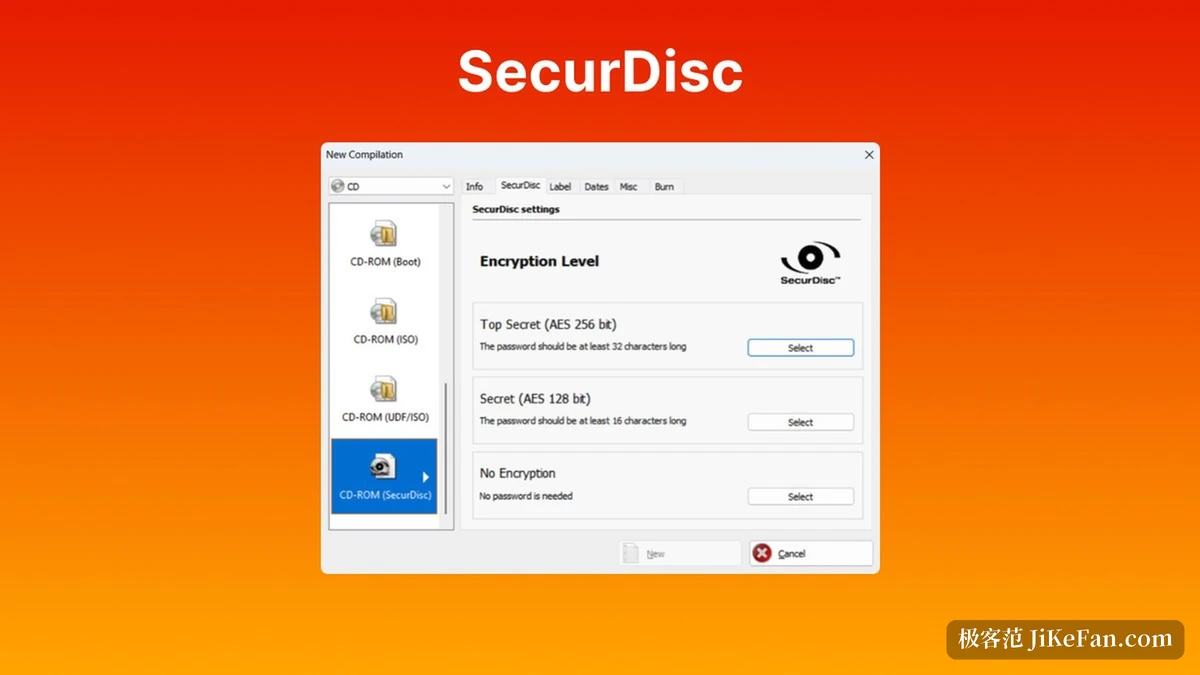
Protection is where it separates itself from simple burning tools. The built-in SecurDisc 4.0 technology carries three mechanisms: 256-bit encryption, a digital signature and password protection. Each answers a different risk. Encryption raises the bar for reading the content, the signature confirms whether anything has been altered, and the password keeps access with the holder. For the surface scratches discs most fear, the technical answer is adjustable data redundancy: the same data stored several times over, so a section that cannot be read has a copy to fall back on, at the cost of some disc space.
Audio discs are another corner. If titles, album and cover art can be carried automatically when ripping, a disc in a player stops showing a string of meaningless track numbers. The official material folds track information writing into this area and brings the whole audio disc workflow closer to what music software has taught people to expect.
Version, price and platform
What is on sale now is the 2026 edition, and the file name of the official installer carries the version 28.0.1010.0. The naming pattern on the same download address shows the two previous annual editions landing at 26.x and 27.x, with this year continuing at 28.x, which confirms the family.
The licence is paid commercial software. The official product page shows a price of 44.76 dollars against a list price of 55.95, and offers a trial route as well. That last part is useful for anyone buying: run the recorder and the discs in hand through a test first, confirm media compatibility and the quality of the result, and then decide.
Item | Official note |
|---|---|
Current version | Nero Burning ROM 2026, installer 28.0.1010.0 |
Media | CD, DVD and Blu-ray discs |
Protection | SecurDisc 4.0 with 256-bit encryption, digital signature, password protection and adjustable redundancy |
System requirements | Windows 11 and Windows 10 |
Price | 44.76 dollars, list price 55.95 |
Half the value of a burning tool is producing the disc; the other half is still reading it years later.
A practical note: for the occasional data disc, take the trial first and confirm the recorder is recognised; for anything meant to be archived, switch data redundancy on as well and keep a record of the verification result; and check that the machine is a Windows one before buying, since the software is offered for that platform.