
DeskBox 1.5.9: A Free, Open-Source Desktop Organizer for Windows 10 and 11
Summary
DeskBox is a free, open-source desktop organizer for Windows built with WinUI 3 that adds container and mirror cells on top of the desktop, previews every move first and leaves your files as ordinary files.
Recommend- Name
- DeskBox
- Version
- 1.5.9
- Pricing
- Free
- Open source
- Open source
- Operating system
- Windows
- Website
- https://deskbox.fun/
- Updated
- 2026-11-05 21:20
DeskBox does not take over the desktop. It puts a layer of cells above it, and the files underneath stay ordinary files: a folder is still the folder you can open in File Explorer, rename and delete.
Desktops get messy in the same way for almost everyone. Files from the browser land there because changing the download path is a nuisance. Files from a chat client land there because that is where it saves by default. Screenshots, exported spreadsheets and material needed next week but not today all land there. It starts with a handful and ends with a full screen.
So you tidy up once: new folder, select all, drag it in, pause for three seconds, call it Misc. That folder is rarely opened again. The problem is not discipline. The desktop only offers files, folders and positions, and nothing lets you see what is inside a folder without leaving the desktop, so you oscillate between dumping and sorting.
DeskBox is a desktop organizer for Windows 10 and 11, written in C# with WinUI 3 and the Windows App SDK, released under GPL-3.0. Data stays on the machine and no account is involved.
Two kinds of cells with opposite behaviour
The cells look almost identical and work in two different ways. A container cell is backed by a real folder: drop a file in and it is genuinely moved there, still visible, renameable and deletable in File Explorer. A mirror cell moves nothing: it maps an existing directory onto the desktop as an entrance, so the original location is untouched and you can still see what is inside it.
Container means move in, mirror means open a window onto where things already are. The difference matters because a container performs a real move and nothing is left behind on the desktop, so the first run is best tried with files you do not need.
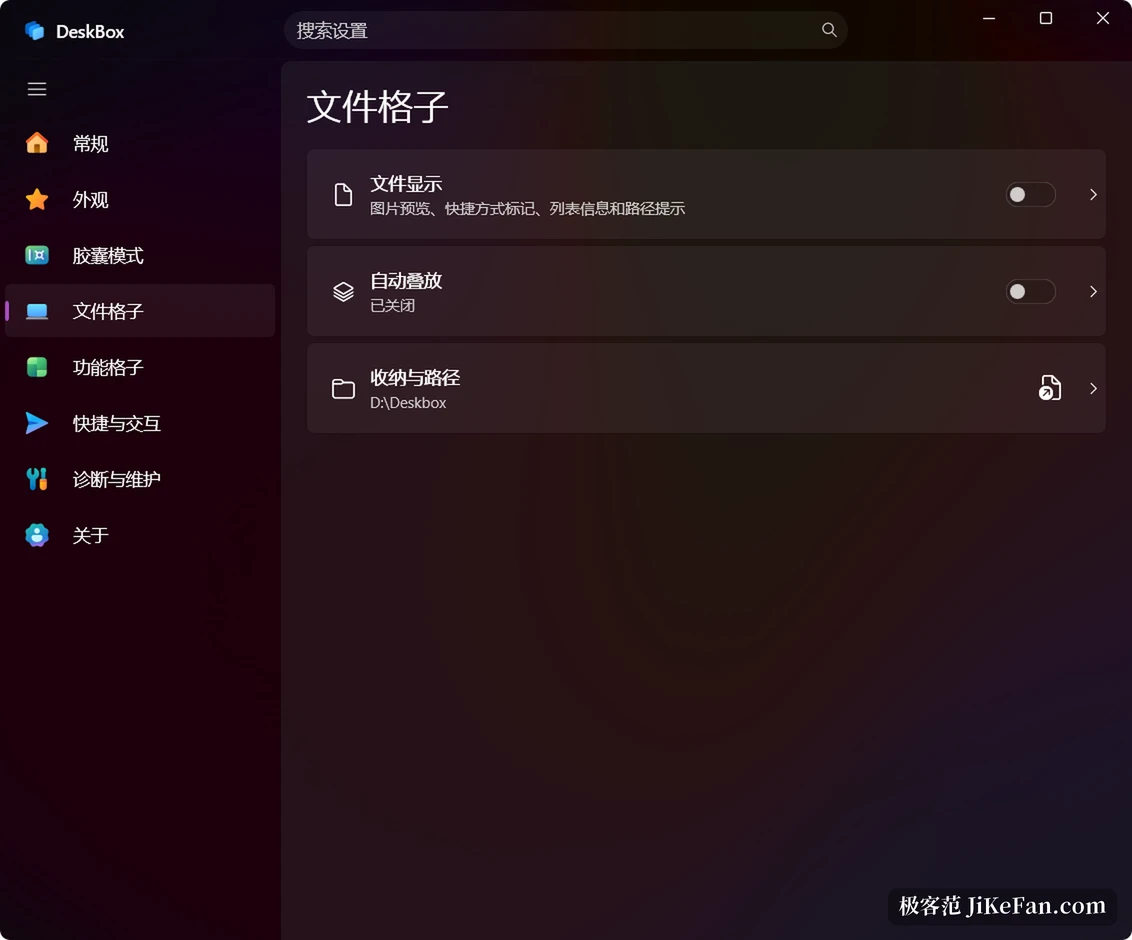
Cells themselves are configurable. Icon view or list view, manual order or a rule, per-cell icon size down to 50 x 50. Files of the same kind can stack into one pile that expands in place, or pops out as a three by three or five by five window. Several cells can be merged into a group, with the wheel on the title or Ctrl+Tab cycling through the members while the underlying folders stay unchanged.
The list comes before the tidying
The risk with a single tidy button is that it moves things blindly. DeskBox splits the step: after a scan it shows a preview card grouped by category, listing which files would go into which cell, with a checkbox per file and the public desktop included. A rescan keeps the choices already made, an interrupted run can be resumed, and nothing is left in a half-finished state.
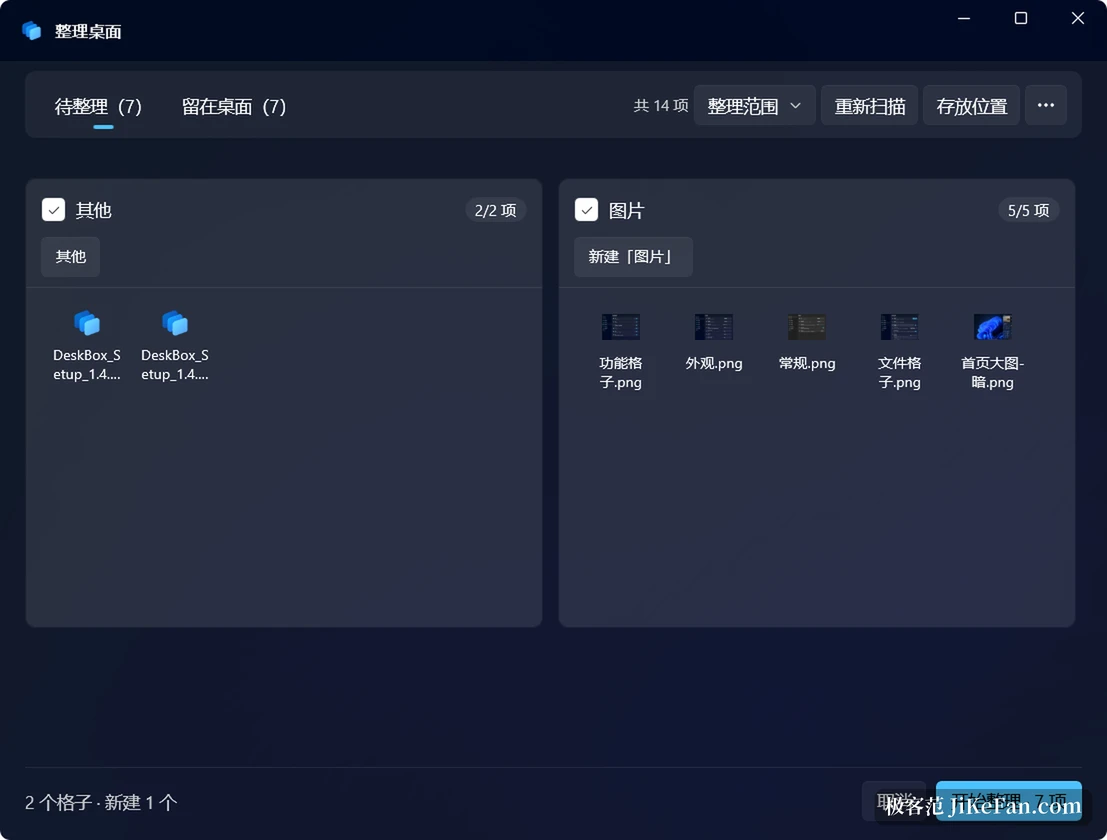
The action is a move, not a deletion. Files that are locked, that lack permission or that fail to move are reported with a reason instead of being skipped silently. A simple rule can also send newly saved desktop files into the matching cell by extension or category, with a trigger interval anywhere from real time to a dozen hours, so a file is not snatched away the moment it is saved.
Collapse it into a capsule
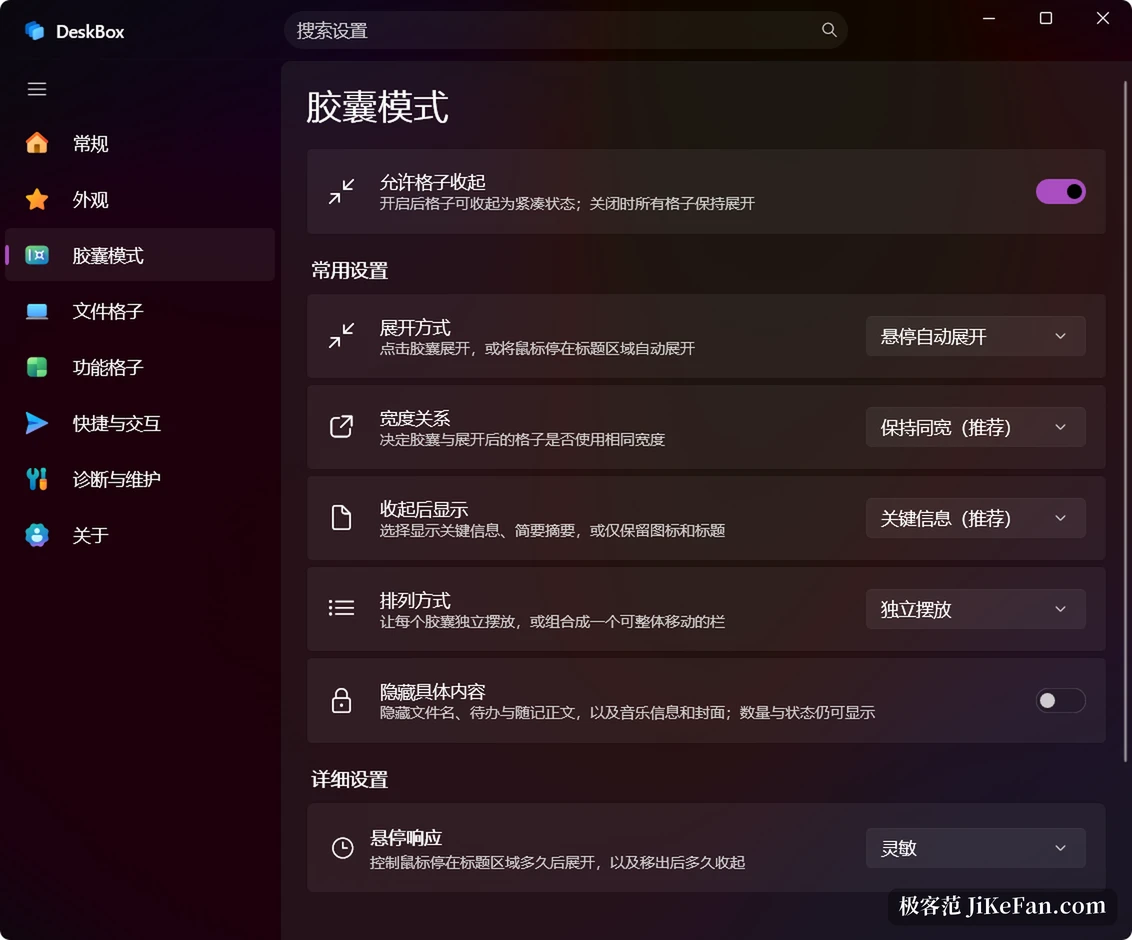
Tools that live on the desktop tend to become the new clutter. Any cell can collapse into a capsule that keeps only its icon and title, or a single line of summary; hovering or clicking expands it, and the direction of expansion follows the capsule position on screen. Several capsules can be merged into one bar and moved or ordered together.
The extra cells
Some things deserve to be closer than a folder. A to-do cell supports deadlines, reminders, repeating tasks, eight colour tags and several attachments, and an attachment can point at the original file or be copied into the folder DeskBox manages. A note cell is a sheet of paper on the desktop that takes text and images and can pin what you use often. A music cell drives the Windows media session rather than starting its own player, so tracks, volume and cover art work as usual. A weather cell gives hourly and weekly forecasts by location or a chosen city, a time cell keeps the date, weekday, lunar date and solar term on screen, and a search cell queries the local index across files, apps, settings, notes and to-dos in one list.
What native-first means in practice
Where Windows already has the capability, DeskBox uses it instead of pulling in a heavy third-party stack. The context menu follows the Windows 11 style, with a real Open with and native ZIP compression. The tray icon and a global hotkey show or hide everything and toggle always-on-top. F7 hides every cell for a bare wallpaper, and pressing it again brings them back above the current window. Layering follows a dynamic policy: a cell comes to the front when called by tray or hotkey, but does not then hold the top forever, so clicking another application puts that application on top.
There is no database of its own and no change to file formats, so uninstalling leaves files and folders as they were. Backups can run locally or on a schedule to your own WebDAV space.
What 1.5.7 fixed, and what to watch
Version 1.5.7 concentrated on exit reliability. Quitting from the tray now always ends the process; previously, on machines with UAC turned off or File Explorer running as administrator, a background process could survive the exit, gradually consuming memory and holding the context-menu proxy. Every exit path now has a delayed forced termination as a fallback. A settings card that overflowed its title and description on Windows 10 was fixed, and several dialogs follow the application theme again. The current stable build is 1.5.9.
Two things are worth knowing in advance. The installer carries no digital signature yet, so the security prompt is stricter than usual and checking the hash first is reasonable if that matters to you. The project is maintained by a single author, so the pace depends on one person. Neither point stops it being used daily, but knowing beforehand beats discovering it afterwards.
DeskBox never really solved how to make a desktop clean. It makes dumping and ordering coexist: cells give things a place without keeping that place in their own hands, files stay ordinary files, and uninstalling leaves everything where it was.