
CosyVoice covers 9 languages and 18 Chinese dialects, with zero-shot cloning on top
Summary
An open source speech synthesis model whose latest generation handles cross-lingual zero-shot cloning, 9 foreign languages and more than ten Chinese dialects and accents, released under the Apache 2.0 licence.
Recommend- Name
- CosyVoice
- Version
- 3
- Pricing
- Free
- Open source
- Open source
- Operating system
- WindowsLinuxmacOS
- Updated
- 2026-10-06 19:49
Most open source speech models sell the same idea: how human does it sound. CosyVoice takes a different angle, and puts coverage first — 9 languages, 18 Chinese dialects and accents, plus cross-lingual zero-shot cloning. The repository describes itself plainly as a multilingual large speech generation model offering a full stack of inference, training and deployment.
The code is under the Apache 2.0 licence, and the current generation is Fun-CosyVoice 3.0. Officially it is a speech synthesis system built on a large language model, and it improves on CosyVoice 2.0 across three fronts: content consistency, speaker similarity and prosodic naturalness.
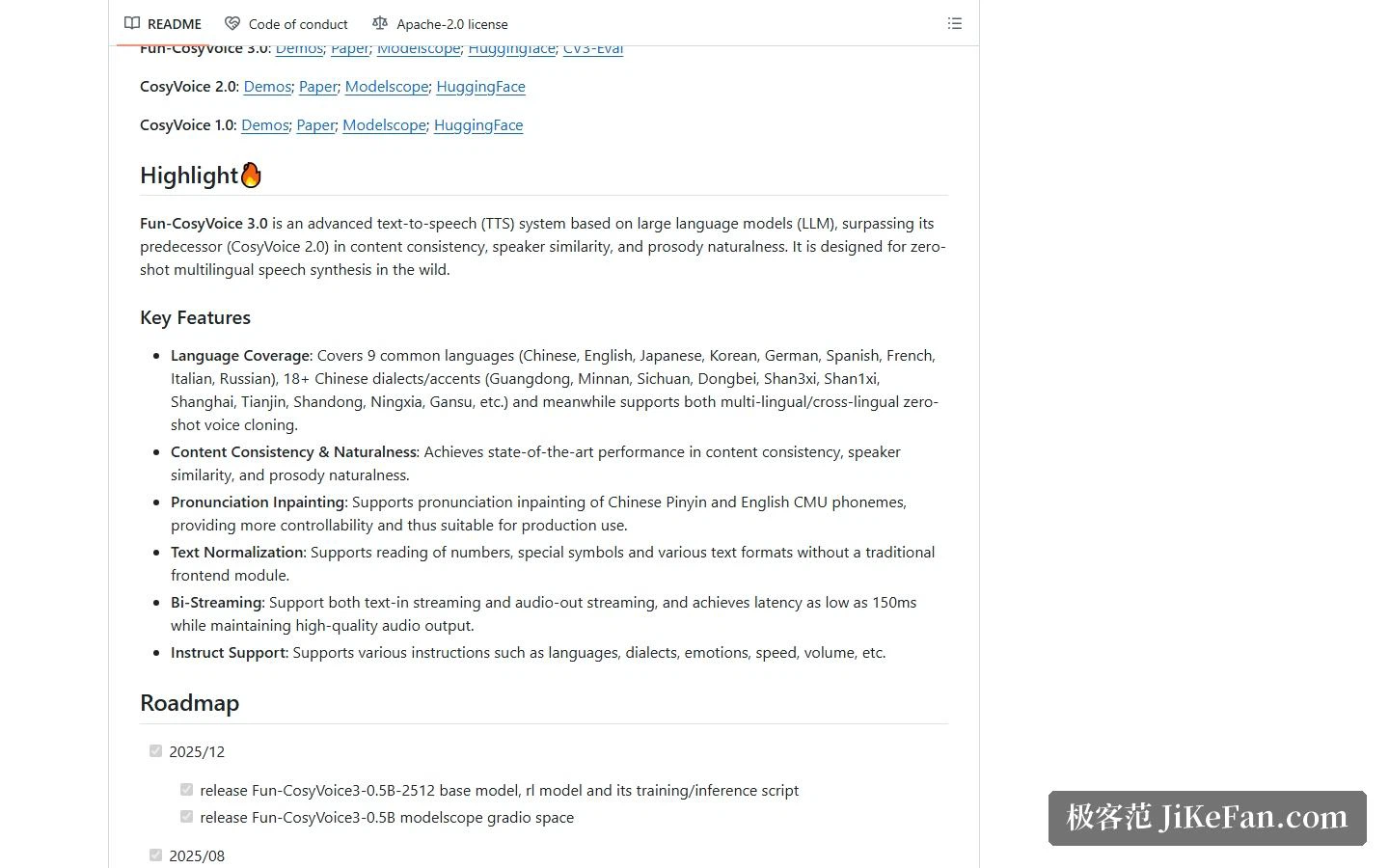
Start with the coverage: 9 languages, 18 Chinese dialects
The nine listed languages are Chinese, English, Japanese, Korean, German, Spanish, French, Italian and Russian. For anyone working in Chinese, the dialect line matters more: more than 18 Chinese dialects and accents, with the official examples naming Guangdong, Minnan, Sichuan, the Northeast, Shaanxi, Shanxi, Shanghai, Tianjin, Shandong, Ningxia and Gansu.
The hard part of dialect support is not whether a model can pronounce the words. It is that the corpora are scarce and the sound system diverges sharply from standard Mandarin. Listing dialects as a headline feature suggests the investment in Chinese-language material was deliberate rather than incidental.
Zero-shot cloning, and steering tone with instructions
On cloning, the official description puts multilingual and cross-lingual zero-shot in the same sentence, which means a sample recorded in one language can drive synthesis in another, with no fresh dataset per language.
The other practical feature is instruction control: language, dialect, emotion, speed and volume can all be specified up front. For anyone producing spoken content, that is far more controllable than regenerating until something lands. Pronunciation correction is listed separately too, with support for intervention through Chinese pinyin and English CMU phonemes, so a polyphonic character or a foreign proper noun can be fixed by hand.
Streaming inference: latency down to about 150 milliseconds
The feature list promises bidirectional streaming — streaming text in, streaming audio out — with latency as low as 150 milliseconds while holding audio quality. That number is what decides real-time conversation. If synthesis is going inside a support bot or a voice assistant, latency is the line between usable and not.
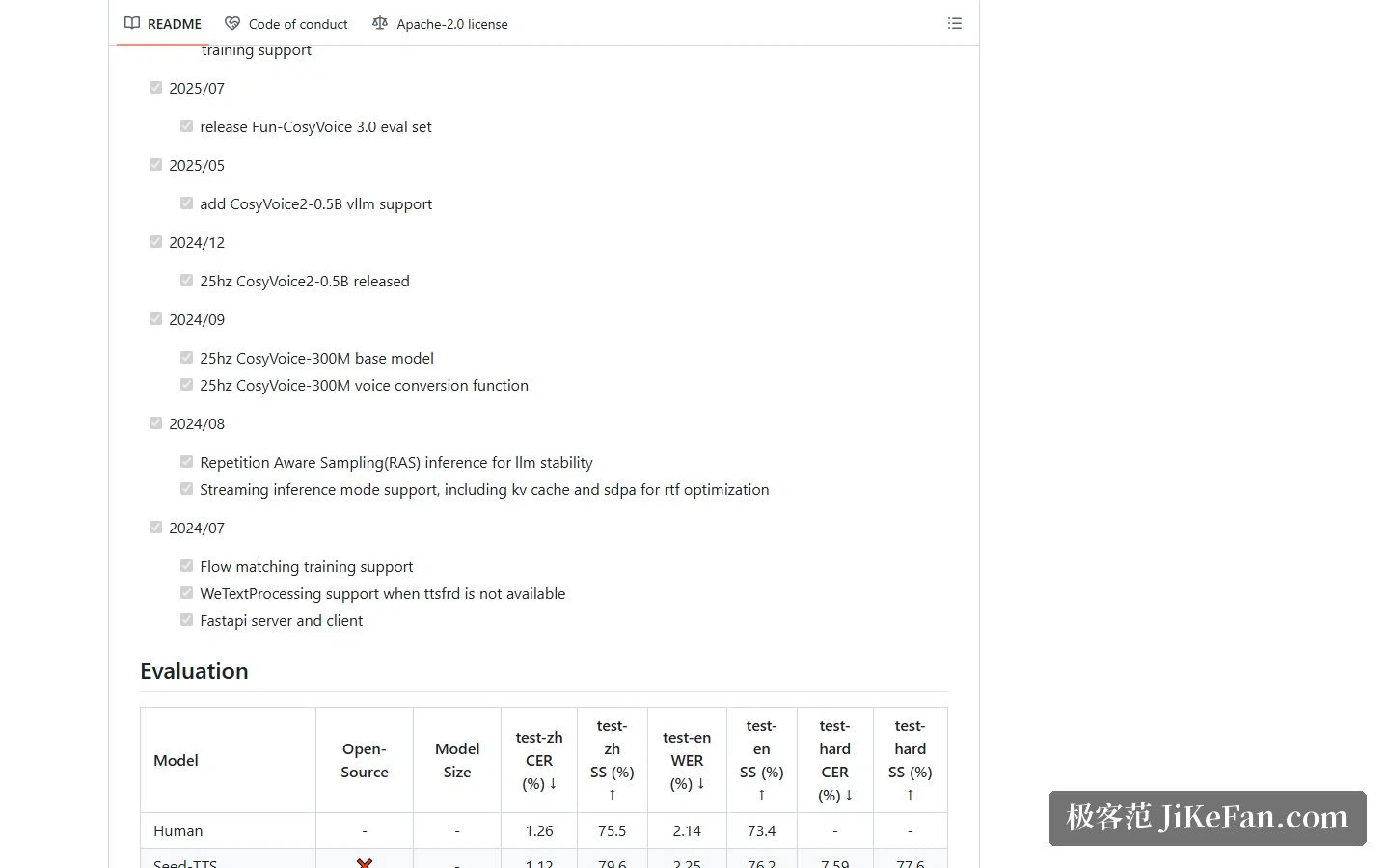
Which version and which checkpoint
There are three generations so far: CosyVoice 1.0, CosyVoice 2.0 and Fun-CosyVoice 3.0, each with a paper and a model repository entry. The downloadable checkpoints go beyond one: CosyVoice-300M at roughly three hundred million parameters, its fine-tuned sibling 300M-SFT and its instruction variant 300M-Instruct, then CosyVoice2-0.5B and the newest Fun-CosyVoice3-0.5B.
The documentation recommends Fun-CosyVoice3-0.5B outright, on the grounds that it performs better. If the work leans on instruction control, take a build with Instruct in the name; if the goal is just to get the pipeline running, the three-hundred-million version is smaller and puts far less pressure on memory.
Installing: one Conda environment and a model download
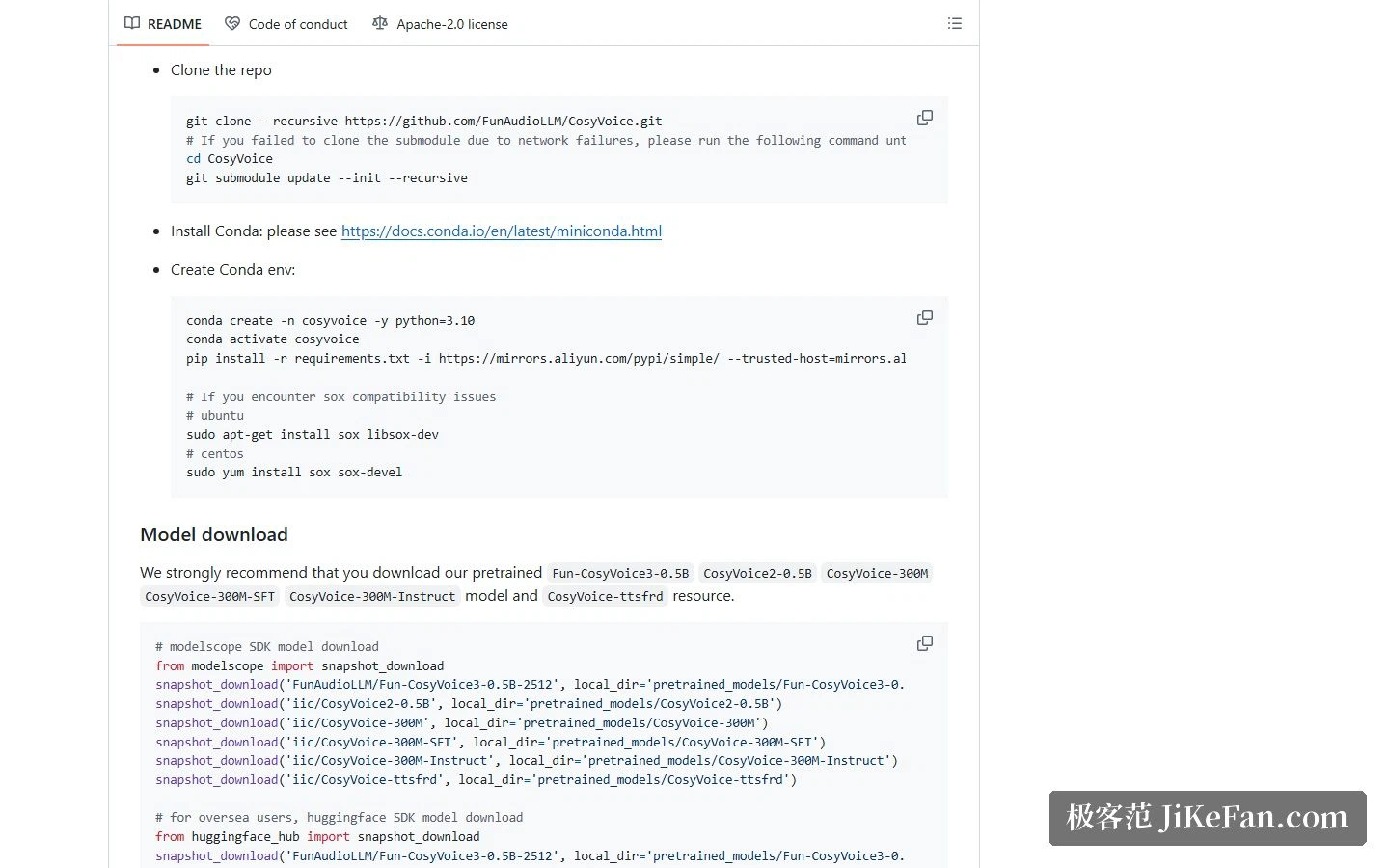
The official path is to clone the repository with its submodules, build a Python 3.10 environment with Conda, install the dependencies, then pull whichever pretrained model you need. Checkpoints come from either ModelScope or HuggingFace, and users inside China will find the first smoother.
One detail is worth catching. Text normalisation goes through wetext by default; if you separately unpack and install the ttsfrd resource pack, numbers and symbols are read better. The documentation is clear that this step is optional and can be skipped.
Running it, and when you need more speed
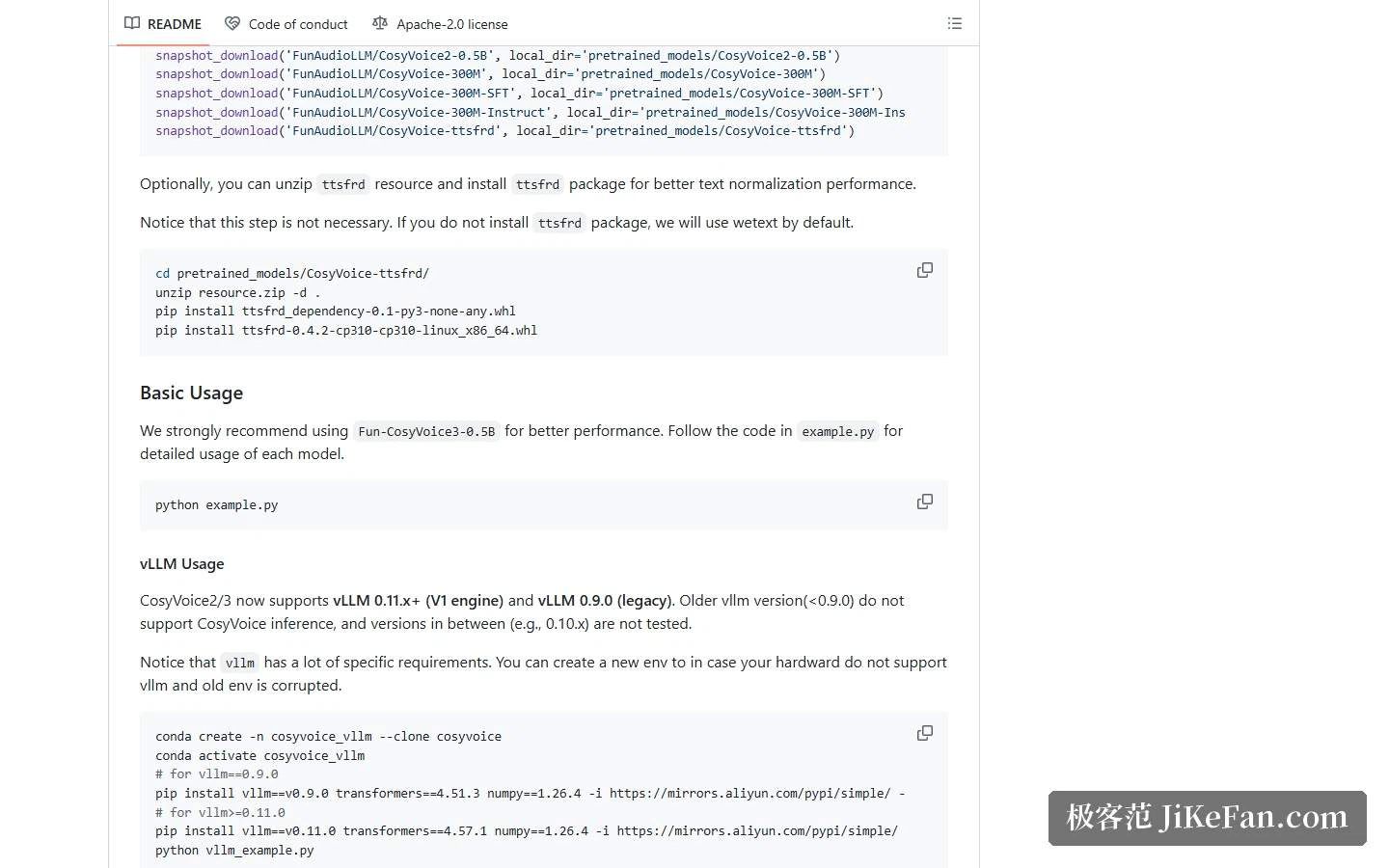
The quickest check is to run the official example scripts, or start the web demo and point it at a model directory and a port, then listen in the browser. If throughput or latency becomes the constraint, CosyVoice 2 and 3 support vLLM acceleration, with a version caveat: the documentation supports the newer engine from 0.11 upward and the older 0.9.0, versions below 0.9.0 cannot run inference at all, and anything in between has not been validated.
Who it fits
If the need sits in Chinese — especially dialects, controllable tone and pronunciation fixes — this combination lines up better than a general English-first TTS. Add open code and local deployment, and it also suits anyone whose data cannot leave an internal network.
Two things still need checking first. One is the licence on the model weights: the repository code is Apache 2.0, but before putting generated audio into commercial use, read the authorisation terms attached to the weights themselves. The other is legality. Making content with someone else's voice, and especially a public figure's, can touch personality and voice rights, and the provenance of those rights should exist on paper rather than in assumption.
Open speech models have moved fast these two years, and the list of covered languages and dialects keeps filling in. The technical choices have multiplied; what is left is a question for the person holding the tool — whose voice should the machine use, and what should it say.