
Typeset a paper without writing LaTeX: Compositor turns the rendered page into the document
Summary
A what you see is what you get LaTeX editor by an independent developer in Austria: the page re-typesets on every keystroke, formulas are built from blocks, and documents stay plain text files.
Recommend- Name
- Compositor
- Version
- 0.9.1
- Pricing
- Free
- Open source
- Proprietary
- Operating system
- WindowsmacOS
- Website
- https://compositorapp.com/
- Updated
- 2026-10-09 21:33
Compositor treats the typeset result as the document you write in. It goes after the most expensive loop in academic writing and tries to remove it.
LaTeX has almost no rival for typesetting quality in academic and technical publishing, yet the way it works has barely changed in thirty years: write source in a text editor, compile, switch to another window to look, go back and change something. The longer the document, the slower the compile, and the more often you wait. A typesetting system built on TeX is supposed to leave your attention on the content, and instead the workflow keeps pulling you back to the tool.
Compositor is a what you see is what you get LaTeX editor by Karl Traunmueller, an independent developer in Austria. The central change fits in one sentence: the viewer that used to exist only to show the result is now the place where you write.
Typing is the typesetting
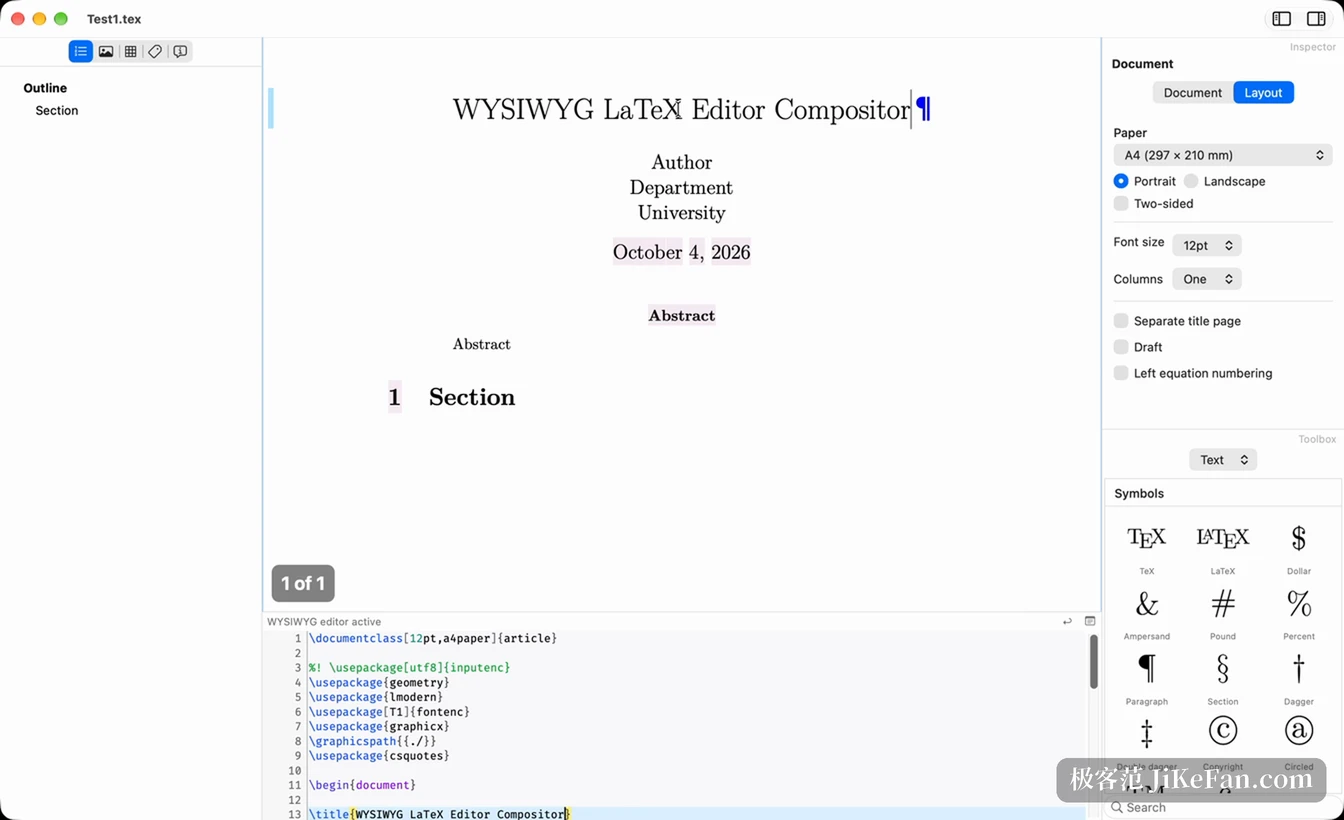
Inside Compositor you are not looking at LaTeX source. You are looking at a page that has already been typeset. Put the cursor anywhere and edit there; every keypress re-typesets the document and the result appears immediately. The official name for this is zero turnaround, and it means no more compile, wait, check, repeat.
The feel is indistinguishable from an ordinary word processor, but the engine underneath is still LaTeX and the output is still academic quality typesetting. What you drop is the waiting and the window switching, not the quality.
When you need precise control, the source is right there
Seeing the result does not mean giving up control. Some passages always need the source directly: commands from an obscure package, or an environment that has no graphical panel yet. Compositor keeps a source editor in a strip at the bottom of the same window and shows the LaTeX for whatever region the cursor sits in, ready to be edited by hand.
That strip is not a token text box. It highlights syntax, offers a completion list when you type a command, and matches brackets by highlighting them. It finds text, jumps to a given line, and can display spaces and tabs so misalignment becomes visible. Warnings and errors are marked on the scroll bar, and a click takes you to the detail.
Formulas no longer need hand written macros
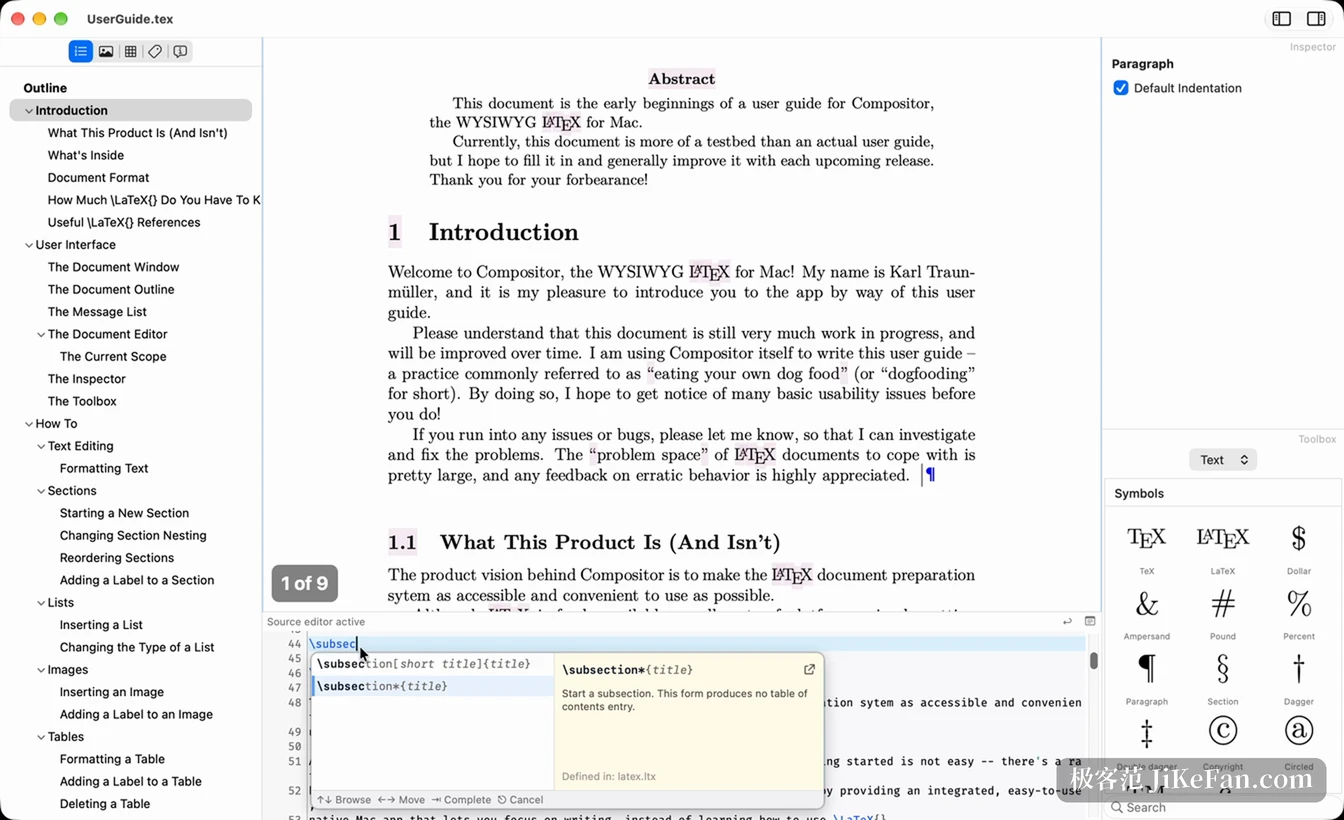
Mathematics is the part of LaTeX that gets used most and blocks newcomers hardest. Compositor ships a graphical equation editor that breaks a formula into blocks you click on, so you pick the structure from a category and build it up without memorising how commands nest.
Formulas you already wrote can be revisited the same way: double click one and the editor opens, where you can select, replace or delete a part and the underlying LaTeX follows along. The equation editor arrived in version 0.9, and 0.9.1 added the small detail of focusing the first placeholder after a template is inserted. It is still being finished.
Install it and write, fetch the rest as you go
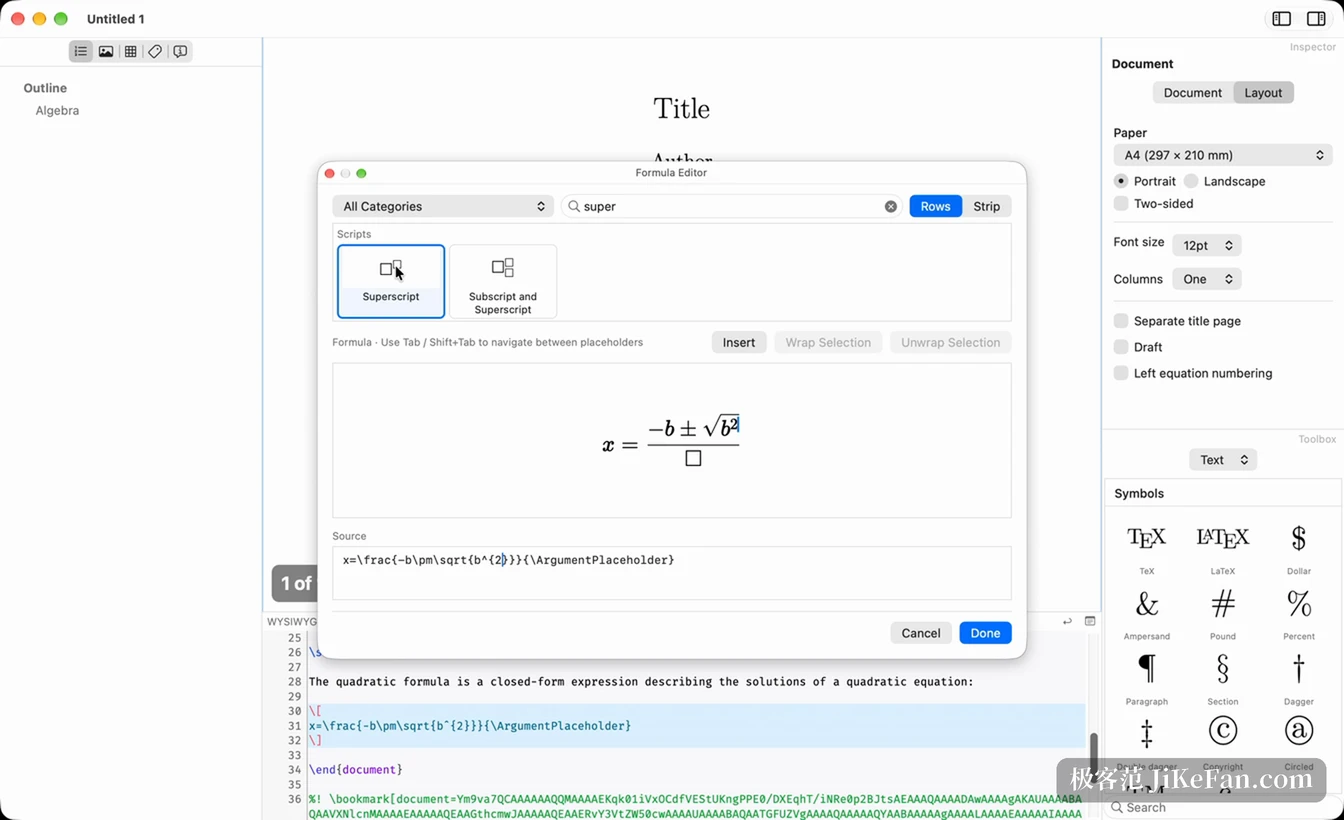
Setting up a LaTeX environment has always been a barrier of its own: a distribution of several hundred megabytes, then manual upkeep of package updates. Compositor builds a basic TeXLive distribution into the application, so writing can start as soon as it is installed, with no extra configuration. If a document calls for a package that is not present locally, the application fetches it from CTAN and installs it without manual steps.
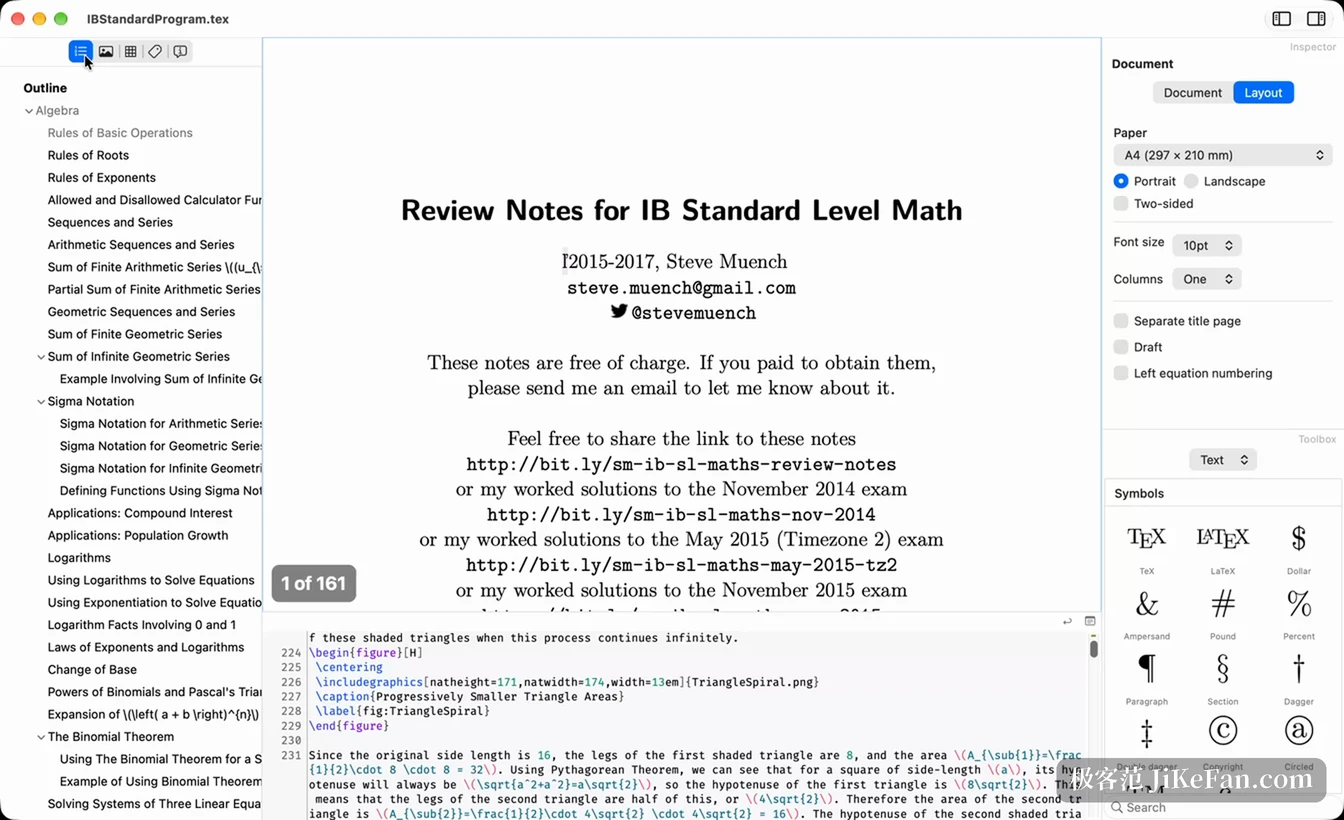
Documents are always read and written as plain text, fully interchangeable with existing LaTeX work, with no proprietary project format, so leaving for another tool is always possible. Files stay on the machine, the application runs inside a sandbox and asks only for what it needs. For long documents an outline panel on the left lists the chapter structure in full and jumps straight to a section.
Where the product stands right now
Compositor is offered as a free preview. The macOS and Windows builds are functionally identical and share one core codebase, and the developer states plainly that nothing is limited at this stage. The requirements are macOS 12.0 or newer and Windows 10 or newer.
The current version is 0.9.1, released on 6 October 2026. Compared with the previous build, the minimum system requirement moved up to macOS 12.0. This release also polished the equation editor and fixed an occasional failure caused by a file handle that was not released during typesetting. From this version the application can also check for and install updates itself.
The developer is direct about money: nothing will be charged until Compositor is usable enough that a student could finish a master thesis in it. The full roadmap is tracked publicly on GitHub, though that repository only records issues and plans and does not contain the source code.
The value of LaTeX is what it produces, not how hard it is to write. Compositor tries to keep the first half while sparing you the second.