
Claude Code keeps the code on your machine and works from the terminal
Summary
One command puts an agent to work on the whole repository: it reads, edits, runs commands and opens a pull request, while the code stays local and no remote index is involved.
Recommend- Name
- Claude Code
- Version
- 2.1.269
- Pricing
- Paid
- Open source
- Proprietary
- Operating system
- WindowsmacOSLinux
- Updated
- 2026-10-05 19:33
Type a command and an agent starts working on a repository it can read end to end: it opens files, edits them, runs commands, and finally turns the result into a pull request. That is the ordinary shape of a working day with Claude Code. The official description of how it runs is unusually direct: it lives in a local terminal and talks straight to the model API, with no backend server in between and no remote code index to consult.
According to the official wording, it understands project structure and dependencies through a form of search intelligent enough that you do not have to hand-pick the context files it should read.
Code staying on the machine is a real point in favour of it for teams with opinions about data boundaries. It also drives command line tools, which lets one flow run end to end: read the issue, write the code, run the tests, submit the pull request, all without leaving the terminal. You do not have to watch the window the whole time either. A status bar along the bottom reports the model in use, the working directory, the current branch, and which files have changed and which are still unstaged.
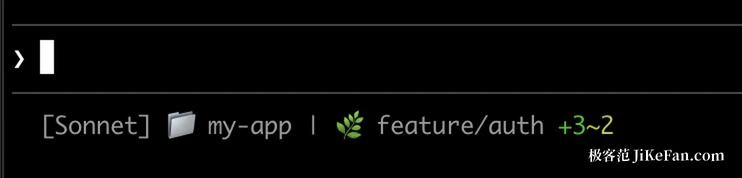
It asks first, before touching anything
Editing a file or running a command requires permission first. That looks like a small design decision and is in fact the one that decides whether you dare let it run unattended for a long stretch. Authority stays with you: approve one action at a time, or write a rule that covers a whole class of actions. Rewinding becomes practical as a result. The built-in rewind instruction leans on automatic checkpoints and can return precisely to an earlier point in the conversation and the local files it touched, and you choose whether the code rolls back with the conversation or the conversation alone rewinds while the code stays.
Five entrances, one agent behind them
The terminal is the starting point, not the only way in. An extension for VS Code brings inline diffs, at-mentions, plan review and session history. The JetBrains family has its own plugin, with interactive diff viewing and shared selection context. A desktop application runs Claude Code outside any editor or terminal, with visual diff review, several sessions in parallel, scheduled tasks and cloud sessions. The web version needs no local installation at all. On phones there are iOS and Android apps, and remote control lets the same piece of work continue from a handset.
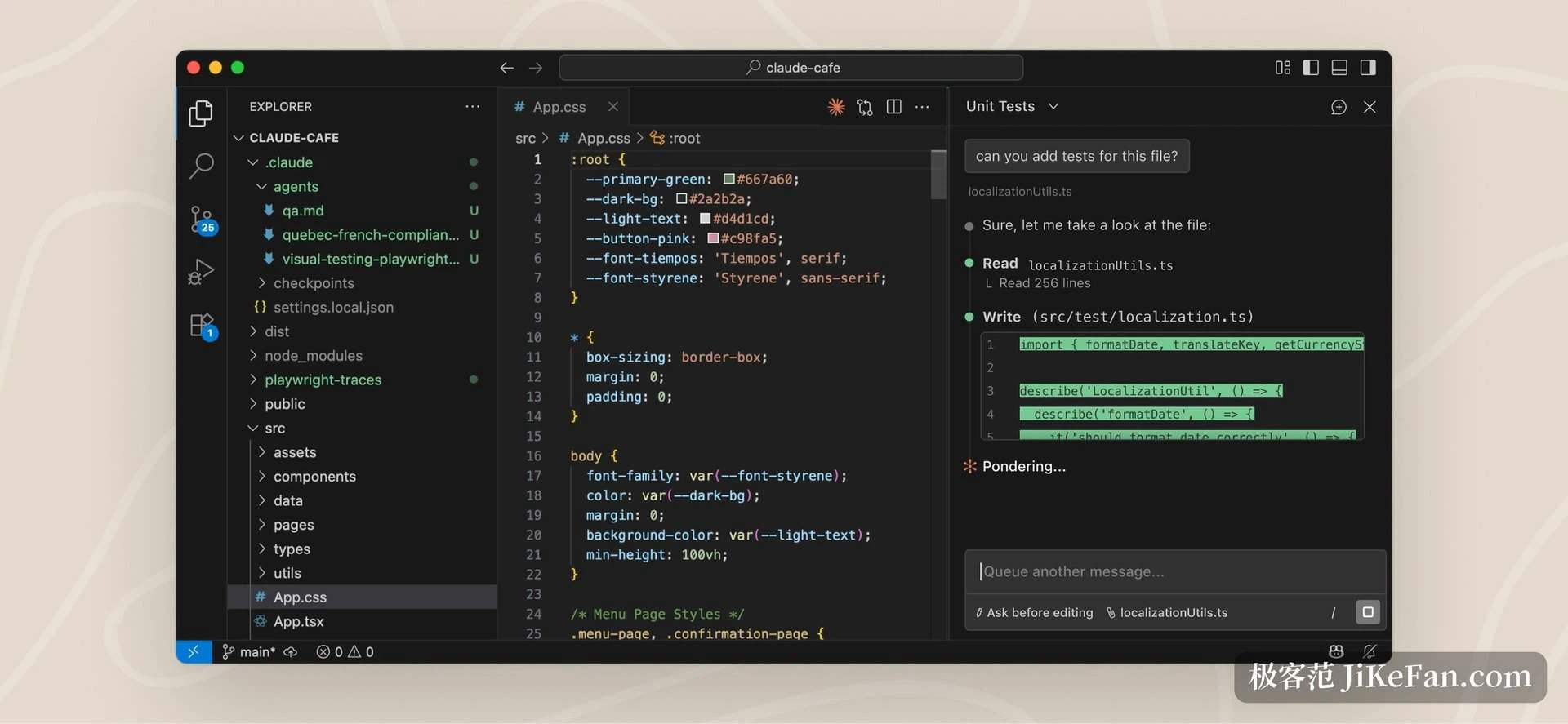
Different entrance, same agent. Start in the terminal, check progress from a phone on the way out, come back and review the diff in the desktop app, and the context never has to be explained again in the middle.
One hard job, spread across dozens or hundreds of sub-agents
When the work is genuinely heavy, it spreads the task over dozens to hundreds of parallel sub-agents and reviews the result itself before handing it over. Each sub-agent owns a different part of the job, while a lead agent coordinates, dispatches the pieces and merges what comes back.
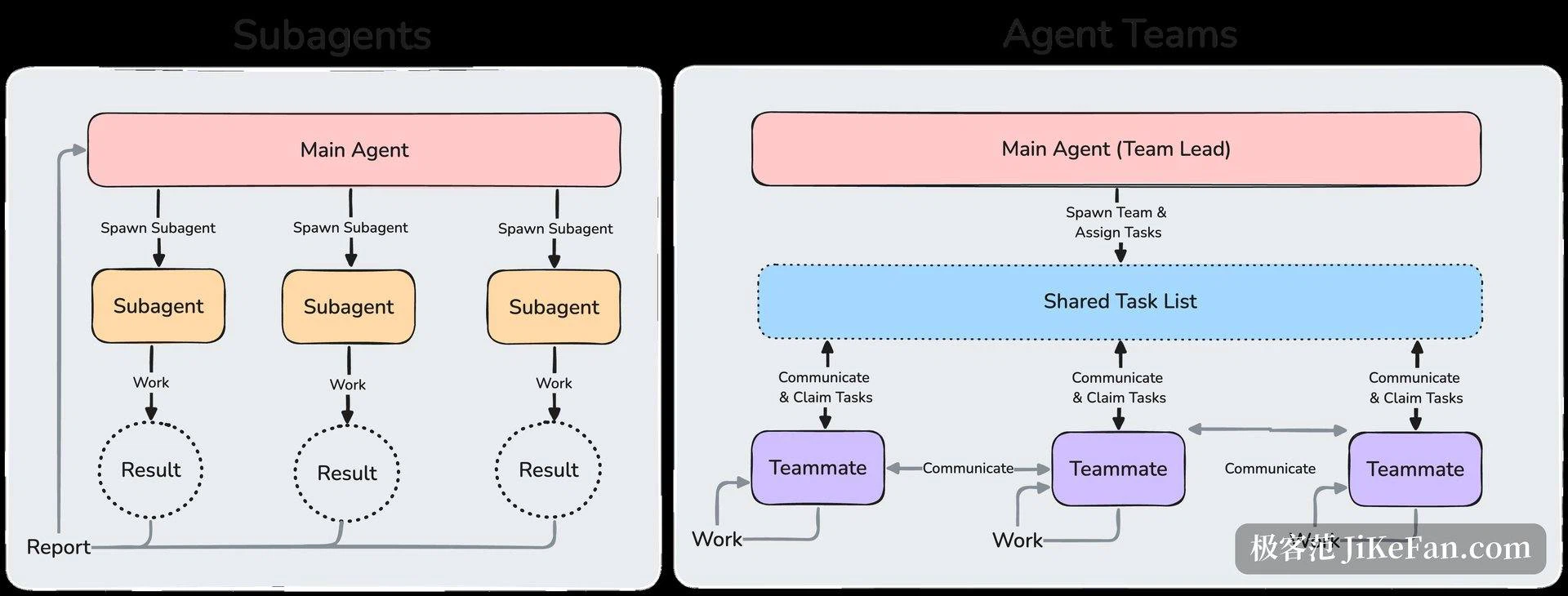
If handing the whole thing over is not what you want, there is a plainer form of parallelism: open several sessions at once, each in its own git worktree, one fixing a bug while another investigates an issue, and let them step on nothing. The session list groups the work by waiting on you, running, and finished, so a glance shows where each one stopped.
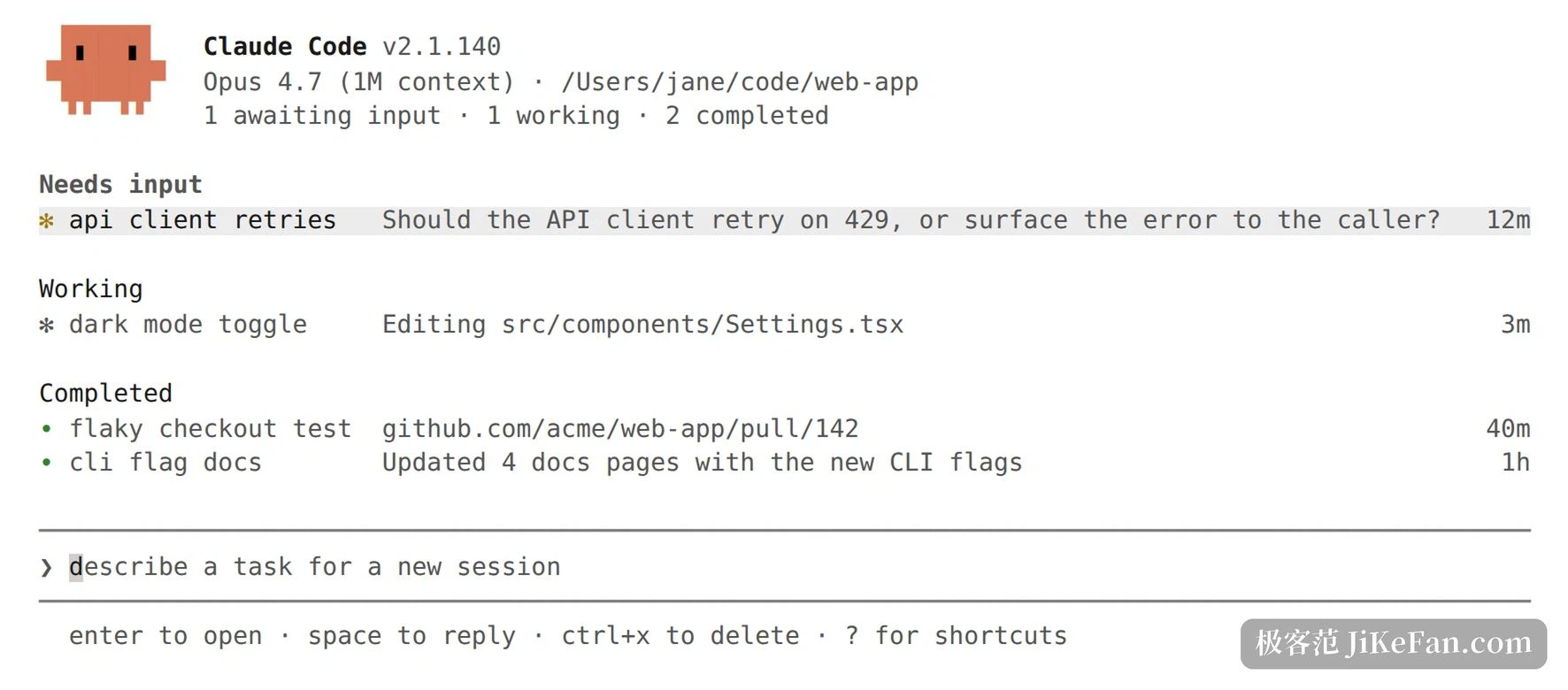
Turning a repeatable process into something stored
Finishing a task is easy; finishing it the same way every time is the hard part. Four openings address that. MCP is an open standard for connecting AI tools to external data sources, so it can read design documents sitting in cloud storage, update entries in a ticket system, pull data out of a chat tool, or call an internal service of your own. Skills package recurring processes into a form a team can share, such as one command for review and one for a release. Hooks run shell commands before or after an action, formatting after every edit or running checks before every commit. Routines are jobs configured once and then triggered on a schedule, through an interface call, or by an event.
Project-level conventions go in a file at the repository root. It reads that file every time, so the house rules never have to be repeated in conversation.
Where it runs, and what it costs
macOS, Linux and Windows are supported, and on Windows a WSL environment works as well. Several distribution channels exist, and the native route updates itself in the background so version numbers stop being something to remember. It is not a tool that starts working for free: an account of the right kind is required, whether an individual Pro or Max plan, a premium seat on a team or enterprise plan, or a developer console account.
On the individual side Pro costs seventeen dollars a month billed annually as two hundred up front, or twenty month to month. Max comes in two steps, one hundred a month for five times the usage and two hundred for twenty times. Going through a developer console account instead bills tokens at standard API rates.
How it runs a local terminal talking straight to the model, with no backend server and no remote code index.
Permissions a request before any file edit or command, with rules to approve a whole class at once.
Entrances terminal, VS Code, JetBrains, desktop app, web and mobile.
Parallelism dynamic workflows spreading to dozens or hundreds of sub-agents, with a self-check before delivery.
Extension points the MCP standard, Skills, Hooks and Routines.
Platforms macOS, Linux and Windows, WSL included.
Putting the agent in the terminal saves a window. Keeping the authority in your hands is what buys the confidence to let it keep running.