
Calendars by Readdle: events and to-dos in one view, now at 5.39.5
Summary
Calendars is a calendar app from Readdle for iPhone, iPad and Mac that keeps events and to-dos in the same view, with natural language input, multi-account sync, colour coding and calendar sharing.
Recommend- Name
- Calendars
- Version
- 5.39.5
- Pricing
- Free
- Open source
- Proprietary
- Operating system
- macOSiOS
- Website
- https://readdle.com/calendars
- Updated
- 2026-10-11 20:31
The hard part of a calendar is not a busy day; it is keeping the work plan and the private plan in two separate places.
Events and to-dos on one screen
Calendars is a calendar app from Readdle, built for iPhone, iPad and Mac. The company calls it an all-in-one personal assistant, and the reason is stated plainly: work tasks, personal to-dos and calendar events can be organised side by side, and each of them takes a due date, a repeat schedule and a reminder. The point is that a day no longer needs to be cross-checked in two apps, because the meeting block and the thing that has to be delivered sit on the same sheet.
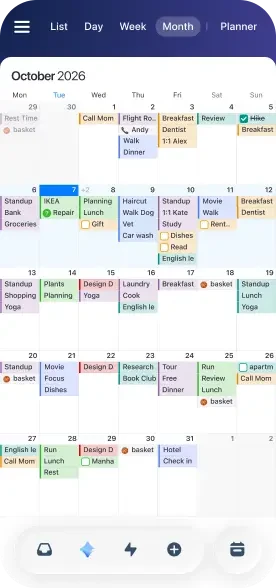
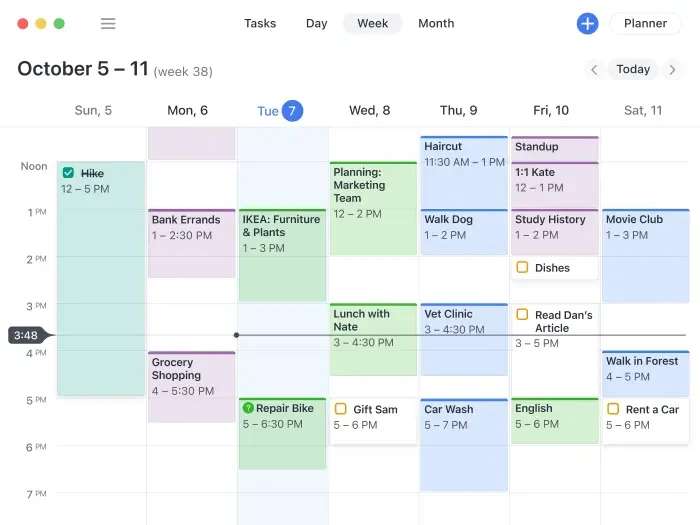
Views are the basic craft here. The month view spreads the important dates across a phone screen, and the week view lays out a week of events and to-dos. Calendars also offers widgets, so the schedule is visible on the home screen or the lock screen without opening the app each time.
That combination is what separates a calendar from a task list. A task list answers what has to be done; a calendar answers when there is room for it. Putting both on one surface makes the second question visible at the moment the first is answered, and that is the whole argument for the design.
Small details that shorten the work
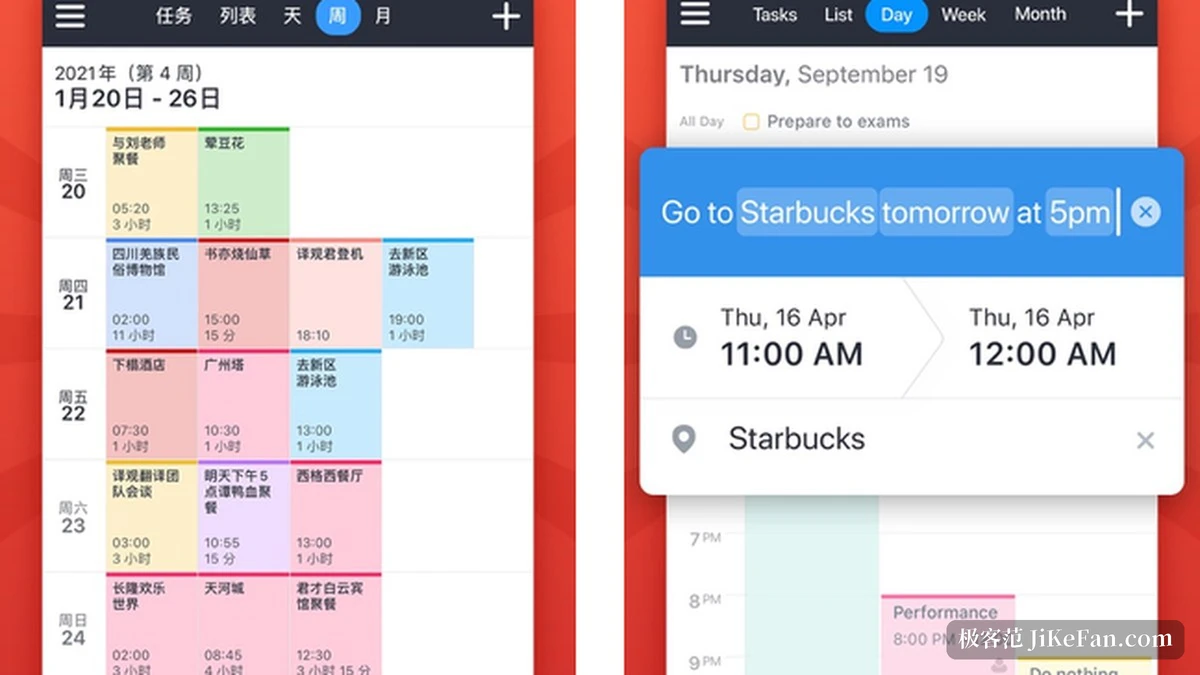
Natural language input is probably the most convenient part. The company gives an example: type the time, the place and the people the way one would say them, and the app turns the sentence into an event with the right time, location and contacts. For anyone who has to jot something down between other things, that beats tapping through layers of date pickers.
Colour coding solves recognition. Calendars lets a calendar, or a single type of entry, carry a colour, so it is obvious at a glance which category today, this week or this month belongs to. Multi-account sync solves provenance: Google Calendar, Outlook meetings, iCloud reminders and Google tasks can be merged into one view, and the company publishes a list of the account types that can be connected.
Sharing is the third piece of the same idea. Any calendar can be handed to family, friends or colleagues, who see updates in real time on whatever device they use. For a household sharing one calendar or a small team sharing one schedule, this matters more than syncing between devices, because the entry point for collaboration is the calendar itself.
Item | Official notes |
|---|---|
Devices | iPhone, iPad and Mac |
Core idea | events and to-dos managed side by side in one view |
Account sync | Google Calendar, Outlook, Exchange, iCloud and others |
Creation | natural language input, one sentence becomes an event |
Views | month view, week view and home screen widgets |
Sharing and everyday records
Two further features lean towards daily record keeping. Habit tracking uses reminders and a check-in on the watch to help a routine stick, and mood logging writes down how a day felt, which makes energy over a stretch of weeks easier to see. Both push the app a step away from pure scheduling and towards watching a rhythm.
On versions, the store listing shows 5.39.5 as current, dated 9 October 2026, with release notes describing technical and performance adjustments rather than new features.
It is worth saying what such an app does not do. It organises what already sits in the connected accounts; it does not invent a schedule, and it will not resolve two meetings placed at the same hour. The judgement about what deserves an hour still belongs to the person holding the phone.
A tool that keeps the plan and the record together tends to survive, because it answers not only when, but also where the time went.
A few practical notes. Connect both the work and the private calendar first and separate them by colour, because readability changes immediately once they are mixed. Fix the event types used most often into a couple of natural language phrasings, and creation becomes close to copying. For a shared family or team calendar, open only the one that has to be shared rather than laying out every arrangement.