
Blender Benchmark: the official yardstick for render performance
Summary
Blender Benchmark is the Blender Foundation open source render benchmark, measuring Cycles performance on fixed scenes for CPU and GPU, with scores that can be uploaded anonymously to Open Data and compared with machines worldwide.
Recommend- Name
- Blender Benchmark
- Version
- 3.3
- Pricing
- Free
- Open source
- Open source
- Operating system
- WindowsmacOSLinux
- Website
- https://opendata.blender.org/
- Updated
- 2026-10-06 13:17
Game benchmarks say nothing about rendering power
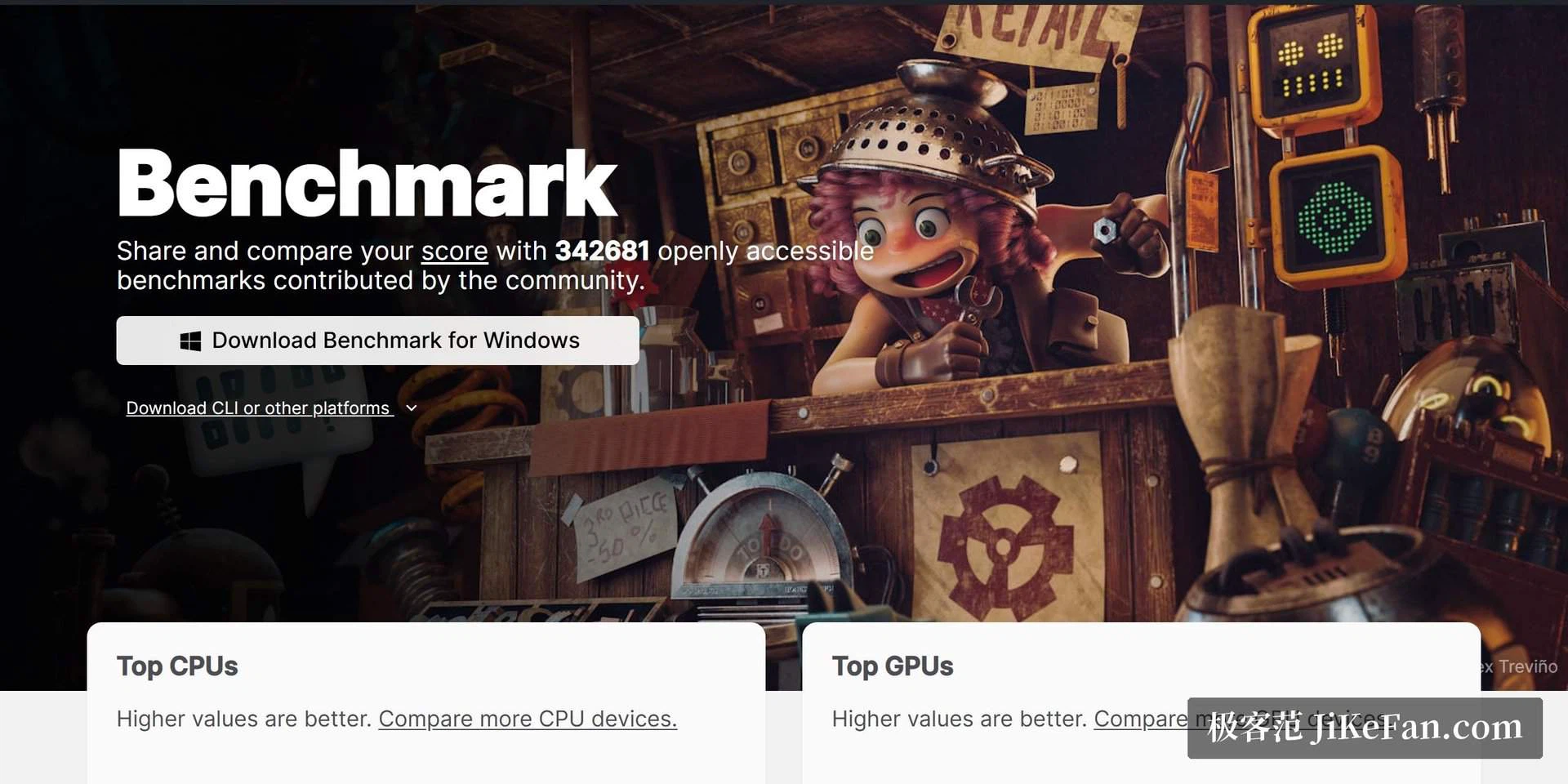
Graphics card reviews are everywhere, and almost all of them are built around frame rates in games. The people who do three dimensional work, motion design or architectural visualisation care about a different number: how long Cycles takes to finish one image. Blender Benchmark is the official yardstick built for that question. It comes from the Blender Foundation community, it runs Cycles on fixed scenes with a fixed sample count, and it turns rendering power into a score that can be compared across machines.
The distinction is not pedantic. A card that wins every game benchmark can lose badly on a path tracer, because the work is different in kind: rays are traced rather than frames pushed out on a schedule. Choosing hardware for rendering on the strength of a gaming score is how people end up with an expensive machine that is slower than the one it replaced.
A few minutes for a result, comparable worldwide
The barrier to using it is startlingly low. Download the launcher, pick a scene, press start. The Monster, Classroom and Junkshop scenes cover different kinds of rendering load, and both the processor and the graphics card can be measured, through CUDA, OptiX, HIP and oneAPI.
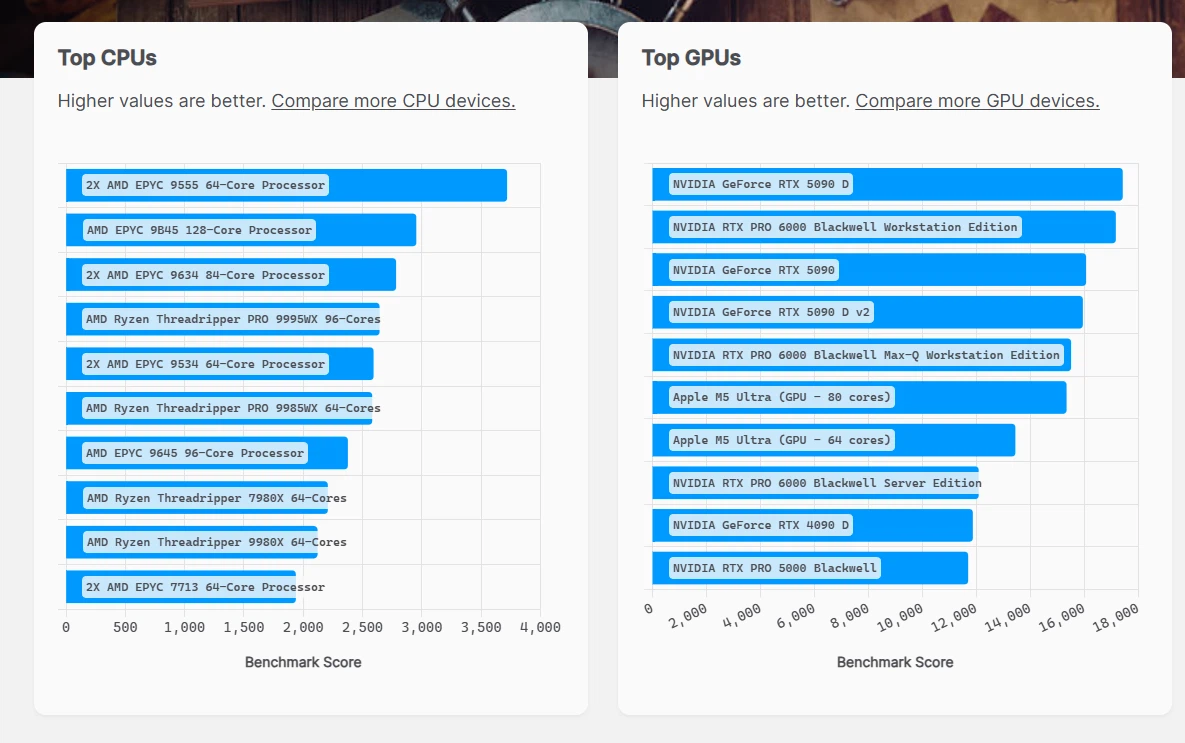
When it finishes, the score can be uploaded anonymously to the Blender Open Data platform, where hundreds of thousands of machine results from around the world are already waiting. Enter your card model and the ranking band appears immediately, which settles three questions at once: whether a card is worth buying, whether the card you were sold performs as it should, and whether a complete machine meets expectations. All of the data is anonymous by default, so there is nothing to configure before taking part.
Open source, transparent, and usable offline
The whole tool is published under the GNU GPL, the test scenes are public domain content, and the result data is downloadable in public domain form as well. For a benchmark that level of transparency is about as far as it goes, and it matters because a score is only worth reading if the method behind it can be inspected.
It also runs completely offline: once the scenes and scripts are downloaded, the test can be executed with no network at all, which suits machine rooms and internal networks where nothing is allowed out.
The current version 3.3 was updated in 2026-03, with Windows, macOS and Linux all covered. Whether the job is choosing a rendering workstation or checking that an overclock is stable, this is the first reference point for hardware bought for creative work rather than for play.
One habit is worth keeping: run it twice. A single pass is a data point, and a card that throttles after a minute will look better on the first run than on the second. Because the three scenes load the machine differently, the breakdown often says more than the total, and a machine that scores well everywhere is a safer purchase than one carried by a single scene.
For a studio the calculation is different but the tool is the same. Commissioning a workstation means writing down what was expected of it, and a score from a public benchmark is a specification both sides can check later without argument.
There is the second-hand question as well. A card bought privately arrives with no history, and ten minutes of Cycles gives a more honest account of its condition than anything the seller says.
A score is only a starting point, though. It describes a machine under fixed conditions and says nothing about whether drivers, cooling or the power supply will hold up across a long working day. That part has to be learned from your own record of using it.
What matters most in a benchmark is that it can be trusted. Open source code, public scenes and anonymous data are the three pieces Blender Benchmark uses to make its credibility the product itself. If you want to know what your machine can actually do when rendering, one run tells you more than ten reviews.