
BeeCount Keeps the Ledger on Storage You Choose, Not on a Vendor Server
Summary
A free expense tracker for Android, iOS and the web, built by an independent developer and published with its code visible. It offers five ways to sync, from the system cloud to WebDAV, S3 or a self-hosted backend, so the ledger lives on storage you picked rather than on someone else's server.
Recommend- Name
- BeeCount
- Version
- 20260613
- Pricing
- Free
- Open source
- Open source
- Operating system
- AndroidiOSWeb
- Website
- https://beecount.youths.cc/
- Updated
- 2026-10-20 22:00
There are already enough expense trackers
The category splits roughly in two. One kind is feature-stuffed and keeps your ledger on the vendor's servers, which is fine until the vendor changes its mind. The other kind is small and pleasant, and either charges a subscription or never gets around to the second platform. BeeCount sits between them: free, cross platform, with a choice of how the data travels, and with neither advertising nor a membership tier.
It is the personal project of a single independent developer, built on a cross-platform framework and hosted publicly, where the code can be read. The release rhythm is fast enough that updates arrive most weeks. Because the source is visible, the two things people actually worry about can be checked rather than trusted: whether anything is uploaded quietly, and whether anything is injected into the interface.
Five ways to sync, all of them yours
This is the part that distinguishes it. Nothing is tied to one cloud provider; five routes are offered instead. The system cloud is the easy one on iOS. WebDAV is a general protocol, so a commercial net disk or a self-hosted one both work. S3 covers object storage, whether rented from a large provider or run at home. A self-hosted open source backend is the fourth. The fifth is a lightweight cloud service the author runs himself, for people who would rather not configure anything.
Different devices can use different routes, and a household can put everything behind one self-hosted service if someone in the house enjoys that sort of thing. The principle underneath is that ownership and transport are separate questions: the ledger belongs to you, and syncing is only the van that moves it. Because the data lives on storage you chose rather than on the developer's server, a service shutting down cannot take the records with it.
For spending records, which describe a person's life in more detail than most documents do, that property matters more than any interface detail. A beautiful app that owns your history is a worse deal than a plain one that does not.
Enough features, and no more
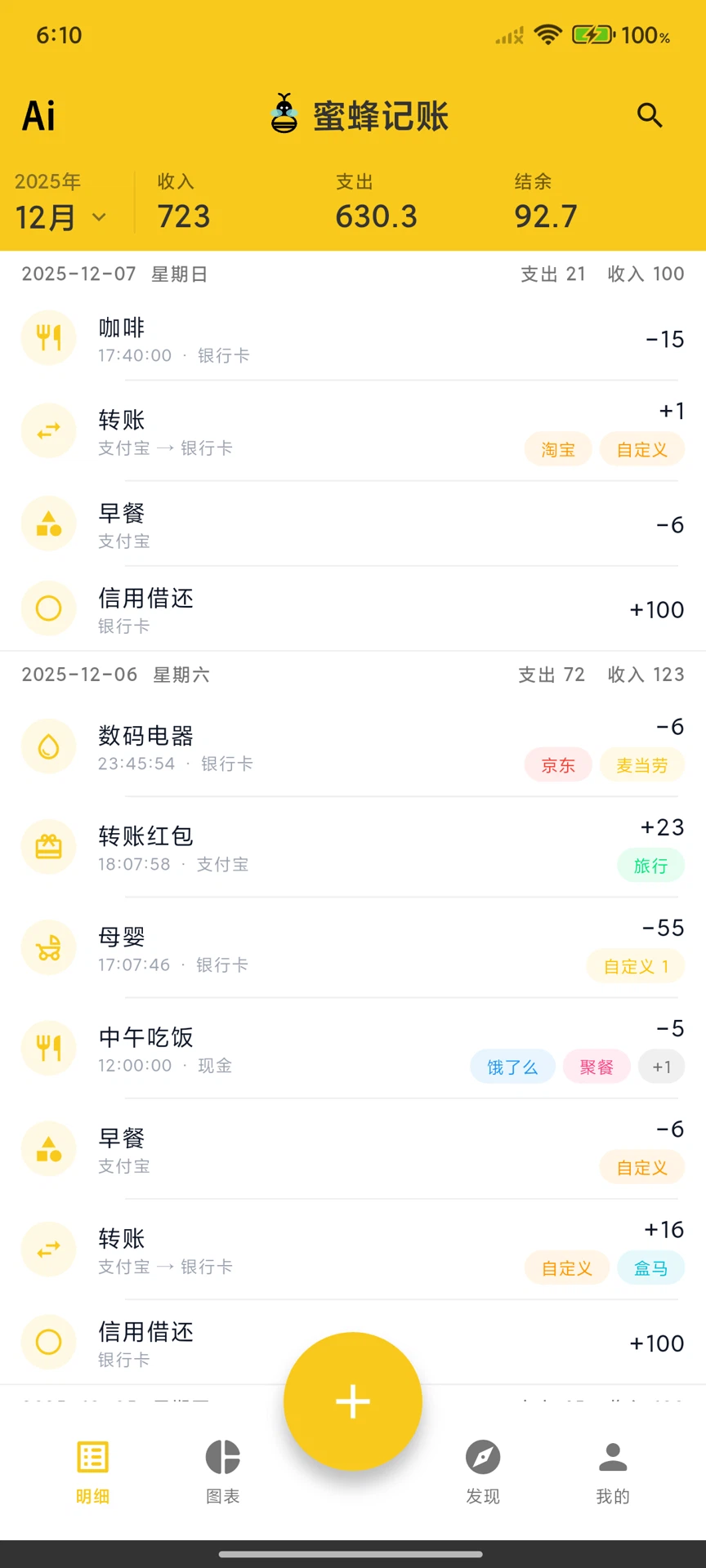
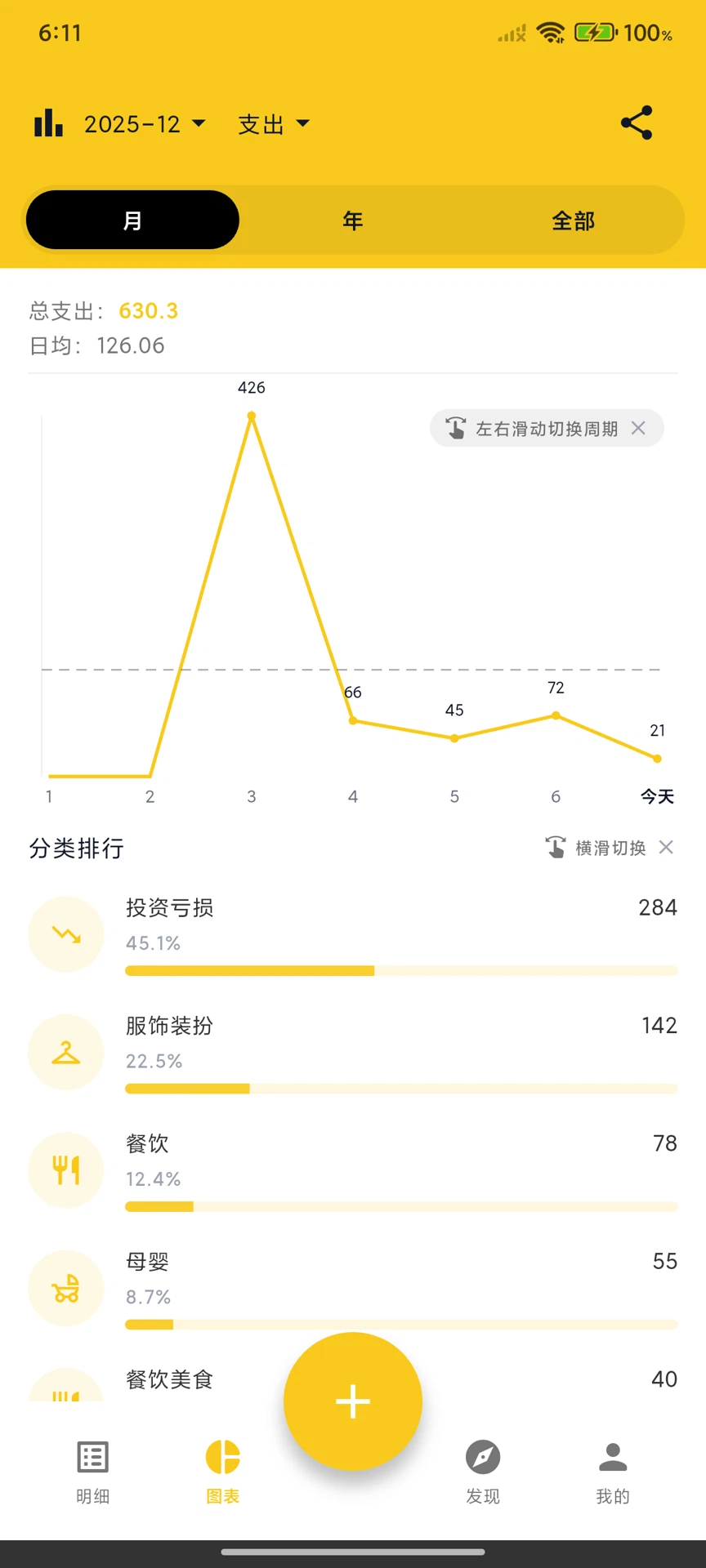
There is no community feed, no investment advice, no social layer. Opening the app lands on the entry screen, and a long press on the icon goes straight to it, which is the right priority for something used several times a day. Multiple accounts are supported, covering cash, bank cards and the payment apps that have replaced cash for most people. Categories, trend charts, tags and budgets are all present, and recurring entries such as rent or a phone bill can be saved as templates and entered with one action.
The newer addition is an MCP interface: paired with the author's own cloud service, an AI assistant that speaks the protocol can operate the ledger directly. It is marked experimental, and that is the honest description, but the direction is interesting because bookkeeping is exactly the kind of task where asking a question in words beats hunting through a form.
Dark mode, several separate ledgers and CSV export are there as well. The intent is not to replace the heavier financial planning suites, which do projections and account aggregation; it is to be a clean option for people who want to track spending without being held hostage by the tool that tracks it.
Where it falls short
Being one person's project shows. The interface is not as polished as a commercial app, and the interaction occasionally has a small bug that a funded team would have caught before release. The web version is less complete than the mobile builds, so it is a companion rather than an equal third platform. Budgeting is basic: a limit per category, without the rolling envelopes, carry-over rules and reminders that dedicated budgeting tools provide.
The licence deserves a plain sentence, because the marketing word and the legal reality differ slightly. It uses a source-available licence under which personal use is entirely free and commercial use requires an agreement. The code can be read and audited, but this is not open source in the strict certification sense. For an individual keeping their own accounts, the practical experience is simply free software that happens to be inspectable.
If the advertising and the membership upsell in other trackers have worn you down, and handing every purchase to a cloud provider was never appealing, this is worth a week. It may not be the prettiest option, but it is one where you are the one deciding.