
Axure RP 11 keeps prototype, flowchart and specification in one file
Summary
A prototyping tool where the interaction is built without writing code: conditional logic and variables, multi state panels, several adaptive views designed side by side, flowcharts drawn in the same file, and a specification exported at the end. Subscription, with an educational policy.
Recommend- Name
- Axure RP
- Version
- 11
- Open source
- Proprietary
- Operating system
- WindowsmacOS
- Website
- https://www.axure.com
- Updated
- 2026-10-06 20:41
A wireframe cannot explain an interaction
A wireframe carries the layout and nothing else. Where the button goes when it is pressed, what the form says when a field is wrong, whether the list can be filtered: all of that has to be described out loud, in words, by whoever is presenting. Axure RP exists to fill that gap. Without writing code, a designer can assemble a whole set of interaction logic and then run it during the demonstration instead of describing it. The tool has circulated in design circles and among product managers for many years, which in practice means a fair amount of material and component libraries can be found in various languages. As of September 2026 the version on sale is the eleventh of the line, with clients for Windows and macOS, licensed by the month or by the year.
Interaction logic: conditions and variables
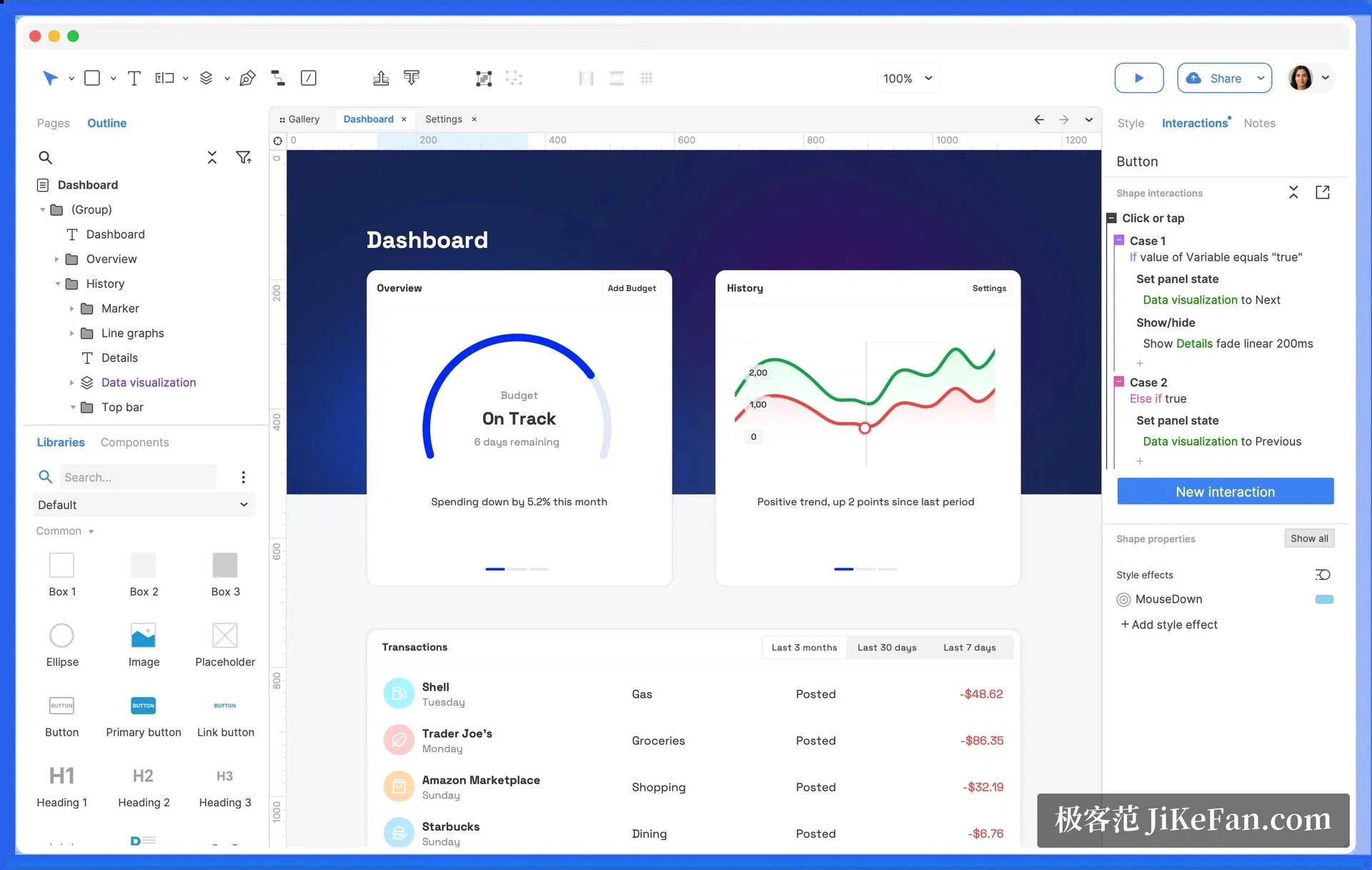
The heart of the program is the way interactions are built. Elements can be bound to mouse, touch and keyboard events, and conditions and variables can be layered on top, producing branches close to what a real program does. The panel on the right breaks every click or tap into a number of cases, and each case can switch the state of a panel, show or hide, move, or fade, with its own duration and easing. A dynamic panel switches between states, which covers dialog boxes, scrollable regions and swipeable phone screens; the repeater component is what makes tables and lists come alive, with sorting and filtering that actually happen, so a prototype stops being a handful of still pictures.
Adaptive views and elastic layout
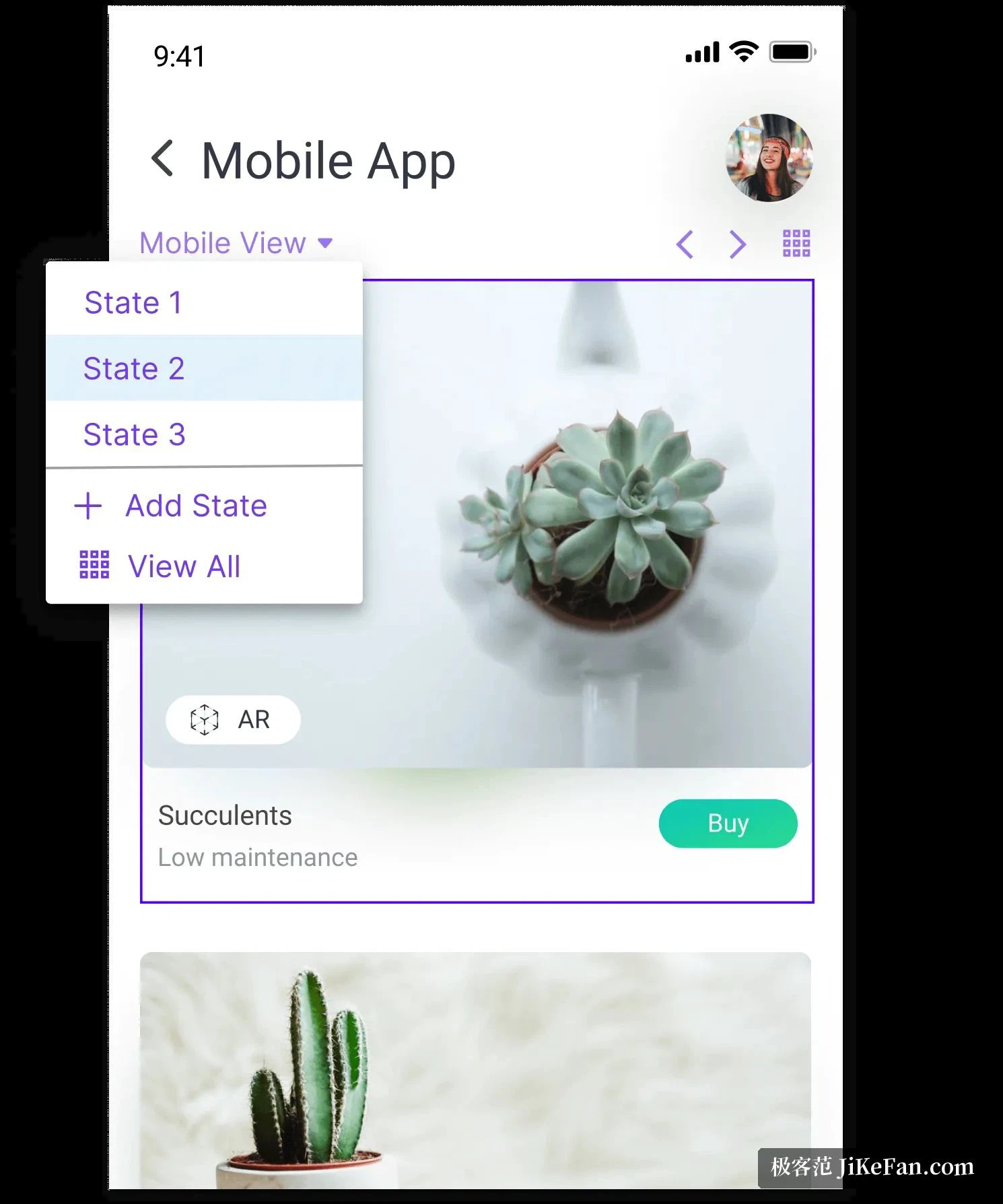
Several adaptive views, for a desktop, a tablet and a phone, can be designed side by side on the same page, and the preview switches to whichever fits the device, which saves building the same thing again for every screen size. The elastic containers introduced in the eleventh version follow the arrangement ideas of front end layout: the rules of ordering and stretching are defined directly on the canvas, so a prototype at different sizes behaves closer to real code, and the distance between the design and what gets built narrows.
Flow, documentation and handover
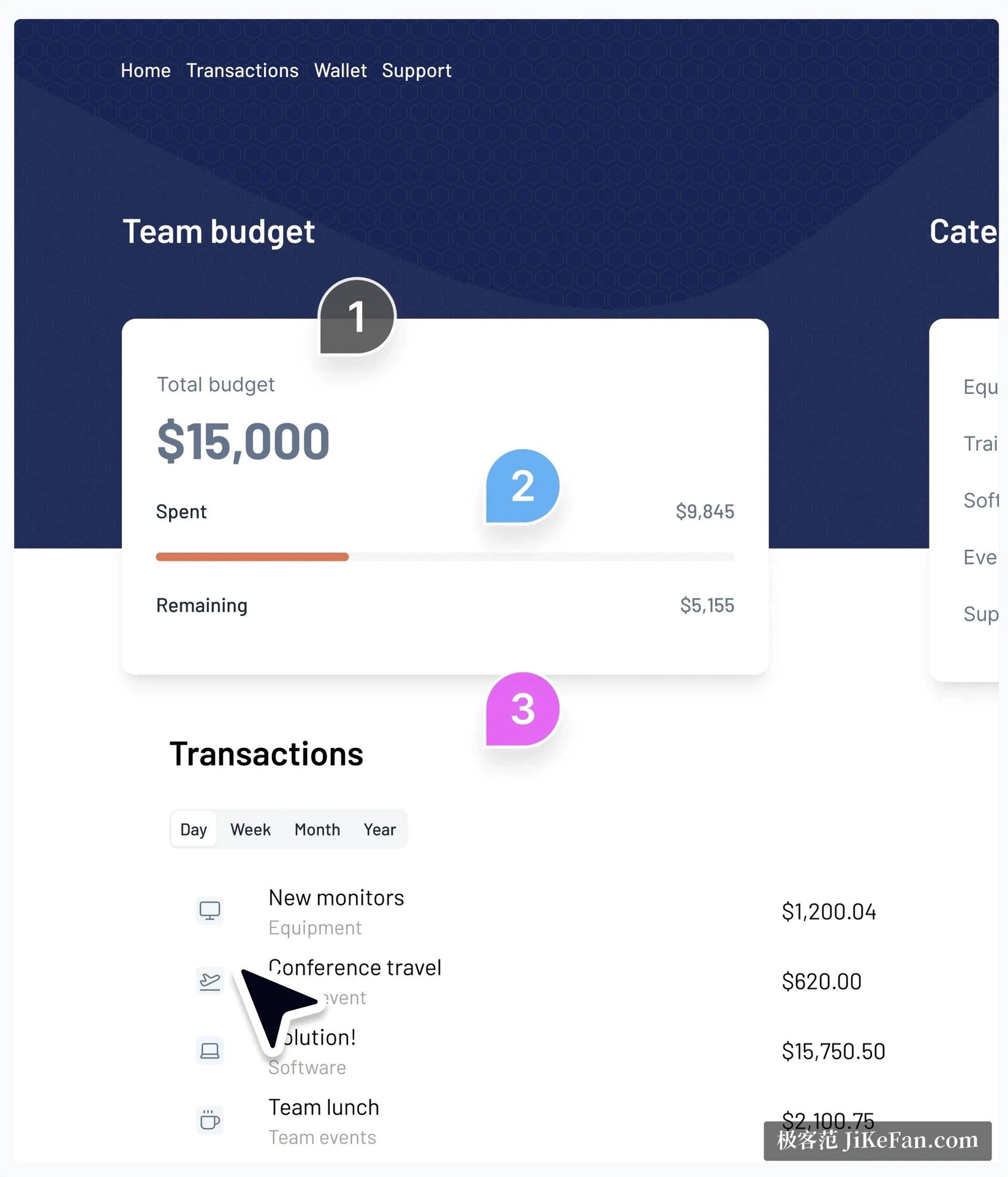
Beyond the prototype the program carries shapes and connectors for flowcharts, so a business process, a customer journey and a system architecture can all be drawn in the same project file, with requirements and specification notes attached to individual elements. Once a prototype is published, a reviewer can leave a numbered comment on a particular element, so a suggested change and the place it refers to correspond exactly, instead of somebody having to say the button on the right of the third screen. On the developer's side there is automatic measurement, export of design assets and inspection of styles, so the handover no longer consists of screenshots with a ruler held against them.
Masters and working as a team
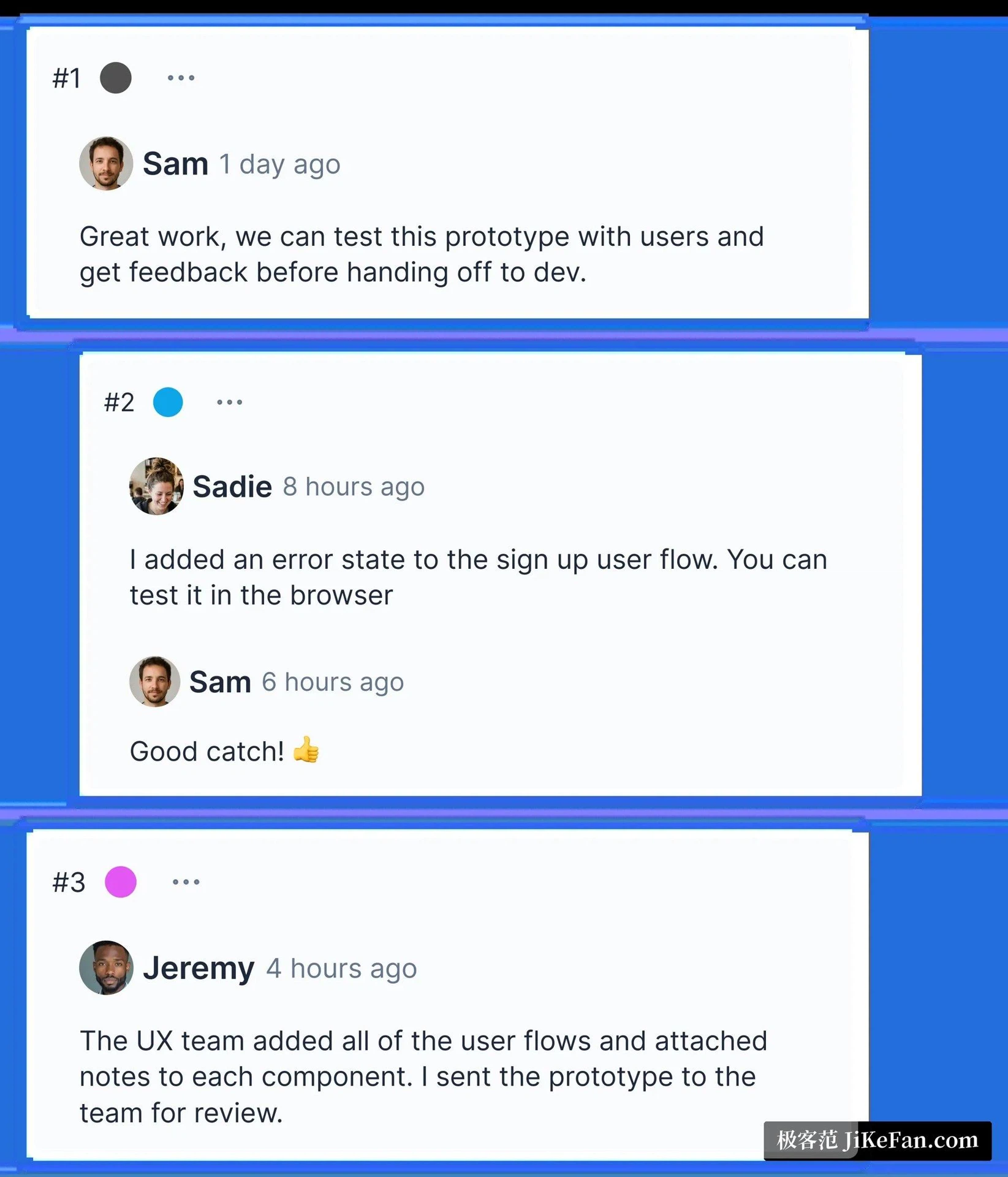
As a project grows, shared parts such as a navigation bar or a footer become masters, and changing one of them updates every page that uses it. A prototype can be exported as a web page and demonstrated in a browser, and a specification document can be generated that hands the interaction logic and the notes to developers and testers together. The team edition adds simultaneous work on the same file and a record of revisions; comments gather into one discussion stream, and both the traces of change and the replies stay with the project, so it remains possible to find out who adjusted which step and when.
Licensing and where it fits
Axure RP is sold by subscription. The official price for an individual professional licence is 29 dollars per person per month, the team edition is 49, and the enterprise edition is quoted individually; within a subscription there is no limit on the number of prototypes, and the account can be used on any number of computers. Students and teachers are offered free use of the team edition, non profit and educational institutions get a discount, and government procurement has its own arrangement. It suits work that has to express complicated interaction: internal systems, financial and data visualisation, and teams that want one tool to produce wireframes, high fidelity prototypes and a specification together. The vendor's site carries the detail, a trial to download and the current terms.
What it solves is the difficulty of saying what an interaction does. Conditions, variables, elastic layout and a specification all live in one file, so a review no longer depends on somebody explaining aloud, and a developer receives something that can be checked rather than a screenshot.