
Adobe Color Review: Turning Palette Choice Into Rules You Can Break
Summary
Choosing colours is where beginners lose the plot: every shade looks fine alone and muddy together. Adobe Color makes it a procedure, with a wheel, harmony rules that generate a five colour theme instantly, extraction from any photo, and a contrast checker for text against background.
Recommend- Name
- Adobe Color
- Version
- 20260922
- Pricing
- Free
- Open source
- Proprietary
- Operating system
- Web
- Website
- https://color.adobe.com/
- Updated
- 2026-10-07 16:21
From guesswork to a procedure
Colour choice is the step where beginners most often lose the result. Each shade is pleasant on its own, you assemble five of them with good intentions, and the composition looks dirty. The problem is not taste; it is that harmony has structure, and nobody explained the structure. Adobe Color explains it by letting you operate it: place a base colour on the wheel, choose a relationship, and the remaining colours are computed. Complementary gives tension, triadic gives balance, analogous keeps a mood coherent, monochromatic refuses to take risks.
What makes it teach rather than merely generate is the immediacy. Drag the marker around the wheel and the whole palette moves with it. In a few minutes of dragging you have felt, rather than read, why some combinations vibrate and others collapse. That is a faster education than any article about colour theory, and it happens before you have opened a design application.
It runs in the browser, so there is nothing to install and nothing to update. For a task that occupies two minutes between other work, that matters more than a rich feature set.
From picking to accessibility
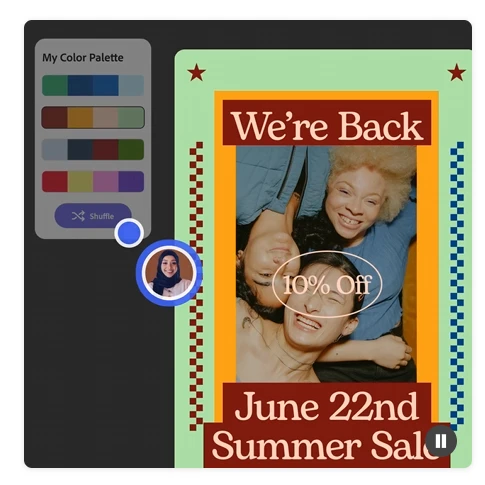
The wheel is only the entry point. Drop in a poster, a photograph or a screenshot and the tool extracts a palette from it, which is how you borrow the mood of an image without sampling pixels by hand. For anyone who has tried to reverse engineer why a particular film poster feels cohesive, that feature answers the question in one action.
The contrast checker is the part that prevents real problems. It scores text against background according to the accessibility guidelines, which turns a vague argument about whether something is readable into a number that either passes or does not. When you are producing interface work or public material, running that check is not bureaucratic decoration; it is the difference between a design that includes people and one that excludes them without noticing.
The output connects to the rest of the workflow. A finished theme can be saved to the creative cloud library and pulled up directly inside the design applications, so the palette you chose here is the palette you use there, without a screenshot and a colour picker. There is also a community gallery of trending palettes, which is a decent answer to the blank page on a bad morning.
There is a quiet educational benefit in the extraction feature too. When you pull a palette out of an image you admire, you can see the proportions: how much of the frame is the dominant tone, how little is spent on the accent. That proportion is usually the thing beginners get wrong, and seeing it as a computed set rather than as a feeling is what makes it repeatable.
Adobe Color translates taste into rules and then hands the rules back for you to break: first compose with method, then have the confidence to be free. The tool offers a starting point; the style remains yours.
How to use it well
Generate by rule first and adjust by hand second; it is much faster than starting from nothing and hoping. For brand work, always run the accessibility check, because a scheme that fails for a red-green colour blind reader should be caught before it ships rather than after. And resist the temptation to accept the first generated theme, since the tool is a starting point and not a verdict.
It is free to use and export without a subscription; syncing to the cloud library needs an account. For a single extraction job, open the page, take the palette, close it, and carry on. That kind of zero-friction utility is rarer than it should be, and it is the reason this one has stayed in bookmarks for years.