
Actual Budget 26.11: A Local-First, Open-Source Budgeting Tool Adds Scheduled Bank Sync
Version 26.11
Summary
Actual Budget is an open-source budgeting app that keeps the ledger on your own disk, manages money with envelope budgets and syncs through a server you control; 26.11 adds scheduled bank sync and tag grouping.
Recommend- Name
- Actual Budget
- Version
- 26.11
- Pricing
- Free
- Open source
- Open source
- Operating system
- WindowsmacOSLinuxWeb
- Website
- https://actualbudget.org/
- Updated
- 2026-11-05 21:20
Actual Budget keeps the ledger on your own disk, manages money with envelope budgets, and syncs to other devices through a server you control.
It is an MIT-licensed open-source project with clients for Windows, macOS, Linux and the browser. Version 26.11, published on 2026-11-01, moves three things forward: bank accounts can sync automatically on a set interval, custom reports group by tag, and the sidebar lets you choose which pages appear, in what order, and which one opens first.
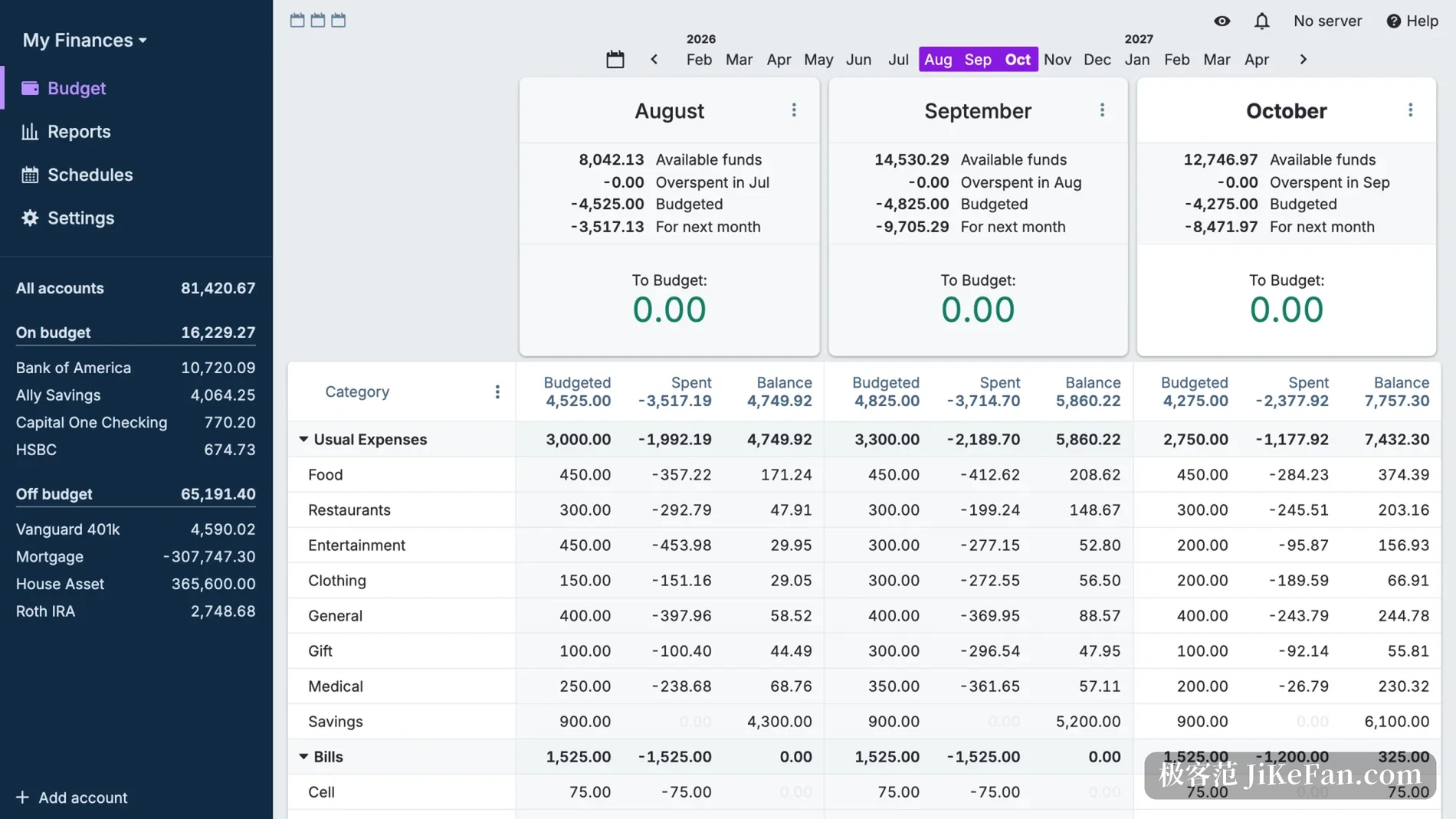
Envelope budgeting: allocate before spending
The method behind Actual is envelope budgeting. Every time income arrives, the money is divided across categories such as rent, food, transport and savings, and each category behaves like an envelope. What you can allocate never exceeds the cash you actually hold, so the illusion of money on the books and nothing in the account does not arise. An envelope that is not fully spent this month can roll into the next one, or stay where it is until a decision is made.
Entry is deliberately restrained: categorising, splitting and transferring all happen in the same editor. A split takes one supermarket receipt and divides it between groceries and household goods, a transfer creates linked records on both sides so changing one changes the other, and the rules engine assigns categories by payee, amount or note, so a handful of regular shops is configured once and then left alone.
The three changes in 26.11
Automatic sync is the most practical addition. Bank account syncing used to need a manual click; now an interval can be set and Actual pulls on its own while the app is open. The interface changed alongside it, because the sync endpoint now reports what a run actually did, which lets a small tool of your own stay quiet when nothing new arrived and speak up when transactions are waiting.
Reports gained grouping by tag. Custom reports already broke down by category, payee or account, and now transactions can carry tags that group a report, with the option to count only chosen tags. Seeing what a trip or a renovation cost stops requiring a pile of temporary categories.
Navigation is configurable as well. Which pages the sidebar shows, in what order, and which page opens on launch are all set in preferences. A Porcelain theme arrived, the currency picker gained the South African rand, the Bangladeshi taka, the Norwegian krone and the Tanzanian shilling, and the Swiss franc now uses its official abbreviation. Large budgets open faster, and cache resets and saving were sped up.
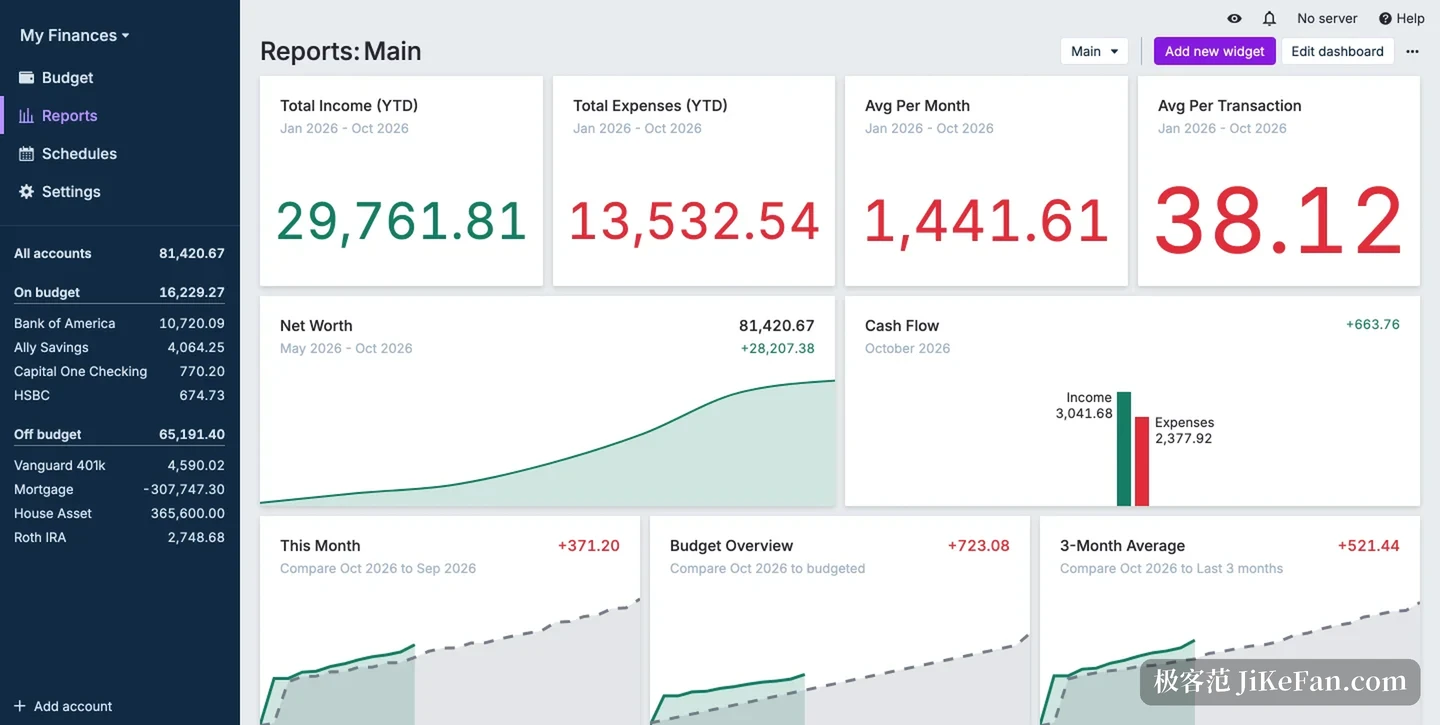
Your data, your maintenance
The core design is local-first. The database sits on your device, so bookkeeping, reports and rules work offline; when a network is available, changes sync to a server and other devices pull them down. The server stores change messages rather than the complete ledger. End-to-end encryption is optional, and once enabled it needs a second password while the server only ever reads ciphertext.
That buys data ownership at the price of a server. The desktop build bundles client and server, so it runs on one machine out of the box; seeing the same ledger on a phone, a tablet or a second computer needs a reachable sync service. That service can be self-hosted or run on a small rented machine, which is cheap but is work.
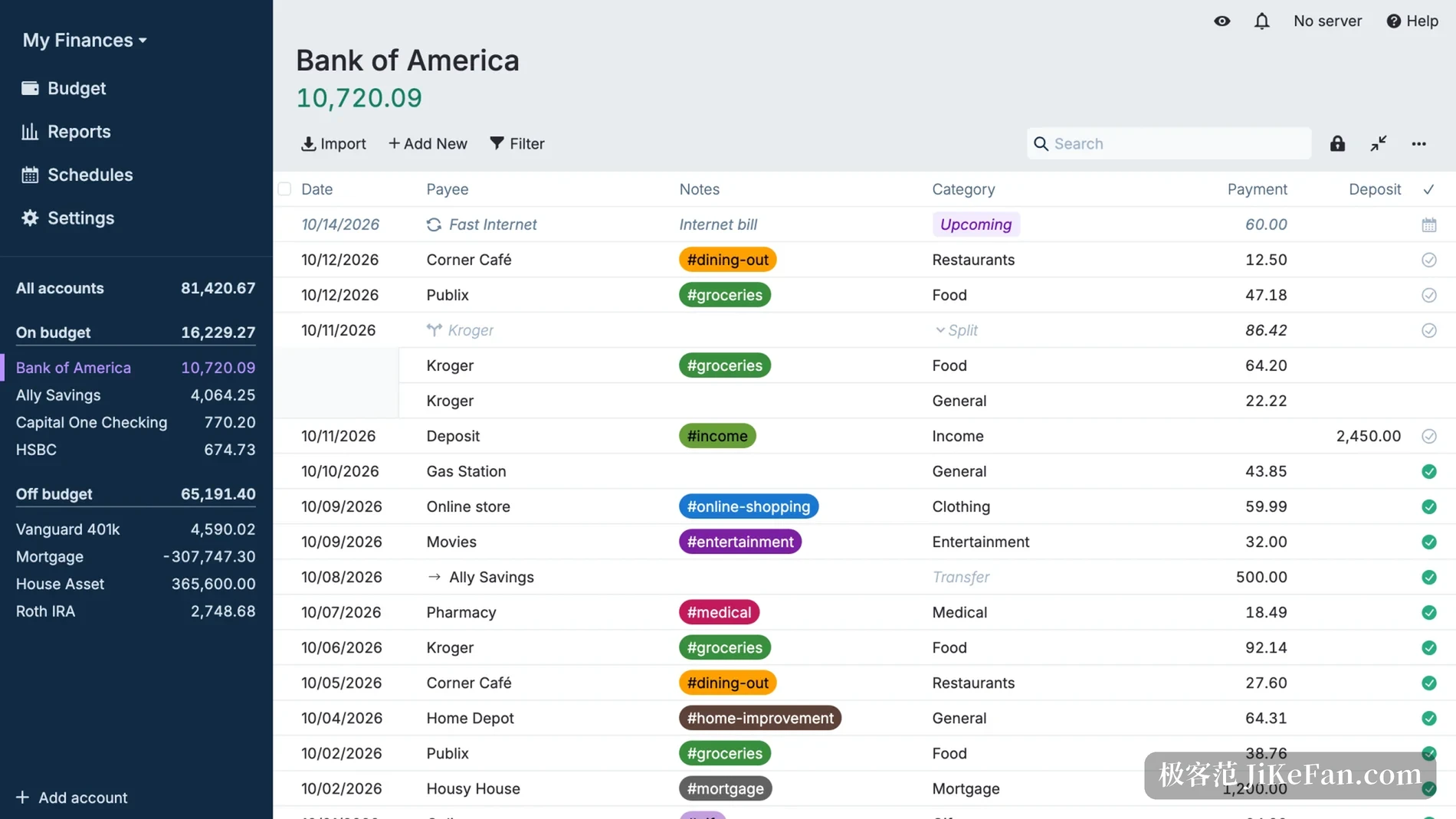
Boundaries worth knowing first
Bank sync relies on third-party providers and covers North America, Europe, Brazil and New Zealand among others. Banks in mainland China are not included, so users there mostly import statement files instead. CSV, QIF, OFX, QFX and CAMT.053 are supported, which is enough for everyday bookkeeping.
Two traps are easy to fall into. End-to-end encryption protects budget data, but the credentials for bank sync sit on the server outside that protection, so the server itself needs looking after. And the native mobile app is no longer maintained: phones use an installable web app that works offline but is not the same experience as a native client.
This release also reorganised settings, moving payees, rules, bank sync and tags out of the sidebar and into a settings page with its own navigation. Long-time users will notice the menus have moved on first launch, but nothing was removed and the old paths are a short search away.
Actual Budget is not a sign-up-and-go bookkeeping service. It is a set of tools handed to you: the ledger stays local, the sync server is yours to run, the budget rules are yours to define. Anyone willing to spend half an hour arranging the server and the categories ends up with a financial record that belongs entirely to them.