
Doubao Desktop: An AI Assistant That Edits Local Office Files and Operates a Computer
Version 2.33.5
Summary
Doubao Desktop puts the assistant on the desktop itself: it opens and edits local Word, Excel and PowerPoint files in place, runs browser tasks on a virtual desktop, and new users get a 30-day trial.
Recommend- Name
- Doubao
- Version
- 2.33.5
- Open source
- Proprietary
- Operating system
- WindowsmacOS
- Website
- https://www.doubao.com
- Updated
- 2026-11-05 23:00
Editing a local spreadsheet used to mean uploading it, waiting, downloading it and checking it again. Doubao Desktop compresses those four steps into one: the file stays where it is and the AI edits it on the right while you watch.
Doubao is an AI assistant from ByteDance, and the desktop build adds a work mode on top of ordinary conversation. The difference is that it no longer returns only text: it calls tools, opens a browser and touches the files on your machine. As of 2026-11 the company gives new users a 30-day trial, which keeps the cost of trying it low.
First, stop moving files around
For office work, the annoying part of using an AI on documents is rarely the quality of the edit. It is the routine. An expense sheet has to be summarised by category: upload, wait in a web page, download, open it to check, and with a dozen files that loop runs a dozen times.
Local Office editing removes the loop. A file panel opens on the right and loads Excel, PowerPoint and Word files straight from the disk; the request goes into the chat on the left and the file changes in place on the right. Saving writes back to the original, which still opens in the usual office suite with its formatting intact.
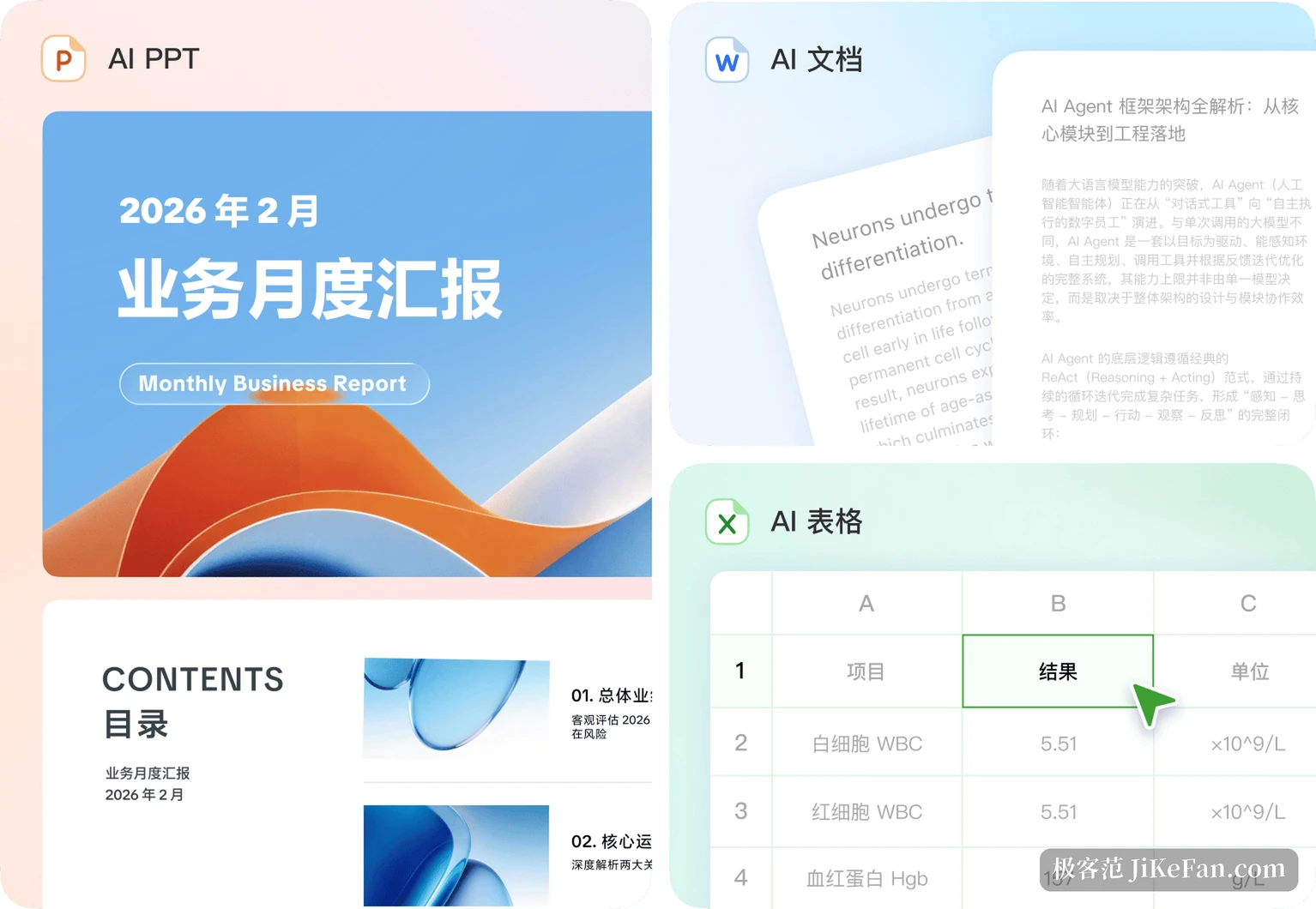
Editing by AI and editing by hand meet in the middle. It takes a pass at the instruction, and if a phrasing does not fit you simply edit it in the panel and save. Weekly reports, proposals and briefing material are exactly the work that iterates on an existing file, and that is far more useful than generating a block of text from nothing.
It can act on the computer
The other half of work mode is operation. Doubao can run a task on a virtual desktop: open a browser, look things up, put data into a spreadsheet, land the result in a document. You watch it happen, can pause at any point, and can take over yourself.
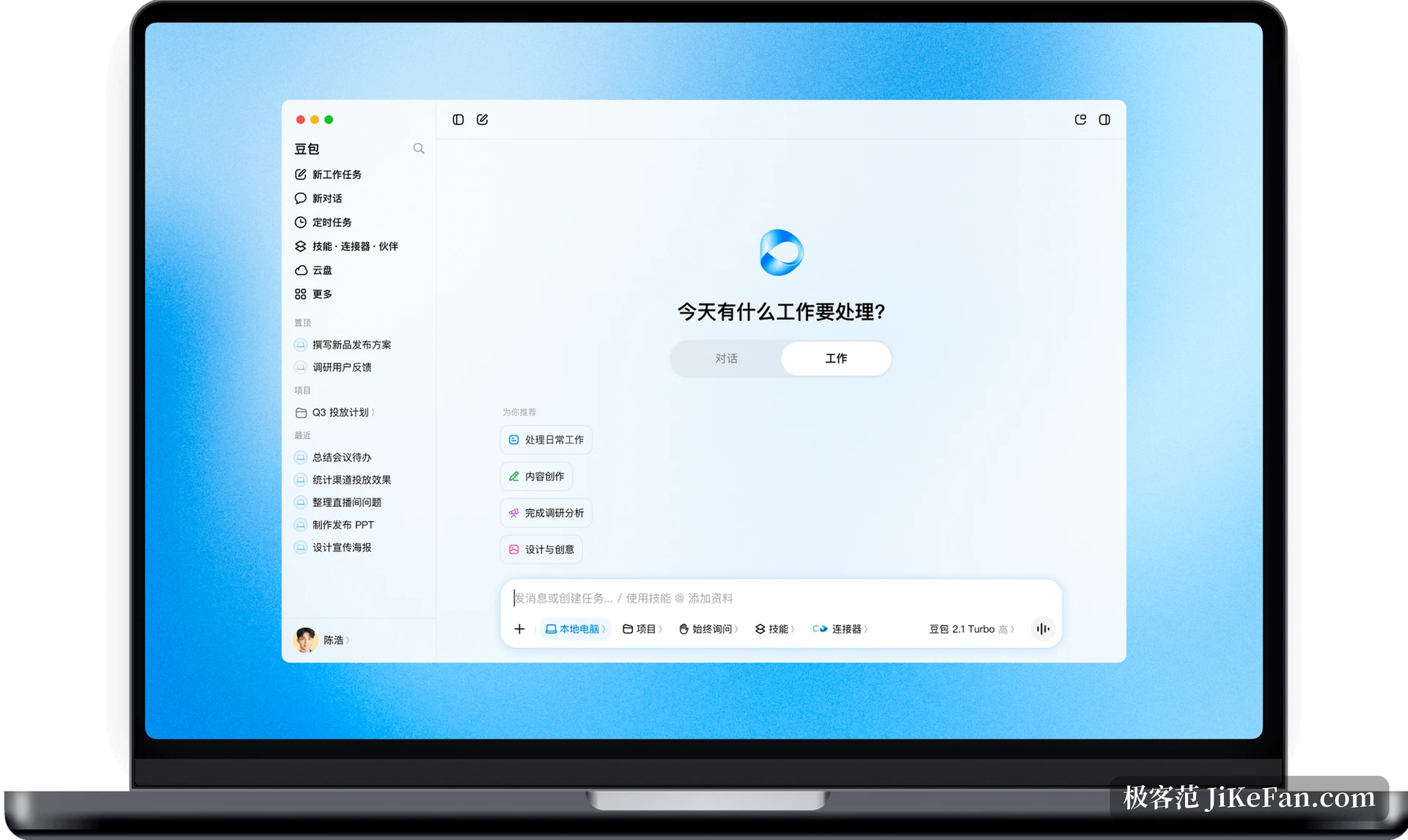
That design is about trust. Most people are uneasy the first time an AI is allowed to touch their computer, and seeing every step and being able to stop it is what makes handing over a slightly complex task acceptable.
Changing environment half way through does not restart the work either. Local and cloud computers can be swapped at any moment with the context preserved, which for a task running a dozen minutes saves explaining the request again.
Task queueing is the smaller detail that is easy to miss. While one item runs, more requests can be added and they are handled in order; work that does not depend on the local machine keeps running after the app is closed and the laptop shut. Describing the whole day's work up front and letting it queue feels closer to having someone work for you than watching one result at a time.
Showing once beats explaining ten times
Some work resists description, such as an internal system that needs five or six buttons pressed in a fixed order. The company's answer is browser recording and replay: demonstrate the operation once and it learns. Reports suggest the rollout of this capability is still expanding, so different accounts may not see the same features.
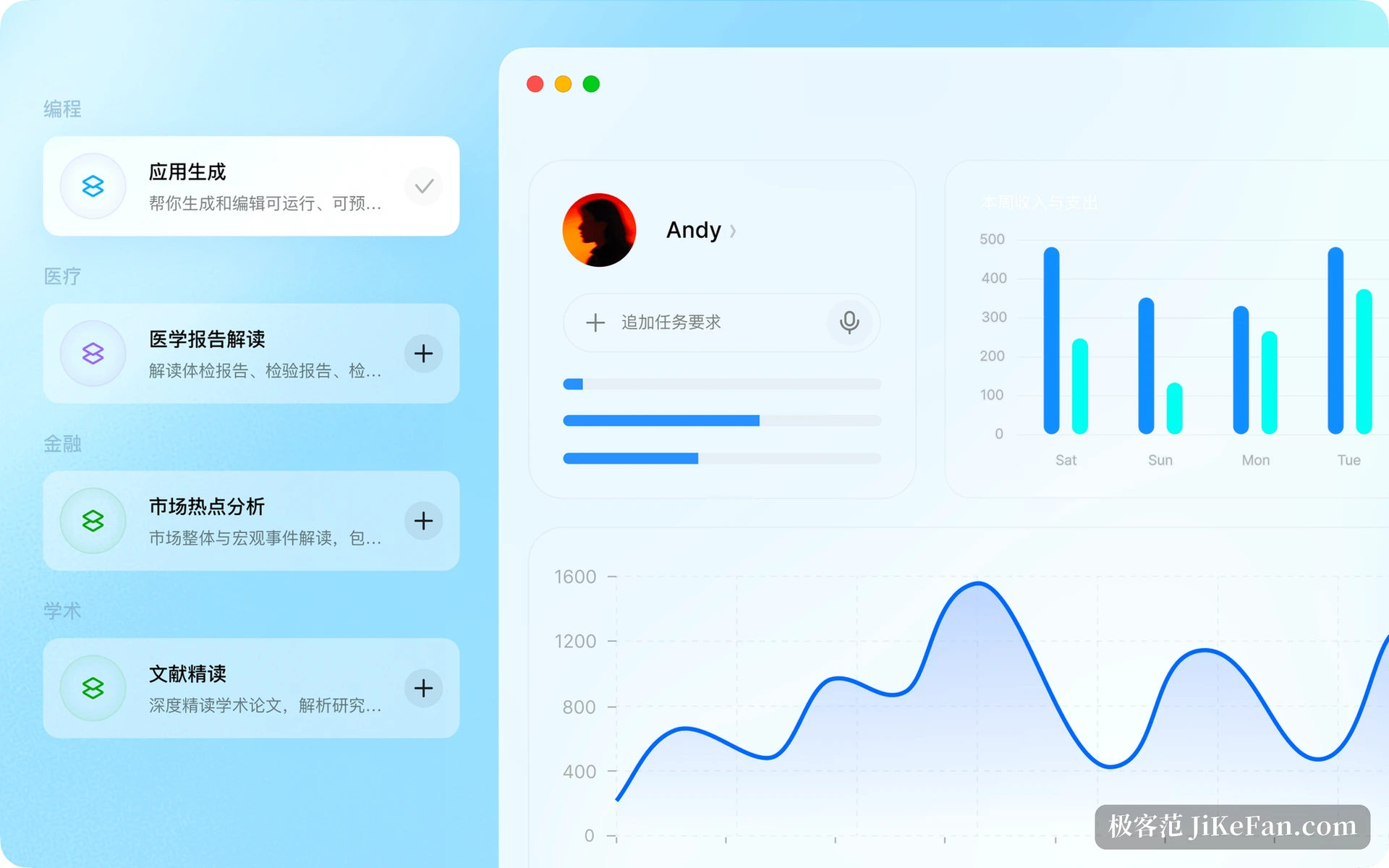
A skills panel sits alongside it, with preset abilities for programming, medicine, finance and academic work on the left to add with a click. It also remembers working habits, and the memory panel shows what was remembered and which entry a given answer relied on, each with a timestamp. Memory you can inspect is easier to trust than memory that stays invisible.
Whether the offer is worth taking
By the official wording, new desktop users can claim a 30-day trial without binding a card. A check-in activity also exists where 30 days of attendance accumulates 8800 credits valid for 30 days, which is enough for a serious round of testing. Rules can change at any time, so the official page at the moment of signing up is the authority.
The audience is fairly clear: office workers who spend the day moving between Excel, PowerPoint and Word and are worn down by uploading and downloading, and people who want an AI to run processes across several applications without handing over the whole computer. Anyone who only asks a few questions occasionally is served by the ordinary chat mode and does not need work mode at all.
Keeping the file in place and letting the AI edit inside it: what Doubao Desktop changes is not how many words it can write but where it stands in your work. A 30-day trial is enough to judge whether it deserves a place on the desktop.