
-
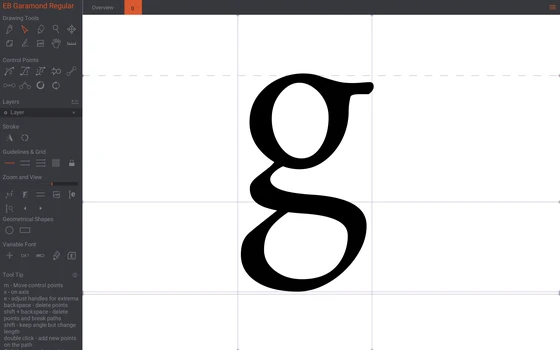
Birdfont: an open source font editor whose four editions split on commercial use and colour
Birdfont is an open source font editor that exports TTF and single colour SVG. The website splits distribution into four editions, two of them free, with colour fonts and variable fonts reserved for Plus. Paid editions start at 9.99 dollars.
-
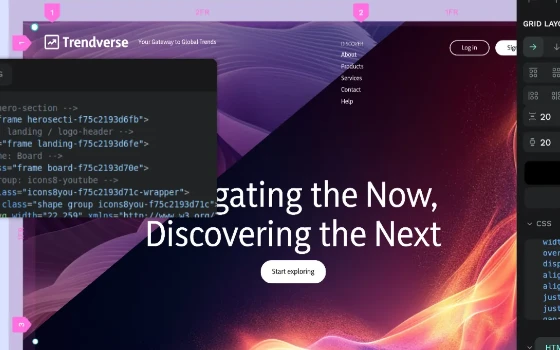
Penpot: an open source design platform on open standards, with design variables in 2.18
An open source online design platform built on open standards. The interface opens in a browser and layout uses the native grid and flex model of the web, with components, design variables and shared libraries, or a deployment on a server you control. The free tier is complete.
-
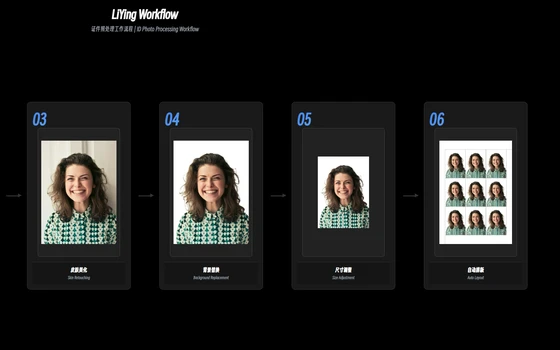
LiYing automates the ID photo darkroom, from background swap to sheet layout, offline
An automation program for studios that shoot ID photos: it finds the face, corrects the angle, replaces the background with red, blue or white, crops to standard sizes and lays the shots out on photo paper, all offline on the local machine.
-
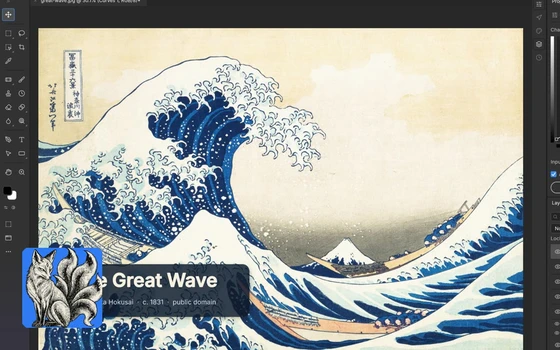
PhotoCraft: an open source image editor rewritten in pure Rust that opens layered PSD files
An image editor rewritten from scratch in pure Rust: layers, masks and adjustment layers are all there, layered PSD files open directly, and a command line plus an MCP server hand the work to scripts.
-
darktable Review: A Complete Darkroom That Costs Nothing
Library on the left, darkroom on the right, and every adjustment stored as history rather than baked in. Raw support for new cameras arrives quickly, and the licence is whatever you can afford.
-
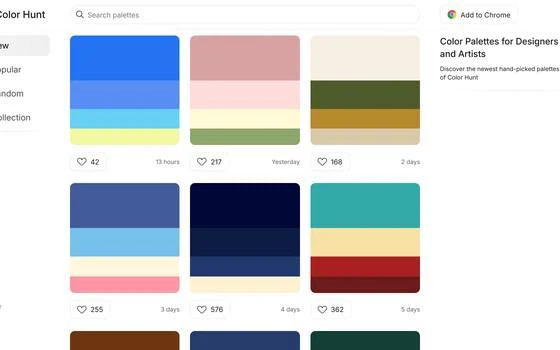
Color Hunt: a free library of colour palettes with the hex values one click away
Color Hunt shows community palettes four colours at a time, sorted by popularity or freshness and filtered by style, mood and colour family. Every palette carries its hex values, one click copies them, and browsing needs no account.
-
Boxy SVG: an editor that does one format, and exports code clean enough to keep
Boxy SVG looks after the SVG format and little else. Editing happens on the canvas, the export keeps IDs, classes and titles intact, and the source can be inspected and changed directly. The web version is free.
-
ColorHexa: a free encyclopedia of colour, where one value answers every conversion and palette question
Type any colour value and get the whole file on it: equivalents in every colour space, tints and shades, harmonies, and a simulation of how it looks with colour vision deficiency.
-
Uizard: describe a screen in words and it draws the prototype for you
An artificial intelligence design assistant that runs in the browser: say a paragraph and a few seconds later a set of linked, editable screens appears. Screenshots of existing products and hand drawn frames on a whiteboard can be photographed and turned into clean digital versions. Prototypes can be clicked, reviewers need no account, and a free tier is enough to try the whole flow.
-
FigJam turns brainstorming into a shared canvas where everyone draws at once
A browser based whiteboard for teams, built on an endless canvas: sticky notes, shapes, connectors and stamps, timers and polls to pace a meeting, and text, voice or video notes for people in other time zones. The core is free for personal use.
-
PureRef gathers a scattered reference folder onto one canvas that stays on top
A bare canvas for arranging reference images, with unlimited zoom, alignment, notes and arrows, an always on top borderless window, and local storage with no account.
-
Pencil2D: free frame-by-frame animation that still runs on an old laptop
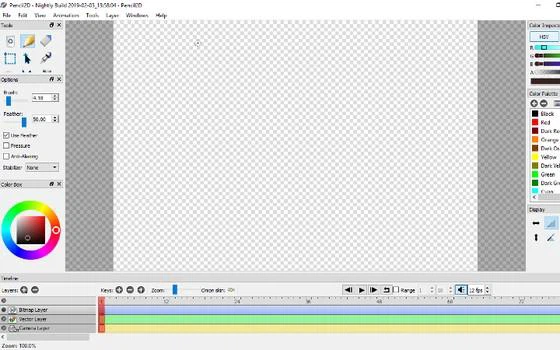
A deliberately plain 2D animation tool: raster and vector layers share one timeline, onion skin shows the neighbouring frames, and the package is a few tens of megabytes, so an old machine copes. Open source, free for personal use, and 0.7.2 arrived in 2026-03.
-
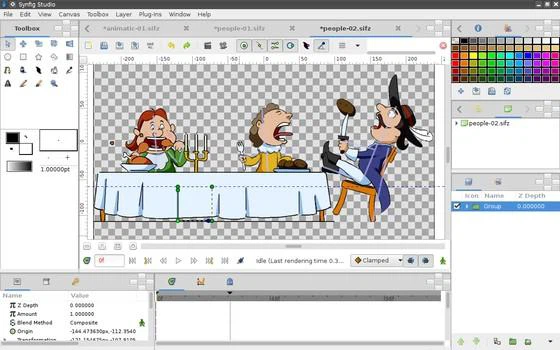
Synfig Studio: open-source 2D animation that draws the frames between your keyframes
An open-source vector animation tool where keyframes and automatic in-betweening replace drawing every frame, with skeleton binding for cut-out characters, SVG import and rendering to video.
-
Tropy: photo research for people who work in archives, not in albums
Tropy turns ordinary photographs of documents into research items with provenance and metadata, merges multi page scans into one entry and exports the whole project.
-
GIMP Keeps Serious Image Work Free of Charge
A full image editor that costs nothing and holds nothing back: layers, precise selection tools, drawing instruments, wide format support and a plugin system. Designers, photographers and illustrators use it for retouching, digital painting and interface mock-ups.
-
第 1 / 1 页